1. Introducció
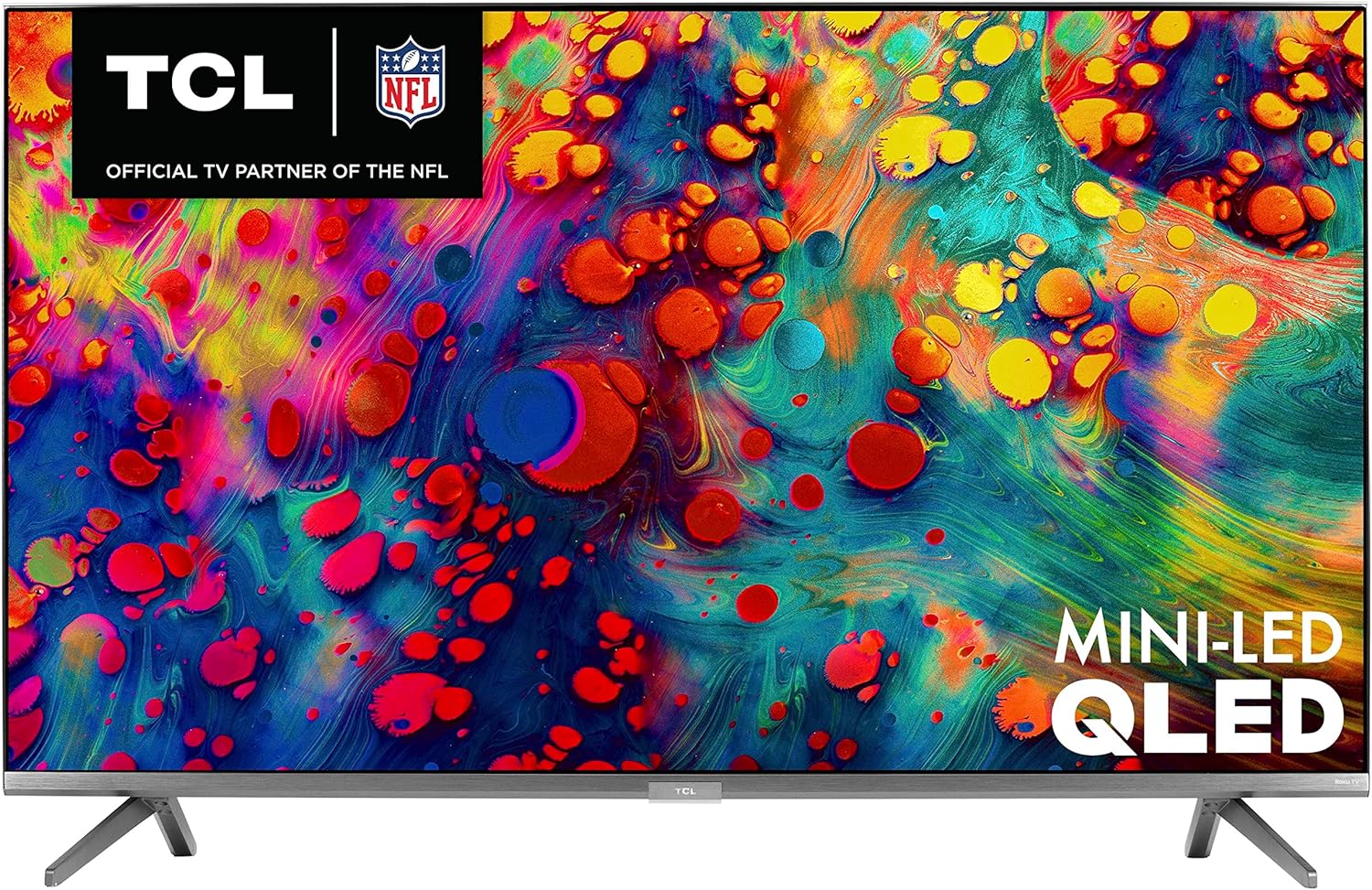
This manual provides essential information for setting up, operating, maintaining, and troubleshooting your new TCL 65-inch 6-Series 4K UHD Dolby Vision HDR QLED Roku Smart TV (Model 65R635). This television combines advanced display technologies like Mini-LED and Quantum Dot for superior picture quality, enhanced by Dolby Vision HDR. The integrated Roku OS offers seamless access to a wide range of streaming content and smart features, including voice control and THX Certified Game Mode for an optimized gaming experience.
2. Informació de seguretat
Please read all safety instructions before operating the television. Keep this manual for future reference. Always ensure the television is placed on a stable, level surface or securely mounted to prevent tipping. Avoid exposing the television to rain or moisture to reduce the risk of fire or electric shock. Do not block ventilation openings. Refer to the full safety guidelines in the Quick Start Guide included with your product.
3. Què hi ha a la caixa
Upon unpacking your TCL 65R635 TV, please verify that all the following items are included:
- TCL 65-inch 6-Series 4K UHD Roku Smart TV
- Cable d'alimentació
- Voice Enabled Remote Control (RC580)
- Two 'AAA' Batteries for Remote Control
- Moble per a TV (2 peces)
- Cargols de peu
- Guia d'inici ràpid
- Informació de la garantia
- Analog Audio/Video Input Adapter
4. Configuració
4.1 Fixació del suport de TV
- Col·loqueu amb cura el televisor cap per avall sobre una superfície suau i neta per evitar que es faci malbé la pantalla.
- Align each stand leg with the corresponding screw holes on the bottom of the TV.
- Secure each stand leg using the provided screws. Ensure they are tightened firmly.

4.2 Muntatge a la paret
The TCL 65R635 TV supports VESA wall mounts with a 300mm x 300mm pattern. Ensure you use a compatible wall mount kit and follow the instructions provided with the mount. Professional installation is recommended for wall mounting.

4.3 Connexió de dispositius
Your TV is equipped with multiple input ports for connecting external devices:
- HDMI Inputs (4 total, 1 eARC): Connect Blu-ray players, gaming consoles, cable boxes, and other HDMI-compatible devices. HDMI 4 supports eARC for enhanced audio return.
- Entrada USB: Per connectar dispositius d'emmagatzematge USB per reproduir contingut multimèdia.
- Port Ethernet: Per a una connexió a Internet per cable.
- Entrada de cable/antena: Per connectar una antena o un cable de televisió.
- AV In (Adapter required): Per a dispositius més antics que utilitzen vídeo compost i àudio estèreo.
- Sortida d'àudio òptic: Per connectar-lo a una barra de so o a un receptor d'àudio.

4.4 Configuració inicial
After connecting your devices and power, turn on the TV. Follow the on-screen instructions to:
- Seleccioneu el vostre idioma.
- Connecteu-vos a la vostra xarxa Wi-Fi.
- Activate your Roku account (or create a new one).
- Cerca canals (si fas servir una antena).
5. Funcionament del televisor
5.1 Funcions de control remot
The included voice-enabled remote control provides easy navigation and control:
- Botó d'encesa: Encén o apaga el televisor.
- Pad direccional (botó OK al centre): Navega pels menús i selecciona elements.
- Botó d'inici: Torna a la pantalla d'inici de Roku.
- Botó enrere: Torna a la pantalla anterior.
- Pujar/baixar el volum: Ajusta el volum del televisor.
- Botó de silenci: Silencia o activa el so.
- Canal amunt/avall: Changes channels (for live TV).
- Botó de control de veu: Activates voice commands for searching or controlling the TV.
- Botons d'accés ràpid: Botons dedicats per a serveis de streaming populars.

5.2 Navegació del sistema operatiu Roku
The Roku Home screen provides access to all your streaming channels, inputs, and settings. Use the directional pad on your remote to browse and select options. You can customize the order of your channels for quick access to your favorites.

5.3 Control de veu
The TCL 65R635 supports voice control through the remote, Amazon Alexa, and Google Assistant. Press the voice button on your remote or use your smart assistant device to:
- Cerca movies, TV shows, or actors.
- Launch or switch streaming channels.
- Change TV inputs.
- Control playback (play, pause, fast forward, rewind).
6. Configuració de la imatge
The TCL 65R635 features advanced picture technologies for an immersive viewExperiència:
- 4K Ultra HD & Dolby Vision HDR: Delivers stunning clarity, contrast, and a wide color palette.
- Tecnologia mini-LED: Provides uncompromised contrast, brightness, and uniformity.
- Tecnologia de punts quàntics: Enhances brightness and color volume for vibrant visuals.
- Contrast Control Zones: Optimizes contrast across up to 240 localized zones.
- AiPQ Engine: Uses machine-learning algorithms to optimize color, contrast, and clarity.
- THX Certified Game Mode: Offers optimal viewing for gaming with reduced input lag and improved motion.
Access picture settings via the Options menu on your Roku remote to adjust brightness, contrast, color, and other display parameters to your preference.
7. Configuració de so
The TV features built-in speakers for clear audio. For enhanced sound, you can connect external audio systems:
- HDMI 4 (eARC): Connect compatible soundbars or AV receivers for high-quality audio passthrough.
- Sortida d'àudio òptic: Connect to soundbars or audio receivers using an optical cable.
Adjust sound modes (e.g., Standard, Movie, Music) and other audio settings through the Options menu on your Roku remote.
8. Manteniment
8.1 Neteja de la pantalla
Per netejar la pantalla del televisor, netegeu-la suaument amb un drap suau i sense borrissol. Per a marques difícils, netegeu-la suaument.ampNetegeu el drap amb aigua o una solució de neteja específica per a pantalles. No ruixeu mai líquid directament sobre la pantalla.
8.2 Neteja del comandament a distància
Netegeu el comandament a distància amb un drap suau i sec. Eviteu utilitzar productes de neteja o dissolvents abrasius.
9. Solució De Problemes
Si teniu problemes amb el televisor, proveu els passos habituals següents per resoldre problemes:
- Sense energia: Assegureu-vos que el cable d'alimentació estigui ben connectat tant al televisor com a una presa de corrent que funcioni. Proveu una altra presa de corrent.
- Sense imatge/so: Verifiqueu que s'ha seleccionat la font d'entrada correcta. Comproveu si totes les connexions dels cables (HDMI, AV, etc.) estan soltes.
- El comandament a distància no funciona: Substituïu les piles del comandament a distància. Assegureu-vos que no hi hagi cap obstacle entre el comandament a distància i el televisor.
- Problemes de connexió de xarxa: Restart your router and modem. Go to Roku TV Settings > Network > Check connection to diagnose the issue.
- Problemes de qualitat d'imatge: Adjust picture settings (brightness, contrast, color) in the Options menu. Ensure your content source is high quality.
For more detailed troubleshooting, refer to the Quick Start Guide or visit the TCL support weblloc.
10. Especificacions
| Característica | Especificació |
|---|---|
| Marca | TCL |
| Número de model | 65R635 |
| Mida de la pantalla | 65 polzades |
| Tecnologia de visualització | Mini-LED, QLED |
| Resolució | 4K UHD (3840 x 2160) |
| Freqüència d'actualització | 120 Hz |
| Suport HDR | Dolby Vision, HDR10, HLG |
| Connectivitat | HDMI (4 inputs, 1 eARC), USB, Wi-Fi, Ethernet |
| Dimensions (WxHxD with Stand) | 56.9" x 35.7" x 13.7" |
| Dimensions (WxHxD without Stand) | 56.9" x 32.9" x 2.8" |
| Pes de l'article | 75.4 lliures |
| Patró de forats VESA | 300 mm x 300 mm |
| Control de veu | Roku Voice, Amazon Alexa, Google Assistant |

11. Garantia i Suport
11.1 Informació de la garantia
Your TCL 65R635 TV comes with a limited manufacturer's warranty. Please refer to the Warranty Information document included in your product packaging for specific terms, conditions, and duration of coverage. Keep your proof of purchase for warranty claims.
11.2 Atenció al client
For technical assistance, product inquiries, or warranty service, please contact TCL Customer Support. You can find contact information in your Quick Start Guide or by visiting the official TCL weblloc.


