Introducció
The Xiaomi Mi Dual Mode Wireless Mouse Silent Edition is designed for seamless connectivity and quiet operation. This manual provides detailed instructions to help you set up, operate, maintain, and troubleshoot your mouse, ensuring optimal performance and user experience.
Producte acabatview
Familiarize yourself with the components and features of your Xiaomi Mi Dual Mode Wireless Mouse.

Figura 1: En angle view of the Xiaomi Mi Dual Mode Wireless Mouse Silent Edition, showcasing its ergonomic design and black finish.

Figura 2: De dalt a baix view of the mouse, highlighting the scroll wheel and the mode switch button.

Figura 3: A baix view of the mouse, showing the power switch, mode switch button, and the battery compartment cover.

Figura 4: The mouse positioned next to a laptop, illustrating its compact size and suitability for various workspaces.
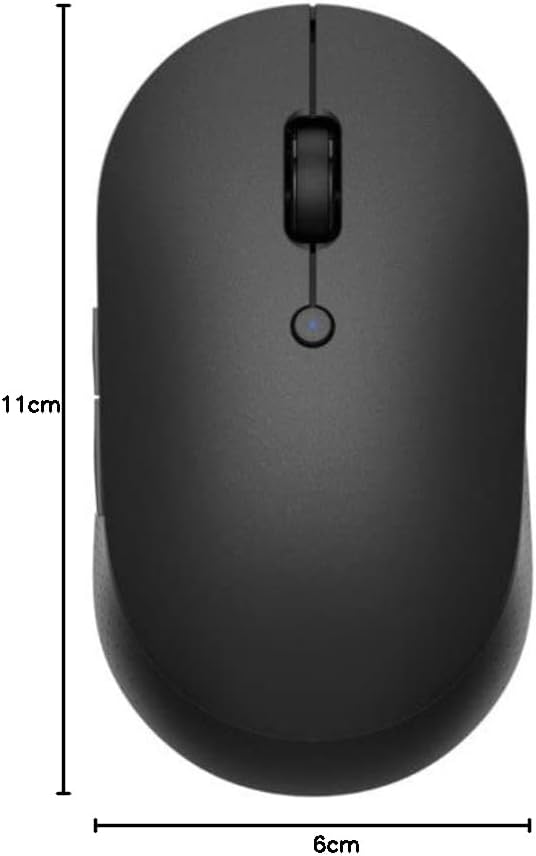
Figura 5: Visual representation of the mouse dimensions, approximately 11 cm in length and 6 cm in width.
Configuració
1. Instal·lació de la bateria
The mouse requires two AAA batteries (not included). Follow these steps to install them:
- Locate the battery compartment cover on the bottom of the mouse (refer to Figure 3).
- Feu lliscar la coberta oberta.
- Insert two AAA batteries, ensuring correct polarity (+ i −) tal com s'indica a l'interior del compartiment.
- Tanqueu bé la tapa del compartiment de la bateria.
2. Encès
On the bottom of the mouse, slide the power switch to the "ON" position.
3. Connexió al vostre dispositiu
The Xiaomi Mi Dual Mode Wireless Mouse supports two connection modes: 2.4GHz RF (via USB receiver) and Bluetooth LE 4.0.
3.1. 2.4GHz RF Connection (USB Receiver)
- Locate the USB receiver inside the battery compartment.
- Traieu el receptor USB.
- Connecteu el receptor USB a un port USB disponible de l'ordinador.
- Ensure the mouse is in 2.4GHz mode. Press the mode switch button on the bottom of the mouse until the indicator light turns green (refer to Figure 3 for button location).
- L'ordinador hauria de detectar i instal·lar automàticament els controladors necessaris. El ratolí està llest per al seu ús.
3.2. Connexió Bluetooth
- Assegureu-vos que el Bluetooth de l'ordinador estigui activat.
- Press the mode switch button on the bottom of the mouse until the indicator light turns blue (refer to Figure 3 for button location).
- Press and hold the mode switch button for 3 seconds until the blue light starts blinking rapidly. This indicates pairing mode.
- A l'ordinador, vés a la configuració de Bluetooth i busca dispositius nous.
- Select "Mi Mouse Silent Edition" (or similar) from the list of available devices and click "Pair" or "Connect".
- Once paired, the blue light on the mouse will stop blinking and remain solid for a few seconds before turning off. The mouse is now connected.
Instruccions de funcionament
Funcions bàsiques
- Clic esquerre: Selecció i activació primàries.
- Clic dret: Obre els menús contextuals.
- Roda de desplaçament: Desplaça el contingut verticalment. Premer la roda de desplaçament actua com un clic amb el botó central.
- Botons laterals: The mouse features two side buttons, typically configured for "Forward" and "Back" navigation in web navegadors i file exploradors.
Switching Between Devices (Dual Mode)
The dual-mode feature allows you to seamlessly switch between two connected devices (one via 2.4GHz RF and one via Bluetooth). Simply press the mode switch button on the bottom of the mouse to toggle between the green (2.4GHz) and blue (Bluetooth) connection modes.
DPI (punts per polzada)
The mouse operates at a resolution of 1200 DPI, providing precise and smooth cursor movement for most tasks.
Manteniment
Neteja
- Per netejar el ratolí, feu servir un drap suau, sec i sense borrissol.
- Per a la brutícia persistent, lleugerament dampen the cloth with water or a mild, non-abrasive cleaner. Do not spray cleaner directly onto the mouse.
- Eviteu utilitzar productes químics agressius, dissolvents o materials abrasius, ja que poden danyar la superfície.
- Regularly clean the optical sensor on the bottom of the mouse to ensure accurate tracking.
Canvi de bateria
When the mouse performance degrades or the indicator light flashes, it may be time to replace the batteries. Follow the "Battery Installation" steps in the Setup section to replace the two AAA batteries.
Emmagatzematge
When not in use for extended periods, turn off the mouse using the power switch on the bottom to conserve battery life. Store the mouse in a cool, dry place away from direct sunlight and extreme temperatures.
Resolució de problemes
| Problema | Causa possible | Solució |
|---|---|---|
| El ratolí no respon | Bateria baixa; Ratolí apagat; Mode de connexió incorrecte; Receptor USB no connectat (per a 2.4 GHz); Bluetooth no emparellat. | Replace batteries; Turn on the mouse; Switch to correct mode (green for 2.4GHz, blue for Bluetooth); Plug in USB receiver; Re-pair Bluetooth. |
| El moviment del cursor és erràtic o brusc | Sensor òptic brut; superfície inadequada; interferències. | Clean the optical sensor; Use on a clean, non-reflective surface (e.g., mouse pad); Move mouse closer to receiver/device; Reduce other wireless interference. |
| No es pot canviar entre dispositius | Mode switch button not pressed correctly; One mode not properly connected. | Ensure a firm press on the mode switch button; Verify both 2.4GHz and Bluetooth connections are established. |
| Durada de la bateria curta | Frequent usage; Low-quality batteries; Mouse left on when not in use. | Use high-quality alkaline batteries; Turn off mouse when not in use. |
Especificacions
- Model: XM800010
- Connectivitat: Dual Mode (2.4GHz RF via USB receiver, Bluetooth LE 4.0)
- DPI: 1200 ppp
- Botons: 4 (Left, Right, Scroll Wheel/Middle, Side 1, Side 2)
- Interval: Fins a 10 metres (Bluetooth)
- Potència: 2 x piles AAA
- Dimensions: Aproximadament 11 x 6 x 3.5 cm
- Pes: Aproximadament 56 g (sense bateries)
- Material: ABS plastic, aluminum alloy (scroll wheel)
- Compatibilitat del sistema operatiu: Windows, macOS, Linux, Android, iPadOS (Bluetooth dependent)
Garantia i Suport
Per obtenir informació sobre la garantia i assistència tècnica, consulteu la pàgina oficial de Xiaomi. weblloc web o poseu-vos en contacte amb el vostre centre de servei Xiaomi autoritzat local. Conserveu el rebut de compra com a comprovant de compra per a reclamacions de garantia.
Assistència en línia: Visit Xiaomi Global Support


