1. Introducció
Gràcies per la compraasing the G Keni LC-10W Elegant CD Player Alarm Clock Radio. This versatile device combines multiple audio playback options with convenient alarm clock features and wireless charging capabilities. Please read this manual thoroughly to ensure proper use and to maximize your enjoyment of the product.
2. Informació de seguretat
- No exposeu la unitat a la pluja, la humitat o les temperatures extremes.
- Ensure the power cord is UL certified and connected to a compatible 100V-240V AC outlet.
- Eviteu col·locar la unitat a prop de fonts de calor o sota la llum solar directa.
- Do not disassemble or attempt to repair the unit yourself. Contact qualified service personnel.
- Mantingueu la unitat allunyada de camps magnètics forts.
- Use only the specified 2*AAA dry batteries for time setting memory backup (not included).
3. Contingut del paquet
- 1x G Keni LC-10W CD Player Alarm Clock Radio
- 1x cable d'alimentació de CA
- 1x comandament a distància
- 1x Owner's Manual
4. Producte acabatview
The G Keni LC-10W features a sleek design with a large mirror LED display and intuitive controls. It integrates a top-loading CD player, FM radio, Bluetooth connectivity, USB and AUX inputs, and a wireless charging pad.

Figura 1: Frontal view of the G Keni LC-10W unit, showcasing the digital display, wireless charging pad with a phone, and the included remote control.
4.1. Controls i ports
- Tauler superior: Mode button, Play/Pause, Skip/Search buttons, Program button, Snooze/Sleep button, Volume/Tune knob, Alarm 1/2 buttons, Dimmer, Wireless Charging On/Off.
- Panell frontal: Large Dimmable Mirror LED Display.
- Tauler lateral: USB port, AUX-IN port, Headphone output.
- Panell posterior: FM Antenna, AC Power Input.
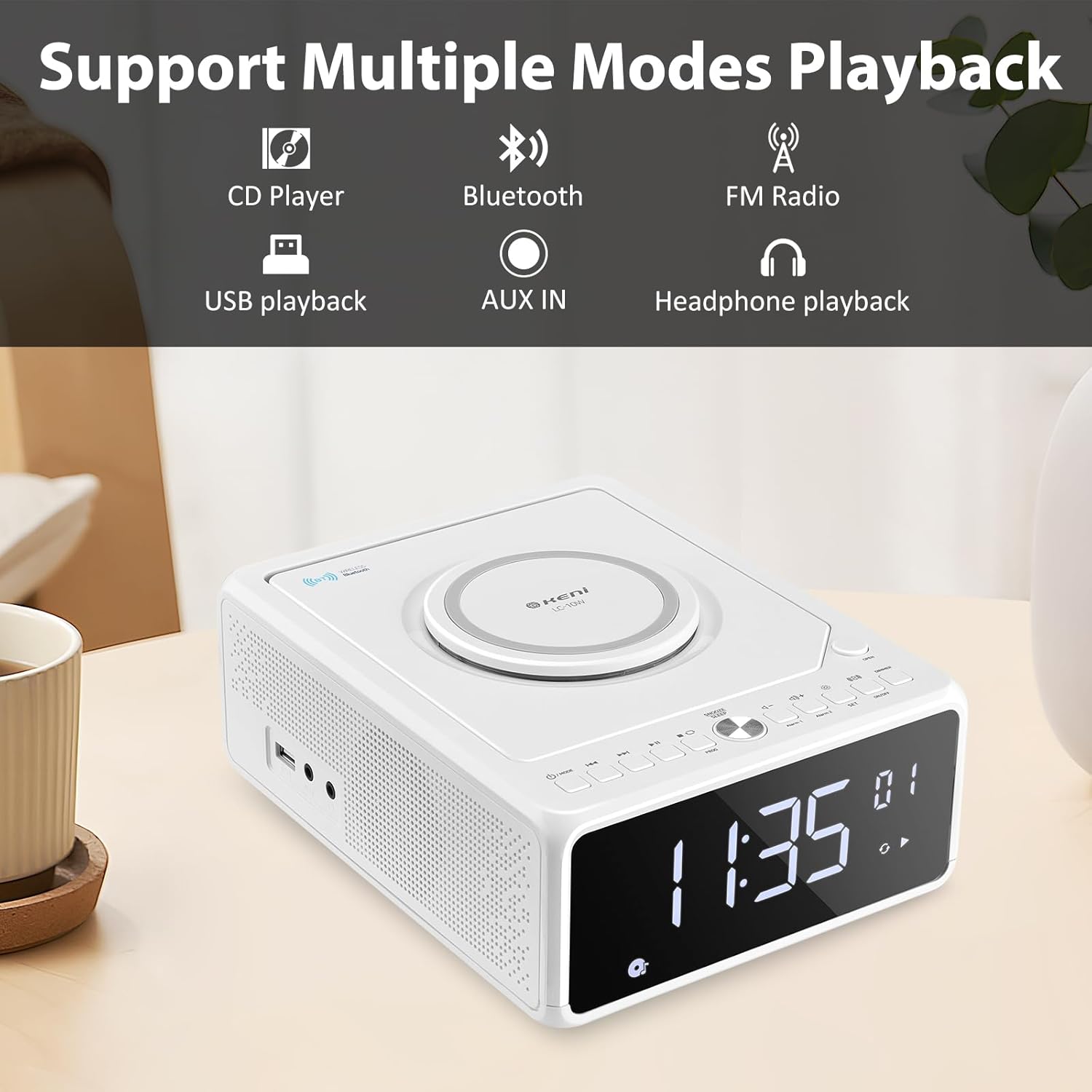
Figure 2: Diagram illustrating the various playback modes supported by the G Keni LC-10W, including CD, Bluetooth, FM Radio, USB, AUX, and headphone output.
5. Configuració
5.1. Connexió d'alimentació
- Connecteu el cable d'alimentació de CA subministrat a la presa AC IN de la part posterior de la unitat.
- Plug the other end of the power cord into a standard wall outlet (100V-240V AC).
- The unit will power on and the display will light up.
5.2. Bateria de reserva (opcional)
For time setting memory backup during power outages, install 2*AAA dry batteries (not included) into the battery compartment on the bottom of the unit. This will retain time and alarm settings.
Vídeo 1: Un overview of the G Keni CD Player Alarm Clock, demonstrating its features and basic operation. This video is provided by the seller.
6. Instruccions de funcionament
6.1. Configuració del temps
- Ensure the unit is in standby mode (display showing time only). If not, press and hold the Power/Mode button until only the time is displayed.
- Manteniu premut el botó SET button until the time digits start blinking.
- Premeu el botó Endavant or Rebobinar buttons to switch between 12-hour and 24-hour format.
- Premeu SET again to set the hour. Use Endavant or Rebobinar to adjust the hour (pay attention to AM/PM in 12-hour format).
- Premeu SET again to set the minute. Use Endavant or Rebobinar per ajustar el minut.
- Premeu SET one last time to confirm and save the time.
6.2. Configuració del despertador
The unit supports dual alarms (Alarm 1 and Alarm 2) with adjustable volume and various wake-up sounds.
- Manteniu premut qualsevol de les dues Alarma 1 or Alarma 2 button until the hour digits start blinking.
- Utilitza el Endavant or Rebobinar botons per ajustar l'hora d'alarma desitjada.
- Premeu el botó corresponent Alarma button again to set the minute. Use Endavant or Rebobinar per ajustar el minut.
- Premeu el botó Alarma button again to select the wake-up sound: Buzzer, Radio, CD, USB, or Bluetooth. Use Endavant or Rebobinar per anar ciclant entre les opcions.
- Premeu el botó Alarma button again to set the alarm volume (indicated by 'U' followed by a number). Use Volum +/- botons per ajustar.
- Premeu el botó Alarma button one last time to confirm and activate the alarm. An alarm icon will appear on the display.
- Per desactivar una alarma, premeu el botó corresponent Alarma button once. The alarm icon will disappear.
Video 2: Detailed instructions on how to set the alarm on the G Keni LC-10W. This video is provided by the seller.
6.3. Funcionament del reproductor de CD
The top-loading CD player supports audio CDs, CD-Rs, CD-RWs, and MP3 CDs.
- Premeu el botó OBERT button on the top right to open the CD compartment.
- Carefully place a CD onto the spindle with the label side facing up.
- Tanqueu la tapa del compartiment del CD.
- Premeu el botó MODE button until 'CD' appears on the display.
- El CD començarà a reproduir-se automàticament. Feu servir Reproduir/Pausa, Omet/Cerca botons per controlar la reproducció.
- Funció de programació: En mode CD, premeu el botó PROG button to enter programming mode. Use Omet/Cerca to select tracks and PROG to add them to the playlist. Press Jugar to start the programmed sequence.

Figure 3: The top-loading CD player of the G Keni LC-10W is shown open, with a CD being placed inside. The remote control is also visible, highlighting ease of operation.
6.4. Funcionament de la ràdio FM
The unit features a digital FM radio (87.5-108MHz). AM radio is not supported.
- Extend the telescopic FM antenna on the rear of the unit for optimal reception.
- Premeu el botó MODE fins que aparegui «FM» a la pantalla.
- Escaneig automàtic: Manteniu premut el botó Reproduir/Pausa per escanejar i desar automàticament les emissores de FM disponibles.
- Sintonització manual: Premeu breument Omet/Cerca buttons to manually tune to the next available station.
- Silenciar: Premeu el botó Silenciar button to temporarily silence the radio.

Figure 4: The G Keni LC-10W displaying FM Radio mode, indicating the frequency and the availability of a sleep timer function.
6.5. Connectivitat Bluetooth
Reprodueix àudio en streaming sense fil des dels teus dispositius amb Bluetooth.
- Premeu el botó MODE button until 'BT' appears on the display. The unit will enter pairing mode, indicated by a blinking Bluetooth icon.
- Al dispositiu mòbil, activeu el Bluetooth i cerqueu els dispositius disponibles.
- Select 'LC-10W' from the list to pair. Once connected, the Bluetooth icon will stop blinking.
- You can now play music from your device through the G Keni LC-10W. Use the unit's controls or your device to manage playback.
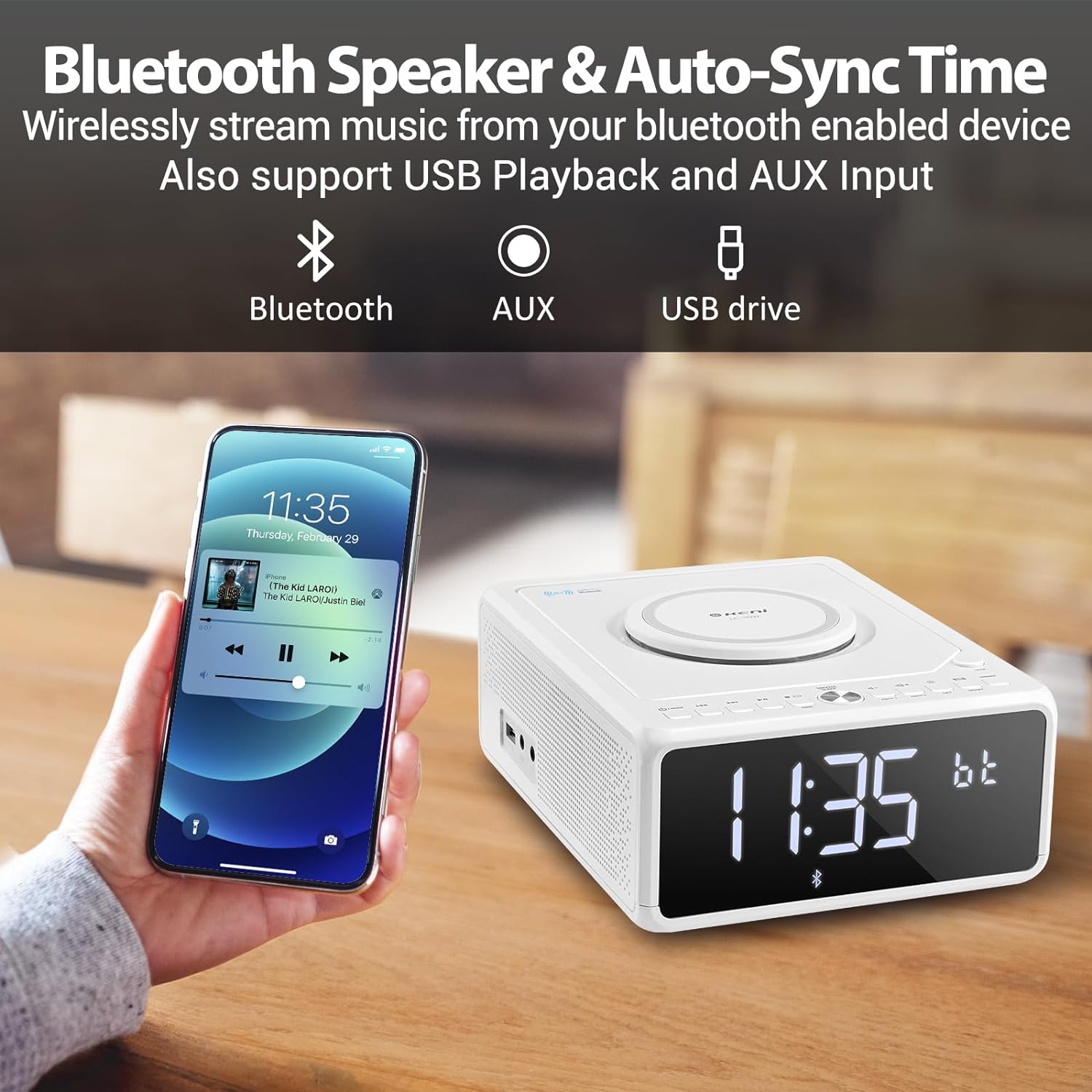
Figure 5: A smartphone is shown wirelessly connected to the G Keni LC-10W via Bluetooth, demonstrating music streaming capabilities.
6.6. Reproducció de música USB
Play MP3/WMA music files directament des d'una unitat flash USB.
- Insert a USB flash drive into the USB port on the side of the unit.
- Premeu el botó MODE button until 'USB' appears on the display.
- The unit will automatically detect and begin playing music from the USB drive.
- Ús Reproduir/Pausa, Omet/Cerca botons per controlar la reproducció.
6.7. Connexió AUX-IN
Connecteu dispositius d'àudio externs amb un cable d'àudio de 3.5 mm (no inclòs).
- Connect one end of a 3.5mm audio cable to the AUX-IN port on the side of the unit.
- Connect the other end to the headphone jack or AUX-OUT port of your external audio device.
- Premeu el botó MODE button until 'AUX' appears on the display.
- Control playback from your external audio device. Adjust volume using the unit's volume knob.
6.8. Càrrega sense fil
The unit features a Qi-compatible wireless charging pad on top.
- Ensure the wireless charging function is enabled by pressing the ON/OFF button for wireless charging. A blue light will indicate it's ready.
- Place your Qi-compatible smartphone on the charging pad.
- The light will turn red to indicate active charging.
- Output: 7.5W for iOS devices, 10W for Android devices.

Figure 6: The wireless charging pad on the G Keni LC-10W is shown, illustrating its fast charging capabilities for both Android (10W) and iPhone (7.5W) devices.
6.9. Display Brightness (Dimmer)
Adjust the LED display brightness to your preference.
- Premeu el botó DIMMER button repeatedly to cycle through 5 levels of brightness, including an 'off' setting for complete darkness.
6.10. Snooze & Sleep Timer
Enhance your sleep routine with these functions.
- Dormitar: Quan soni una alarma, premeu el botó SNOOZE/SORME button to temporarily silence it for 9 minutes. This can be repeated within an hour.
- Temporitzador de son: While playing audio (Radio, CD, USB, Bluetooth), press the SNOOZE/SORME button repeatedly to set the sleep timer (10-90 minutes). The unit will automatically turn off after the selected duration.
7. Manteniment
- Neteja: Use a soft, dry cloth to clean the unit's exterior. Do not use abrasive cleaners or solvents.
- Cura de CD: Handle CDs by their edges. Clean with a soft, lint-free cloth in a straight line from the center to the outer edge.
- Emmagatzematge: When not in use for extended periods, unplug the unit and store it in a cool, dry place.
8. Solució De Problemes
| Problema | Causa possible | Solució |
|---|---|---|
| La unitat no s'encén. | Cable d'alimentació no connectat correctament. | Check AC power cord connection to unit and wall outlet. |
| No hi ha so dels altaveus. | Volum massa baix; Silenciament activat; Mode incorrecte seleccionat. | Increase volume; Deactivate Mute; Select correct playback mode. |
| El CD salta o no es reprodueix. | Dirty or scratched CD; CD inserted incorrectly. | Clean or replace CD; Ensure CD is placed correctly. |
| Mala recepció de ràdio FM. | Antena no estesa; Senyal feble. | Fully extend the telescopic antenna; Reposition the unit. |
| El dispositiu Bluetooth no s'està emparellant. | Unit not in BT mode; Device too far; Device already paired. | Ensure unit is in BT mode; Move device closer; Disconnect from other devices. |
| La càrrega sense fil no funciona. | Wireless charging off; Phone not Qi-compatible; Phone not centered. | Press wireless charging ON/OFF; Check phone compatibility; Reposition phone. |
9. Especificacions
| Característica | Detall |
|---|---|
| Número de model | LC-10W |
| Dimensions (L x A x A) | 8.46 x 6.69 x 3.15 polzades |
| Pes | 2.6 lliures |
| Connectivitat | Auxiliar, Bluetooth, USB |
| Versió Bluetooth | 5.0 |
| Sortida de càrrega sense fils | 7.5 W (iOS), 10 W (Android) |
| Interval de freqüència FM | 87.5-108 MHz |
| Tipus d'altaveu | Doble altaveu |
| Entrada de potència | AC 100V-240V (UL certified) |
| Còpia de seguretat de la bateria | 2*AAA dry batteries (for time memory, not included) |
10. Garantia i Suport
G Keni offers a one-year warranty and friendly customer service for this product. For any issues or support inquiries, please contact the seller or manufacturer directly. Please refer to your purchase documentation for specific warranty terms and contact information.


