1. Introducció
This manual provides detailed instructions for the proper use, setup, and maintenance of your boAt Airdopes 131 Bluetooth Truly Wireless Earbuds. Please read this manual thoroughly before using the product to ensure optimal performance and longevity.

Image 1.1: The boAt Airdopes 131 Truly Wireless Earbuds in Midnight Blue, shown with their charging case.
2. Què hi ha a la caixa
Verifiqueu que tots els elements que s'enumeren a continuació siguin presents a l'embalatge del producte:
- 1 x boAt Airdopes 131 Truly Wireless Earbuds (Left and Right)
- 1 x funda de càrrega
- 1 x cable de càrrega USB tipus C
- 1 x Manual d'usuari
- 2 x Puntes d'orella addicionals (diverses mides)
3. Producte acabatview
The boAt Airdopes 131 are designed for a seamless audio experience. Key features include:
- Truly Wireless Design: Freedom from cables for unrestricted movement.
- Bluetooth v5.0: Connectivitat sense fil estable i eficient.
- IWP™ Technology: Instant Wake N' Pair for automatic connection upon opening the case.
- Controladors dinàmics de 13 mm: For immersive sound quality.
- Multifunction Button Control: Gestió fàcil de música, trucades i assistent de veu.
- Micròfon integrat: For clear stereo calling.
- Port de càrrega tipus C: For convenient charging of the case.
- Assistència de veu: Quick access to your device's voice assistant.

Image 3.1: An illustration of the boAt Airdopes 131 charging case with an earbud, highlighting features like IWP Technology, Bluetooth V5.0, 650mAh battery, Type-C charging, Instant Voice Assistant, and Multifunction Controls.
4. Configuració
4.1 Càrrega del dispositiu
Before initial use, ensure both the charging case and earbuds are fully charged.
4.1.1 Càrrega de la funda
- Connecteu el cable de càrrega USB tipus C al port de càrrega de la carcassa.
- Connecteu l'altre extrem del cable a un adaptador de corrent USB (no inclòs) o al port USB d'un ordinador.
- Els indicadors LED de la carcassa mostraran l'estat de càrrega. Una càrrega completa sol trigar aproximadament 1.5 hores.
4.1.2 Càrrega dels auriculars
- Col·loqueu els auriculars a les ranures respectives de la caixa de càrrega.
- Ensure the case has sufficient charge or is connected to a power source.
- The earbuds will begin charging automatically. The LED indicators on the earbuds will confirm charging status.

Image 4.1: The boAt Airdopes 131 earbuds illustrating the ASAP Charge feature, providing 90 minutes of playback from a 5-minute charge.
The Airdopes 131 offer up to 3 hours of playback per earbud charge and an additional 12 hours with the charging case. With ASAP™ Charge, 5 minutes of charging can provide up to 90 minutes of playback.
4.2 Initial Pairing (IWP™ Technology)
The Airdopes 131 feature Instant Wake N' Pair (IWP™) Technology for quick and effortless connection.
- Ensure the earbuds are inside the charging case and the case is charged.
- Obriu la tapa de la caixa de càrrega. Els auriculars s'encendran automàticament i entraran en mode de vinculació.
- On your smartphone or Bluetooth-enabled device, open the Bluetooth settings.
- Cerca "Airdopes 131" in the list of available devices and select it to connect.
- Once connected, you will hear an audio prompt, and the LED indicators on the earbuds will change.

Image 4.2: A visual representation of the IWP Technology, showing a smartphone displaying a pairing notification for "Airdopes 131" as the charging case lid is opened.
4.3 Connexió a un dispositiu nou
To connect to a different device, first disconnect from the currently paired device. Then, follow the initial pairing steps (Section 4.2) to connect to the new device.
5. Instruccions de funcionament
The Airdopes 131 feature intuitive multifunction button controls on each earbud.
5.1 Encès/Apagat
- Encès: Open the charging case lid (IWP™ Technology) or long-press the Multifunction Button on both earbuds for 3 seconds.
- Apagar: Place the earbuds back into the charging case and close the lid, or long-press the Multifunction Button on both earbuds for 5 seconds.
5.2 Controls de música
- Reproduir/pausa: Single tap the Multifunction Button on either earbud.
- Pista següent: Double tap the Multifunction Button on the right earbud.
- Pista anterior: Double tap the Multifunction Button on the left earbud.
5.3 Controls de trucades
- Respondre/Finalitzar la trucada: Single tap the Multifunction Button on either earbud.
- Rebutja la trucada: Long press the Multifunction Button on either earbud for 2 seconds.
5.4 Assistent de veu
Activate your device's voice assistant (e.g., Google Assistant, Siri) with a single press.
- Activa l'Assistent de veu: Single press the Multifunction Button on either earbud.
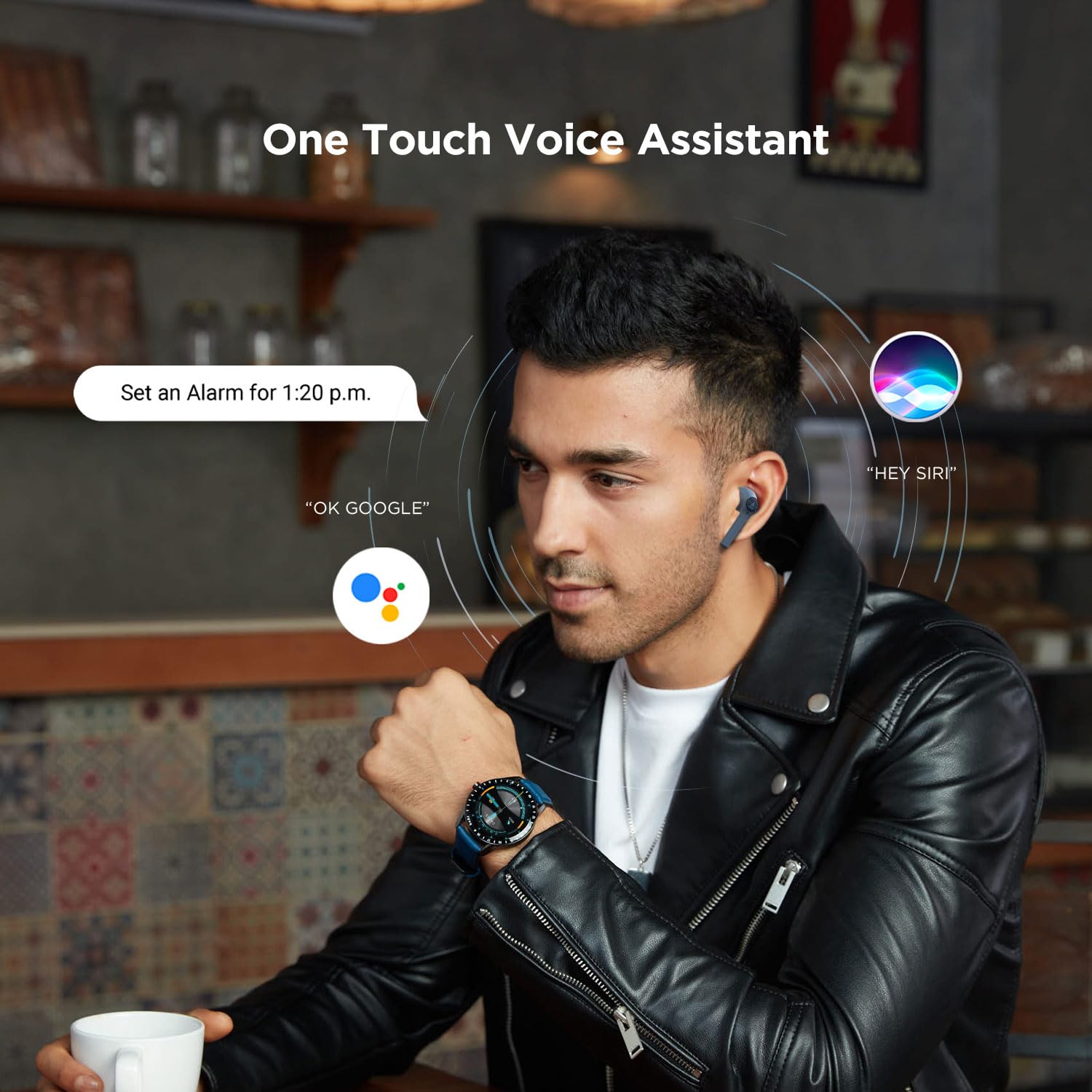
Image 5.1: A user interacting with a voice assistant via the boAt Airdopes 131 earbuds, demonstrating the "One Touch Voice Assistant" feature.
6. Manteniment
Proper maintenance ensures the longevity and optimal performance of your Airdopes 131.
6.1 Neteja
- Feu servir un drap suau, sec i sense borrissol per netejar els auriculars i l'estoig de càrrega.
- No utilitzeu productes químics aggressivs, dissolvents de neteja o detergents forts.
- Eviteu que entri humitat a cap obertura.
6.2 Emmagatzematge
- Quan no els utilitzeu, guardeu els auriculars a la seva funda de càrrega per protegir-los i mantenir-los carregats.
- Guardeu el dispositiu en un lloc fresc i sec, allunyat de temperatures extremes i de la llum solar directa.
6.3 Cura de la bateria
- To preserve battery life, charge the device regularly, even if not in frequent use.
- Eviteu descarregar completament la bateria amb freqüència.
7. Solució De Problemes
If you encounter issues with your Airdopes 131, refer to the following common solutions:
| Problema | Solució |
|---|---|
| Els auriculars no s'emparellan amb el dispositiu. |
|
| Només funciona un auricular. |
|
| L'estoig de càrrega no es carrega. |
|
| Volum baix o mala qualitat de so. |
|
8. Especificacions
| Característica | Detall |
|---|---|
| Nom del model | Airdopes 131 |
| Tecnologia de connectivitat | Bluetooth |
| Tecnologia de comunicació sense fils | Veritablement sense fil |
| Versió Bluetooth | 5.0 |
| Interval Bluetooth | 10 metres |
| Tipus de controlador d'àudio | Controlador dinàmic (13 mm) |
| Interval de freqüència | 20Hz-20kHz |
| Durada de la bateria dels auriculars | Up to 3 Hours per charge |
| Temps de reproducció total (amb estoig) | Fins a 12 hores |
| Temps de càrrega (cas) | Aproximadament 1.5 hores |
| Port de càrrega | USB tipus C |
| Format de micròfon | Integrat |
| Tipus de control | Multifunction Button, Voice Control |
| Nivell de resistència a l'aigua | Resistent a l'aigua |
| Pes de l'article | 7 grams (auriculars) |
| Dimensions del producte | 5.3 x 2.5 x 2.5 cm |
| Material | Plàstic |
| Dispositius compatibles | iOS, Android, Windows |
9. Garantia i Suport
For warranty information and customer support, please refer to the official boAt weblloc web o contacteu directament amb el seu servei d'atenció al client.
- Oficial Weblloc: Visita el Botiga boAt a Amazon per a informació i assistència sobre el producte.
- Atenció al client: Contact boAt customer support for technical assistance, warranty claims, or service inquiries.

Image 9.1: A smartphone displaying the boAt Hearables App with a QR code for scanning and exploring. The app offers features like streaming music, listening to audiobooks, and accessing user help guides. Scan the QR code to access the app: https://l.ead.me/bdAX6k


