Introducció
Thank you for choosing the 360 S9 Robot Vacuum and Mop. This intelligent cleaning device is designed to provide efficient and thorough cleaning of your home with advanced navigation and dual cleaning capabilities. Please read this manual carefully before using the product to ensure proper operation and maintenance.

The 360 S9 Robot Vacuum and Mop, showcasing its sleek design and the accompanying mobile application for control.
Informació de seguretat
To reduce the risk of injury or damage, read these safety instructions carefully and keep them handy for future reference.
- Aquest aparell el poden utilitzar nens a partir de 8 anys i persones amb capacitats físiques, sensorials o mentals reduïdes o amb manca d'experiència i coneixements si han rebut supervisió o instruccions sobre l'ús de l'aparell d'una manera segura i entenen els perills que comporta. .
- Els nens no jugaran amb l'aparell. La neteja i el manteniment dels usuaris no els han de fer els nens sense supervisió.
- Només feu servir l'adaptador de corrent original proporcionat pel fabricant.
- No utilitzeu el robot en entorns amb flames obertes o objectes fràgils.
- Assegureu-vos que el robot estigui completament carregat abans del primer ús.
- Do not expose the robot to direct sunlight or extreme temperatures.
- Mantingueu els cabells, la roba solta, els dits i totes les parts del cos lluny de les obertures i les parts mòbils.
Contingut del paquet
Please check if all components are included in the package:
- 360 S9 Robot Vacuum and Mop
- Base de càrrega
- Adaptador d'alimentació
- Dipòsit d'aigua
- Drap de fregona
- Side Brushes (2x)
- Eina de neteja
- Manual d'usuari
Producte acabatview
Familiarize yourself with the different parts of your 360 S9 Robot Vacuum and Mop.
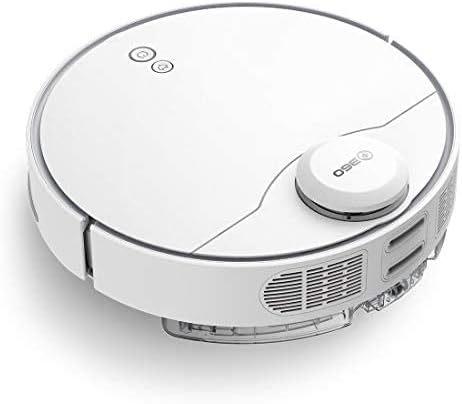
lateral view of the 360 S9, highlighting the dustbin and side brush assembly.

Detailed side view of the 360 S9, illustrating its wheels and various sensors.
A dalt View
- LDS Laser Navigation Sensor: For precise mapping and navigation.
- Power/Clean Button: Start/pause cleaning.
- Recharge Button: Send robot back to charging dock.
- Dustbin Compartment: Houses the dustbin and water tank.
A baix View
- Side Brush: Sweeps debris into the main brush path.
- Main Brush: Collects dust and debris.
- Driving Wheels: For movement across various surfaces.
- Cliff Sensors: Prevents the robot from falling down stairs.
- Charging Contacts: For connecting with the charging dock.
Configuració
1. Col·locació de la base de càrrega
Place the charging dock against a wall on a hard, level surface. Ensure there is at least 0.5 meters (1.6 feet) of clear space on both sides and 1.5 meters (4.9 feet) in front of the dock. Connect the power adapter to the dock and plug it into a wall outlet. Ensure the indicator light on the dock is on.
2. Càrrega inicial
Place the robot onto the charging dock, ensuring the charging contacts align. The robot will automatically begin charging. For first-time use, fully charge the robot before operation. A full charge takes approximately 4-5 hours.
3. Instal·lació i connexió de l'aplicació
Download the "360 Robot" app from the App Store (iOS) or Google Play Store (Android). Follow the in-app instructions to connect your robot to your home Wi-Fi network. This will enable advanced features like map management, scheduled cleaning, and remote control.

The 360 Robot app interface, demonstrating various cleaning modes and compatibility with Amazon Alexa and Google Assistant.
Instruccions de funcionament
Modes de neteja
The 360 S9 offers multiple cleaning modes to suit your needs:
- Neteja automàtica: The robot intelligently plans its cleaning route using LDS Lidar and SLAM algorithm to cover the entire area. Press the Power/Clean button on the robot or select "Auto Cleaning" in the app.
- Neteja de vores: The robot cleans along the edges of your rooms. Select "Edge Cleaning" in the app.
- Neteja de punts: The robot performs an intensive clean in a specific area. Place the robot in the desired area and select "Spot Cleaning" in the app.
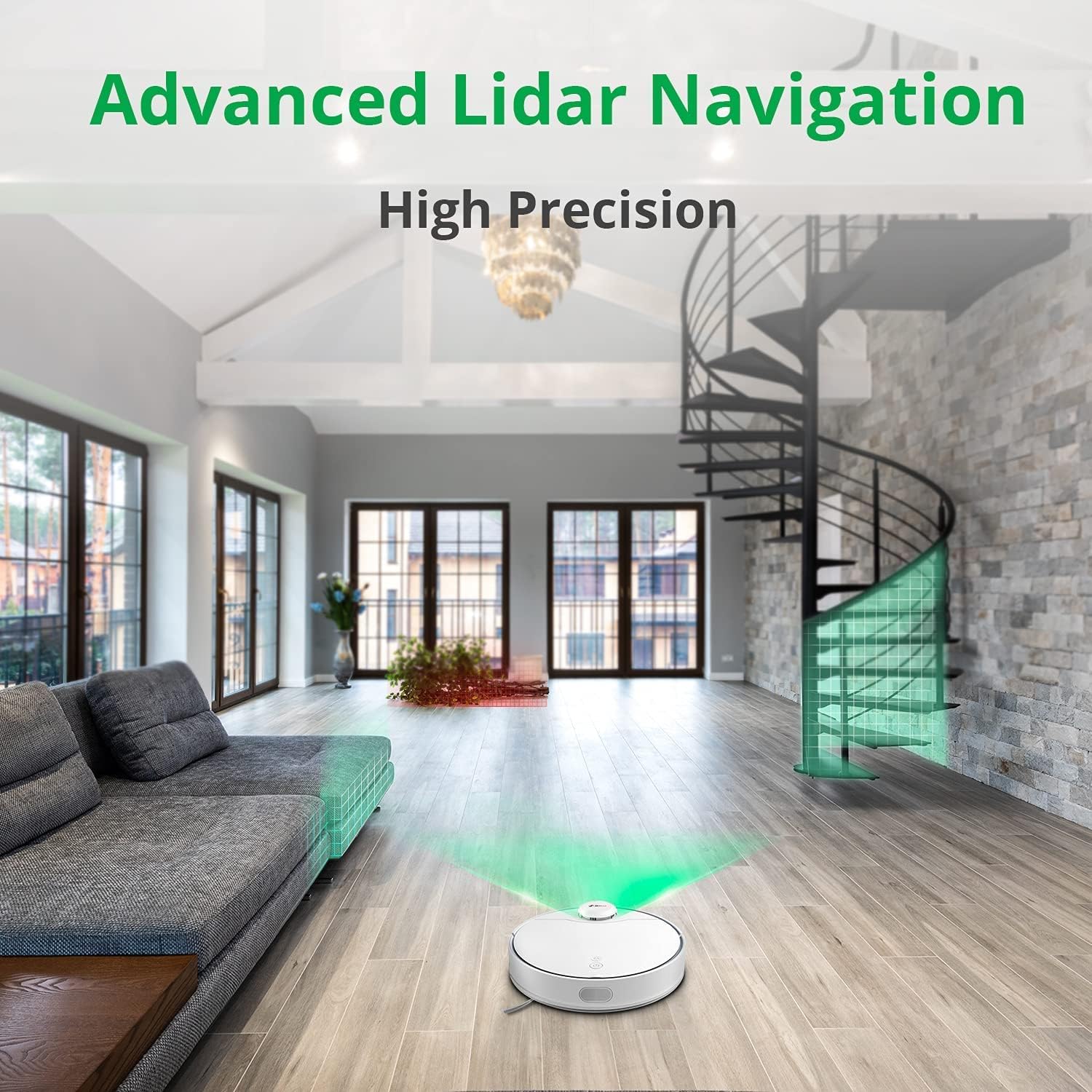
The 360 S9 utilizing its advanced Lidar navigation system for high-precision mapping and cleaning.
Aspirar i fregar
The S9 can vacuum and mop simultaneously. To use the mopping function:
- Fill the water tank with clean water. Do not use detergents or corrosive liquids.
- Fixeu el drap de la fregona fermament al dipòsit d'aigua.
- Insert the filled water tank into the robot's designated slot. The robot will automatically detect the water tank and switch to sweep+mop mode.

Visual representation of the 360 S9's 2-in-1 vacuuming and mopping function, showing the dustbin (0.42L) and water tank (0.2L) capacities.
The robot features a powerful 2650Pa suction with carpet boost, automatically increasing suction on carpets for deeper cleaning.

The 360 S9 showcasing its 2650Pa powerful suction with automatic carpet boost, effectively cleaning a rug.
No-Go Zones and Virtual Walls
Using the 360 Robot app, you can set up virtual walls or no-go zones to restrict the robot from entering certain areas. This is useful for protecting fragile items or preventing the robot from entering bathrooms while mopping.
Control de veu
The 360 S9 is compatible with Amazon Alexa and Google Assistant. Link your robot vacuum to your smart home system through the 360 Robot app to control it with voice commands, such as "Alexa, tell 360 Robot to start cleaning" or "Hey Google, ask 360 Robot to go home."
Manteniment
Un manteniment regular garanteix un rendiment òptim i allarga la vida útil del teu robot aspirador.
1. Buidar la paperera
It is recommended to empty the dustbin after each cleaning cycle. Open the top cover of the robot, remove the dustbin, open its lid, and discard the collected debris. The dustbin capacity is 0.42 Liters.
2. Reomplir el dipòsit d'aigua
For mopping, ensure the water tank is filled with clean water. The water tank capacity is 0.2 Liters. Refill as needed before each mopping session.
3. Raspalls de neteja
- Pinzell principal: Remove the main brush cover and lift out the main brush. Use the provided cleaning tool to remove hair and debris tangled around the brush. Clean regularly, especially if pet hair is present.
- Raspalls laterals: Check side brushes for tangled hair or debris. If damaged or worn, replace them.
4. Neteja dels filtres
The filter inside the dustbin should be cleaned regularly. Tap the filter against a trash can to remove dust. For a more thorough clean, the filter can be rinsed with water, but ensure it is completely dry before reinserting it into the dustbin and robot.
5. Neteja dels sensors
Wipe the cliff sensors (on the bottom of the robot), charging contacts (on the robot and dock), and the LDS laser sensor window (on top of the robot) with a clean, dry cloth. This prevents navigation errors and ensures proper charging.
Resolució de problemes
| Problema | Causa possible | Solució |
|---|---|---|
| El robot no s'encén. | Bateria baixa; interruptor apagat. | Carregueu el robot; assegureu-vos que l'interruptor d'alimentació estigui encès. |
| El robot no pot trobar la base de càrrega. | Dock is blocked or out of range. | Ensure clear space around dock; Manually place robot on dock. |
| La potència d'aspiració és feble. | Cubell de pols ple; filtre obstruït; raspall principal enredat. | Buidar el contenidor de pols; netejar/substituir el filtre; netejar el raspall principal. |
| El robot es queda encallat sovint. | Obstacles; Cliff sensors dirty. | Clear obstacles; Clean cliff sensors. |
| La funció de fregar no funciona. | Water tank empty; Mop cloth not attached. | Fill water tank; Attach mop cloth correctly. |
Especificacions
| Marca | 360 |
| Nom del model | S9 |
| Número de model | 360-S9-WHITE |
| Navegació | LDS Laser, SLAM Algorithm |
| Capacitat de la bateria | 5200 mAh |
| Potència d'aspiració màxima | 2650 Pa |
| Temps d'execució | Fins a 180 minuts |
| Capacitat de la paperera | 0.42 litres |
| Capacitat del dipòsit d'aigua | 0.2 litres |
| Nivell de soroll | 53 dB |
| Wi-Fi connectat | Sí |
| Mètode de control | Aplicació, comandament a distància |
| Dispositius compatibles | Amazon Echo (Alexa), Assistent de Google |
| Dimensions del producte | 13.78 cm de llargada x 13.78 cm d'amplada x 3.94 cm d'alçada |
| Pes de l'article | 8.47 lliures |
Garantia i Suport
For warranty information and technical support, please refer to the official 360 weblloc web o poseu-vos en contacte amb el seu servei d'atenció al client. Conserveu el rebut de compra com a comprovant de compra per a reclamacions de garantia.
Per a més ajuda, podeu visitar el pàgina del producte a Amazon or contact 360 Smart Network customer support.


