Producte acabatview
The Elitech EK-3010 is a digital temperature controller designed for managing temperature in various applications, including cold storage or heating equipment. It provides temperature measurement, display, and control functionalities. Key features include temperature calibration, over-temperature alarms, sensor failure alarms, and a one-key recovery for factory default settings. The device incorporates a touch key design with a key lock function for secure operation. It features a single sensor input for cabinet temperature and a single control output for refrigeration or heating equipment.
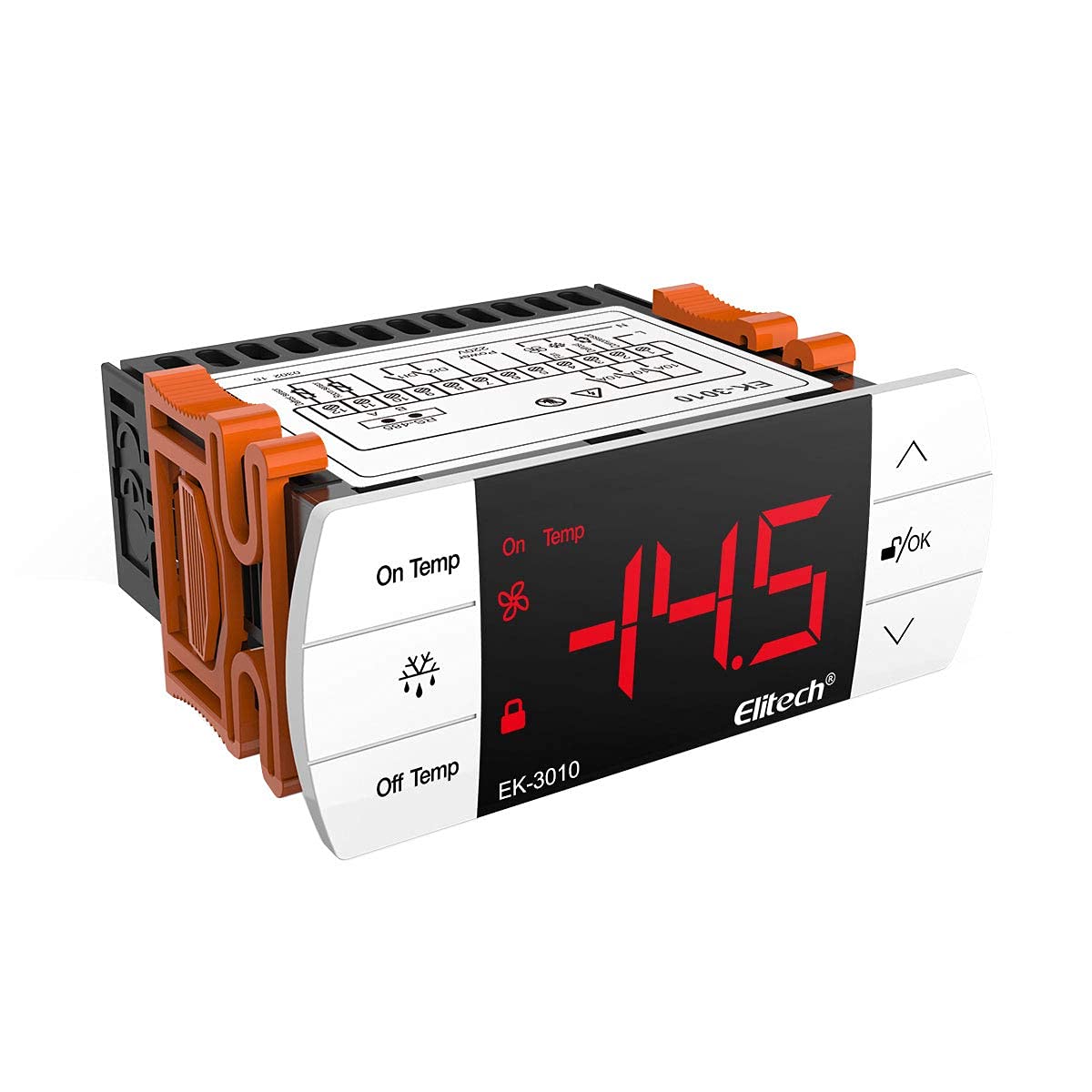
Figura 1: Frontal view of the Elitech EK-3010 Digital Temperature Controller, showing the display and control buttons.
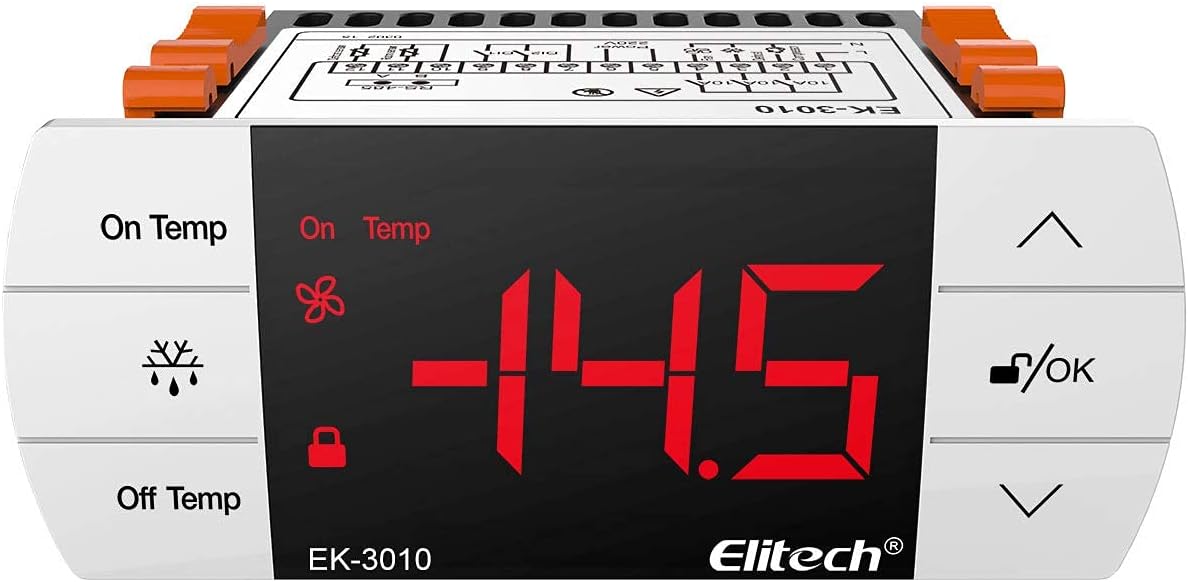
Figura 2: Angle view of the Elitech EK-3010, highlighting its compact design and display.
Característiques clau
- Six touch keys for quick parameter setting and easy operation.
- Ability to preset a group of parameters with a one-key recovery function.
- Display panel shows three digits, one status indicator (key lock), and two parameter indicators (ON temp, OFF temp).
- Under normal running status, all descriptors are off. When entering menu setting mode, the corresponding parameter descriptor lights up. If there is an output under normal running status, "ON" lights up.
Instal·lació i Configuració
Precaucions de seguretat
Always disconnect power before installation or maintenance. Ensure wiring is performed by qualified personnel according to local electrical codes. Avoid installing the device in areas with excessive moisture, dust, or corrosive gases.
Muntatge
The controller is designed for panel mounting. Ensure the mounting hole dimensions are 71mm x 29mm. Secure the controller firmly in place.
Esquema de cablejat
Refer to the wiring diagram provided on the device casing or in the packaging for correct electrical connections. The controller operates on 110V AC, 50/60Hz. Connect the temperature probe to the designated sensor input. Connect the refrigeration or heating equipment to the control output terminals.

Figura 3: posterior view of the Elitech EK-3010, showing the wiring terminals for power, sensor, and control output.
Encesa inicial
After completing all wiring, apply power to the controller. The display should illuminate, showing the current temperature. If the display does not light up, check power connections.
Instruccions de funcionament
Interfície de visualització
The main display shows the current temperature. Indicators for 'On Temp' and 'Off Temp' show set points. A key lock indicator signifies if the keys are locked. The 'ON' indicator illuminates when the control output is active.
Setting Temperature Parameters
Press and hold the 'Set' key (typically indicated by a symbol like 'OK' or a gear icon) to enter parameter setting mode. Use the Up and Down arrow keys to navigate through parameters and adjust values. Press 'Set' again to confirm and save changes. Refer to the detailed parameter list in the full manual for specific codes and their functions.
Funcions clau
- Tecla de fletxa cap amunt: Increases values, navigates up.
- Tecla de fletxa avall: Decreases values, navigates down.
- OK / Set Key: Enters parameter setting, confirms selection, saves changes.
- Clau de bloqueig: Locks/unlocks the keypad to prevent accidental changes.
Manteniment
Neteja
Wipe the controller's surface with a soft, dry cloth. Do not use abrasive cleaners or solvents. Ensure no liquid enters the device.
Cura del sensor
Keep the temperature probe clean and free from debris. Avoid bending or damaging the probe cable. Periodically check the probe's connection for secure contact.
Resolució de problemes
Problemes comuns i solucions
- Lectura de temperatura incorrecta: Check if the temperature probe is correctly connected and undamaged. Verify the temperature calibration settings. If the issue persists, the probe may need replacement.
- La pantalla no funciona: Ensure the power supply is connected and active. Check for loose wiring. If the display remains blank, contact customer support.
- Control Output Not Activating: Verify the set temperature parameters. Check if the 'ON' indicator is lit. Ensure the connected equipment is functioning correctly. Inspect wiring to the control output.
- Keypad Unresponsive: Check if the key lock function is active (indicated by the lock icon). Unlock the keypad if necessary.
Especificacions tècniques
| Especificació | Valor |
|---|---|
| Interval de mesura | -40 ℃ ~ 99 ℃ |
| Controlling Range | -40 ℃ ~ 85 ℃ |
| Precisió | -30℃~50℃, ±1℃±0.5dig; others, ±2℃±0.5dig |
| Resolució | 0.1℃ / 1℃ |
| Mida de muntatge | 71 mm x 29 mm |
| Font d'alimentació | 110V CA, 50 / 60Hz |
| Consum d'energia | <5W |
| Entorn d'operació | -5℃ ~ 60℃, 10% ~ 90% RH |
| Entorn d'emmagatzematge | -25 ℃ ~ 75 ℃ |
| Tipus de sensor | NTC |
| Longitud del sensor | 2M |
| Pes de l'article | 8.1 unces |
| Dimensions del paquet | 3.7 x 3.03 x 2.83 polzades |
| Material | Plàstic |
Suport i garantia
Atenció al client
For technical assistance, Elitech offers 24/7 US Technician Support via email and phone. Refer to the product packaging or Elitech's official weblloc per obtenir dades de contacte.
Informació de la garantia
This product comes with a standard manufacturer's warranty. Please refer to the warranty card included with your purchase or Elitech's official weblloc per a termes i condicions específiques.


