1. Introducció
This manual provides detailed instructions for the installation, operation, and maintenance of your Phanteks Eclipse P500 Air Mid Tower Computer Case. Please read this manual thoroughly before beginning assembly or use to ensure proper functionality and safety.
The Phanteks Eclipse P500 Air is a mid-tower chassis designed for high airflow performance and versatile component support, including ATX, Micro ATX, Mini ITX, and E-ATX motherboards. It features a steel chassis with a tempered glass side panel and comes with three pre-installed 140mm D-RGB fans in the front.

Figura 1: Frontal view of the Phanteks Eclipse P500 Air Mid Tower Computer Case.
2. Configuració i instal·lació
Follow these steps to install your computer components into the Phanteks Eclipse P500 Air chassis.
2.1 Desembalatge i inspecció inicial
- Traieu amb cura el xassís del seu embalatge.
- Inspect the chassis for any signs of damage during transit.
- Ensure all accessories (screws, cable ties, manual) are present.

Figura 2: Explotat view showing removable panels and components for assembly.
2.2 Extracció dels panells laterals
The tempered glass side panel is hinged and secured with magnets. Gently pull the panel open to access the interior. The solid side panel can be removed by unscrewing the thumbscrews at the rear and sliding it off.
2.3 Instal·lació de la placa base
- Install the necessary motherboard standoffs for your motherboard form factor (ATX, Micro ATX, Mini ITX, E-ATX).
- Carefully place your motherboard onto the standoffs and secure it with screws.

Figura 3: Interior view of the chassis, illustrating motherboard mounting area and fan locations.
2.4 Instal·lació de la unitat d'emmagatzematge
The case supports up to 10 x 3.5" internal bays and 3 x 2.5" internal bays.
- Unitats de 3.5": Utilize the drive cages located in the PSU shroud area or behind the motherboard tray.
- Unitats de 2.5": Mount 2.5" SSDs/HDDs to the dedicated brackets behind the motherboard tray.

Figura 4: Interior posterior view, highlighting cable management channels and 2.5" drive mounts.
2.5 Instal·lació de la font d'alimentació
Install your ATX power supply into the dedicated compartment at the bottom rear of the chassis. Secure it with screws from the rear.
2.6 Instal·lació de la targeta gràfica i la targeta d'expansió
- Traieu les cobertes de les ranures PCI necessàries de la part posterior del xassís.
- Inseriu la targeta gràfica o altres targetes d'expansió a les ranures PCIe de la placa base i fixeu-les amb cargols.
- The case supports 7+3 PCI slots, allowing for vertical GPU mounting with an optional riser cable (not included).

Figure 5: Rear exterior view, detailing the PCI expansion slots and rear fan mount.
2.7 Gestió de cables
Utilize the integrated Velcro straps and cable ties provided to route and secure cables behind the motherboard tray. This improves airflow and aesthetics.
3. Funcionament
The Phanteks Eclipse P500 Air features convenient front I/O ports and integrated D-RGB lighting controls.
3.1 Panell frontal d'E/S
The top front panel provides access to essential controls and ports:
- Botó d'encesa: Per encendre o apagar el sistema.
- LED Mode Button: Cycles through various D-RGB lighting effects.
- LED Color Button: Changes the color of the D-RGB lighting.
- 2 ports USB 3.0: Per connectar dispositius USB 3.0.
- Presa de micròfon: Per a entrada d'àudio.
- Auriculars Jack: Per a la sortida d'àudio.

Figure 6: Close-up of the top front I/O panel, showing USB ports, audio jacks, and LED controls.
3.2 D-RGB Lighting Control
The three pre-installed 140mm D-RGB fans are controlled via the integrated D-RGB controller. Use the LED Mode and LED Color buttons on the front I/O panel to customize the lighting. The D-RGB lighting can also be optionally synchronized with compatible motherboards and software.
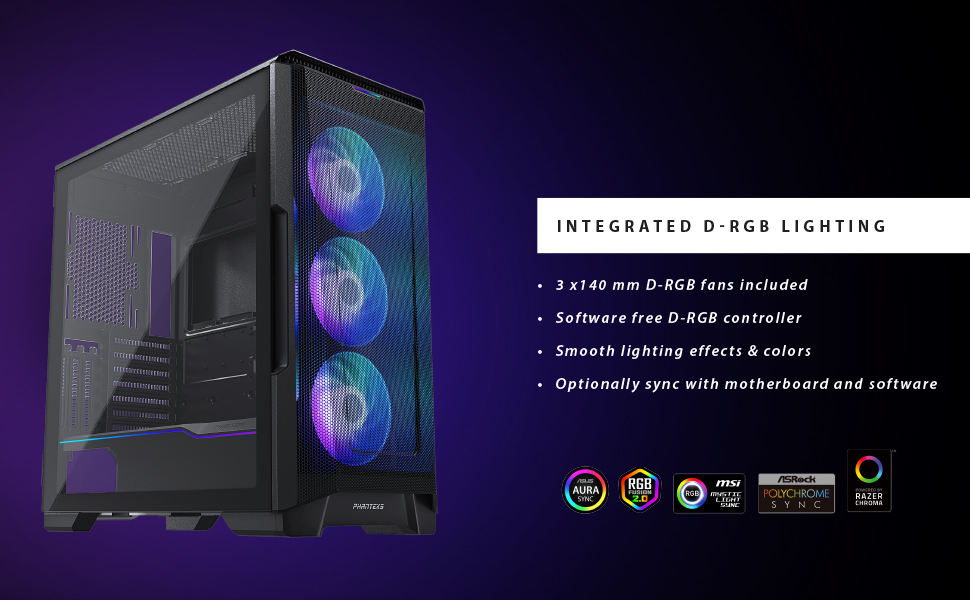
Figure 7: Illustration of the integrated D-RGB lighting effects on the front fans.
4. Manteniment
Un manteniment regular ajuda a garantir un rendiment òptim i una major longevitat de la carcassa de l'ordinador.
4.1 Neteja del filtre de pols
The Eclipse P500 Air features integrated dust filters on the front, top, and bottom (PSU intake) to prevent dust buildup. Regularly clean these filters to maintain optimal airflow.
- Filtre frontal: The front mesh panel acts as a dust filter. It can be removed for cleaning.
- Filtre superior: The magnetic top filter can be easily lifted off for cleaning.
- Filtre inferior: The PSU intake filter slides out from the rear for cleaning.
Use compressed air or a soft brush to remove accumulated dust. Do not use harsh chemicals or abrasive materials.
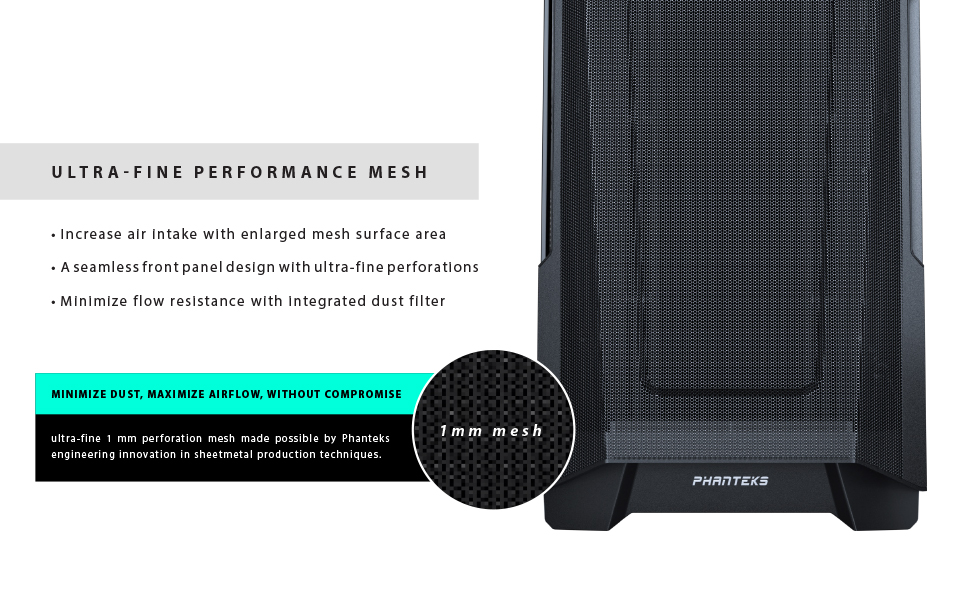
Figure 8: Detail of the ultra-fine mesh front panel, designed for dust filtration and airflow.
4.2 Neteja general
Netegeu les superfícies exteriors de la carcassa amb un drap suau iamp cloth. Avoid direct contact with electronic components inside the case.
5. Solució De Problemes
This section addresses common issues you might encounter during the setup or operation of your Phanteks Eclipse P500 Air case.
- El sistema no s'encén:
- Ensure the power supply is properly connected to the wall outlet and switched on.
- Verify that the power switch cable from the case is correctly connected to the motherboard's front panel header.
- Comproveu totes les connexions d'alimentació internes (ATX de 24 pins, CPU de 8 pins, alimentació PCIe per a la GPU).
- D-RGB Fans Not Lighting Up:
- Confirm that the D-RGB cables from the fans are correctly connected to the integrated D-RGB controller or your motherboard's D-RGB header.
- Press the LED Mode and LED Color buttons on the front I/O panel to cycle through effects and colors.
- If connected to the motherboard, ensure the motherboard's RGB software is installed and configured correctly.
- Flux d'aire deficient/Temperatures altes:
- Clean all dust filters (front, top, bottom).
- Ensure fans are oriented correctly for optimal airflow (front intake, rear/top exhaust).
- Verify that no cables are obstructing airflow inside the case.
- Front USB Ports Not Functioning:
- Check that the USB 3.0 header cable from the case is securely connected to the corresponding header on your motherboard.
6. Especificacions
Below are the detailed specifications for the Phanteks Eclipse P500 Air Mid Tower Computer Case (PH-EC500ATG_DWT01).
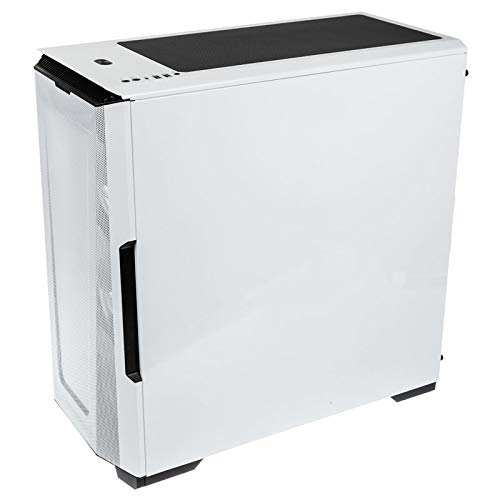
Figure 9: Manufacturer's specification table for the Eclipse P500 Air.
| Característica | Detall |
|---|---|
| Número de model | PH-EC500ATG_DWT01 |
| Factor de forma | Torre mitja |
| Dimensions (LxWxH) | 240 x 510 x 505 mm (9.45 x 20.1 x 19.9 polzades) |
| Materials | Steel Chassis, Tempered Glass |
| Suport de la placa base | E-ATX (up to 280mm wide), ATX, Micro ATX, Mini ITX, Mini ITX |
| E/S frontal | 2 x USB 3.0, Microphone, Headphone, Power Button, LED Mode Button, LED Color Button |
| Internal 3.5" Bay | 10 (2x included, also supports 2.5" drives) |
| Internal 2.5" Bay | 3 (3x included) |
| Ranures PCI | 7 + 3 (vertical) |
| Ventiladors preinstal·lats | 3 x 140mm D-RGB fans (Front) |
| Suport del ventilador (frontal) | 3 x 120 mm o 3 x 140 mm |
| Suport del ventilador (superior) | 3 x 120 mm o 2 x 140 mm |
| Suport del ventilador (posterior) | 1 x 120 mm o 1 x 140 mm |
| Suport del radiador (davanter) | Fins a 360 mm o 420 mm |
| Suport del radiador (superior) | Fins a 360 mm o 280 mm |
| Suport del radiador (posterior) | 120 mm o 140 mm |
| Liquidació de la GPU | 435 mm / 17.2 polzades |
| Alçada del refrigerador de la CPU | 190 mm / 7.5 polzades |
| Longitud de la PSU | 195 mm (250 mm if 2 HDD brackets are removed) |
| Pes net | 8 kg / 17.6 lliures |
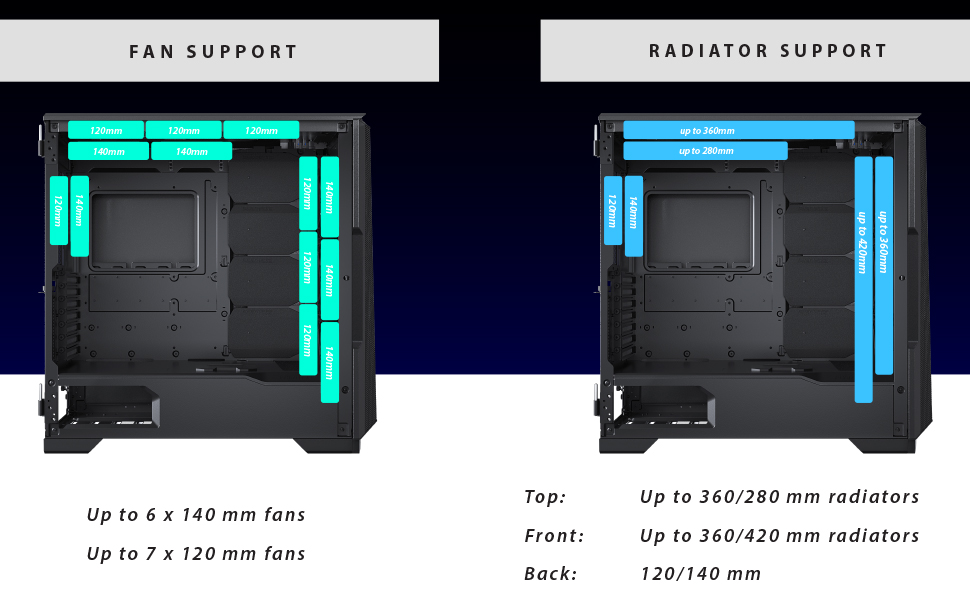
Figure 10: Visual representation of fan and radiator mounting options within the chassis.
7. Garantia i Suport
Phanteks provides a manufacturer's warranty for this product.
- Període de garantia: 5 Years Manufacturer Warranty.
- For warranty claims or technical support, please contact Phanteks customer service or visit their official weblloc.
- Conserva el comprovant de compra per validar la garantia.
For further assistance, refer to the official Phanteks weblloc web o contacteu amb els seus canals d'assistència.


