1. Acabatview
The GOBOULT ProBass Thunder headphones are designed to deliver a powerful and immersive audio experience. Featuring advanced Bluetooth 5.0 connectivity, these over-ear headphones provide deep bass, clear audio, and comfortable wear for extended periods. They are equipped with a built-in microphone for calls and support voice assistant commands, making them versatile for various activities.
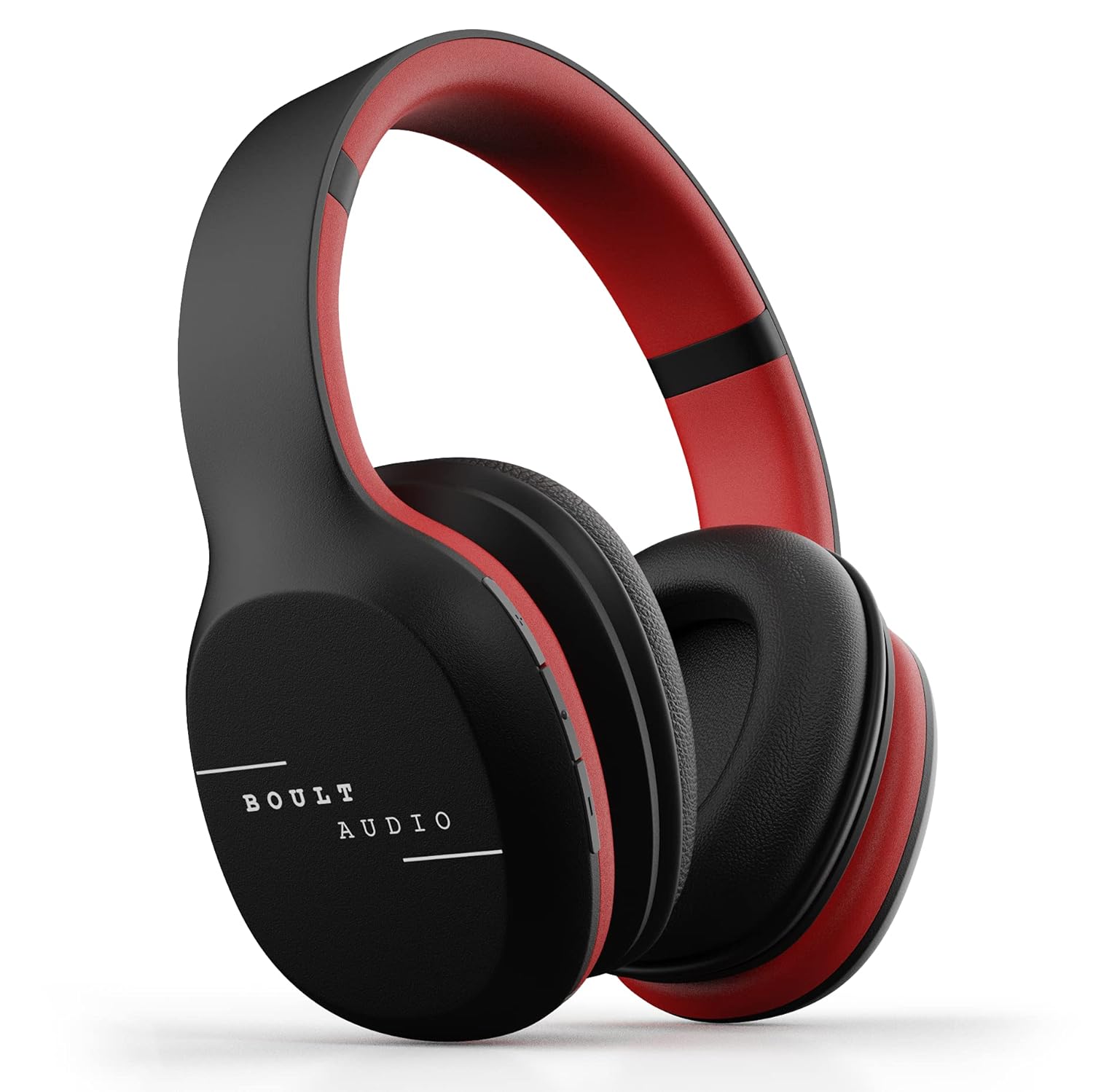
Image: GOBOULT ProBass Thunder Over-Ear Wireless Bluetooth Headphones.
2. Què hi ha a la caixa
Your GOBOULT ProBass Thunder package includes the following items:
- GOBOULT ProBass Thunder Over-Ear Wireless Bluetooth Headphones
- Cable de càrrega micro-USB
- 3.5mm Auxiliary (AUX) Cable
- Manual d'instruccions
Video: An unboxing video demonstrating the contents of the Boult Audio ProBass Thunder headphone package, including the headphones, cables, and user manual.
3. Configuració
3.1 Càrrega dels auriculars
Before initial use, fully charge your headphones. Use the provided Micro-USB charging cable.
- Connect the Micro-USB end of the charging cable to the charging port on the headphone (typically on the right earcup).
- Connecteu l'extrem USB-A del cable a una font d'alimentació USB compatible (per exemple, un port USB de l'ordinador o un adaptador de paret).
- The LED indicator on the headphone will illuminate during charging and change color or turn off when fully charged.
Note: The charging cable is approximately 40-45cm long.
3.2 Vinculació Bluetooth
Per connectar els auriculars sense fil:
- Assegureu-vos que els auriculars estiguin carregats i apagats.
- Press and hold the power button on the headphone until the LED indicator flashes blue and red, indicating pairing mode.
- Al telèfon intel·ligent o dispositiu d'àudio, activeu el Bluetooth i cerqueu els dispositius disponibles.
- Select "Boult Audio ProBass Thunder" from the list.
- Un cop connectat, l'indicador LED normalment mostrarà una llum blava fixa o parpellejarà lentament en blau.
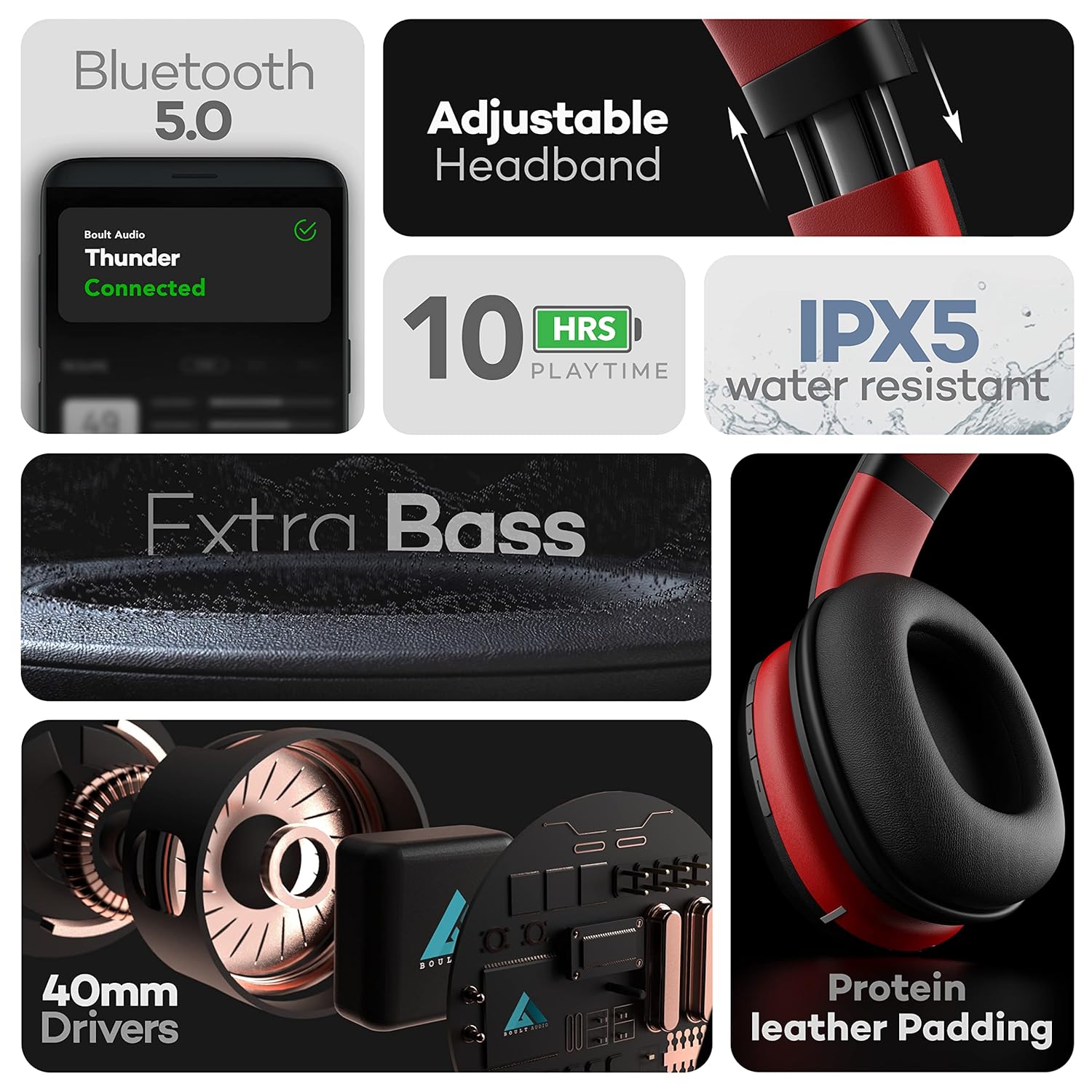
Image: Features of the headphones, including Bluetooth 5.0 connectivity.
Video: A tutorial video demonstrating how to connect the Boult Audio ProBass Thunder S07 headphones via Bluetooth to a mobile device.
3.3 Connexió per cable (mode AUX)
For a wired connection, use the provided 3.5mm auxiliary cable.
- Plug one end of the 3.5mm AUX cable into the AUX port on the headphone.
- Connecteu l'altre extrem al connector d'àudio de 3.5 mm del vostre dispositiu d'àudio.
- Els auriculars canviaran automàticament al mode amb cable.

Image: Headphones showing dual mode connectivity with Bluetooth and Aux-in cable.
4. Funcionament dels auriculars
4.1 Encès/Apagat
- Encès: Press and hold the multi-function button (usually the center button on the right earcup) for a few seconds until the LED indicator lights up.
- Apagar: Press and hold the multi-function button for a few seconds until the LED indicator turns off.
4.2 Controls d'àudio
The inline controls on the right earcup allow you to manage your audio playback and calls:
- Reproduir/pausa: Premeu breument el botó multifunció.
- Pujar el volum: Premeu breument el botó '+'.
- Baixar el volum: Premeu breument el botó '-'.
- Pista següent: Premeu llargament el botó '+'.
- Pista anterior: Premeu llargament el botó '-'.
4.3 Gestió de trucades
- Respondre/Finalitzar la trucada: Premeu breument el botó multifunció.
- Rebutja la trucada: Premeu llargament el botó multifunció.
4.4 Assistent de veu
Activate your device's voice assistant (Siri, Google Assistant) directly from the headphones:
- Activa l'Assistent de veu: Premeu el botó d'encesa durant 2 segons.

Image: Voice Assistant activation and inline controls on the headphones.
5. Manteniment
5.1 Neteja
- Netegeu els auriculars amb un drap suau i sec.
- Eviteu utilitzar productes químics durs, dissolvents de neteja o detergents forts.
- No submergiu els auriculars a l'aigua.
5.2 Resistència a l'aigua
The headphones are IPX5 water-resistant, meaning they can withstand splashes and sweat. This makes them suitable for workouts or light rain. However, they are not designed for swimming or submersion in water.
5.3 Emmagatzematge
When not in use, store the headphones in a cool, dry place away from direct sunlight and extreme temperatures. Avoid placing heavy objects on them.
6. Solució De Problemes
If you encounter any issues with your GOBOULT ProBass Thunder headphones, refer to the following common solutions:
- Sense energia: Ensure the headphones are fully charged. Connect them to a power source using the Micro-USB cable.
- No es pot emparellar per Bluetooth:
- Make sure the headphones are in pairing mode (LED flashing blue/red).
- Ensure Bluetooth is enabled on your device and it is within the 20m transmission range.
- Forget previous pairings on your device and try pairing again.
- Reinicieu els auriculars i el dispositiu.
- Sense so (Bluetooth):
- Comproveu els nivells de volum tant dels auriculars com del dispositiu connectat.
- Ensure the headphones are correctly selected as the audio output device on your phone/computer.
- No Sound (Wired AUX):
- Ensure the 3.5mm AUX cable is fully inserted into both the headphone and the audio device.
- Check the AUX cable for any visible damage. Try a different cable if available.
- Qualitat de so baixa:
- Acosteu-vos més al dispositiu Bluetooth per evitar interferències.
- Assegureu-vos que la font d'àudio (música file, servei de streaming) és d'alta qualitat.
7. Especificacions
| Nom del model | ProBass Thunder |
| Tecnologia de connectivitat | Sense fil (Bluetooth 5.0), amb cable (AUX de 3.5 mm) |
| Tipus de controlador d'àudio | Controlador dinàmic de 40 mm |
| Durada de la bateria | 10 Hours Playtime, 48 Hours Standby |
| Nivell de resistència a l'aigua | Resistent a l'aigua IPX5 |
| Tipus de control | Voice Control, Inline Buttons |
| Pes de l'article | 200 grams |
| Dimensions del producte | 16 x 19 x 6.5 cm |
| Dispositius compatibles | Android, iOS, Windows |
Vídeo: Presentació oficial del producte en vídeoasing the key features, design, battery life, and device compatibility of the Boult Audio ProBass Thunder headphones.
8. Garantia i Suport
8.1 Garantia del fabricant
The GOBOULT ProBass Thunder headphones come with a 1 any de garantia del fabricant. Please retain your purchase receipt for warranty claims.
8.2 Atenció al client
For any support, service, or warranty-related queries, please refer to the contact information provided in the included user manual or visit the official GOBOULT website. You may also find additional support on the product's Amazon detail page.
Manufacturer: Exotic Mile
Importer: Exotic Mile Private Limited, B-67 Wazirpur Industrial Area, Delhi - 110052.
Packer: 9555602502, Exotic Mile Private Limited, B-67 Wazirpur Industrial Area, Delhi - 110052.


