1. Introducció
Thank you for choosing the LAXIHUB 1080P Full HD Outdoor Security Camera. This device is designed to provide reliable surveillance for your outdoor spaces, featuring high-definition video, two-way audio, motion and noise detection, and robust weatherproofing. Please read this manual thoroughly before installation and use to ensure proper operation and safety.
2. Producte acabatview
2.1 Contingut del paquet
- LAXIHUB Outdoor Security Camera
- Adaptador d'alimentació
- Cargols i ancoratges de muntatge
- Manual d'usuari
- 32GB Micro SD Card (pre-installed or included separately)
2.2 Característiques clau
- Vídeo Full HD de 1080p: Captura imatges clares i detalladestage.
- Connectivitat WiFi 2.4G: Connects to your home network for remote access.
- Resistent a la intempèrie IP65: Designed to withstand outdoor conditions (operating temperature -20°C to 50°C / -4°F to 122°F).
- Visió nocturna millorada: Provides clear monitoring in low-light conditions up to 15 feet.
- Àudio bidireccional: Permet la comunicació en temps real a través de la càmera.
- Motion & Noise Detection: Alerts you to activity and sound.
- Emmagatzematge local i al núvol: Supports Micro SD card (up to 128GB, 32GB included) and optional cloud storage.
- Integració de la llar intel·ligent: Compatible amb Amazon Alexa i Google Assistant.
2.3 Components de la càmera
Familiaritzeu-vos amb els components físics de la càmera:
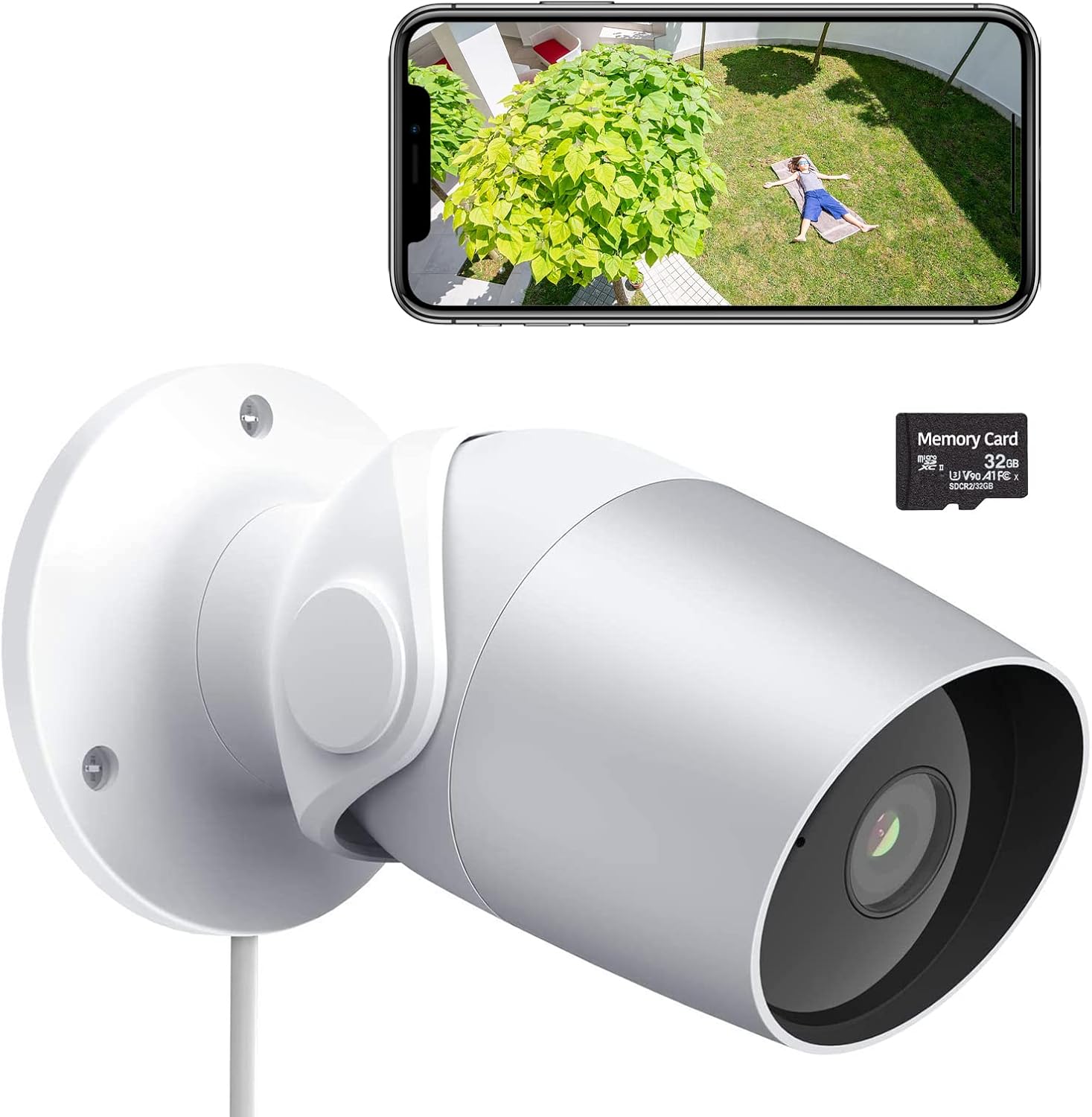
Figure 1: LAXIHUB Outdoor Security Camera with included 32GB Micro SD card and a smartphone displaying live feed.

Figure 2: Visual representation of the camera's main features.
3. Configuració
3.1 Descàrrega de l'aplicació i creació de compte
- Download the 'Arenti' app from the App Store (iOS) or Google Play Store (Android).
- Obre l'aplicació i registra't per obtenir un compte nou o inicia la sessió si ja en tens un.
3.2 Engegar la càmera
- Connecteu l'adaptador de corrent al port d'entrada d'alimentació de la càmera.
- Connecteu l'adaptador d'alimentació a una presa de corrent estàndard.
- Wait for the camera's indicator light to flash, indicating it is ready for pairing.
3.3 Connexió a Wi-Fi
- In the Arenti app, tap the '+' icon to add a new device.
- Seleccioneu el model de la càmera de la llista.
- Follow the on-screen instructions to connect the camera to your 2.4GHz Wi-Fi network. Ensure your phone is connected to the same 2.4GHz network during setup.
- Escaneja el codi QR que es mostra al telèfon amb l'objectiu de la càmera quan se't demani.
- Un cop connectat, l'indicador lluminós s'il·luminarà fixament.
3.4 Instal·lació de la targeta Micro SD
The camera supports a Micro SD card up to 128GB for local storage. A 32GB card is typically included.
- Locate the Micro SD card slot on the camera (refer to the product diagram if needed).
- Gently insert the Micro SD card into the slot with the gold contacts facing down until it clicks into place.
- In the app, navigate to camera settings and format the SD card for optimal performance.
3.5 Muntatge de la càmera
The camera is designed for wall mounting.
- Trieu un lloc adequat per al muntatge, assegurant-vos que hi hagi un camp lliure de view i accés a una presa de corrent.
- Use the included mounting template (if provided) or mark the screw holes on the wall.
- Drill pilot holes and insert wall anchors if mounting into drywall or masonry.
- Secure the camera's mounting base to the wall using the provided screws.
- Ajusteu l'angle de la càmera segons sigui necessari per a una cobertura òptima.
4. Funcionament de la càmera
4.1 Viu View i la reproducció
- Open the Arenti app and select your camera to view el feed en directe.
- Feu servir la funció de reproducció per tornar aview foo gravattage stored on the SD card or cloud.
4.2 Motion and Noise Detection

Figure 3: The camera's AI-powered human motion and sound detection capabilities.
- In the app settings, enable and configure motion and noise detection sensitivity.
- Set up detection zones to focus on specific areas.
- Receive push notifications on your smartphone when activity is detected.
4.3 Àudio bidireccional

Figura 4: Example of two-way audio functionality for communication.
- Mentre està en directe view, toca la icona del micròfon per parlar a través de la càmera.
- Toca la icona de l'altaveu per escoltar l'àudio des de la ubicació de la càmera.
4.4 Visió nocturna
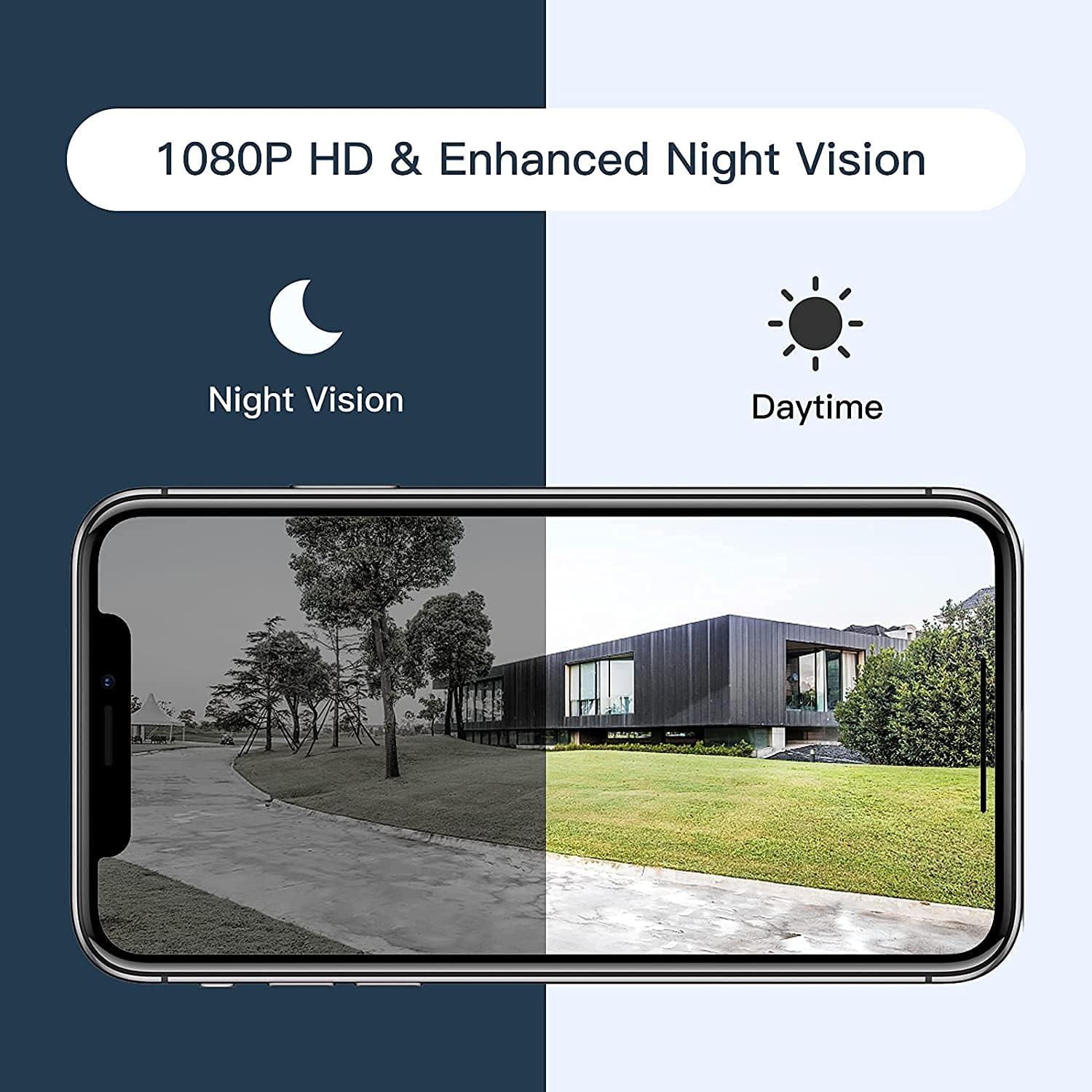
Figure 5: Comparison of daytime and night vision footage.
The camera automatically switches to night vision mode in low-light conditions, providing clear black and white video.
4.5 Integració de la llar intel·ligent

Figure 6: The camera's compatibility with Amazon Alexa for voice control and viewing.
- To connect with Amazon Alexa or Google Assistant, follow the instructions in the Arenti app's integration section.
- Un cop enllaçat, podeu utilitzar ordres de veu per a view the camera feed on compatible smart displays.
4.6 Compartir l'accés

Figure 7: The camera supports sharing live view access with multiple family members.
You can share access to your camera's live feed with family members through the Arenti app. Navigate to the camera settings and select the sharing option to invite others.
5. Manteniment
- Neteja: Netegeu regularment la lent de la càmera amb un drap suau i sec per garantir una qualitat d'imatge nítida. No utilitzeu productes químics agressius.
- Actualitzacions de firmware: Check the Arenti app periodically for available firmware updates. Keeping your camera's firmware updated ensures optimal performance and security.
- Connexió d'alimentació: Ensure the power cable and adapter are securely connected and free from damage.
- Protecció meteorològica: While IP65 rated, avoid directing high-pressure water jets directly at the camera. Ensure the power connection point is protected from excessive moisture.
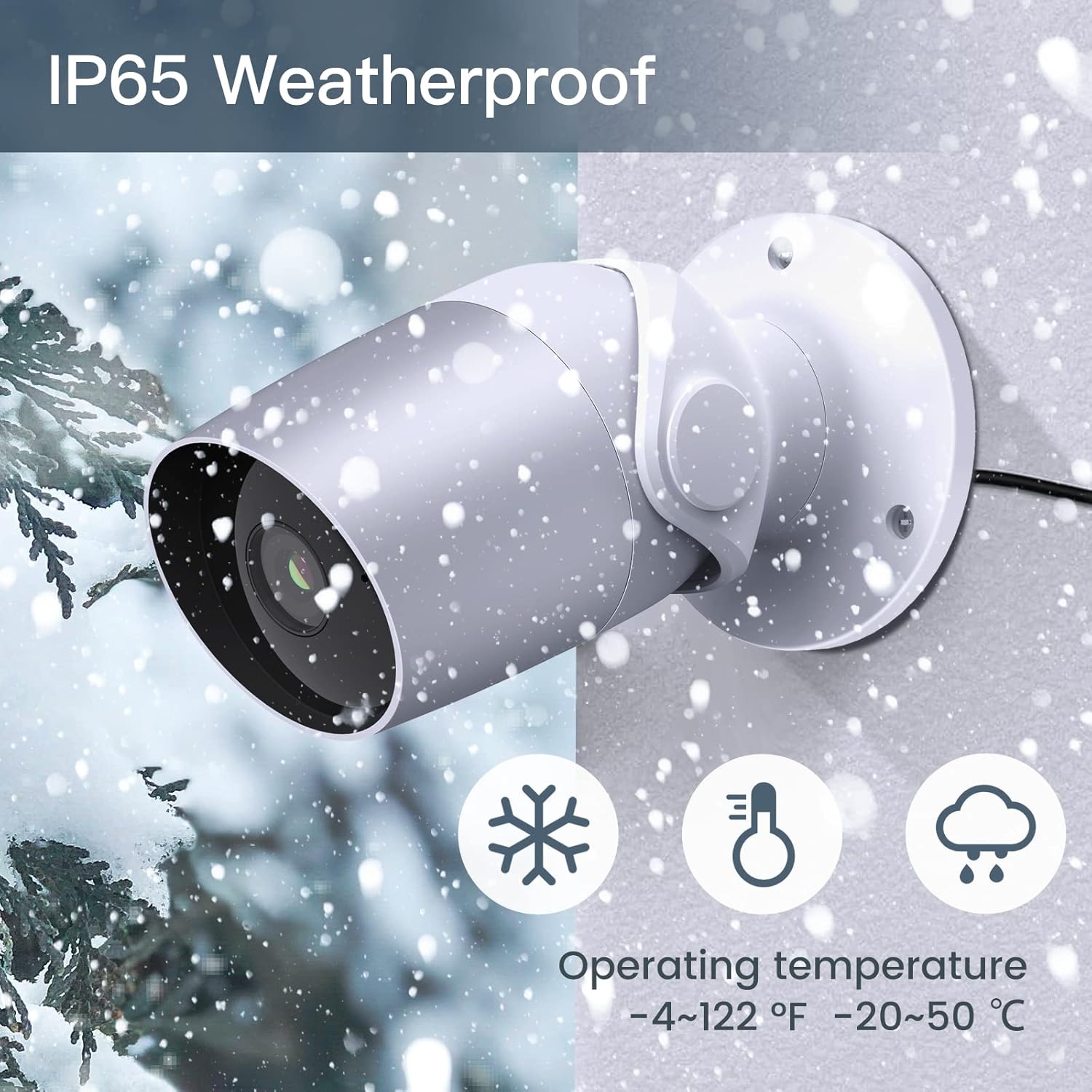
Figure 8: The camera's IP65 weatherproof rating ensures durability in various outdoor conditions.
6. Solució De Problemes
- La càmera no s'encén: Ensure the power adapter is correctly connected to the camera and a working power outlet. Try a different outlet or adapter if available.
- No es pot connectar a Wi-Fi:
- Assegureu-vos que la vostra xarxa Wi-Fi sigui de 2.4 GHz. La càmera no admet Wi-Fi de 5 GHz.
- Verifiqueu que la contrasenya del Wi-Fi sigui correcta.
- Move the camera closer to your Wi-Fi router during setup.
- Reset the camera (refer to the app or product for reset button location) and try pairing again.
- Poca qualitat de vídeo:
- Comproveu la intensitat del senyal Wi-Fi. Un senyal feble pot afectar la transmissió de vídeo.
- Netegeu la lent de la càmera.
- Motion/Noise detection not working:
- Ensure detection is enabled in the app settings.
- Ajusta els nivells de sensibilitat.
- Verify notification permissions for the Arenti app on your smartphone.
- Problemes d'àudio bidireccional:
- Comprova la configuració del volum al telèfon i dins de l'aplicació.
- Ensure your phone's microphone is enabled for the Arenti app.
7. Especificacions
| Característica | Especificació |
|---|---|
| Resolució de captura de vídeo | 1080p Full HD |
| Protocol de connectivitat | Wi-Fi (només 2.4 GHz) |
| Classificació de protecció internacional | IP65 resistent a la intempèrie |
| Viewangle ing | 110 graus |
| Gamma de visió nocturna | 15 peus |
| Velocitat de fotogrames | 25 FPS |
| Font d'alimentació | Corded Electric (12 Volts DC, 4.5 Watts) |
| Emmagatzematge | Micro SD Card (up to 128GB, 32GB included), Cloud Storage |
| Tipus d'alerta | Audio and Motion Detection |
| Dispositius compatibles | Telèfon intel·ligent, Amazon Alexa, Assistent de Google |
| Temperatura de funcionament | -20 °C a 50 °C (-4 °F a 122 °F) |
| Dimensions del producte | 8 x 3.66 x 6 polzades |
| Pes de l'article | 14.1 unces |
8. Informació de la garantia
Specific warranty details for your LAXIHUB Security Camera may vary by region and retailer. Please refer to the warranty card included with your product or contact LAXIHUB customer support directly for detailed information regarding warranty coverage and terms.
9. Atenció al client
If you encounter any issues or have questions not covered in this manual, please contact LAXIHUB customer support through the Arenti app or visit the official LAXIHUB website for assistance. You may also refer to the seller's support channels if purchased through a third-party retailer.