Mercusys AC650 High Gain Wireless Dual Band USB Adapter
Model: MU6H
Introducció
This user manual provides comprehensive instructions for the installation, operation, and maintenance of your Mercusys AC650 High Gain Wireless Dual Band USB Adapter. Please read this manual thoroughly before using the device to ensure proper functionality and safety.
The Mercusys AC650 is designed to provide high-speed Wi-Fi connectivity for your desktop or laptop computer, supporting both 2.4 GHz and 5 GHz bands for flexible and reliable wireless performance.
Informació de seguretat
- No exposeu el dispositiu a l'aigua ni a una humitat excessiva.
- No intenteu desmuntar ni reparar el dispositiu vosaltres mateixos. Encarregueu tot el manteniment a personal qualificat.
- Mantingueu el dispositiu lluny de fonts de calor i de la llum solar directa.
- Feu servir només amb ports USB compatibles.
- Eliminar el dispositiu de manera responsable d'acord amb la normativa local.
Contingut del paquet
Verifiqueu que tots els elements siguin presents al vostre paquet:
- Mercusys AC650 High Gain Wireless Dual Band USB Adapter (MU6H)
- Quick Installation Guide (typically included in packaging)

Image: The retail packaging for the Mercusys AC650 USB Adapter, showing the adapter and its key features.
Configuració
Requisits del sistema
- An available USB port (USB 2.0 or higher recommended).
- Operating System: Windows 11/10/8.1/8/7/XP.

Image: Visual representation of the Mercusys AC650 USB Adapter's compatibility with various Windows operating systems, including Windows 10, 8.1, 8, 7, and XP.
Passos d'instal·lació
- Inseriu l'adaptador: Carefully insert the Mercusys AC650 USB Adapter into an available USB port on your computer.
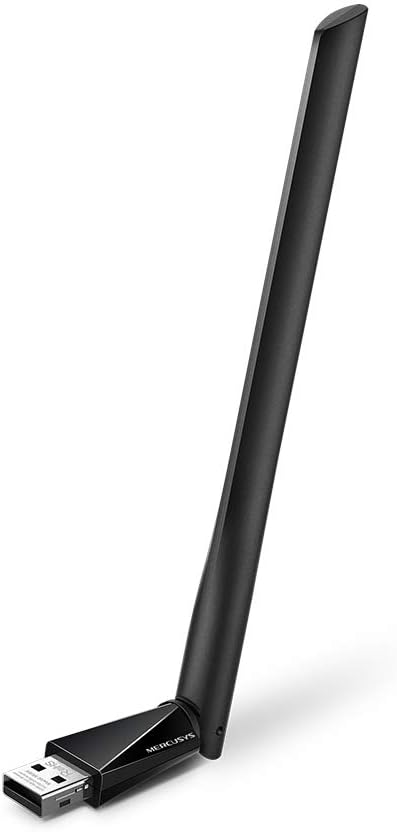
Image: The Mercusys AC650 USB Adapter shown from an angled perspective, highlighting its USB connector and the main body with the antenna.
- Instal·lació del controlador: The adapter features an in-built virtual CD with a driver installer.
- On most Windows systems, a new drive will appear in "This PC" or "My Computer". Open this drive.
- Locate and run the setup file (e.g., "Setup.exe" or "Autorun.exe").
- Seguiu les instruccions a la pantalla per completar la instal·lació del controlador.
- If the virtual CD does not auto-run, you may need to manually browse to the virtual drive and launch the installer.
Nota: An internet connection is typically not required for the initial driver installation as the driver is embedded.
- Ajustar l'antena: Once installed, you can adjust the high-gain antenna for optimal signal reception. The antenna is designed to be flexible.

Image: The Mercusys AC650 USB Adapter shown with its antenna folded down, illustrating its compact form factor when not in use or for storage.
Funcionament de l'adaptador
After successful driver installation, your computer should recognize the Mercusys AC650 as a wireless network adapter.
Connexió a una xarxa Wi-Fi
- Feu clic a la icona de Wi-Fi a la safata del sistema (normalment a la cantonada inferior dreta de la pantalla).
- Apareixerà una llista de xarxes sense fil disponibles.
- Select your desired network (SSID) and click "Connect".
- If prompted, enter the network security key (password) and click "Next" or "OK".
- L'ordinador ara hauria d'estar connectat a la xarxa Wi-Fi.
Dual Band Functionality (2.4 GHz and 5 GHz)
The AC650 adapter supports both 2.4 GHz and 5 GHz Wi-Fi bands. The 2.4 GHz band offers wider coverage, while the 5 GHz band provides faster speeds and less interference, ideal for streaming and gaming.
- Your adapter will automatically detect and connect to networks on either band.
- If your router broadcasts separate SSIDs for 2.4 GHz and 5 GHz (e.g., "MyWiFi_2.4G" and "MyWiFi_5G"), you can manually choose which band to connect to.
- For optimal performance, connect to the 5 GHz network if available and within range.
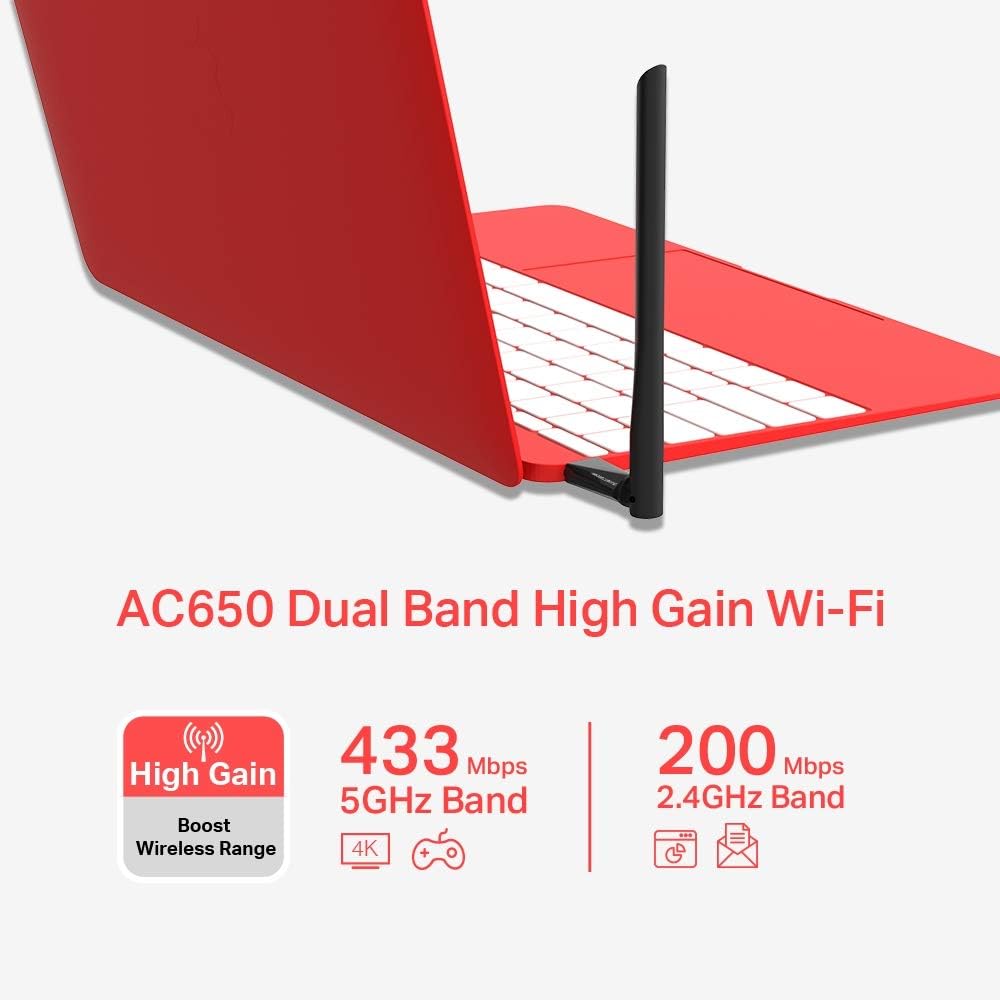
Image: An infographic detailing the Mercusys AC650's dual-band capabilities, showing 433 Mbps for 5GHz band and 200 Mbps for 2.4GHz band, along with its high-gain antenna feature.
Manteniment
- Mantingueu l'adaptador net i sense pols. Feu servir un drap suau i sec per netejar-lo.
- Avoid bending or twisting the antenna excessively.
- Guardeu l'adaptador en un lloc fresc i sec quan no l'utilitzeu.
- Ensure your operating system and adapter drivers are up to date for best performance and security.
Resolució de problemes
| Problema | Possible solució |
|---|---|
| L'ordinador no ha detectat l'adaptador. |
|
| No es pot connectar a la xarxa Wi-Fi. |
|
| Velocitat Wi-Fi lenta o desconnexions freqüents. |
|
Especificacions
| Característica | Detall |
|---|---|
| Model | MU6H |
| Tipus sense fil | 802.11ac |
| Velocitat de transferència de dades | Fins a 650 Mbps (433 Mbps a 5 GHz, 200 Mbps a 2.4 GHz) |
| Bandes de freqüència | 2.4 GHz i 5 GHz (doble banda) |
| Tipus d'antena | High Gain, 5 dBi |
| Interfície | USB |
| Dispositius compatibles | Escriptori, ordinador portàtil |
| Sistemes operatius | Windows 11/10/8.1/8/7/XP |
| Dimensions (LxWxH) | 0.67 x 2.28 x 6.81 polzades (aprox.) |
| Pes | 0.705 unces (aprox.) |
| Color | Negre |
Garantia i Suport
The Mercusys AC650 High Gain Wireless Dual Band USB Adapter comes with a three-year warranty against factory defects. Please retain your proof of purchase for warranty claims.
For technical support, driver updates, or further assistance, please visit the official Mercusys website or contact their customer support. Refer to the product packaging or Mercusys' official weblloc web per obtenir la informació de contacte d'assistència més actualitzada.
Oficial Weblloc: www.mercusys.com


