1. Introducció
Gràcies per la compraasing the Everycom X10 Home & Business Native Full HD 1080p LED Projector. This projector is designed to provide a superior viewing experience with its impressive native resolution of 1920 x 1080, 5500 Lumens of brightness, and a high contrast ratio of 5000:1. This manual provides detailed instructions for setting up, operating, and maintaining your projector to ensure optimal performance and longevity. Please read this manual thoroughly before using the product and keep it for future reference.
2. Informació de seguretat
Per evitar incendis o descàrregues elèctriques, no exposeu aquest aparell a la pluja ni a la humitat. Per evitar descàrregues elèctriques, no obriu la carcassa. Demaneu el manteniment només a personal qualificat.
- No bloquejar les obertures de ventilació.
- Utilitzeu només accessoris/accessoris especificats pel fabricant.
- Desendolleu aquest aparell durant les tempestes amb llamps o quan no l'utilitzeu durant llargs períodes.
- Eviteu que el cable d'alimentació sigui trepitjat o pessigat, especialment als endolls, els endolls i el punt on surten de l'aparell.
- No mireu directament a la lent del projector quan estigui encès.amp està activat.
- Ensure the projector is placed on a stable, level surface.
3. Què hi ha a la caixa
Si us plau, comproveu que tots els elements següents estiguin inclosos al vostre paquet:
- Everycom X10 Projector
- Control remot
- Manual d'usuari
- Cable AV
- Cable HDMI
- Cable d'alimentació
4. Producte acabatview
4.1 Davant View
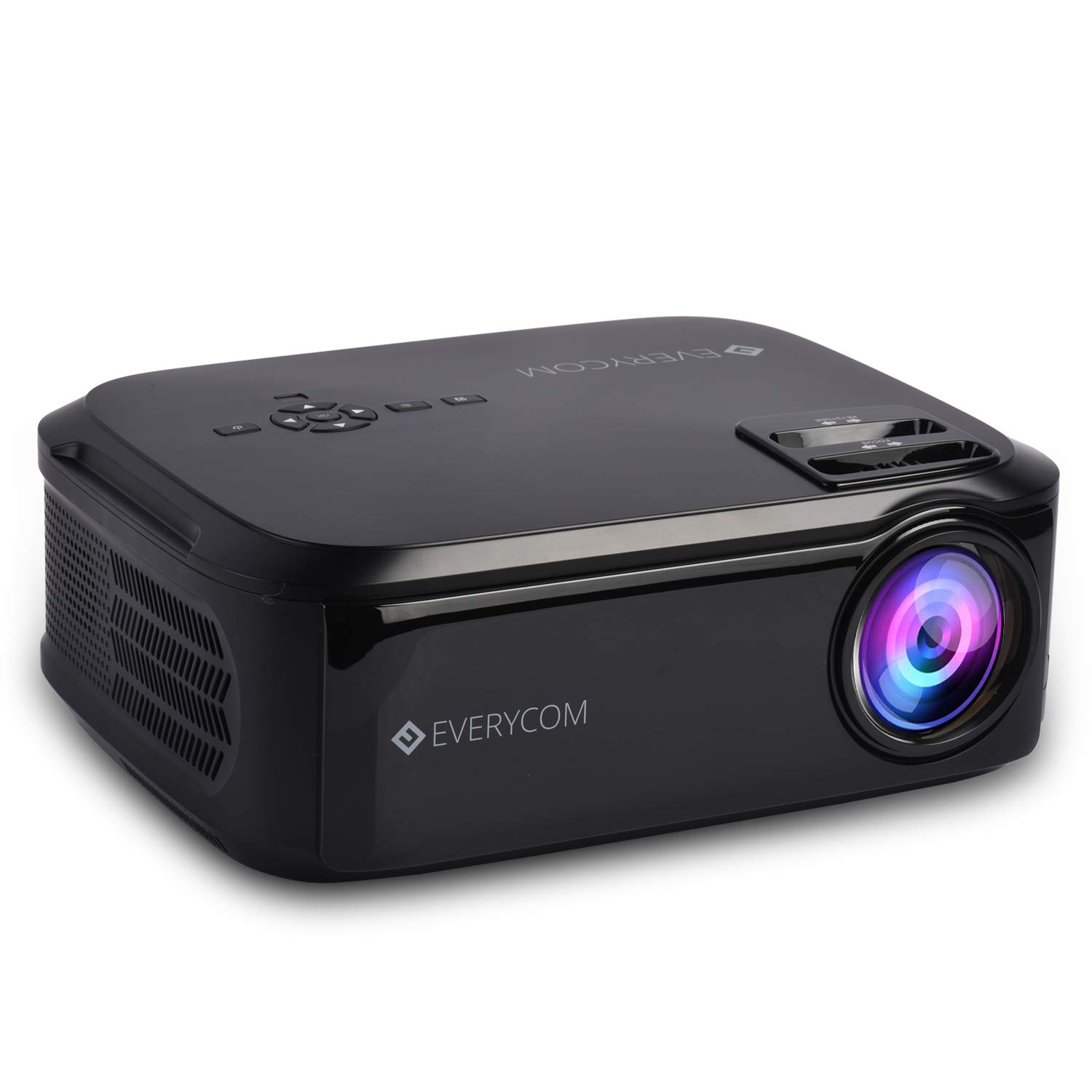
This image displays the front of the Everycom X10 projector, highlighting the main lens and the sleek black casing. The lens is the primary component for projecting images onto a screen or wall.
4.2 lateral View (Ports)

This image shows the side of the Everycom X10 projector, featuring the various input and output ports. These include two HDMI inputs, two USB inputs, and a VGA port, allowing for versatile connectivity with different devices.
4.3 Amunt View (Controls)

La part superior view of the Everycom X10 projector displays the integrated control panel and the focus and keystone adjustment dials. The control panel allows for basic navigation and settings adjustments directly on the unit, while the dials are used to fine-tune image clarity and shape.
4.4 A baix View

This image shows the bottom of the Everycom X10 projector, revealing the product label with model information, serial number, and certification marks. It also shows the adjustable feet for leveling and mounting points.
5. Configuració
5.1 Col·locació
Place the projector on a stable, flat surface. Ensure there is adequate ventilation around the projector to prevent overheating. The projection distance can range from 1.6m to 7.1m to achieve a screen size of 45" to 200".
5.2 Connexió d'alimentació
- Connecteu el cable d'alimentació al port d'entrada d'alimentació del projector.
- Connecteu l'altre extrem del cable d'alimentació a una presa de corrent.
5.3 Connexió de dispositius d'entrada
The Everycom X10 supports multiple input sources:
- HDMI: Connect your PC, laptop, gaming console, Amazon Fire TV, or Chromecast using an HDMI cable to one of the two HDMI ports.
- USB: Insert a USB stick or connect a media player to one of the two USB ports.
- VGA: Connect older PCs or laptops using a VGA cable.
- DE: Use the provided AV cable to connect DVD players or other devices with AV output.
5.4 Ajust de l'enfocament i la distorsió trapezoidal
- Focus: Rotate the focus ring on the top of the projector until the projected image is clear and sharp.
- Clau clau: Use the keystone correction dial (vertical ±15 degrees) to adjust the image shape if it appears trapezoidal. This ensures the projected image is rectangular.
6. Instruccions de funcionament
6.1 Engegada/apagada
- Encès: Premeu el botó d'engegada del projector o del comandament a distància. L'indicador lluminós s'encendrà.
- Apagar: Premeu el botó d'engegada de nou. El projector s'apagarà. Deixeu sempre que el projector es refredi correctament abans de desendollar-lo.
6.2 Selecció de la font
After powering on, select the desired input source:
- Premeu el botó «Font» del comandament a distància o del panell de control del projector.
- Use the arrow keys to navigate through the input options (HDMI1, HDMI2, USB1, USB2, VGA, AV).
- Premeu "D'acord" per confirmar la selecció.
6.3 Navegació de menús
Use the 'Menu' button on the remote or projector to access settings:
- Configuració de la imatge: Adjust brightness, contrast, color, and aspect ratio (16:9/4:3).
- Configuració de so: Control volume and audio modes for the built-in dual stereo speakers.
- Configuració de l'hora: Set sleep timer or adjust time-related functions.
- Configuració d'opcions: General settings like language, factory reset, etc.
7. Manteniment
7.1 Neteja de la lent
Use a soft, lint-free cloth or lens cleaning paper to gently wipe the lens. Do not use abrasive cleaners or solvents.
7.2 Neteja del cos del projector
Wipe the projector's exterior with a soft, dry cloth. For stubborn dirt, dampNetegeu lleugerament el drap amb aigua i un detergent suau i, a continuació, eixugueu-lo.
7.3 Manteniment del ventilador
The projector features an innovative cooling system with heat dispersion and noise suppression. Ensure the ventilation vents are clear of dust and obstructions to maintain efficient cooling.
8. Solució De Problemes
| Problema | Causa possible | Solució |
|---|---|---|
| No es mostra cap imatge | Power cord loose; Incorrect input source; Device not connected properly. | Check power connection; Select correct input source; Reconnect input device. |
| La imatge és borrosa | Enfocament no ajustat; Projector massa lluny/massa a prop. | Ajusta l'anell d'enfocament; Ajusta la distància de projecció. |
| La imatge és trapezoïdal | Clave trapezoidal no ajustada. | Ajusteu el dial de correcció de la distorsió trapezoidal. |
| Sense so | Volume too low; Audio cable not connected; Source device audio settings. | Increase volume; Check audio connections; Adjust audio output on source device. |
| El projector es sobreescalfa | Ventilation blocked; Prolonged use in hot environment. | Ensure vents are clear; Operate in a well-ventilated area; Allow cool-down periods. |
9. Especificacions
| Característica | Especificació |
|---|---|
| Marca | Everycom |
| Model | X10 |
| Resolució nativa | 1920 x 1080 (Full HD) |
| Brillantor | 5500 lúmens |
| Relació de contrast | 5000:1 |
| Relació d'aspecte | 16:9 / 4:3 |
| Mida de projecció | 45" a 200" |
| Distància de projecció | 1.6 m a 7.1 m |
| Correcció de pedra clau | ±15° Vertical |
| Ports d'entrada | 2 x HDMI, 2 x USB, 1 x VGA, 1 x AV |
| Àudio | Altaveus estèreo duals integrats |
| Dimensions del producte | 32 x 26 x 12 cm |
| Pes de l'article | 2.6 kg |
10. Garantia i Suport
10.1 Informació de la garantia

The Everycom X10 Projector comes with a Nationwide 1 Year Indian Warranty. This product is also Bureau of Indian Standards (BIS) certified.
10.2 Atenció al client

For any assistance, queries, or support regarding your Everycom X10 Projector, please contact our customer service team:
- Número gratuït: 1800 121 4480
- Customer Support Working Hours: Monday - Saturday, 10:00 AM - 6:30 PM (Except on Public Holidays)


