1. Introducció
Thank you for choosing the Strex 12 LED Universal RCA Reversing Camera. This manual provides essential information for the proper installation, operation, and maintenance of your new reversing camera. Please read this manual thoroughly before use to ensure optimal performance and safety.
2. Informació de seguretat
- Always ensure your vehicle is turned off and the parking brake is engaged before attempting any installation or maintenance.
- Disconnect the vehicle's battery before connecting any electrical components to prevent short circuits or damage.
- Ensure all wiring is properly insulated and secured to prevent damage from vibration, heat, or moisture.
- No obstruïu la càmera view with dirt, snow, or ice. Regularly clean the lens for clear visibility.
- This camera is designed as an aid for reversing and parking. Always check your surroundings visually and use your mirrors.
3. Contingut del paquet
Verifiqueu que tots els elements siguin presents al paquet:
- 1x Strex 12 LED Reversing Camera
- 1x Mounting material with 6M RCA cable
- 1 x manual d'usuari

Figura 3.1: Contingut del paquet. The image displays the Strex 12 LED reversing camera, the included 6-meter RCA cable and power cable, and the product packaging.
4. Especificacions
| Característica | Especificació |
|---|---|
| Marca | Strex |
| Número de model | SP97 |
| Voltage | DC 12V |
| Resolució de gravació de vídeo | 720p |
| Real Viewangle ing | 140 graus |
| Tipus de lent | Gran angular |
| Tecnologia de sensors òptics | CMOS |
| Mida del sensor òptic | 1/4 polzada |
| Tipus de connector | RCA |
| Tipus d'instal·lació | Posteriorview muntar |
| Dispositius compatibles | Monitor |
| Dimensions del producte | 40L x 23A x 23H mil·límetres |

Figure 4.1: Camera Dimensions. This image illustrates the physical dimensions of the Strex reversing camera, including its mounting bracket.
5. Configuració i instal·lació
The Strex 12 LED Reversing Camera is designed for a plug-and-play installation. Follow these general steps:
- Trieu la ubicació de muntatge: Select a suitable location at the rear of your vehicle, typically above the license plate, ensuring a clear view and that the camera does not obstruct any vehicle lights or features.
- Muntar la càmera: Use the provided mounting hardware to securely attach the camera. Ensure it is firmly fixed to prevent movement from vibrations.
- Connectar l'alimentació: Connect the camera's power cable to your vehicle's DC 12V system. It is recommended to connect it to the reverse light circuit so the camera activates automatically when the vehicle is put into reverse.
- Connecteu el cable de vídeo: Route the 6-meter RCA video cable from the camera to your in-car monitor or head unit. Ensure the cable is routed safely, avoiding moving parts, sharp edges, and excessive heat.
- Funcionalitat de prova: Once all connections are made, turn on your vehicle and engage reverse gear to test the camera's functionality. Adjust the camera angle if necessary for optimal viewing.
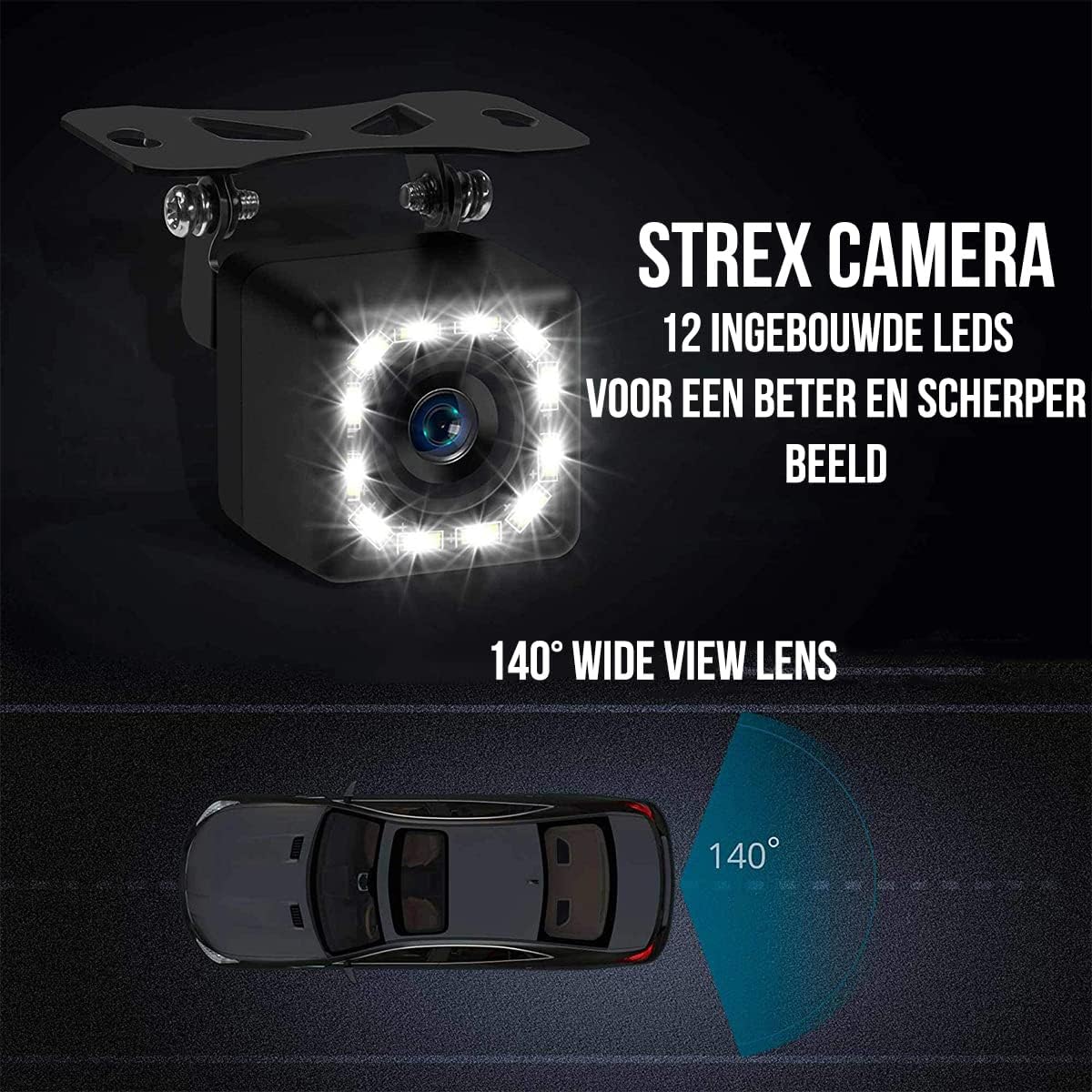
Figure 5.1: Camera Features. This image highlights the 12 built-in LEDs and the 140-degree wide-angle lens of the Strex camera, crucial for installation and operation.
6. Instruccions de funcionament
The Strex 12 LED Reversing Camera provides clear visibility to assist with parking and reversing maneuvers.
- Activació automàtica: When properly installed, the camera will automatically activate and display the rear view on your connected monitor when you shift your vehicle into reverse gear.
- Clar View: The camera features a 140° wide-angle lens, providing an expansive field of view to detect obstacles and other vehicles.
- Visió nocturna millorada: Equipped with 12 powerful LED lights and 720P resolution, the camera ensures a clear image even in low-light or completely dark conditions.

Figure 6.1: Ultra Clear Image. The camera's advanced lens and chip technology ensure a clear image both during the day and at night.

Figure 6.2: Improved Night Vision. This comparison demonstrates the superior clarity and brightness provided by the Strex camera's night vision capabilities.
7. Manteniment
To ensure the longevity and optimal performance of your Strex Reversing Camera, follow these maintenance guidelines:
- Neteja regular: Netegeu periòdicament la lent de la càmera amb un drap suau i sec.amp cloth to remove dirt, dust, and water spots. Avoid abrasive cleaners that could scratch the lens.
- Comproveu les connexions: Occasionally inspect all cable connections to ensure they are secure and free from corrosion or damage.
- Resistència a la intempèrie: The camera features an IP68 waterproof rating, making it resistant to rain, snow, and other extreme weather conditions. However, avoid direct high-pressure water jets on the camera.

Figure 7.1: Robust and Waterproof Design. The image emphasizes the camera's durable construction and IP68 waterproof rating, ensuring reliable performance in all weather conditions.
8. Solució De Problemes
If you encounter issues with your Strex Reversing Camera, refer to the following common problems and solutions:
- Sense imatge al monitor:
- Check all power connections to ensure the camera is receiving 12V power.
- Verify the RCA video cable is securely connected to both the camera and the monitor.
- Ensure your monitor is set to the correct input source for the camera.
- Check the vehicle's reverse light circuit for proper function if the camera is wired to it.
- Mala qualitat d'imatge:
- Clean the camera lens to remove any dirt, dust, or moisture.
- Assegureu-vos que no hi hagi obstacles en el camp de la càmera view.
- Check for any kinks or damage in the video cable.
- Verify the monitor's display settings (brightness, contrast) are correctly adjusted.
- Senyal intermitent:
- Inspect all cable connections for looseness or corrosion.
- Ensure the power supply to the camera is stable.
Si aquests passos no resolen el problema, poseu-vos en contacte amb l'atenció al client.
9. Garantia i Suport
This Strex product comes with a standard manufacturer's warranty. Please refer to the warranty card included in your package or contact your retailer for specific warranty terms and conditions.
For technical support, troubleshooting assistance, or warranty claims, please contact Strex customer service through the retailer where you purchased the product or visit the official Strex weblloc per obtenir informació de contacte.


