1. Introducció
This manual provides essential information for the proper setup, operation, maintenance, and troubleshooting of your MSI GS66 Stealth 10SFS-440 gaming laptop. Please read this manual thoroughly before using your device to ensure optimal performance and longevity.
2. Contingut del paquet
Verifiqueu que tots els elements siguin presents al paquet:
- MSI GS66 Stealth 10SFS-440 Gaming Laptop
- Adaptador d'alimentació
If any items are missing or damaged, contact your retailer or MSI customer support.
3. Producte acabatview
The MSI GS66 Stealth 10SFS-440 is a high-performance gaming laptop designed for demanding applications and gaming. It features a 15.6-inch Full HD display with a 300Hz refresh rate, an Intel Core i7-10875H processor, and an NVIDIA GeForce RTX 2070 Super Max-Q graphics card.
3.1 Característiques clau
- Visualització: 15.6" FHD, Anti-Glare Wide View Angle 300Hz 3ms
- Processador: Intel Core i7-10875H (2.3 - 5.1GHz)
- Gràfics: NVIDIA GeForce RTX2070 Super Max-Q 8G GDDR6
- Memòria: 32GB (16G*2) DDR4 3200MHz (Max 64GB)
- Emmagatzematge: SSD NVMe de 512 GB
- Sistema operatiu: Windows 10 Pro
- Xarxa: Intel Wi-Fi 6 AX201(2*2 ax), Killer LAN E3100
- Àudio: Dynaudio Speakers 2W*2
- Weblleva: 720p HD
- Teclat: Steel Series per-Key RGB with Anti-Ghost key (84 Key)
- Touchpad: Silky Glass Touchpad
3.2 ordinador portàtil Views
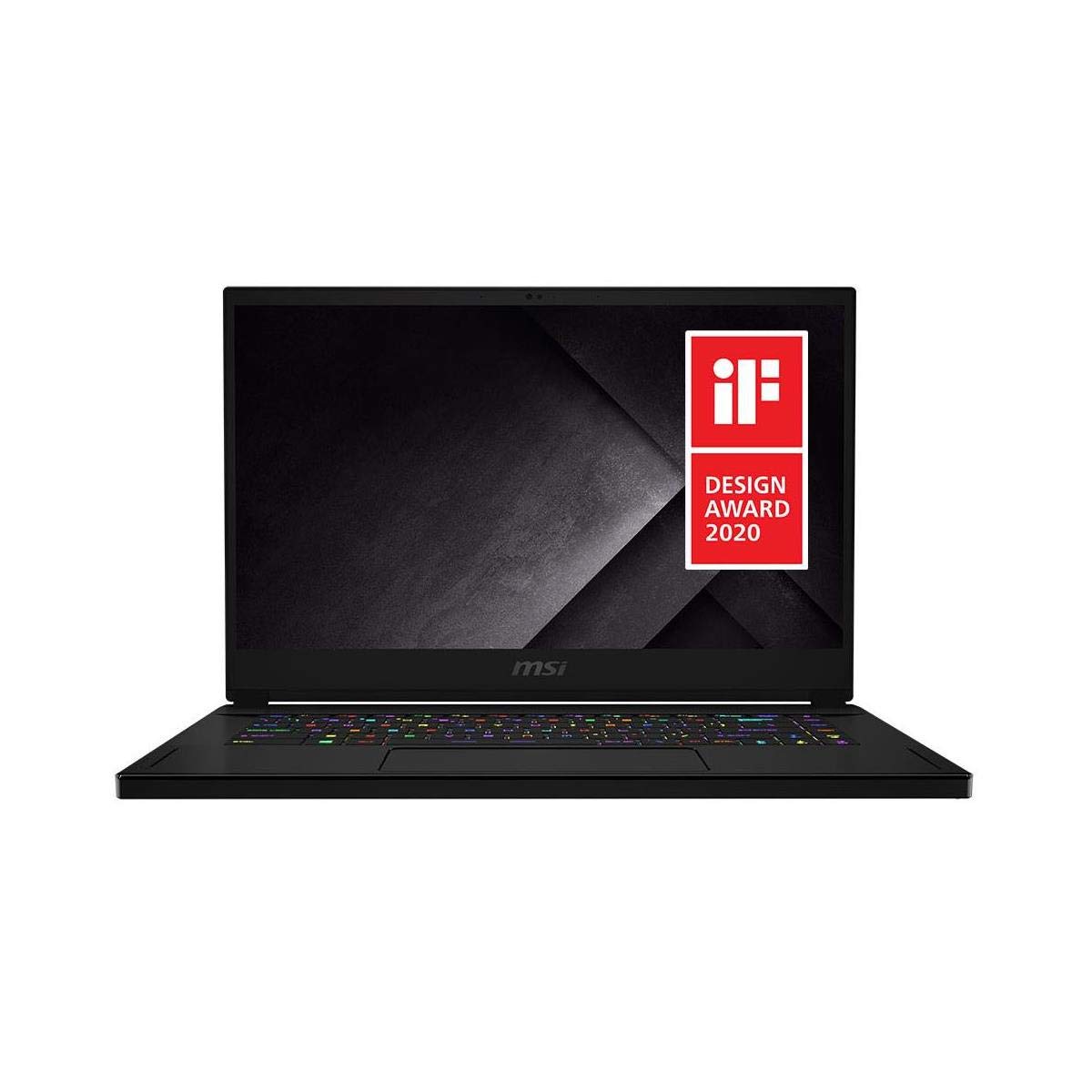
Figura 3.2.1: Frontal view of the MSI GS66 Stealth 10SFS-440 gaming laptop, showcasing the display and RGB keyboard.
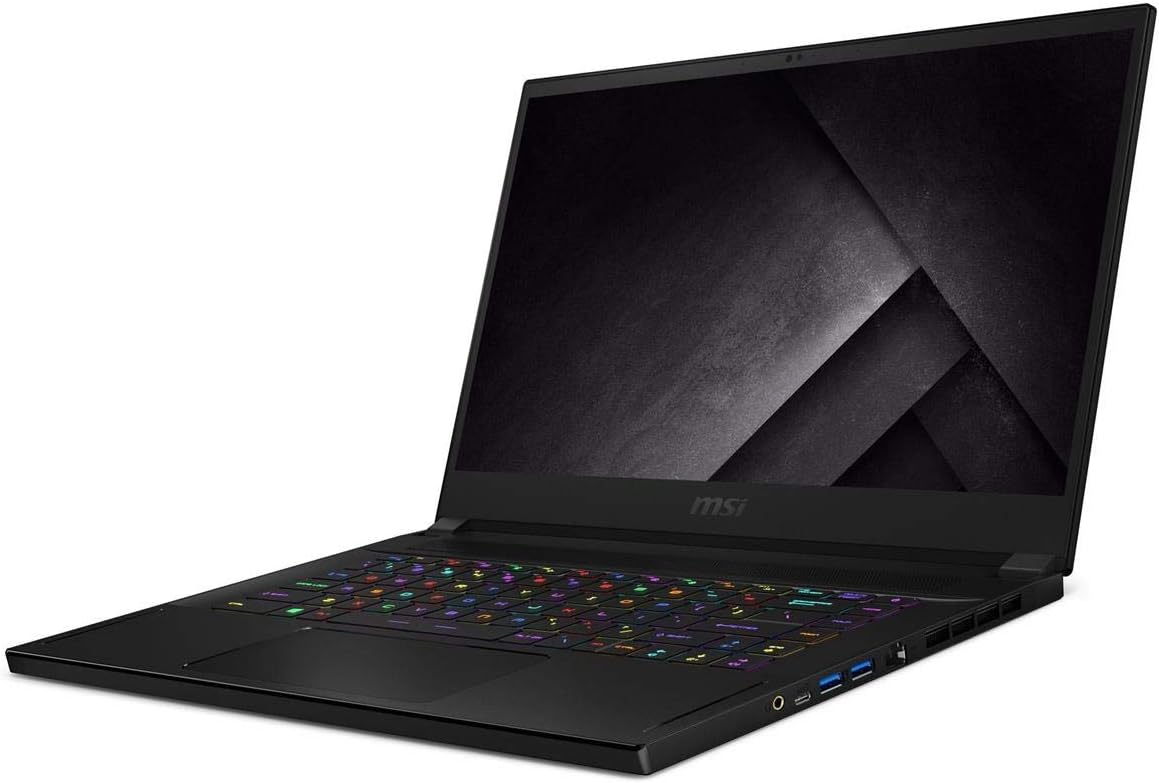
Figura 3.2.2: Angle view of the MSI GS66 Stealth 10SFS-440, highlighting the sleek design and keyboard layout.

Figura 3.2.3: Pro lateralfile of the MSI GS66 Stealth 10SFS-440, illustrating its thin chassis and port configuration.
4. Configuració
4.1 Engegada inicial
- Unpack the laptop and power adaptor from the box.
- Connect the power adaptor to the laptop's power input port and then plug it into a power outlet.
- Obriu la tapa del portàtil. És possible que el portàtil s'encengui automàticament o que hàgiu de prémer el botó d'engegada.
- Seguiu les instruccions que apareixen a la pantalla per completar la configuració inicial del Windows 10 Pro, incloent-hi l'idioma, la regió, la connexió de xarxa i la creació del compte d'usuari.
4.2 Connexió de perifèrics
Connect external devices such as a mouse, keyboard, external monitor, or headset to the available ports on the laptop. Refer to the product overview images for port locations.
- Ports USB: For mouse, keyboard, external storage.
- Port HDMI: Per a pantalles externes.
- Preses d'àudio: Per a auriculars o altaveus externs.
- Ethernet Port (LAN): Per a la connexió de xarxa amb cable.
5. Instruccions de funcionament
5.1 Engegada/Apagada i Mode de repòs
- Encès: Press the power button located on the laptop chassis.
- Apagar: Feu clic al botó Inici de Windows i, a continuació, seleccioneu Energia > Apagar.
- Mode de repòs: Close the laptop lid or click the Windows Start button, then select Power > Sleep.
5.2 Teclat i touchpad
The laptop features a Steel Series per-Key RGB keyboard and a silky glass touchpad. Customize keyboard backlighting and touchpad settings through the MSI Dragon Center software or Windows settings.
5.3 Configuració de la pantalla
Your laptop's 300Hz display provides a smooth visual experience. To adjust display settings:
- Feu clic amb el botó dret a l'escriptori i seleccioneu "Configuració de la pantalla".
- Scroll down and click "Advanced display settings."
- Select the desired refresh rate (e.g., 300Hz) from the "Refresh rate" dropdown menu.
5.4 Performance Management (MSI Dragon Center)
Utilize the pre-installed MSI Dragon Center software to manage system performance, fan speeds, RGB lighting, and other settings. This software allows you to switch between performance modes (e.g., Extreme Performance, Balanced, Silent, Super Battery) to optimize for different tasks.
- Mode de joc: Activate for optimized gaming performance. Ensure your primary graphics card is set to the NVIDIA RTX card in NVIDIA Control Panel for best results.
- Mode de bateria: Select for extended battery life during general use or work.
6. Manteniment
6.1 Neteja
- Feu servir un drap suau i sense borrissol per netejar la pantalla i el xassís.
- Per a marques difícils, esbandiu lleugeramentampNetegeu el drap amb aigua o un netejador de pantalles segur.
- Eviteu ruixar líquids directament sobre l'ordinador portàtil.
- Regularly clean the keyboard and touchpad to prevent dust buildup.
6.2 Cura de la bateria
- Eviteu descarregar completament la bateria amb freqüència.
- For prolonged storage, charge the battery to approximately 50-60%.
- While gaming or performing intensive tasks, keep the laptop plugged in to ensure stable power and prevent rapid battery drain.
6.3 Actualitzacions de programari
Regularly update your operating system, drivers (especially graphics drivers), and MSI software (e.g., Dragon Center) to ensure optimal performance, security, and compatibility.
- Actualitzacions de Windows: Aneu a Configuració > Actualització i seguretat > Actualització de Windows.
- NVIDIA Drivers: Download from the official NVIDIA website or use GeForce Experience.
- MSI Drivers/Utilities: Check the official MSI support weblloc web per al vostre model.
6.4 Actualitzacions d'emmagatzematge i RAM
The laptop supports upgrades for storage (NVMe SSD) and RAM (DDR4). However, upgrading internal components requires careful handling. It is recommended to consult a qualified technician or refer to official MSI service guides, as improper installation can void your warranty or damage the device. Note that internal screws may vary in size and require specific tools.
7. Solució De Problemes
7.1 Problemes comuns i solucions
| Problema | Possible solució |
|---|---|
| El portàtil no s'encén | Ensure the power adaptor is securely connected to both the laptop and a working power outlet. Try a different outlet. |
| Durada de la bateria curta | Adjust power settings in Windows or MSI Dragon Center to "Balanced" or "Super Battery" mode. Reduce screen brightness. Close unnecessary background applications. |
| Soroll fort del ventilador | This is common during intensive tasks like gaming. Ensure vents are not obstructed. Use MSI Dragon Center to adjust fan profiles. Consider a cooling pad for extended heavy use. |
| Mala connectivitat Wi-Fi | Ensure you are within range of your Wi-Fi router. Update Wi-Fi drivers. Try connecting via an Ethernet cable if possible. |
| Low FPS in games | Verify that the NVIDIA GeForce RTX 2070 Super Max-Q is selected as the primary graphics card in the NVIDIA Control Panel. Ensure the laptop is plugged in and set to "Extreme Performance" mode in MSI Dragon Center. Update graphics drivers. |
| Keyboard RGB not working | Check settings within MSI Dragon Center or SteelSeries Engine software. Ensure the software is up to date. |
For issues not listed here, refer to the MSI support weblloc o contacteu amb el servei d'atenció al client.
8. Especificacions
| Característica | Detall |
|---|---|
| Nom del model | GS66 Stealth 10SFS-440 |
| Mida de la pantalla | 15.6 polzades |
| Resolució de pantalla | 1920 x 1080 píxels (FHD) |
| Freqüència d'actualització | 300 Hz |
| Temps de resposta | 3 ms |
| Processador | Intel Core i7-10875H (2.3 - 5.1 GHz) |
| RAM | 32 GB de DDR4 (3200 MHz) |
| Suport màxim de memòria | 64 GB |
| Emmagatzematge | SSD NVMe de 512 GB |
| Targeta gràfica | NVIDIA GeForce RTX2070 Super Max-Q |
| Graphics Card RAM | 8 GB GDDR6 |
| Sistema operatiu | Windows 10 Pro |
| Connectivitat sense fil | Intel Wi-Fi 6 AX201 (802.11ax) |
| LAN per cable | Killer LAN E3100 |
| Ports USB 3.0 | 3 |
| Àudio | Dynaudio Speakers 2W*2 |
| Weblleva | 720p HD |
| Teclat | Steel Series per-Key RGB |
| Touchpad | Silky Glass |
| Pes de l'article | 4.63 lliures (2.1 kg) |
| Dimensions del producte (LxWxH) | 14.17 x 9.65 x 0.71 polzades (36 x 24.5 x 1.8 cm) |
| Color | Core black |
| Bateria | 1 bateria de ions de liti |
| Característica especial | Recobriment antiarrugas |
9. Garantia i Suport
Your MSI GS66 Stealth 10SFS-440 laptop comes with a limited warranty. For detailed warranty terms and conditions, please refer to the warranty card included with your product or visit the official MSI weblloc.
For technical support, driver downloads, FAQs, and service center locations, please visit the official MSI support weblloc:
When contacting support, please have your laptop's serial number and model name (GS66 Stealth 10SFS-440) ready.


