1. Introducció
This user manual provides detailed instructions for the iKiKin M16 Car Head-Up Display (HUD). The M16 HUD is designed to project essential driving data onto your car's windshield, enhancing driving safety and convenience. It features a built-in GPS module for accurate speed and other data display, compatible with all vehicles.
2. Contingut del paquet
Si us plau, verifiqueu que tots els elements que s'enumeren a continuació estiguin inclosos al vostre paquet:
- 1x Car HUD (M16)
- 1x cable USB
- 1x Reflective film
- 1 x manual d'usuari
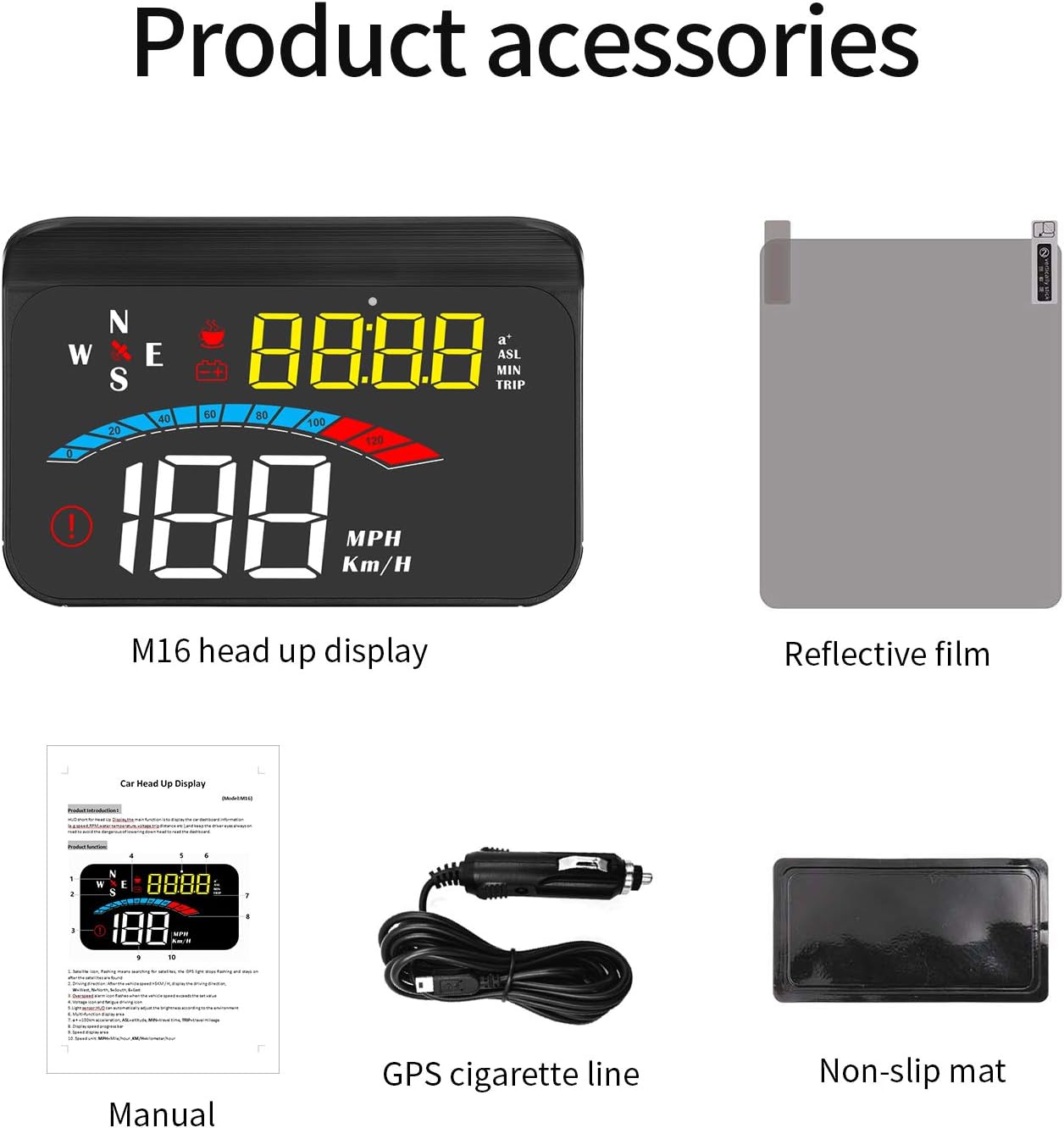
Figure 2.1: M16 HUD and included accessories.
3. Característiques del producte
- Compatibilitat universal: Works with all cars, vehicles, and trucks due to its built-in GPS signal-receiving module.
- Practical Driving Data Display: Shows speed, engine RPM, voltage, water temperature, mileage, and travel time.
- Safety Alarms: Automatic alarms activate when data exceeds safety thresholds (e.g., overspeed, low voltage, fatigue driving).
- Funcionament Plug & Play: Connects easily to the car cigarette lighter. Powers on/off automatically with the car.
- Clear & Bright View: Features automatic and manual brightness adjustment for optimal visibility in various lighting conditions.

Figura 3.1: Mésview of HUD display and features.
4. Configuració i instal·lació
4.1 Col·locació
Choose a suitable flat surface on your dashboard, typically near the windshield, where the HUD can project information without obstructing your view of the road. Ensure the surface is clean and dry before placement.
4.2 Connexió del dispositiu
- Connect the provided USB cable to the HUD unit.
- Plug the other end of the USB cable into your car's cigarette lighter socket.
- The HUD will power on automatically when the car's ignition is turned on.
4.3 Applying Reflective Film (Optional)
For optimal display clarity, especially in bright conditions, you may apply the included reflective film to your windshield. Clean the windshield area thoroughly before applying the film to avoid bubbles.

Figure 4.1: HUD installed on a car dashboard.
5. Instruccions de funcionament
5.1 Initial Power-On and GPS Signal Acquisition
Upon first power-on, the HUD will search for a GPS signal. This may take a few moments. Ensure your vehicle is in an open area for faster signal acquisition. Once a signal is acquired, the speed and other data will be displayed.
5.2 Display Modes and Switching
The M16 HUD offers multiple display modes, allowing you to customize the information shown. Refer to the physical user manual for specific button functions to cycle through modes such as speed, 100km acceleration, altitude, travel time, travel mileage, driving direction, voltage, i més.
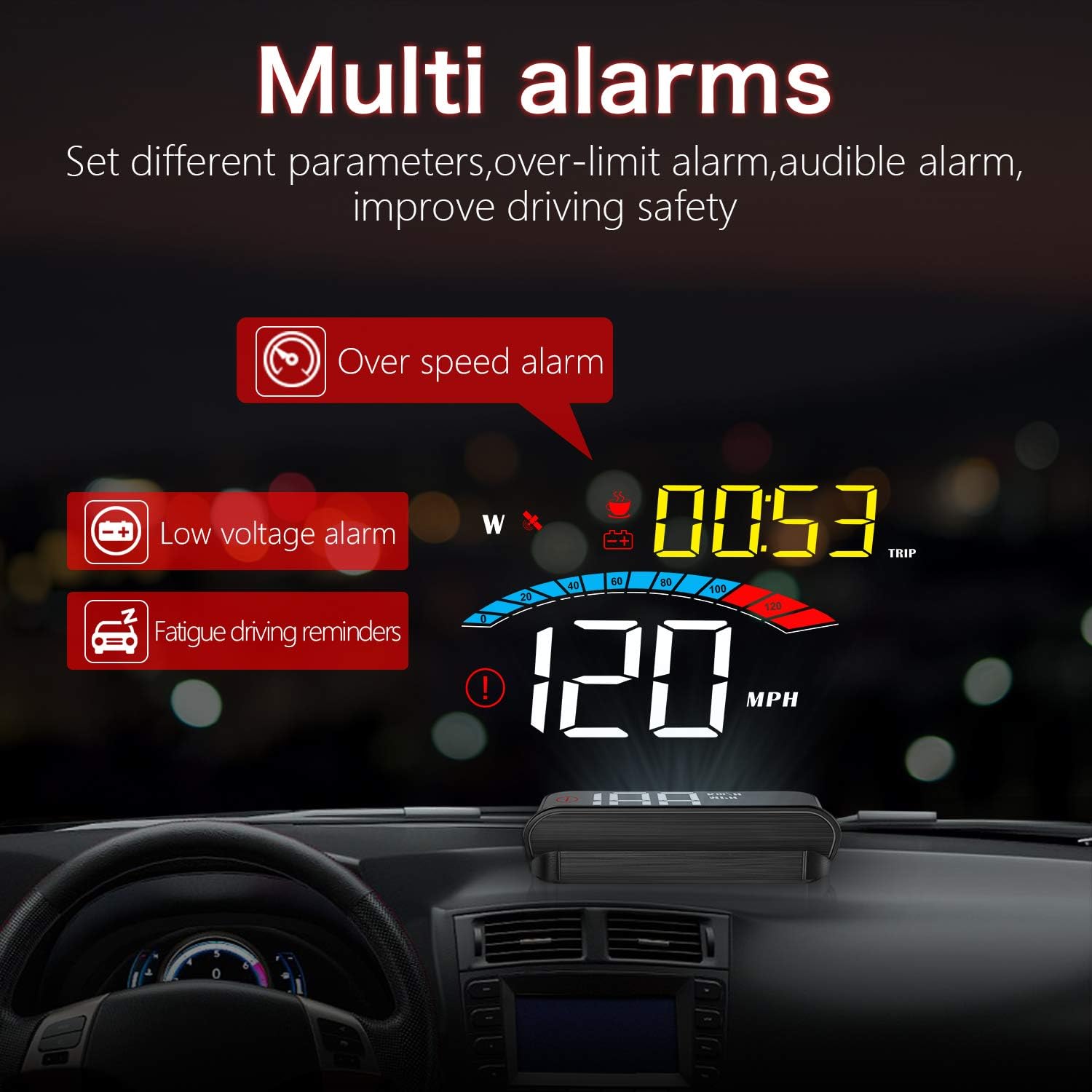
Figura 5.1: Examples of multiple display screens.
5.3 Funcions d'alarma
The HUD is equipped with several alarm functions to enhance driving safety:
- Alarma de sobrevelocitat: Alerts you when your vehicle exceeds a preset speed limit.
- Volum baixtage Alarma: Notifies you if the car battery voltage cau per sota d'un nivell segur.
- Recordatori de conducció per fatiga: Provides reminders for breaks during long drives.

Figure 5.2: Multi-alarm display.
5.4 Ajust de brillantor
The HUD features automatic brightness adjustment based on ambient light. You can also manually adjust the brightness for personal preference. Consult the user manual for specific button controls for manual adjustment.
6. Manteniment
To ensure the longevity and optimal performance of your iKiKin M16 HUD, follow these maintenance guidelines:
- Neteja: Use a soft, dry cloth to clean the display screen and the unit's exterior. Avoid using abrasive cleaners or solvents.
- Emmagatzematge: If storing the device for an extended period, disconnect it from the power source and store it in a cool, dry place.
- Eviteu temperatures extremes: Do not expose the device to extreme heat or cold, as this can affect its electronic components.
7. Solució De Problemes
| Problema | Causa possible | Solució |
|---|---|---|
| No Display / No Power | Loose connection; Car cigarette lighter not providing power; Device fault. | Check USB cable connection. Ensure car cigarette lighter is functional. Try another power source if available. |
| Sense senyal GPS | Vehicle in an enclosed area (garage, tunnel); Weak satellite signal. | Move vehicle to an open area. Wait for a few minutes for signal acquisition. |
| Inaccurate Speed Display | GPS signal interference; Initial calibration needed. | Assegureu-vos de clar view of the sky. Refer to the full user manual for speed calibration steps if necessary. |
| Display Too Dim/Bright | Automatic brightness adjustment issue; Personal preference. | Manually adjust brightness using the device controls. |
8. Especificacions
- Model: M16
- Marca: iKiKin
- Mida de la pantalla: 1.6 polzades
- Material: Plàstic
- Font d'alimentació: DC 5V (via USB cable from cigarette lighter)
- Dimensions del paquet: 14.3 x 9.1 x 5.3 cm
- Pes del paquet: 180 g
- Característiques principals: GPS Speedometer, Multi-data display, Alarm functions, Automatic/Manual brightness.
9. Garantia i Suport
For warranty information and technical support, please refer to the contact details provided on the product packaging or the official iKiKin weblloc web. Conserveu el rebut de compra com a comprovant de compra per a reclamacions de garantia.