Producte acabatview
The ICY BOX IB-DK2251AC is an 11-in-1 USB-C docking station designed to expand connectivity for your laptop or computer. It offers a versatile solution for connecting multiple peripherals and displays, enhancing your workspace productivity.
Característiques principals:
- Dual 2K @ 60 Hz HDMI outputs for connecting additional monitors.
- 6x USB 3.0 ports for high-speed data transfer.
- Gigabit Ethernet per a una connexió de xarxa estable.
- Audio input/output for headset and microphone.
- Compatible with Windows and macOS (including M1/M2 MacBook Air/Pro).
- Flexible vertical or horizontal placement.
- USB Type-C/Type-A combination cable for broad compatibility.
Configuració i instal·lació
Instal·lació del controlador
Before connecting the docking station, the DisplayLink driver must be installed on your computer. Display and port expansion is provided by DisplayLink video compression technology.
- Download the latest DisplayLink driver from the official DisplayLink weblloc.
- Install the driver on your laptop or computer and open the application.
- Connecteu l'estació d'acoblament a l'ordinador.
Note: Do not connect the docking station to your computer before installing the driver.

This image illustrates the three essential steps for setting up your ICY BOX docking station: 1. Download the DisplayLink driver from the specified website. 2. Install the driver on your laptop and launch the application. 3. Connect the docking station to your computer.
Connexió física
Connect the docking station to your computer using the provided USB Type-C/Type-A combination cable. Ensure the power adapter is connected to the docking station and a power outlet.
Docking Station Features
Distribució del port
The ICY BOX IB-DK2251AC docking station offers a comprehensive array of ports for various connectivity needs.

This image displays the rear panel of the docking station, highlighting the power input, Gigabit Ethernet port, two HDMI ports, two DisplayPort outputs, and a USB-C host connection.
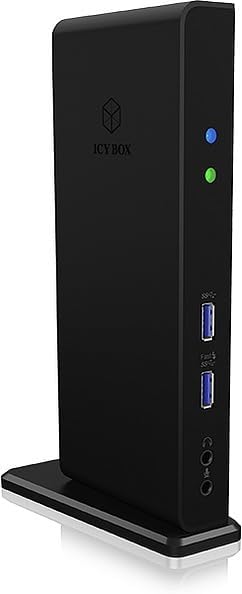
This image shows the front panel of the docking station, featuring multiple USB 3.0 ports, audio input/output jacks, and power indicator lights.
Col·locació versàtil
The docking station is designed for flexible placement, allowing for both vertical and horizontal orientation to suit your office setup.
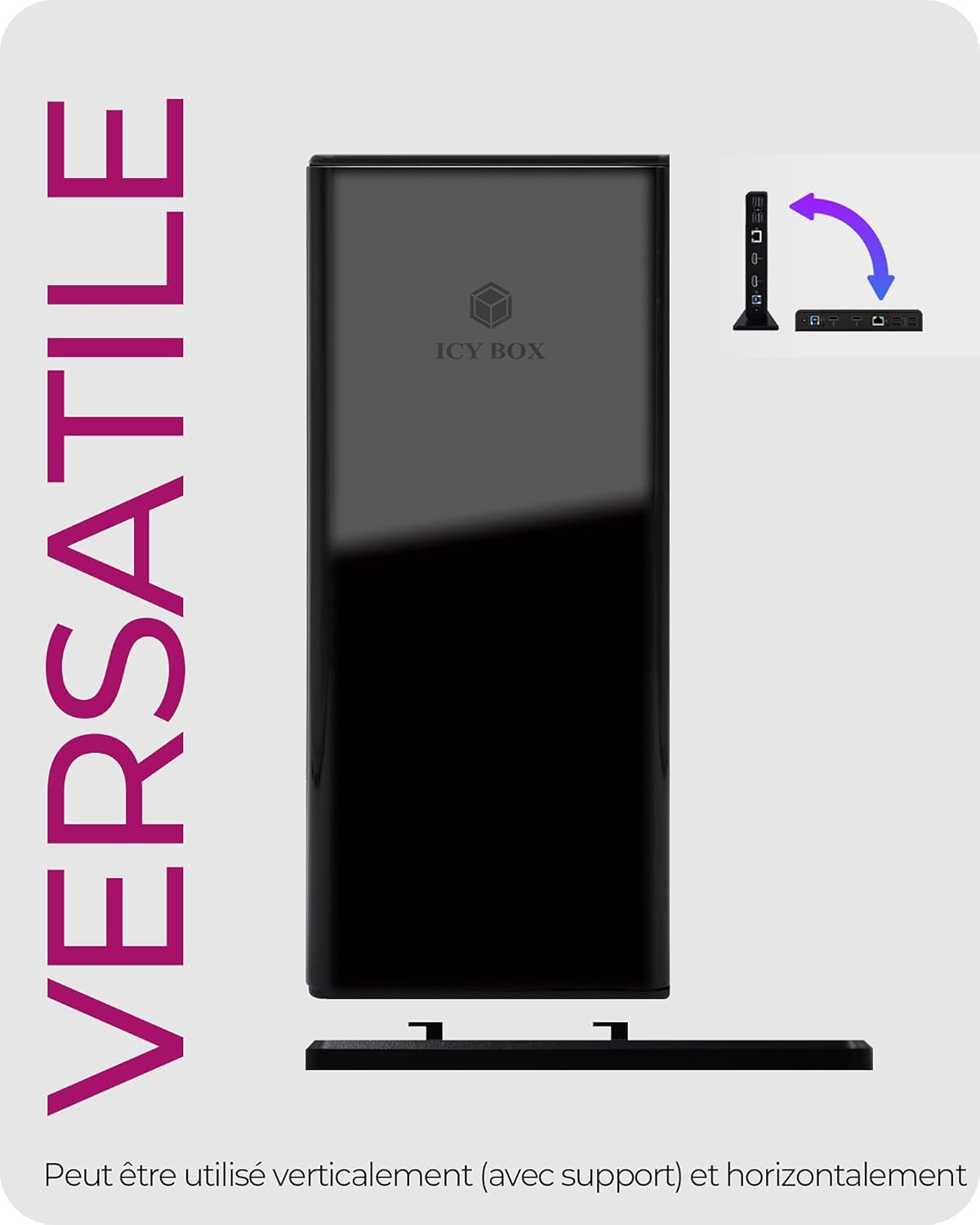
This image demonstrates the versatile design of the docking station, which can be used either vertically with its included stand or horizontally to fit various desk layouts.
Funcionament
Connexió de diversos monitors
The docking station supports dual 2K @ 60 Hz HDMI outputs. You can connect two external monitors to extend your desktop.

This image illustrates a laptop connected to the docking station, which then extends the display across two external monitors via HDMI, enabling a multi-display setup.
Transferència de dades
Utilize the 6x USB 3.0 ports for high-speed data transfer between your computer and various USB devices.

This image highlights the high-speed data transfer capabilities of the docking station, showing a laptop connected to the dock with a visual representation of up to 5 Gbit/s transfer speeds.
Lliurament d'energia
The USB-C port on the docking station provides up to 100W Power Delivery to charge your connected laptop.
Note: One image indicates 'Dock sans fonction de charge' (Dock without charging function). Please refer to the product's specific power delivery capabilities for your laptop model.
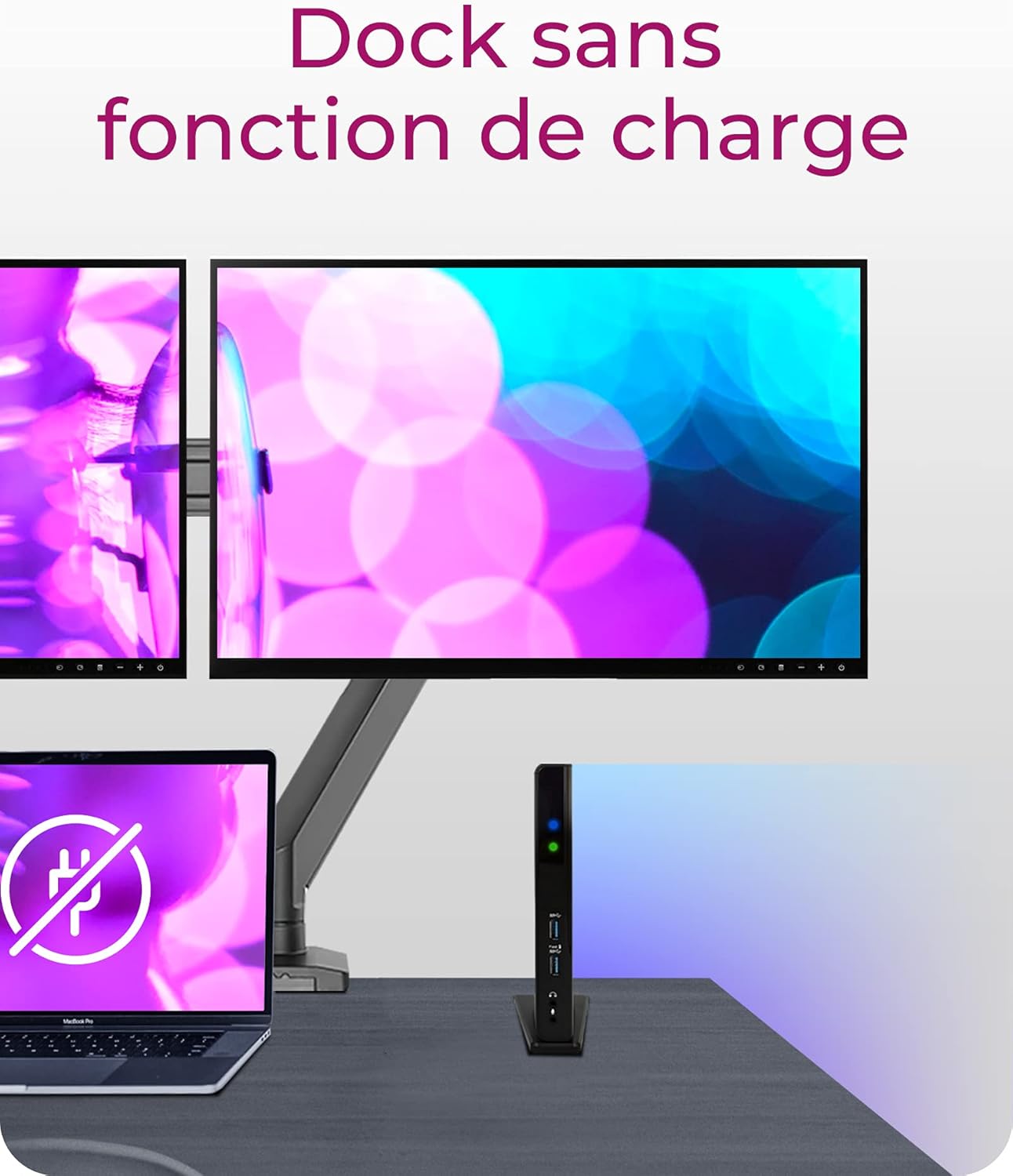
This image shows a laptop connected to the docking station with a symbol indicating that the dock itself does not provide charging functionality for the laptop. Users should verify specific power delivery features.
Compatibilitat
The ICY BOX IB-DK2251AC docking station supports a wide range of operating systems and devices.
- Sistemes operatius Windows.
- macOS (including M1/M2 MacBook Air/Pro).
- Compatible with USB Type-C or Type-A notebooks via the combi-cable.
Resolució de problemes comuns
- Sense sortida de visualització: Ensure DisplayLink drivers are correctly installed and updated. Check all cable connections (HDMI/DisplayPort to monitors, USB-C/A to computer). Verify monitor input settings.
- Connectivitat intermitent: Check the USB connection between the dock and your computer. Ensure the power adapter is securely connected.
- Transferència de dades lenta: Ensure you are using USB 3.0 compatible devices and cables.
- No Power Delivery to Laptop: Confirm your laptop supports USB-C Power Delivery and that the dock's power delivery feature is compatible with your laptop's requirements. Refer to the product specifications for exact wattage.
Especificacions del producte
| Atribut | Valor |
|---|---|
| Marca | CAIXA ICY |
| Nom del model | IB-DK2251AC |
| Número de model | 60638 |
| Interfície del maquinari | 3.5mm Audio, Ethernet, HDMI, Thunderbolt, USB, USB 3.0, VGA |
| Dispositius compatibles | MacBook Air, MacBook Pro |
| Ports USB totals | 6 |
| Ports HDMI totals | 2 |
| Wattage | 20 watts |
| Dimensions del producte | 7.7 x 3.1 x 18.2 cm |
| Pes de l'article | 220 g |
| Color | Negre |
Garantia i assistència al client
For warranty information, technical support, or further assistance, please refer to the documentation included in your product packaging or visit the official ICY BOX website. Ensure you have your product model number (IB-DK2251AC) and serial number ready when contacting support.


