1. Introducció
This manual provides detailed instructions for the proper setup, operation, and maintenance of your Onikuma K2-PRO Red LED Gaming Headset. Please read this manual thoroughly before using the product to ensure optimal performance and longevity.
2. Contingut del paquet
Verifiqueu que tots els elements que s'enumeren a continuació siguin presents a l'embalatge del producte:
- Onikuma K2-PRO Gaming Headset
- 3.5mm Audio/Microphone Splitter Cable
- Manual d'usuari

Image 2.1: Onikuma K2-PRO Headset, its retail packaging, and the included user manual.
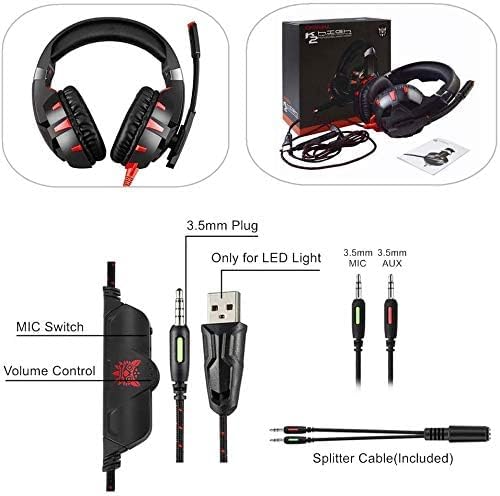
Imatge 2.2: Detallada view of the headset's 3.5mm audio plug, USB plug for LED, 3.5mm microphone plug, 3.5mm auxiliary plug, and the included splitter cable.
3. Instruccions de configuració
Follow these steps to connect your Onikuma K2-PRO Gaming Headset to your device.
3.1 Connexió a un dispositiu
- Identificació de connectors: The headset features a 3.5mm audio jack for sound and microphone, and a USB plug for the LED lighting.
- For Devices with a Single 3.5mm Port (e.g., PS4, Nintendo Switch, Mobile, Laptop, Xbox One with adapter):
- Connect the headset's 3.5mm plug directly into your device's combined audio/microphone jack.
- If your device has a separate USB port, plug in the USB connector to power the LED lights.
- For Devices with Separate Audio and Microphone Ports (e.g., PC):
- Use the included 3.5mm Audio/Microphone Splitter Cable. Connect the headset's 3.5mm plug into the female end of the splitter.
- Plug the green-tipped male end of the splitter into your computer's audio output (headphone) jack.
- Plug the red-tipped male end of the splitter into your computer's microphone input jack.
- Plug the USB connector into an available USB port on your computer to activate the LED lights.
- Ajustar la configuració: After connecting, you may need to adjust audio input/output settings in your device's operating system or game settings to ensure the headset and microphone are recognized and functioning correctly.
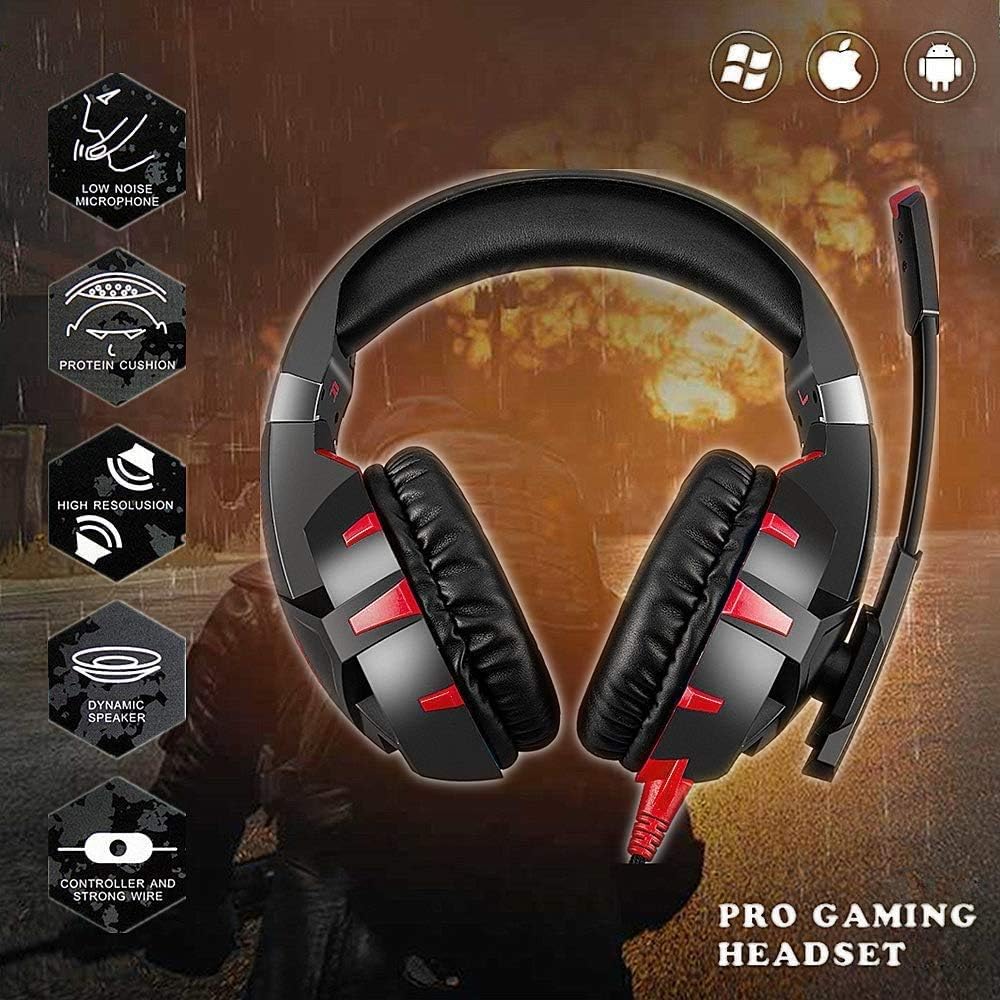
Image 3.1: The Onikuma K2-PRO Headset is compatible with PC, PS4, Nintendo Switch, mobile devices, laptops, and Xbox One (with adapter).
4. Instruccions de funcionament
Familiaritzeu-vos amb els controls dels auriculars per a un ús òptim.
4.1 Control de volum
The headset features an inline volume control wheel located on the cable. Rotate the wheel upwards to increase volume and downwards to decrease volume.
4.2 Control del micròfon
An inline microphone switch is located on the cable, adjacent to the volume control. Flip the switch to the 'ON' position to enable the microphone and to the 'OFF' position to mute it.
4.3 Il·luminació LED
The red LED lights on the earcups and microphone tip are powered by the USB connection. Ensure the USB plug is connected to a powered USB port for the lights to function.
Image 4.1: The inline controller showing the microphone switch and volume control wheel.
5. Manteniment
Una cura adequada allargarà la vida útil dels auriculars.
- Neteja: Use a soft, dry cloth to clean the headset. Do not use liquid cleaners or abrasive materials.
- Emmagatzematge: Guardeu els auriculars en un lloc fresc i sec, allunyat de la llum solar directa i de temperatures extremes. Eviteu enredar el cable.
- Manipulació: Do not pull on the cable to disconnect the headset. Always grasp the plug firmly.
6. Solució De Problemes
Si teniu problemes amb els auriculars, consulteu les solucions habituals següents.
6.1 Sense so o volum baix
- Assegureu-vos que el connector d'àudio de 3.5 mm estigui completament inserit al port correcte del dispositiu.
- Check the inline volume control wheel on the headset cable and adjust it to an audible level.
- Verify your device's audio output settings. Ensure the headset is selected as the default output device and the volume is not muted.
- If using the splitter cable, ensure both green and red plugs are correctly inserted into their respective ports.
6.2 El micròfon no funciona
- Ensure the microphone switch on the inline controller is in the 'ON' position.
- Verify your device's audio input settings. Ensure the headset microphone is selected as the default input device and is not muted.
- If using the splitter cable, ensure the red-tipped plug is correctly inserted into the microphone input port.
- Test the microphone with another application or device to rule out software-specific issues.
6.3 Els llums LED no funcionen
- Ensure the USB plug is securely connected to a powered USB port on your device.
- Try connecting the USB plug to a different USB port.
7. Especificacions
| Característica | Especificació |
|---|---|
| Model | K2-PRO (K2_Red) |
| Tecnologia de connectivitat | Amb cable |
| Conector d'auriculars | 3.5 mm Jack |
| USB for LED | Sí |
| Sensibilitat | 99 dB |
| Control de soroll | Cancel·lació activa del soroll |
| Factor de forma dels auriculars | Sobre l'orella |
| Micròfon | Included, Noise Canceling |
| Dimensions del producte | 20 x 18 x 9.5 cm |
| Pes | 230 g |
| Fabricant | Onikuma |
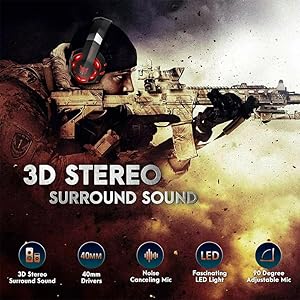
Image 7.1: The Onikuma K2-PRO Headset features a low noise microphone, protein cushions, high resolution audio, dynamic speakers, and a durable cable with inline controller.
8. Garantia i Suport
For warranty information or technical support, please refer to the documentation included with your purchase or contact Onikuma customer service through their official weblloc web. Conserveu el comprovant de compra per a reclamacions de garantia.


