1. Introducció
The SONOFF DW2 Wi-Fi Wireless Door Window Sensor is a smart home device designed to enhance security and automation by detecting the open/closed status of doors and windows. This sensor operates without the need for a separate gateway, connecting directly to your Wi-Fi network and allowing control and monitoring via a mobile application. This manual provides detailed instructions for installation, operation, maintenance, and troubleshooting to ensure optimal performance of your device.
2. Producte acabatview
2.1 Components
The SONOFF DW2 sensor consists of two main parts: a main sensor unit and a magnetic strip. These components work together to detect changes in proximity, indicating whether a door or window is open or closed.

Image: The SONOFF DW2 sensor units shown alongside a smartphone displaying the eWeLink app interface, indicating the sensor's status.
2.2 Característiques clau
- No cal passarel·la: Connects directly to your Wi-Fi network (2.4GHz) for easy setup and control via the eWeLink app.
- Real-time Status Sync: Provides instant updates on the open/closed status of your doors or windows directly to your smartphone.
- Notificacions push: Sends immediate alerts to your phone when a door or window is opened, enhancing security.
- Low-Battery Reminder: Notifies you when the battery level is low, ensuring continuous operation.
- Fàcil instal·lació: Tool-free installation using 3M adhesive, suitable for various surfaces.
- History Records Check: Automatically saves notification messages, allowing you to review activity over the last 3 months.
- Integració d'escenes intel·ligents: Can be integrated with other SONOFF devices or smart home systems (e.g., cameras) to trigger actions based on sensor status.

Image: Visual representation of the SONOFF DW2's main features, including direct Wi-Fi connection, push notifications, low-battery alerts, simple installation, and smart scene compatibility.
3. Configuració
3.1 Abans de la instal·lació
- Assegureu-vos que la vostra xarxa Wi-Fi sigui de 2.4 GHz. El dispositiu no admet Wi-Fi de 5 GHz.
- Baixeu l'aplicació eWeLink des de l'App Store (iOS) o Google Play Store (Android).
- Registra't i inicia la sessió al teu compte d'eWeLink.
- Ensure the sensor has fresh batteries installed (2 x AAA 1.5V batteries).
3.2 Instal·lació física
- Identify a suitable location on your door or window frame. The main sensor unit and the magnetic strip must be mounted on adjacent surfaces (e.g., one on the door and one on the frame).
- Clean the installation surface thoroughly to ensure proper adhesion.
- Peel off the protective film from the 3M adhesive on the back of both the main sensor unit and the magnetic strip.
- Attach the main sensor unit to the fixed part of the door/window frame.
- Attach the magnetic strip to the moving part of the door/window, aligning it with the main sensor unit. Ensure the alignment marks on both parts face each other.
- The gap between the main sensor unit and the magnetic strip must be less than 5mm when the door/window is closed for proper operation. This is recommended for non-metallic surfaces.

Imatge: Un primer pla view of the SONOFF DW2 sensor installed on a door frame, illustrating the recommended installation gap of less than 5mm between the main unit and the magnetic component.
3.3 Emparellament de dispositius amb l'aplicació eWeLink
- Obriu l'aplicació eWeLink al vostre telèfon intel·ligent.
- Ensure your phone is connected to the 2.4GHz Wi-Fi network you intend to use for the sensor.
- Press and hold the pairing button on the main sensor unit for 5 seconds until the LED indicator flashes rapidly. This indicates the device is in pairing mode.
- In the eWeLink app, tap the '+' icon at the bottom center or top right to add a device.
- Select 'Add Device' and follow the on-screen instructions. The app should detect the DW2 sensor.
- Confirm your Wi-Fi network and enter the password when prompted.
- Wait for the app to connect to the device. Once successfully paired, the LED indicator on the sensor will stop flashing and remain solid for a few seconds before turning off.
- You can rename the device in the app for easier identification (e.g., 'Front Door Sensor', 'Bedroom Window').

Image: The SONOFF DW2 sensor installed on a door frame, with a smartphone displaying the eWeLink app, emphasizing that no separate hub is needed for operation.
4. Instruccions de funcionament
4.1 Monitoring Device Status
Un cop emparellat, pots view the real-time status of your door/window sensor directly from the eWeLink app. The app will display whether the sensor is 'Open' or 'Closed'.
4.2 Recepció de notificacions
The sensor is configured to send push notifications to your smartphone whenever the door or window it is attached to changes status (e.g., opens). Ensure notifications are enabled for the eWeLink app in your phone's settings.

Image: A person checking their smartphone, which displays a push notification from the eWeLink app indicating that the DW2 sensor has detected an opening event.
4.3 Automatització d'escenes intel·ligents
The SONOFF DW2 sensor can be integrated into smart scenes within the eWeLink app to automate actions with other smart devices. For exampLI:
- Trigger a SONOFF camera to record when the door sensor detects an opening.
- Turn on lights when a door is opened.
- Activate an alarm or send a notification to other family members.

Image: An illustration of a smart home security scenario where a SONOFF DW2 sensor triggers a camera recording and a hub alarm when a door is opened, demonstrating smart scene functionality.
4.4 Control de veu
The SONOFF DW2 is compatible with voice assistants like Google Home and Amazon Alexa. You can link your eWeLink account to these platforms and use voice commands to inquire about the sensor's status (e.g., "Hey Google, is the front door open?").

Image: A visual demonstrating the voice control capability of the SONOFF DW2 sensor, showing integration with Google Home and Amazon Alexa for checking device status.
5. Manteniment
5.1 Substitució de la bateria
The SONOFF DW2 sensor is powered by two AAA 1.5V batteries. The eWeLink app will send a low-battery reminder when replacement is needed.
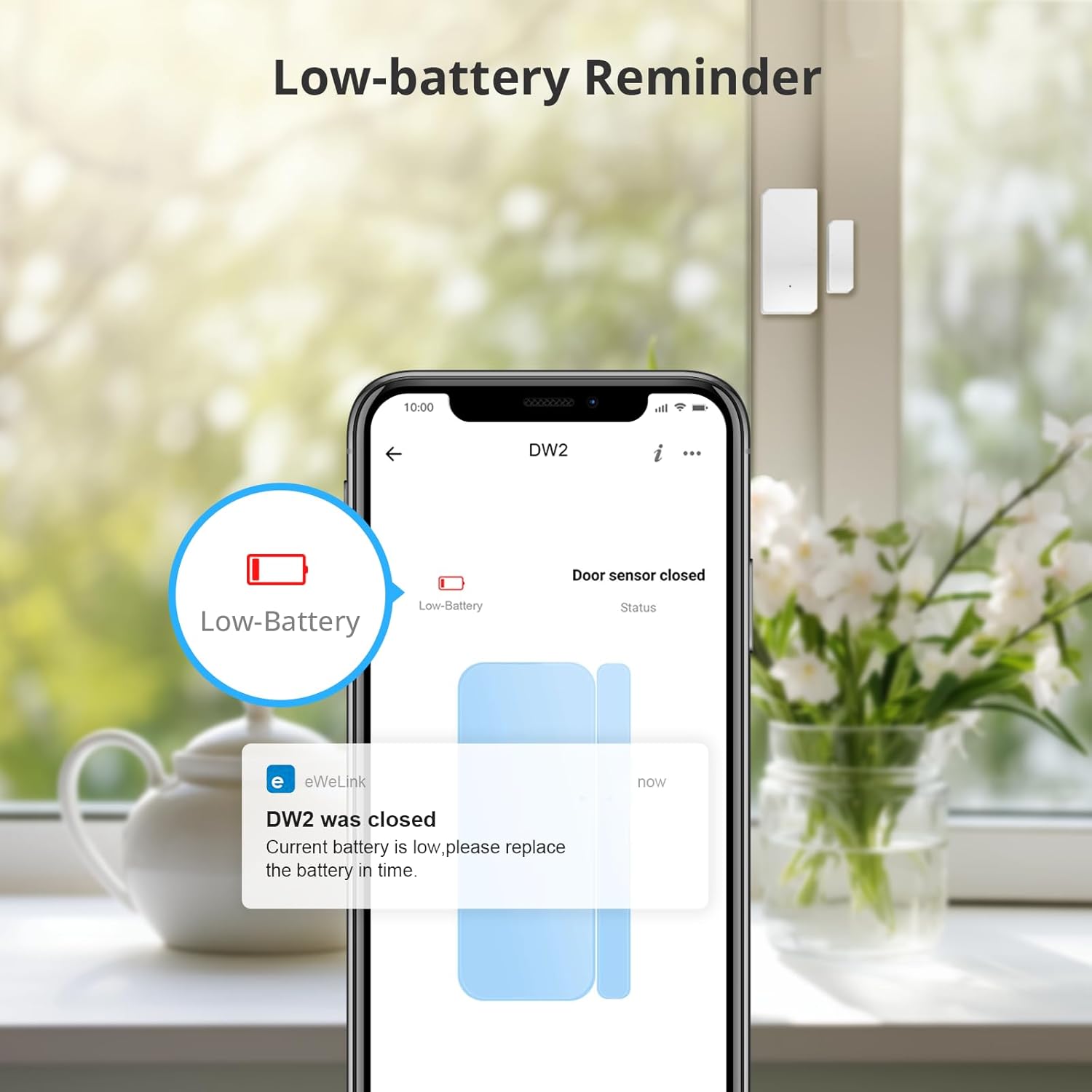
Image: A smartphone screen showing a low-battery notification from the eWeLink app for the DW2 sensor, prompting the user to replace batteries.
- Obriu suaument la casing de la unitat de sensors principal.
- Traieu les piles AAA velles.
- Introduïu dues piles AAA noves d'1.5 V, assegurant-vos de la polaritat correcta.
- Tanca el casing de manera segura.
5.2 Neteja
Wipe the sensor units with a dry, soft cloth. Avoid using liquid cleaners or abrasive materials.
6. Solució De Problemes
| Problema | Causa possible | Solució |
|---|---|---|
| Device fails to pair with app | Incorrect Wi-Fi band (5GHz instead of 2.4GHz), incorrect Wi-Fi password, Wi-Fi router settings (e.g., 'b' protocol not enabled), device not in pairing mode. | Ensure your phone is connected to a 2.4GHz Wi-Fi network. Verify Wi-Fi password. Check router settings to ensure 802.11b protocol is supported/enabled. Re-enter pairing mode by holding the button for 5 seconds. Try pairing via Bluetooth option in eWeLink if available. |
| Sensor not reporting status changes | Low battery, incorrect installation gap, Wi-Fi connectivity issues. | Check battery level in the app and replace if low. Ensure the gap between the sensor and magnet is less than 5mm. Verify Wi-Fi signal strength at the sensor's location. |
| Sense notificacions push | App notifications disabled, phone's power saving mode, network issues. | Check eWeLink app settings and phone's system settings to ensure notifications are enabled. Disable power-saving modes for the app. Ensure stable internet connection. |
| Device disconnects after power/Wi-Fi outage | Temporary network disruption. | Remove and reinsert the batteries to power cycle the sensor. This often helps re-establish the connection after a network interruption. |
| Durada de la bateria curta | Frequent triggers, poor quality batteries, extreme temperatures. | Use high-quality alkaline batteries. Consider the placement to avoid excessive triggering. Ensure the operating temperature is within the specified range. |
7. Especificacions

Image: A detailed diagram showing the physical dimensions and technical specifications of the SONOFF DW2 sensor.
| Paràmetre | Valor |
|---|---|
| Model | DW2 WIFI |
| Model de bateria | AAA 1.5 V (x2) |
| Voltage | DC3V |
| Wi-Fi estàndard | IEEE 802.11 b 2.4 GHz |
| Temperatura de treball | -10 ° C ~ 40 ° C (14 ° F ~ 104 ° F) |
| Corrent Quiesc | ≤40uA |
| Corrent d'emissió | ≤15mA |
| Gap d'instal·lació | <5 mm |
| Sistemes operatius | Android 4.1 i iOS 9.0 o superior |
| Material | PC |
| Dimensions del transmissor | 70 x 31 x 19 mm (2.75 x 1.22 x 0.75 polzades) |
| Dimensions de l'imant | 42 x 14 x 16 mm (1.65 x 0.55 x 0.62 polzades) |
8. Garantia i Suport
For warranty information, technical support, and further assistance, please refer to the official SONOFF website or contact their customer service directly. Details regarding product warranty periods and support channels are typically available on the manufacturer's official resources.


