1. Introducció
This manual provides detailed instructions for the installation, operation, and maintenance of your Imou A1 Indoor IP Security Camera. The Imou A1 is a spherical indoor security camera designed for reliable surveillance, offering 1080p video resolution and Wi-Fi connectivity. Please read this manual thoroughly before using the product to ensure proper setup and functionality.

Figura 1: Frontal view of the Imou A1 Indoor IP Security Camera.
2. Contingut del paquet
Verifiqueu que tots els components siguin presents al paquet:
- Imou A1 Camera Unit
- Adaptador d'alimentació
- Placa de muntatge
- Cargols de muntatge i tacs de paret
- Guia d'inici ràpid
3. Càmera acabadaview
Familiaritzeu-vos amb els components de la càmera.

Figure 2: Imou A1 camera with key features highlighted (e.g., lens, microphone, speaker, status LED, power port, reset button, microSD card slot).
- Lent: Captura vídeo.
- LED d'estat: Indicates camera status (e.g., solid green for connected, flashing red for network error).
- Micròfon: Per a entrada d'àudio.
- Ponent: Per a comunicació d'àudio bidireccional.
- Port d'alimentació: Es connecta a l'adaptador de corrent.
- Botó de restabliment: Press and hold for 10 seconds to factory reset the camera.
- Ranura per a targeta MicroSD: Per a emmagatzematge de vídeo local (targeta no inclosa).
4. Configuració
4.1 Download the Imou Life App
The Imou Life app is required to set up and manage your camera.
- Scan the QR code below or search for "Imou Life" in the App Store (iOS) or Google Play Store (Android).
- Baixeu i instal·leu l'aplicació.
- Creeu un compte o inicieu sessió si ja en teniu un.
(QR code image placeholder for app download)
4.2 Engegar la càmera
Connect the power adapter to the camera's power port and plug it into a wall outlet. The camera will power on, and the status LED will flash green.
4.3 Adding the Camera to the Imou Life App
- Open the Imou Life app.
- Toqueu la icona "+" a la cantonada superior dreta per afegir un dispositiu nou.
- Escaneja el codi QR situat a la part inferior de la càmera.
- Follow the on-screen instructions to connect the camera to your Wi-Fi network. Ensure your phone is connected to a 2.4GHz Wi-Fi network during setup.
- Once connected, the status LED will turn solid green.
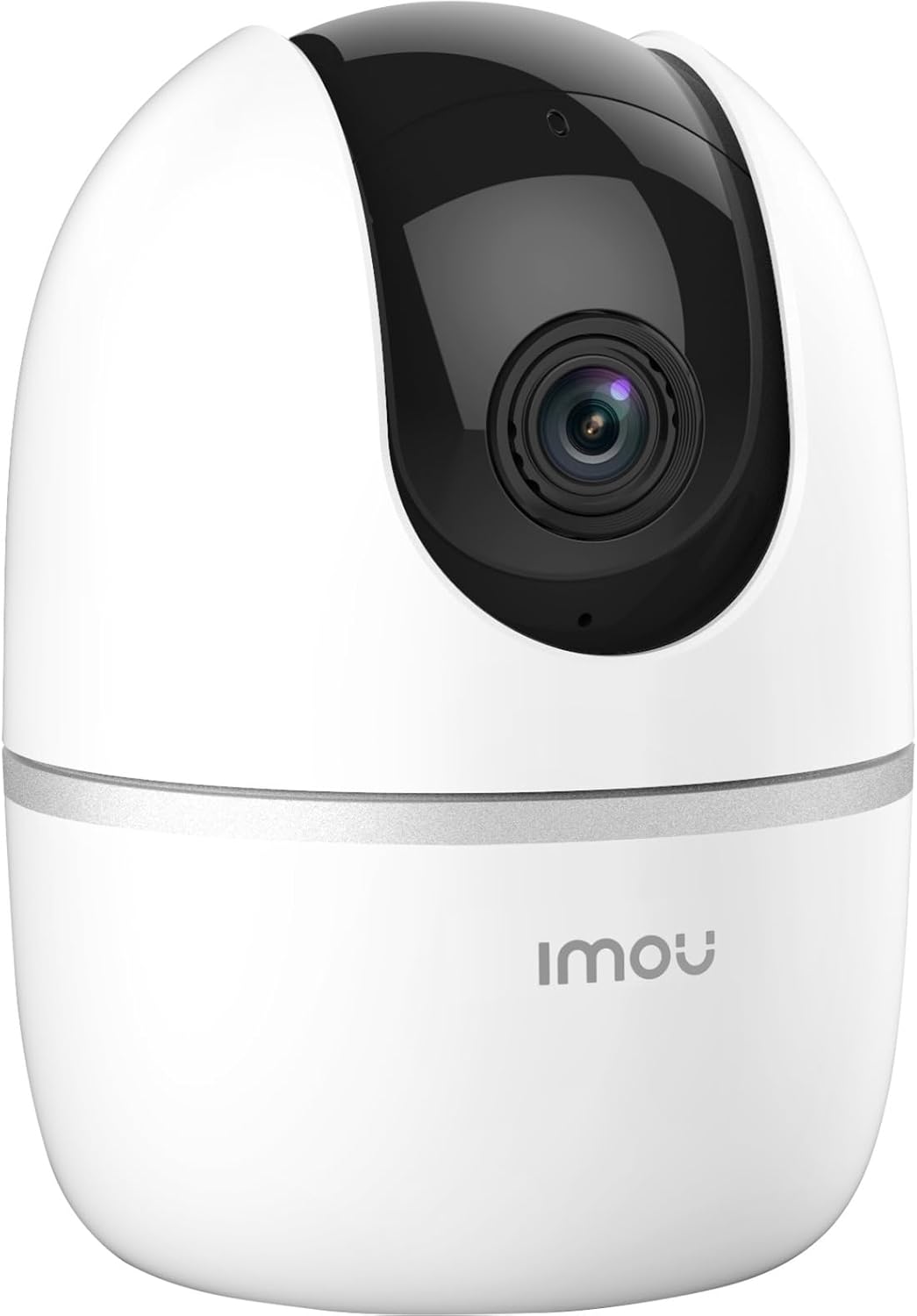
Figure 3: Bottom of the Imou A1 camera, where the QR code for app pairing is located.
4.4 Muntatge de la càmera (opcional)
The camera can be placed on a flat surface or mounted to a wall or ceiling.
- Trieu un lloc adequat per al muntatge.
- Secure the mounting plate to the desired surface using the provided screws.
- Attach the camera to the mounting plate by twisting it until it locks into place.

Figura 4: Example of the Imou A1 camera mounted on a ceiling.
5. Funcionament de la càmera
Once set up, you can access and control your camera through the Imou Life app.
5.1 Viu View
Open the Imou Life app and select your camera to view the live feed. You can pan and tilt the camera remotely using the controls in the app.
5.2 Àudio bidireccional
Toca la icona del micròfon en directe view to speak through the camera's speaker. Tap again to end.
5.3 Enregistrament i reproducció
The camera supports continuous recording or event-triggered recording to a microSD card (if installed) or to the Imou Cloud (subscription may be required). Access recorded footage via the playback feature in the app.
5.4 Detecció de moviment i alertes
Enable motion detection in the app settings to receive instant alerts on your smartphone when movement is detected. You can customize detection zones and sensitivity.
6. Manteniment
6.1 Neteja
Netegeu suaument la lent i el cos de la càmera amb un drap suau i sec. Eviteu utilitzar productes químics agressius o netejadors abrasius.
6.2 actualitzacions de microprogramari
Regularly check for firmware updates through the Imou Life app to ensure optimal performance and access to new features.
7. Solució De Problemes
| Problema | Possible solució |
|---|---|
| La càmera no es connecta a la Wi-Fi. |
|
| Poca qualitat de vídeo. |
|
| Sense alertes de detecció de moviment. |
|
| Camera offline. |
|
8. Especificacions
| Característica | Detall |
|---|---|
| Número de model | IPC-A22EP-V2-IMOU |
| Resolució de vídeo | 1080p (1920 x 1080 píxels) |
| Tecnologia sense fils | Wi-Fi (2.4 GHz) |
| Poder | 3.5 watts |
| Dimensions (L x A x A) | 7.74 x 7.74 x 10.61 cm |
| Pes | 238 grams |
| Característiques especials | Night Vision, Two-Way Audio, Motion Detection |
| Opcions d'emmagatzematge | Targeta MicroSD (fins a 256 GB, no inclosa), emmagatzematge al núvol |
| Tipus de muntatge | Wall/Ceiling/Tabletop |
9. Informació de la garantia
The Imou A1 camera comes with a Garantia del fabricant de 2 anys. Please retain your proof of purchase for warranty claims. For detailed terms and conditions, refer to the official Imou weblloc o contacteu amb el servei d'atenció al client.
Disponibilitat de recanvis: 1 any.
10. Atenció al client
If you encounter any issues not covered in this manual or require further assistance, please contact Imou customer support.
- Visit the official Imou weblloc web per a preguntes freqüents i recursos de suport.
- Contact technical support via the Imou Life app or the website's contact page.


