1. Introducció
This manual provides essential instructions for setting up, operating, and maintaining your Hisense 43H5500G Full HD Smart Android TV. The 43H5500G model features a Full HD 1080p display, integrated Android Operating System with Google Assistant, DTS Studio Sound for immersive audio, and built-in Bluetooth connectivity. Please read this manual thoroughly before using your television.
2. Què hi ha a la caixa
Upon opening the packaging, ensure all components are present and undamaged. The box should contain:
- Hisense 43H5500G TV
- Cable d'alimentació
- Control remot
- TV Stand (Left and Right)
- Cargols per a suport de TV
- Piles AAA per a comandament a distància
- Guia d'inici ràpid i targeta de garantia
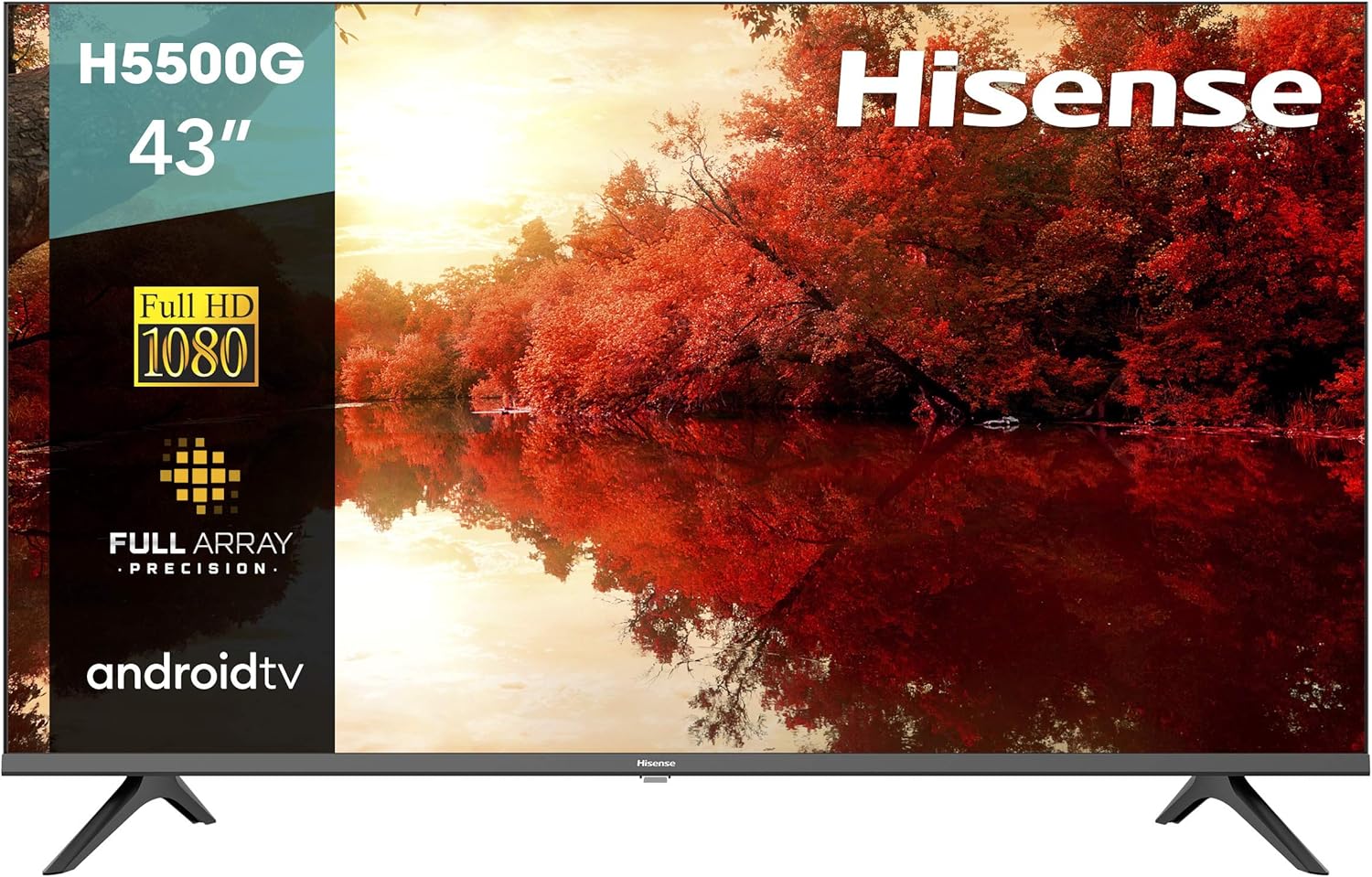
Image: The Hisense 43H5500G Full HD Smart Android TV, showcasinla seva pantalla i el seu disseny elegant.

Image: The Hisense 43H5500G TV with its physical dimensions indicated in centimeters.
3. Instruccions de configuració
3.1 Desembalatge i col·locació inicial
It is recommended that two people handle the TV during unboxing and setup to prevent damage. Carefully remove the TV and all accessories from the packaging. Inspect the TV for any signs of damage before proceeding. If any damage is found, contact customer support immediately.
Video: Official Hisense guide demonstrating the unboxing process for a Hisense TV, including how to safely remove the TV from its packaging.
3.2 Fixació del suport de TV
- Lay the TV face down on a soft, clean surface (like a blanket or foam) to protect the screen.
- Identify the left ('L') and right ('R') stand feet.
- Alineeu cada suport amb les ranures corresponents de la part inferior del televisor.
- Secure each stand using the provided screws and a Phillips-head screwdriver. Ensure they are firmly attached.

Image: The Hisense 43H5500G TV securely placed on a media console, demonstrating a typical setup.
3.3 Muntatge a la paret (opcional)
The TV is compatible with VESA wall mounts. Refer to your wall mount's instructions for proper installation. Mounting screws are not included with the TV.
3.4 Connexió de potència
Plug the power cable into the TV's power input and then into a wall outlet. The power cable is pre-attached to the TV.
3.5 Encès inicial
Insert the included AAA batteries into the remote control. Press the power button on the remote to turn on the TV and begin the initial setup wizard for the Android TV operating system.
4. Funcionament del televisor
4.1 Funcions de control remot
Your Hisense TV comes with a voice remote control, featuring dedicated buttons for common functions and Google Assistant integration.

Image: The Hisense Smart TV voice remote control, highlighting its various buttons for navigation and voice commands.
- Botó d'encesa: Encén o apaga el televisor.
- Botó d'entrada: Cycles through available input sources (HDMI, Composite, TV).
- Pujar/baixar el volum: Ajusta el volum d'àudio.
- Canal amunt/avall: Canvia els canals de televisió.
- Navigation Pad (Up/Down/Left/Right) and OK: S'utilitza per navegar pels menús i seleccionar opcions.
- Botó de l'Assistent de Google: Activates voice control for searching and controlling smart home devices.
- Botons de drecera d'aplicacions: Quick access to popular streaming services like Netflix, YouTube, and Google Play.
For optimal remote performance, ensure the remote is paired via Bluetooth to the TV. This can typically be done in the TV's settings under 'Remotes & Accessories'.
4.2 Funcions d'Android TV
Your Hisense 43H5500G TV runs on the Android Operating System, providing access to a wide range of apps and smart features.

Image: The Android TV home screen on a Hisense TV, displaying various streaming applications and content recommendations.
- Assistent de Google: Use your voice to search for movies, control smart home devices, and get information.
- Chromecast integrat: Cast content from your compatible mobile devices directly to your TV.
- Google Play Store: Download and install thousands of apps, games, and streaming services.

Image: A user interacting with the Hisense TV using the voice remote, with the Google Assistant displaying weather information on screen.
4.3 Entrades i sortides
El televisor ofereix diversos ports per connectar dispositius externs:
- 2 ports HDMI
- Port Ethernet 1
- 2 USB Ports (v 2.0)
- 1 Digital Audio Output (Optical)
- 1 entrada de vídeo compost RCA
- 1 L/R Audio Input for composite
4.4 Connectivitat Bluetooth
Connect compatible Bluetooth devices such as soundbars, headphones, or stereo components wirelessly to your TV for enhanced audio experiences.

Image: A Hisense TV screen displaying the Bluetooth logo, with a soundbar and headphones positioned below, indicating wireless connectivity.
4.5 DTS Studio Sound
Experience crisp, immersive audio with DTS Studio Sound, which creates virtual surround sound for a richer listening experience.

Image: A Hisense TV screen displaying a musician, with graphics indicating the DTS Studio Sound feature for enhanced audio.
4.6 Motion Rate
Motion Rate image processing technology helps to reduce lag and blur during fast-moving scenes, providing a smoother viewexperiència.
5. Manteniment
To ensure the longevity and optimal performance of your Hisense TV, follow these maintenance guidelines:
- Neteja de la pantalla: Netegeu suaument la pantalla amb un drap suau i sense borrissol. Per a marques difícils, netegeu lleugerament.ampNetegeu el drap amb aigua o una solució de neteja específica per a pantalles. Eviteu productes químics agressius o materials abrasius.
- Neteja del marc: Feu servir un drap suau i sec per netejar el marc i el suport del televisor.
- Ventilació: Assegureu-vos que les obertures de ventilació del televisor no estiguin bloquejades per evitar el sobreescalfament.
- Cable d'alimentació: Reviseu regularment el cable d'alimentació per detectar qualsevol dany. Si està malmès, deixeu d'utilitzar-lo i poseu-vos en contacte amb el servei d'atenció al client.
6. Solució De Problemes
Si teniu problemes amb el televisor, consulteu els següents consells habituals per a la resolució de problemes:
- Remote Control Lag: If the remote is slow to respond, ensure it is properly paired via Bluetooth in the TV's settings. If not paired, the remote relies on an IR sensor which can be less responsive.
- Problemes de connectivitat Wi-Fi: The TV may primarily support 2.4GHz Wi-Fi networks. If you are having trouble connecting to a 5GHz network, try connecting to a 2.4GHz network instead.
- General System Slowness: The Android TV operating system can sometimes be resource-intensive. If the TV feels consistently slow, consider using external streaming devices (e.g., Chromecast, Roku) connected via HDMI for a potentially smoother experience.
- Sense energia: Check that the power cable is securely connected to both the TV and the wall outlet. Try a different outlet if necessary.
- Sense imatge/so: Verify the correct input source is selected. Check all cable connections (HDMI, Composite) are secure.
- Damaged Screen Upon Delivery: Carefully inspect the TV screen immediately upon unboxing. If any damage is present, do not proceed with setup and contact the retailer or Hisense customer support for assistance.
7. Especificacions
| Mida de la pantalla | 42.5 polzades |
| Resolució | 1080p (Full HD) |
| Freqüència d'actualització | 60 Hz |
| Tecnologia de visualització | LED |
| Sistema operatiu | Android TV |
| Característiques especials | DTS Studio Sound; Voice Remote; Google Assistant Built-In; Chromecast Built-In |
| Tecnologia de connectivitat | Bluetooth, Ethernet, HDMI, USB, Sense fil |
| Entrades i sortides | 2 HDMI, 1 Ethernet, 2 USB (v 2.0), 1 Digital Audio Output (Optical), 1 RCA Composite Video Input, 1 L/R Audio Input for composite |
| Dimensions del producte (amb suport) | 37.6 W x 23.9 H x 7.2 D polzades |
| Pes de l'article | 13.9 lliures |
| Voltage | 120 volts (CA) |
| Wattage | 75 watts |
8. Garantia i Suport
For detailed warranty information, please refer to the warranty card included with your product. If you require further assistance or technical support, please visit the official Hisense weblloc o poseu-vos en contacte amb el seu departament d'atenció al client.


