Introducció
The Trust Primo Touch Bluetooth True Wireless Earphones offer a truly wireless audio experience with intuitive touch controls. Designed for freedom and convenience, these earphones provide up to 10 hours of playtime on the go, thanks to their compact charging case.
- Truly wireless earphones for ultimate freedom (10 meter range).
- Stylish and on-trend design.
- Comfort fit ear shell pods that keep you alert for nearby sounds.
Producte acabatview

The Trust Primo Touch True Wireless Earbuds are shown in their open charging case, with both earbuds upright and ready for use or charging.

A detailed close-up of the Trust Primo Touch True Wireless Earbuds, showcasing their sleek design and the subtle Trust branding.

A user enjoying music outdoors with the Trust Primo Touch Earbuds, demonstrating the freedom of movement provided by the wireless design.
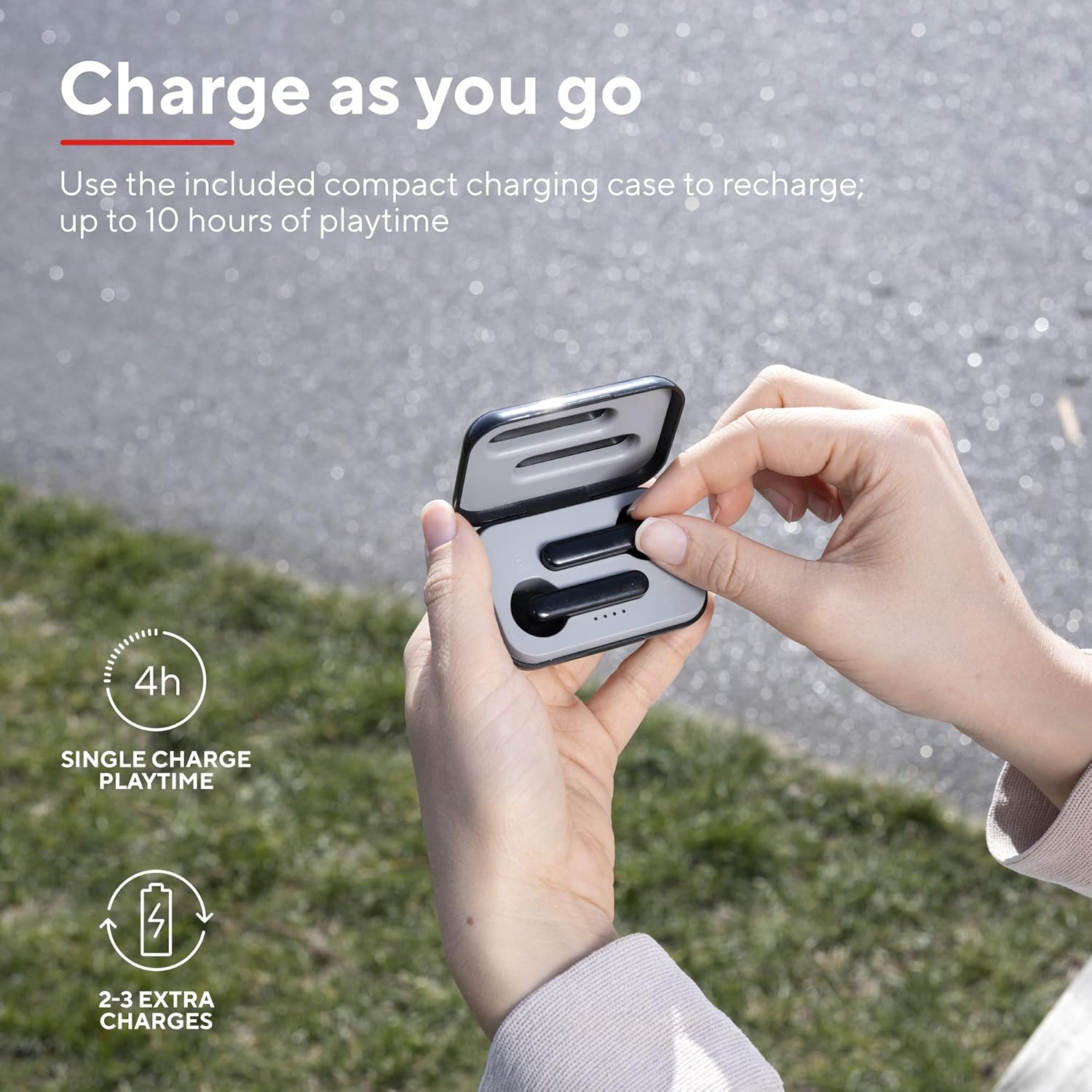
A user placing an earbud into the compact charging case, highlighting the convenience of recharging on the go for extended playtime.

Un primer pla view of the earbuds, showcasing their modern, minimalist design and emphasizing their clear sound quality.

A user interacting with the touch controls on an earbud, illustrating the ease of managing audio playback and calls without reaching for a device.

Un professional secundarifile of a person wearing one of the earbuds, demonstrating its ergonomic design for a comfortable and secure fit.
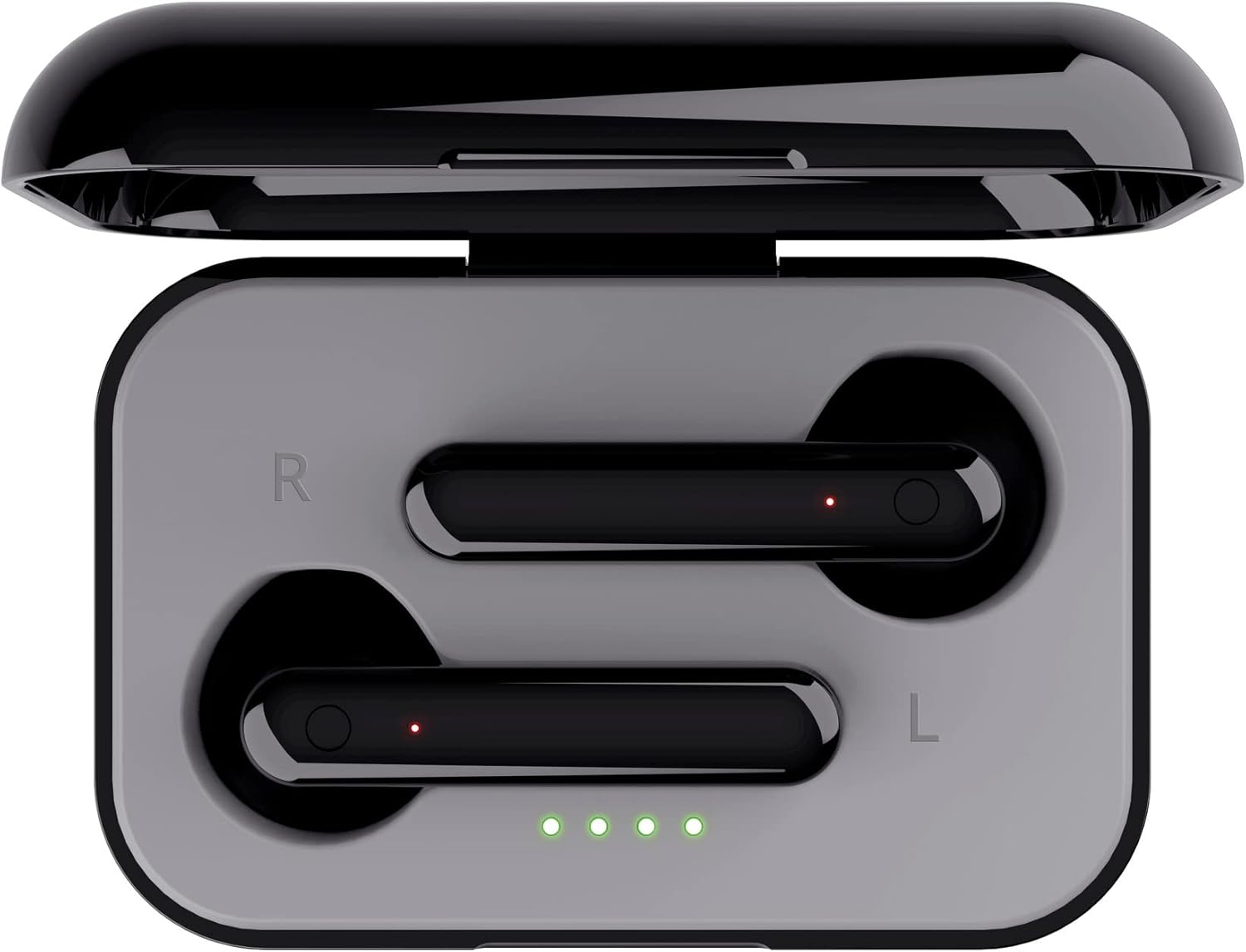
Un de dalt a baix view of the open charging case with the earbuds inside, clearly showing the LED charging indicators.

Un de dalt a baix view of the closed charging case, featuring the Trust brand logo on its sleek black surface.

The Trust Primo Touch Earbuds are displayed alongside their open charging case, providing a complete view dels components del producte.
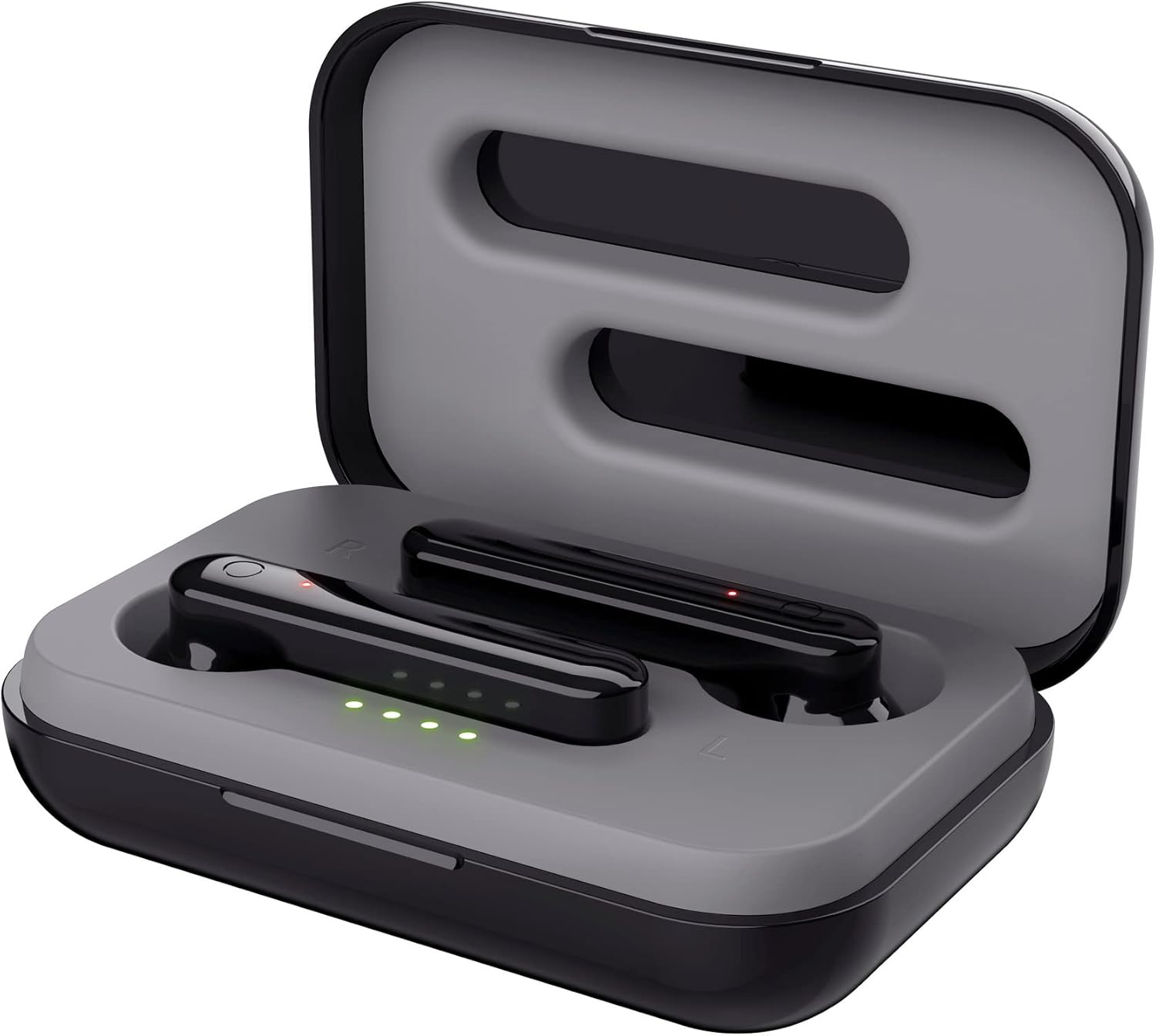
An angled top view of the earbuds nestled within their open charging case, showing the precise fit and charging contacts.

The retail packaging for the Trust Primo Touch Wireless Earphones, showcasincaracterístiques clau i elements de disseny.
Configuració
1. Càrrega dels auriculars i l'estoig
Before first use, fully charge the earphones and the charging case. Place the earbuds into the charging case. Connect the charging case to a USB power source using the provided cable. The LED indicators on the case will show the charging status. A full charge provides up to 4 hours of playtime for the earbuds, with the case offering 2-3 additional charges.
2. Emparellament amb el dispositiu
- Assegureu-vos que els auriculars estiguin carregats.
- Open the charging case. The earphones will automatically enter pairing mode (indicated by flashing LEDs on the earbuds).
- Al dispositiu (telèfon intel·ligent, tauleta, etc.), aneu a la configuració de Bluetooth i activeu el Bluetooth.
- Cerca available devices and select "Trust Primo Touch" from the list.
- Once connected, the earbud LEDs will stop flashing, indicating successful pairing.
En funcionament
Controls tàctils
The Trust Primo Touch earphones feature intuitive touch controls on each earbud. Refer to the following for common functions:
| Acció | Funció |
|---|---|
| Toc únic (auricular esquerre/dret) | Reproduir/Pausar música, Respondre/Finalitzar trucada |
| Doble toc (auricular dret) | Pista següent |
| Doble toc (auricular esquerre) | Pista anterior |
| Premda llarga (auricular esquerre/dret) | Activa l'Assistent de veu (Siri, Google Assistant) |
| Premda llarga (durant una trucada entrant) | Rebutja la trucada |
Encès/Apagat
- Encès: Open the charging case, or long-press the touch area on both earbuds for a few seconds if they are out of the case and off.
- Apagar: Place the earbuds back into the charging case and close the lid, or long-press the touch area on both earbuds for a few seconds until the indicator light turns off.
Manteniment
Neteja
- Netegeu regularment els auriculars i l'estoig de càrrega amb un drap suau, sec i sense borrissol.
- No utilitzeu netejadors abrasius, alcohol ni dissolvents químics.
- Netegeu suaument els contactes de càrrega tant dels auriculars com de la funda per garantir una càrrega correcta.
Emmagatzematge
Quan no els utilitzeu, guardeu els auriculars a la seva funda de càrrega per protegir-los de la pols i els danys. Guardeu-los en un lloc fresc i sec, allunyat de temperatures extremes.
Resolució de problemes
Earbuds Not Pairing with Each Other or Device
- Assegureu-vos que els dos auriculars estiguin carregats.
- Torneu a col·locar els dos auriculars a l'estoig de càrrega, tanqueu la tapa, espereu uns segons i torneu-la a obrir.
- On your device, forget or unpair "Trust Primo Touch" from your Bluetooth settings.
- Restart your device and attempt the pairing process again.
Sense so ni volum baix
- Comprova el nivell de volum tant del dispositiu com dels auriculars.
- Assegureu-vos que els auriculars estiguin connectats correctament al dispositiu.
- Netegeu qualsevol residu de les reixetes dels altaveus dels auriculars.
Problemes amb el micròfon
- Ensure the earbuds are properly connected and selected as the audio input device on your phone.
- Check for any obstructions near the microphone opening on the earbuds.
Especificacions
| Característica | Detall |
|---|---|
| Marca | Confia |
| Número de model | 23712 |
| Color | Negre |
| Col·locació de l'orella | A l'orella |
| Factor de forma | A l'orella |
| Control de soroll | Aïllament acústic |
| Dimensions del producte | 150 x 5 x 5 cm; 40 g |
| Bateries | Necessites piles de 1 A (incloses) |
| Fabricant | Confia |
| Primera data disponible | 14 de juliol de 2020 |
Garantia i Suport
Per obtenir informació sobre la garantia i assistència tècnica, consulteu la pàgina oficial de Trust website or contact Trust customer service directly. Keep your proof of purchase for any warranty claims.
You can typically find support resources, FAQs, and contact details on the manufacturer's official weblloc:


