1. Producte acabatview
The Imou Cruiser Dual 6MP is an innovative PTZ (Pan-Tilt-Zoom) WLAN outdoor surveillance camera designed for comprehensive monitoring. It features two independent lenses, a fixed 3MP lens and a pan-tilt 3MP lens, providing a total 6MP resolution for sharp, detailed images. This camera is equipped with intelligent tracking, advanced night vision modes, two-way audio, and active deterrence features, making it ideal for securing outdoor areas.

Figure 1: Imou Cruiser Dual 6MP Surveillance Camera
2. Què hi ha a la caixa
Si us plau, comproveu el contingut del paquet per assegurar-vos que hi hagi tots els elements:
- Imou Cruiser Dual 6 MP WLAN Surveillance Camera
- Adaptador d'alimentació
- Connector impermeable
- Guia d'inici ràpid
- Paquet de cargols
- Plantilla de muntatge
3. Configuració i instal·lació
3.1 Muntatge de la càmera
The Imou Cruiser Dual is designed for wall mounting. Use the provided mounting template and screws for secure installation. Ensure the mounting surface is stable and can support the camera's weight.
3.2 Connexió d'alimentació
Connect the power adapter to the camera's power input and then plug it into a suitable power outlet. Use the waterproof connector for outdoor installations to protect the power connection from moisture.
3.3 Instal·lació de l'aplicació i configuració inicial
- Descarrega't el Aplicació Imou Life des de l'App Store (iOS) o Google Play Store (Android).
- Register for an Imou account or log in if you already have one.
- Tap the '+' icon in the app to add a new device.
- Escaneja el codi QR de la càmera o del seu embalatge.
- Follow the on-screen instructions to connect the camera to your Wi-Fi network. Ensure your Wi-Fi signal is strong at the camera's location.
4. Funcionament de la càmera
4.1 Dual-Lens Functionality and Angle Adjustment
The camera features two lenses: a fixed 3MP lens and a motorized 3MP PT (Pan-Tilt) lens. The fixed lens allows manual angle adjustments from 0° to 260° horizontally and 0° to 30° vertically. The PT lens offers a wider range of motion, 0° to 355° horizontally and 0° to 90° vertically, controllable via the Imou Life App.
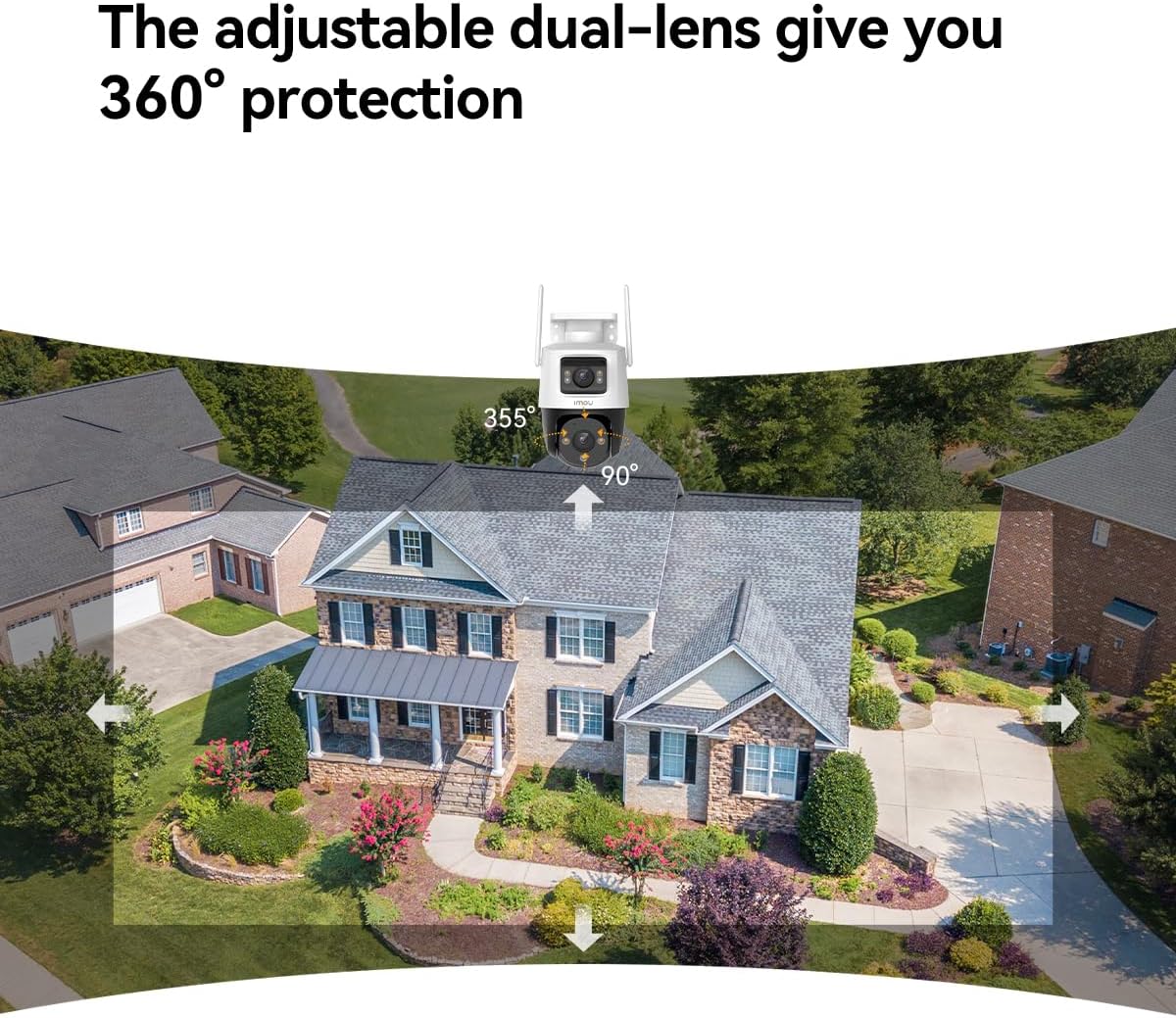
Figure 2: The adjustable dual-lens system provides comprehensive 360° protection.
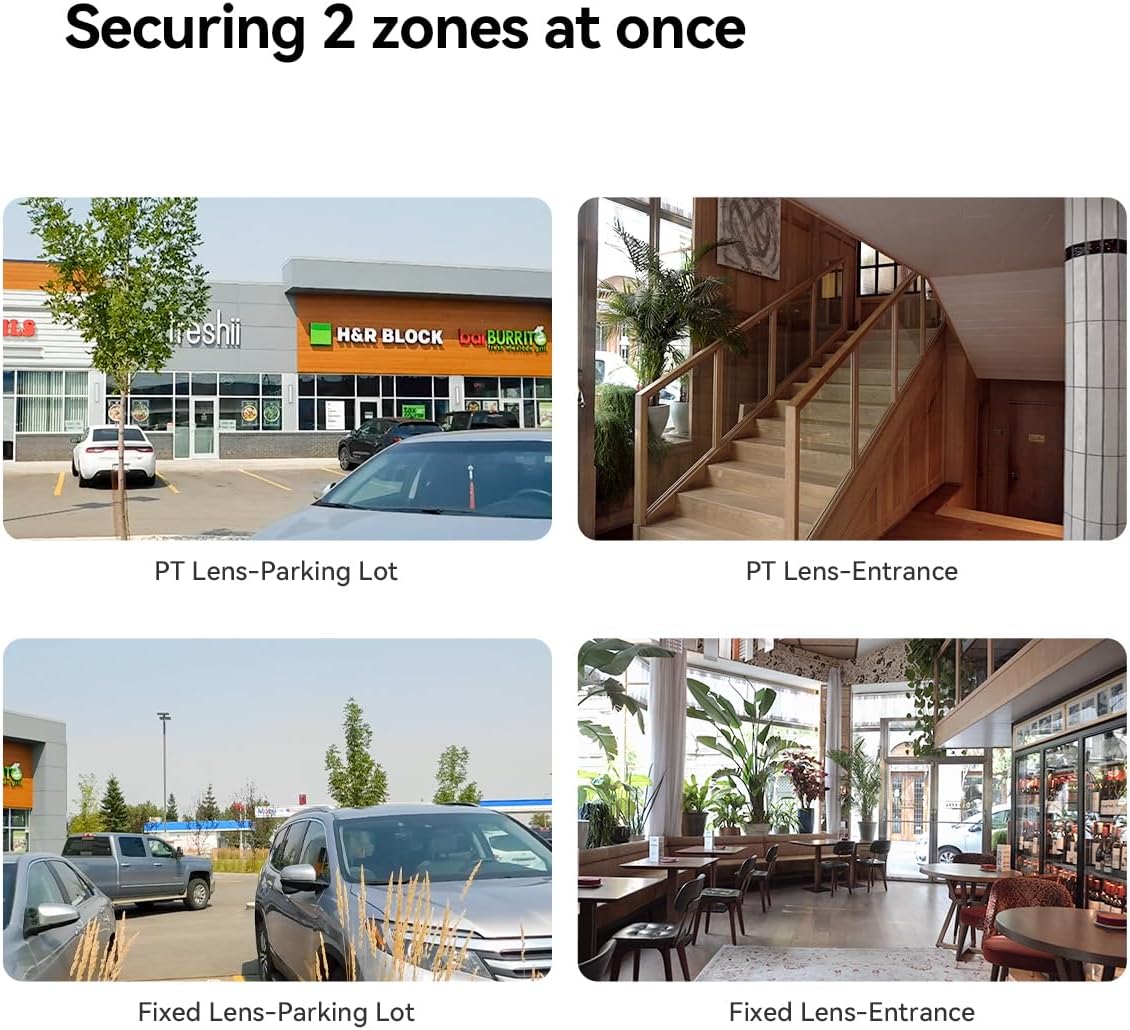
Figure 3: The dual-lens setup allows simultaneous monitoring of two distinct zones.
4.2 Modes de visió nocturna
The Cruiser Dual offers four night vision modes for optimal visibility in low-light conditions:
- Mode infraroig: Provides clear black-and-white images in complete darkness using infrared LEDs.
- Mode de color: Integrated spotlights illuminate the area, enabling full-color night vision.
- Mode intel·ligent: Automatically switches from infrared to color night vision when motion is detected.
- Mode desactivat: Disables night vision features.

Figure 4: Different night vision modes for various lighting conditions.
4.3 Smart Tracking and Detection
Activate the Smart Tracking function in the Imou Life App to enable the PT lens to automatically follow moving objects. The IMOU SENSE algorithm enhances detection accuracy for people and vehicles, reducing false alarms.
4.4 Two-Way Audio and Active Deterrence
The built-in microphone and speaker allow for real-time two-way communication. You can speak to visitors or deter unwanted intruders. The camera also features an integrated spotlight and a 110 dB siren, which can be activated automatically upon motion detection to scare off unauthorized persons.
4.5 Opcions d'emmagatzematge
The camera supports local storage via a Micro-SD card (up to 256 GB) and cloud storage through the Imou Cloud service (subscription may be required).
5. Manteniment
To ensure optimal performance and longevity of your Imou Cruiser Dual camera, follow these maintenance guidelines:
- Neteja: Periodically wipe the camera lenses and body with a soft, damp tela. Eviteu utilitzar productes químics o materials abrasius.
- Actualitzacions de firmware: Regularly check for and install firmware updates via the Imou Life App. Updates often include performance improvements, new features, and security enhancements.
- Protecció meteorològica: While the camera is IP66 certified for dust and water resistance, ensure its mounting location provides some protection from direct, prolonged exposure to extreme weather conditions if possible.
6. Solució De Problemes
If you encounter issues with your Imou Cruiser Dual camera, refer to the following common solutions:
- Càmera fora de línia: Check your Wi-Fi connection and ensure the camera is within range of your router. Restart the camera and your router.
- Mala qualitat d'imatge: Ensure the lenses are clean and free from obstructions. Check your internet connection speed.
- La detecció de moviment no funciona: Verify that motion detection is enabled in the Imou Life App settings. Adjust sensitivity levels if necessary.
- No Two-Way Audio: Revisa la configuració del micròfon i l'altaveu a l'aplicació. Assegura't que els nivells de volum siguin adequats.
- La targeta SD no grava: Ensure the SD card is properly inserted and formatted within the app. Check if the card is full or corrupted.
For more detailed troubleshooting or persistent issues, consult the help section within the Imou Life App or visit the official Imou support weblloc.
7. Especificacions
| Característica | Especificació |
|---|---|
| Número de model | IPC-S7XP-6M0WED_CruiserDual |
| Resolució | 6 MP (2x 3MP Lenses) |
| Fixed Lens Angle Adjustment | 0° to 260° (H), 0° to 30° (V) |
| PT Lens Pan/Tilt Range | 0° to 355° (H), 0° to 90° (V) |
| Connectivitat | Wi-Fi (WLAN) |
| Modes de visió nocturna | Infrared, Color, Smart, Off |
| Àudio | Two-Way Audio (Built-in Mic & Speaker) |
| La dissuasió | Integrated Spotlight, 110 dB Siren |
| Emmagatzematge | Micro-SD Card (up to 256 GB), Cloud Storage |
| Resistència a la intempèrie | Certificat IP66 |
| Material | Metall |
| Consum d'energia | 3 watts |
| Dimensions (L x A x A) | 11.4 x 12.9 x 13.3 cm |
| Pes | 1.14 quilos |
8. Garantia i Suport
Per obtenir informació sobre la garantia i assistència tècnica, consulteu la pàgina oficial d'Imou. website or contact Imou customer service. Keep your purchase receipt as proof of purchase for warranty claims.


