1. Introducció
This manual provides detailed instructions for the installation, operation, and maintenance of your Imou Bullet 3 5MP/3K Outdoor Camera. Please read this manual thoroughly before using the product to ensure proper setup and functionality. Keep this manual for future reference.
2. Producte acabatview
The Imou Bullet 3 is a high-performance outdoor security camera designed for reliable surveillance. It features 5-megapixel (3K) resolution, color night vision, Wi-Fi 6 connectivity, and an IP67 weather-resistant rating, making it suitable for various outdoor environments.
Característiques principals:
- 5MP/3K Ultra HD Resolution for clear and detailed imaging.
- Color Night Vision for enhanced visibility in low-light conditions.
- Wi-Fi 6 support for stable and efficient wireless connection.
- IP67 Weatherproof rating for outdoor durability.
- Human and vehicle detection for accurate alerts.

Figura 2.1: Frontal view of the Imou Bullet 3 Outdoor Camera, showing the lens, two antennas, and mounting base.
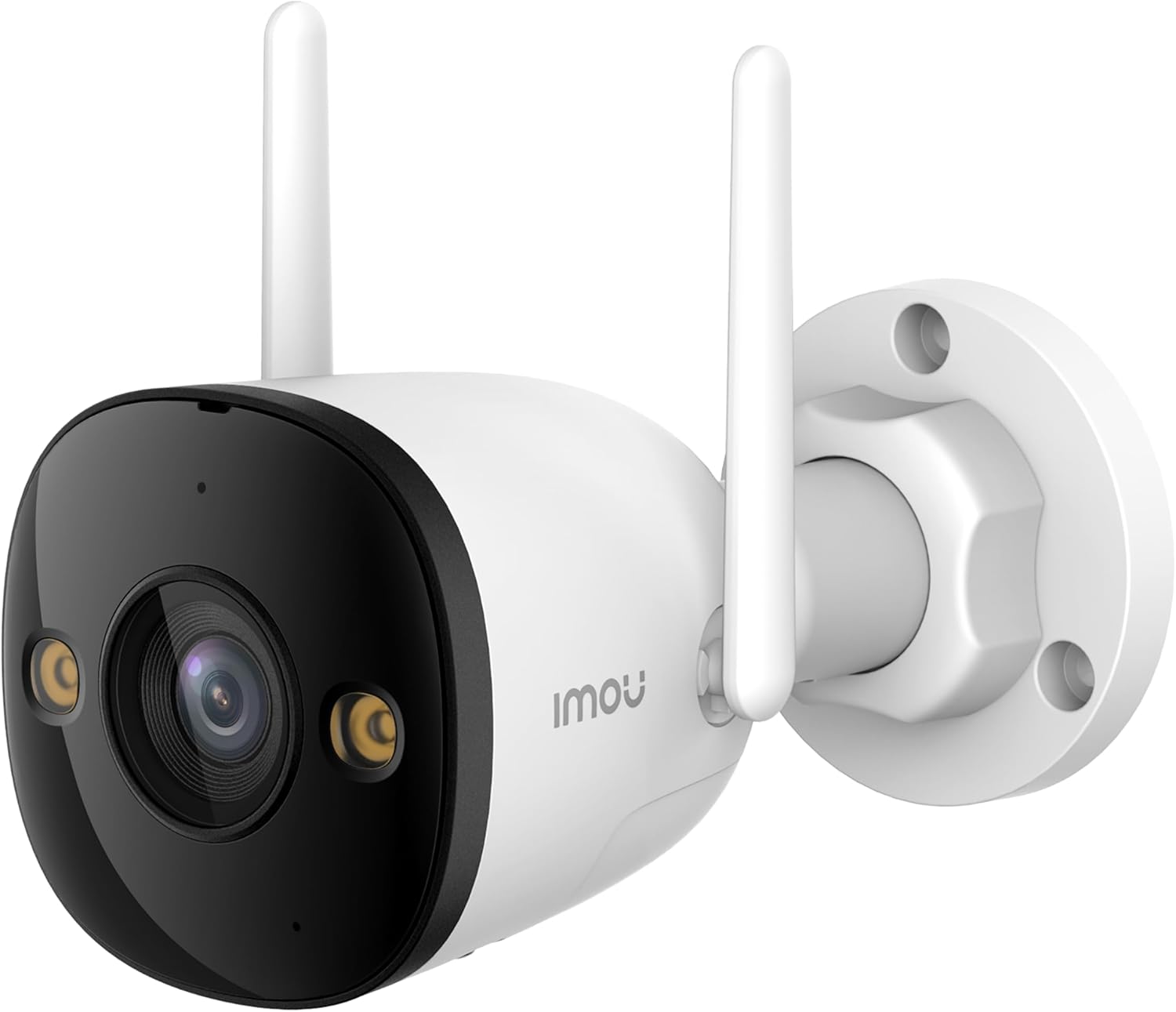
Figure 2.2: The Imou Bullet 3 camera, highlighting the Imou brand logo on its side.

Figure 2.3: Illustrates the camera's 3K UHD resolution capability, providing clear and detailed images.

Figure 2.4: Depicts the IMOU SENSE™ precision AI chip, which powers advanced features like detection.
3. Configuració i instal·lació
Before installation, ensure you have all necessary components: the Imou Bullet 3 camera, power adapter, mounting screws, and a drilling template (if provided). It is recommended to test the camera's functionality and Wi-Fi signal strength at the desired installation location before permanent mounting.
3.1 Muntatge de la càmera
- Trieu un lloc exterior adequat amb llum clara view de la zona que voleu controlar.
- Use the provided drilling template to mark the screw holes on the wall or ceiling.
- Perforeu forats i inseriu ancoratges de paret si cal.
- Fixeu la base de muntatge de la càmera a la superfície amb els cargols.
- Ajusteu l'angle de la càmera segons sigui necessari.
3.2 Engegada i connexió
Connect the camera to a power source using the provided power adapter. The camera supports both Wi-Fi and Power over Ethernet (PoE) connections for flexible installation.
- Connexió Wi-Fi: Power on the camera and follow the instructions in the Imou Life app to connect it to your Wi-Fi network.
- Connexió PoE: If your network supports PoE, connect an Ethernet cable from your PoE-enabled router or switch directly to the camera. This provides both power and data through a single cable.
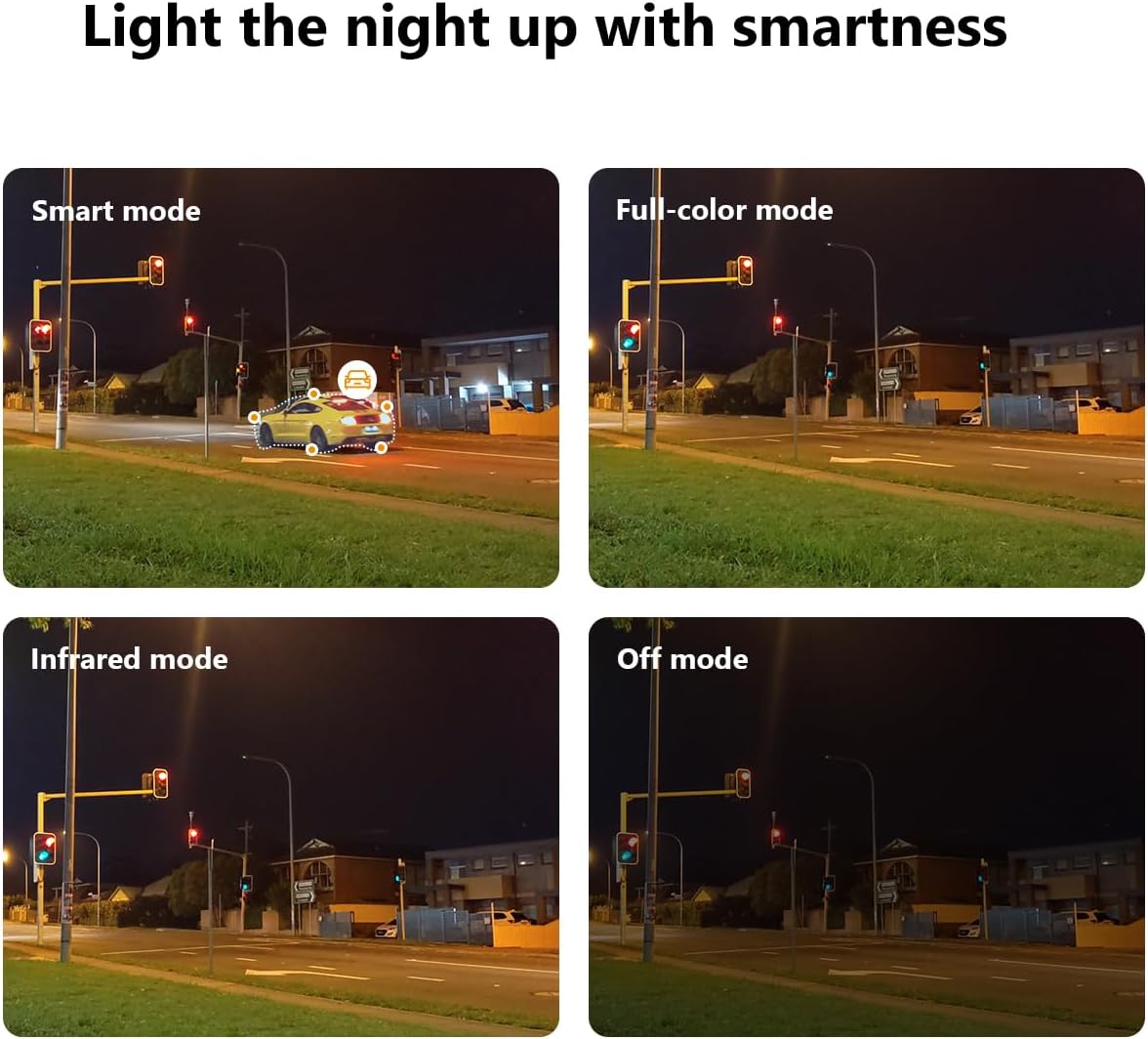
Figure 3.1: Illustrates the two primary connection methods: Wi-Fi for wireless setup and PoE for combined power and data via Ethernet cable.
4. Instruccions de funcionament
The Imou Bullet 3 camera offers various features to enhance your security monitoring. All advanced settings and live viewing are accessible through the Imou Life mobile application.
4.1 Modes de visió nocturna
The camera provides multiple night vision modes to suit different lighting conditions:
- Mode intel·ligent: Automatically switches between infrared and full-color night vision based on detected motion.
- Mode a tot color: Utilizes built-in spotlights to provide full-color video even in complete darkness.
- Mode infraroig: Uses infrared LEDs for black and white video in low light, conserving power.
- Mode desactivat: Disables night vision features.

Figure 4.1: Comparison of the camera's night vision capabilities, including Smart, Full-color, Infrared, and Off modes.
4.2 Customizable Detection Zone
You can define specific areas within the camera's field of view for motion detection. This helps reduce false alarms from irrelevant areas.
- Open the Imou Life app and select your camera.
- Navigate to the detection settings.
- Draw or select the desired detection zones on the live view.
- Desa la configuració.

Figura 4.2: Un example of a customizable detection zone, highlighted over a pool area to focus surveillance on specific regions.
4.3 Deterring Unwelcome Visitors
The camera is equipped with features to actively deter intruders, such as a built-in spotlight and siren. These can be triggered automatically upon detection or manually through the app.

Figure 4.3: The Imou camera with its integrated spotlights activated, designed to deter intruders and provide clear night vision.
4.4 Programació
You can set up schedules for when the camera's detection features are active. This allows you to customize surveillance based on your daily routine.
- In the Imou Life app, go to the camera settings.
- Find the 'Detection Schedule' option.
- Set specific times and days for motion detection and alerts to be active.

Figure 4.4: A smartphone screen displaying the detection scheduling interface within the Imou Life app, allowing users to set active surveillance times.
5. Manteniment
Regular maintenance ensures the longevity and optimal performance of your Imou Bullet 3 camera.
5.1 Neteja
- Netegeu periòdicament la lent i el cos de la càmera amb un drap suau i sec.amp drap per eliminar la pols i la brutícia.
- Do not use harsh chemicals or abrasive cleaners, as they may damage the camera's finish or lens coating.
5.2 Consideracions ambientals
- Ensure the camera's power connection is secure and protected from moisture.
- While IP67 rated, avoid submerging the camera in water or exposing it to extreme pressure washing.
6. Solució De Problemes
If you encounter issues with your Imou Bullet 3 camera, refer to the following common problems and solutions:
6.1 No Power/Camera Offline
- Comproveu la potència: Assegureu-vos que l'adaptador de corrent estigui connectat correctament a la càmera i a una presa de corrent que funcioni.
- Connexió Wi-Fi: Verify your Wi-Fi network is active and the camera is within range. Restart your router if necessary.
- Restablir: If the issue persists, locate the reset button (refer to the camera's physical diagram) and press it for 10 seconds to restore factory settings. Reconfigure the camera afterward.
6.2 Mala qualitat d'imatge
- Neteja la lent: Netegeu la lent de la càmera tal com es descriu a la secció Manteniment.
- Estabilitat de la xarxa: Ensure a stable internet connection. Poor Wi-Fi signal can affect video streaming quality.
- Il·luminació: Adjust camera placement to avoid direct glare or insufficient lighting.
6.3 Motion Detection Issues
- Zona de detecció: Verify that the detection zones are correctly configured in the Imou Life app.
- Sensibilitat: Ajusteu la configuració de sensibilitat de detecció de moviment a l'aplicació.
- Obstruccions: Assegureu-vos que no hi hagi obstacles físics que bloquegin la càmera view.
7. Especificacions
| Especificació | Valor |
|---|---|
| Marca | Imou |
| Número de model | IPC-S3EP-5M0WE(Bullet3 5MP) |
| Tecnologia de connectivitat | Sense fil (Wi-Fi) |
| Ús interior/exterior | A l'aire lliure |
| Color | Multicolor |
| Material | Plàstic |
| Voltage | 12 Volts |
| Consum d'energia | 5.3 watts |
| Dimensions de l'article (L x A x A) | 14.77 x 7.42 x 7.56 cm |
| Pes de l'article | 560 g |
| Usos recomanats | Video sensor, human and vehicle detection |
| Característica especial | Portàtil |
| Nombre d'articles | 1 |
| Nombre de canals | 4 |
8. Garantia i Suport
For warranty information and technical support, please refer to the official Imou weblloc web o poseu-vos en contacte amb el seu servei d'atenció al client. Conserveu el rebut de compra com a comprovant de compra per a qualsevol reclamació de garantia.
Per a més ajuda, visiteu: www.imoulife.com


