Introducció
Welcome to the user manual for your new TECLAST P20HD 10.1-inch Tablet. This guide provides comprehensive instructions on setting up, operating, and maintaining your device. The TECLAST P20HD is a high-performance tablet designed for versatile use, featuring a powerful octa-core processor, a vibrant Full HD display, and robust connectivity options including 4G LTE and dual-band WiFi.
Please read this manual carefully to ensure proper use and to maximize your tablet's capabilities. Keep this manual for future reference.
Producte acabatview
Familiarize yourself with the physical components of your TECLAST P20HD tablet.
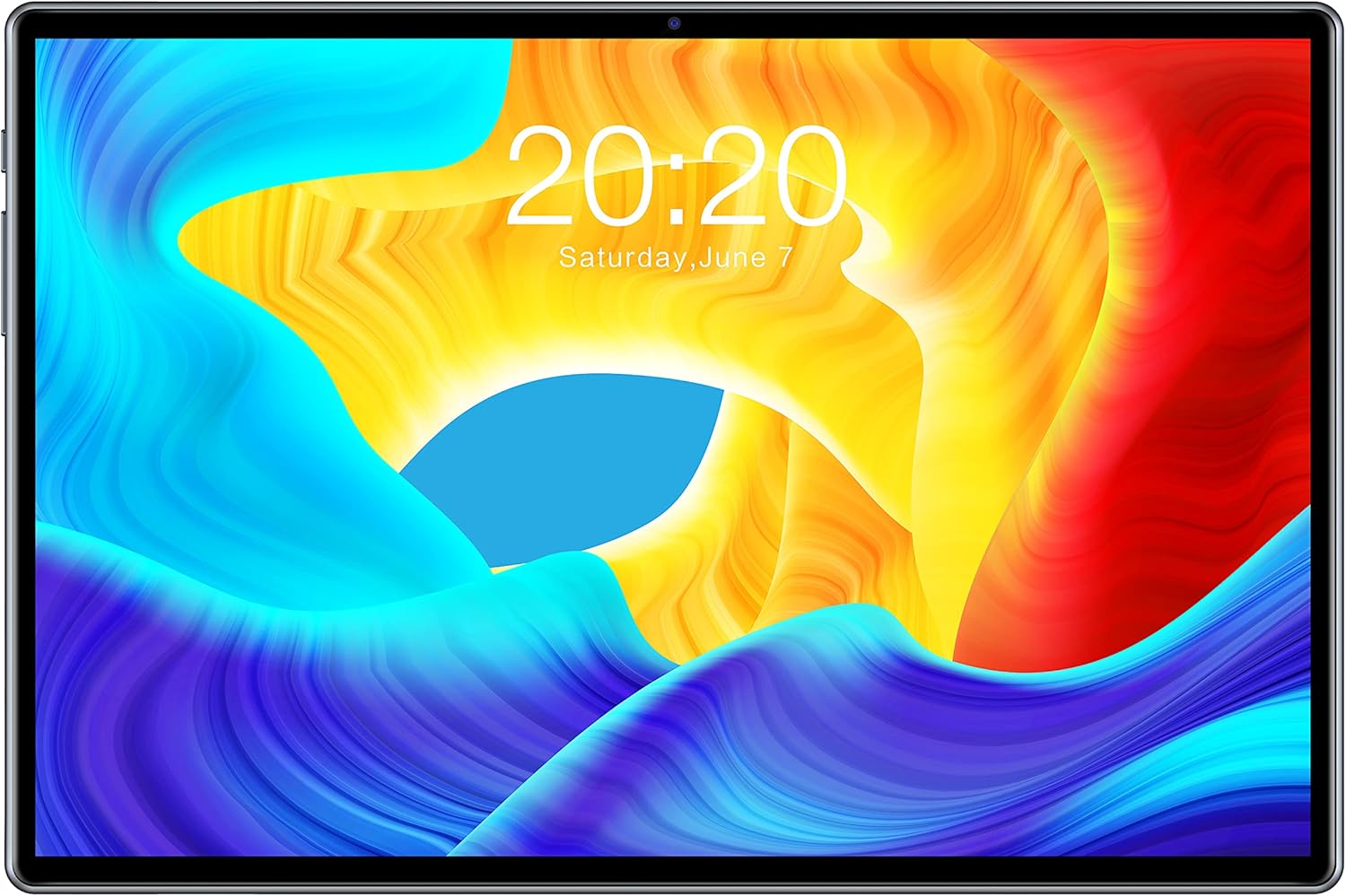
Figura 1: Davant view of the TECLAST P20HD Tablet, displaying the screen with a colorful abstract wallpaper and the date "20:20 Saturday, June 7".

Figura 2: Diagram illustrating the various ports and buttons on the TECLAST P20HD Tablet. This includes the Power button, Volume buttons, RESET pinhole, Type-C port, Micro SD/SIM card slot, Earphone jack, Front Camera, Rear Camera, and Speakers.
Components clau:
- Visualització: 10.1-inch IPS Full HD screen with 1920x1200 resolution.
- Càmera frontal: 2MP per a videotrucades i selfies.
- Càmera posterior: 5MP for capturing photos and videos.
- Botó d'encesa: Situat al lateral, s'utilitza per encendre/apagar el dispositiu o activar/reposar la pantalla.
- Botons de volum: Ajusta el volum de l'àudio.
- Port de tipus C: Per a càrrega i transferència de dades.
- Micro SD/SIM Card Slot: Supports expandable storage up to 128GB and 4G LTE SIM cards.
- Presa per a auriculars: Standard 3.5mm audio output.
- Ponents: Integrated for audio output.
- Micròfon: Per a entrada de veu.
Configuració
1. Càrrega inicial:
Before first use, fully charge your tablet using the provided Type-C cable and power adapter. The battery indicator on the screen will show charging status. A full charge ensures optimal battery performance.
2. Encendre/apagar:
- Per encendre: Press and hold the Power button until the TECLAST logo appears.
- Per apagar: Mantingueu premut el botó d'engegada fins que aparegui el menú d'opcions d'engegada i, a continuació, seleccioneu "Apagar".
- Per dormir/despertar-se: Briefly press the Power button to put the tablet into sleep mode or wake it up.
3. Inserting SIM and Micro SD Cards:
Locate the SIM/Micro SD card tray on the side of the tablet. Use the provided SIM ejector tool to open the tray. Carefully place your Nano-SIM card(s) and/or Micro SD card into the designated slots, ensuring correct orientation. Gently push the tray back into the tablet until it clicks into place.

Figura 3: Image illustrating the TECLAST P20HD's memory specifications (4GB RAM + 64GB ROM) and its expandability up to 512GB via TF card, alongside examples of media and app storage.
4. Assistent de configuració inicial:
Upon first power-on, the Android 10 setup wizard will guide you through essential configurations, including:
- Selecció de la llengua
- Connexió a la xarxa Wi-Fi
- Google account sign-in (optional but recommended for app downloads and services)
- Configuració de data i hora
- Screen lock setup (PIN, pattern, password)
En funcionament
1. Android 10 Operating System:
Your TECLAST P20HD runs on Android 10, offering a user-friendly interface and enhanced features. Navigate using gestures or the traditional three-button navigation bar (configurable in settings).
2. Connectivitat:
- Wi-Fi: Connect to wireless networks via Settings > Network & Internet > Wi-Fi. Supports dual-band 802.11ac for stable and fast connections.
- 4G LTE: With a compatible SIM card, access mobile data for internet browsing and calls.
- Bluetooth 5.0: Pair with Bluetooth devices like headphones, speakers, or keyboards via Settings > Connected devices > Bluetooth.
- GPS: Utilize the built-in GPS for navigation and location-based services. Supports BeiDou and other popular satellite navigation systems.

Figura 4: Image highlighting the TECLAST P20HD's high-speed internet capabilities, including Dual-band WiFi for stable connection and Dual 4G SIM support, enabling simultaneous internet surfing and video calls.
3. Ús de la càmera:
Open the Camera app to capture photos and videos. The tablet features a 2MP front camera and a 5MP rear camera.

Figura 5: Image detailing the TECLAST P20HD's camera specifications (2MP + 5MP), screen resolution (1920x1200), screen size (10.1"), battery capacity (6000mAh), Bluetooth 5.0, Android 10.0, and A-GPS capabilities.
4. Performance and Storage:
The tablet is equipped with an octa-core SC9863A processor, 4GB RAM, and 64GB internal storage, expandable up to 128GB (or 512GB as per some descriptions) via a TF card. This configuration ensures smooth multitasking and ampespai per a aplicacions, contingut multimèdia i documents.

Figura 6: Visual representation of the high-performance Octa-Core SC9863A processor, highlighting its 1.6GHz frequency for faster booting and smooth software operation.

Figura 7: The TECLAST P20HD Tablet being used in various settings, including watching content, working, and taking photos, demonstrating its versatility.
Manteniment
- Neteja: Feu servir un drap suau i sense borrissol per netejar la pantalla i la carcassa. Eviteu productes de neteja o dissolvents abrasius.
- Cura de la bateria: To prolong battery life, avoid extreme temperatures. Do not let the battery completely drain frequently.
- Actualitzacions de programari: Regularly check for system updates to ensure optimal performance and security. Updates can be found in Settings > System > System update.
- Gestió d'emmagatzematge: Netegeu periòdicament els innecessaris filei aplicacions per alliberar espai d'emmagatzematge i mantenir el rendiment.
- Protecció: Penseu en utilitzar una funda protectora i un protector de pantalla per protegir-vos de caigudes i ratllades.

Figura 8: Comparison image showing the TECLAST Tablet's thin and light design, metal body, and gold-plated interface, contrasting it with a generic "OTHER Tablet" that is heavy and inconvenient.
Resolució de problemes
| Problema | Possible solució |
|---|---|
| La tauleta no s'encén. | Ensure the battery is charged. Connect the charger and wait a few minutes before attempting to power on again. If unresponsive, press and hold the Power button for 10-15 seconds. |
| La pantalla no respon o s'ha bloquejat. | Perform a forced restart by pressing and holding the Power button for about 10 seconds until the device reboots. If this doesn't work, locate the RESET pinhole (refer to Product Overview) and gently press it with a thin object (like a paperclip). |
| No es pot connectar a la Wi-Fi. | Check if Wi-Fi is enabled in settings. Restart your Wi-Fi router. Forget the network and reconnect. Ensure you are entering the correct password. |
| Apps are running slowly or crashing. | Close background apps. Clear app cache (Settings > Apps & notifications > [App Name] > Storage & cache > Clear cache). Ensure sufficient free storage space. Restart the tablet. |
| No s'ha detectat la targeta SIM. | Ensure the SIM card is correctly inserted into the tray. Restart the tablet. Check if the SIM card is active with your carrier. |
Especificacions
| Característica | Detall |
|---|---|
| Marca | TECLAST |
| Model | P20HD |
| Sistema operatiu | Android 10 |
| Processador | Unisoc SC9863A Octa-Core 1.6GHz |
| RAM | 4 GB |
| Emmagatzematge intern (ROM) | 64 GB |
| Emmagatzematge ampliable | Micro SD/TF card up to 128GB (some sources indicate up to 512GB) |
| Mida de la pantalla | 10.1 polzades |
| Resolució de visualització | 1920 x 1200 Full HD IPS |
| Càmera frontal | 2MP |
| Càmera posterior | 5MP |
| Capacitat de la bateria | 6000 mAh |
| Connectivitat | 4G LTE (TDD+FDDD), Dual-band Wi-Fi (802.11bgn, 802.11ac), Bluetooth 5.0, GPS (BeiDou supported) |
| Ports | Type-C, 3.5mm Headphone Jack, SIM/Micro SD Slot |
| Dimensions (L x A x A) | 24.3 x 16.3 x 0.93 cm |
| Pes | 531 grams |

Figura 9: Image emphasizing the TECLAST P20HD's 10.1-inch screen size and 1920x1200 resolution, shown with a vibrant landscape image.
Garantia i Suport
TECLAST offers a 24-month warranty from the date of purchase for the P20HD tablet. This warranty covers manufacturing defects and ensures peace of mind for your purchase.
For Technical Support and Warranty Claims:
- Refer to the contact information provided on the TECLAST official website or the packaging.
- Have your purchase receipt and product serial number ready when contacting support.
- For common issues, refer to the Troubleshooting section of this manual or visit the TECLAST support page online.
TECLAST is committed to providing excellent customer service and support for its products.


