1. Introducció
This manual provides detailed instructions for the installation, operation, and maintenance of your LAXIHUB LXB-006 Outdoor Security Camera. Designed for outdoor surveillance, this camera offers 1080P Full HD video, enhanced night vision, two-way audio, motion and noise detection, and IP65 weather resistance. It is compatible with Amazon Alexa and Google Assistant for convenient smart home integration. Please read this manual thoroughly before using the product to ensure proper setup and optimal performance.
2. Producte acabatview
2.1 Característiques clau
- Resolució 1080P Full HD: Provides clear and crisp video recordings.
- Visió nocturna superior: Equipped with an enhanced infrared sensor for sharp videos and images in low-light conditions.
- Àudio bidireccional: Built-in ultra-responsive microphone and speaker with noise cancellation for real-time communication.
- Motion & Noise Detection: Automatically detects activity and sends alert notifications via the Arenti App.
- Resistència a l'aigua IP65: Designed to withstand various weather conditions, including rain, fog, and snow.
- Compatibilitat amb la llar intel·ligent: Funciona amb Amazon Alexa i Google Assistant.
- Cloud Storage & Local Storage: Offers 3-month free cloud storage (72-hour video retention) and supports FAT32 Micro SD cards up to 256GB (sold separately).
- Compartició multiusuari: Permet a diversos usuaris view images and videos simultaneously via the Arenti App.
2.2 Què hi ha a la caixa
- LAXIHUB LXB-006 Security Camera
- Cargols de muntatge
- Adaptador d'alimentació
2.3 Visuals del producte

Figure 2.1: LAXIHUB LXB-006 Outdoor Security Camera, showing its bullet-style design and wall-mount base.

Figura 2.2: Mésview of key features including Night Vision, IP65 Waterproofing, 3 Months Free Cloud Storage, 2-Way Audio, and Human Motion & Sound Detection.
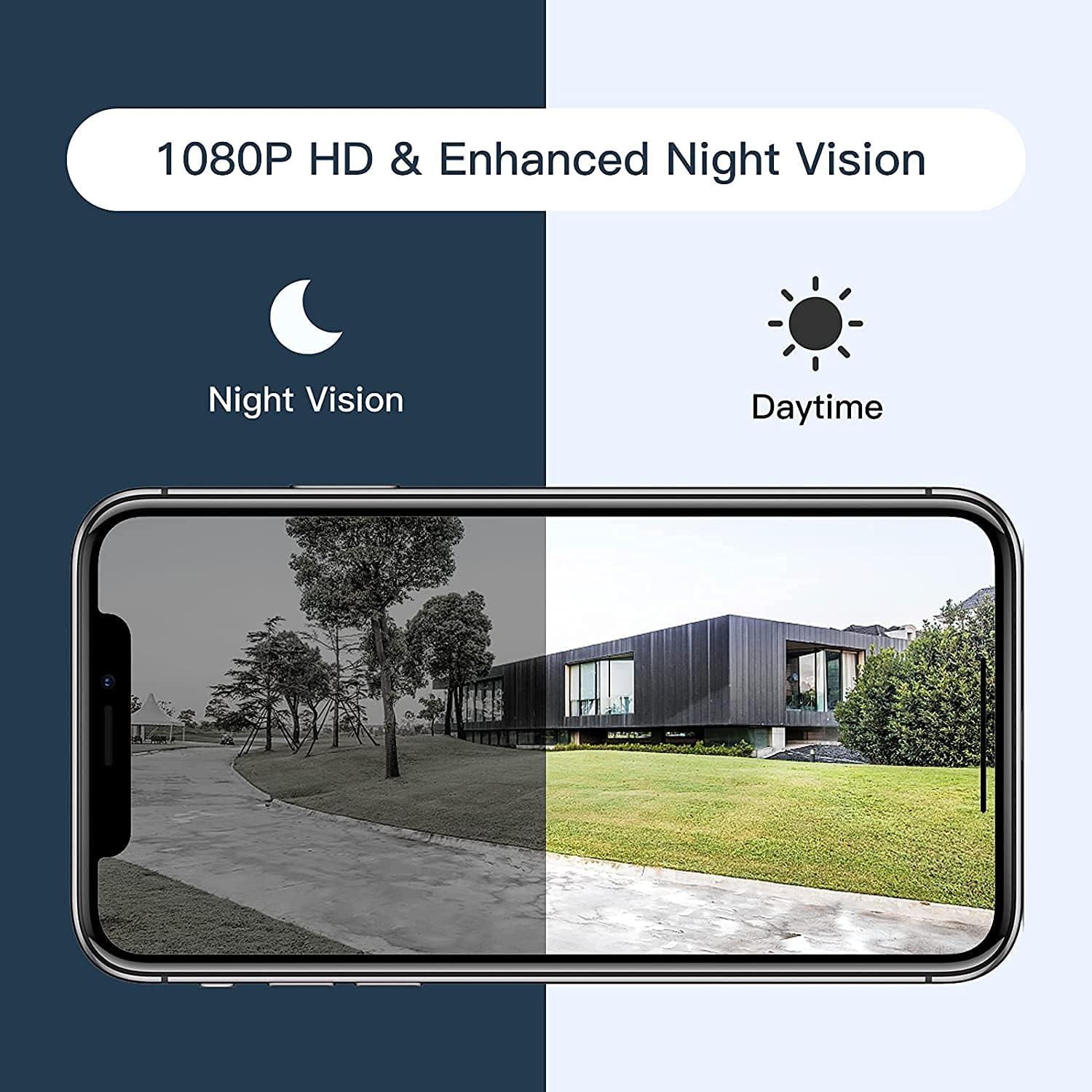
Figure 2.3: Comparison illustrating the camera's 1080P HD resolution and enhanced night vision capabilities, showing clear images in both daytime and nighttime conditions.
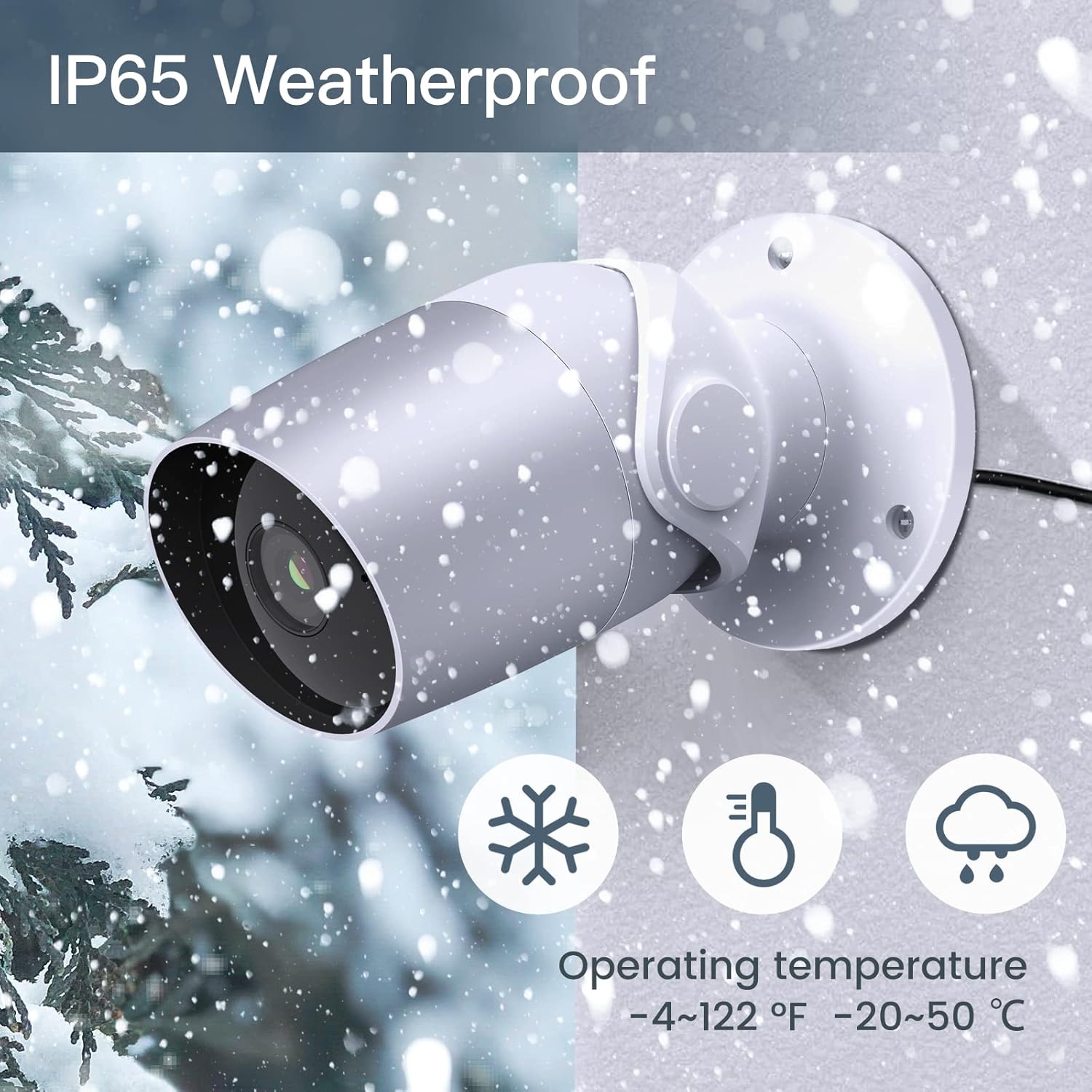
Figure 2.4: Depiction of the camera's IP65 weatherproof rating, indicating its ability to operate reliably in various outdoor conditions, including snow, within an operating temperature range of -4°F to 122°F (-20°C to 50°C).
3. Guia de configuració
3.1 Abans de començar
- Assegureu-vos que la vostra xarxa Wi-Fi sigui de 2.4 GHz. La càmera no admet Wi-Fi de 5 GHz.
- Tingueu a punt el nom de la xarxa Wi-Fi (SSID) i la contrasenya.
- Download the Arenti App from the App Store (iOS) or Google Play Store (Android).
- Trieu un lloc exterior adequat per al muntatge, assegurant-vos que hi hagi claredat. view i accés a una presa de corrent.
3.2 Passos d'instal·lació
- Desempaquetar la càmera: Traieu amb cura tots els components de l'embalatge.
- Encès: Connect the power adaptor to the camera and plug it into a power outlet. The camera's indicator light will turn on.
- Create Account (Arenti App): Open the Arenti App and follow the on-screen instructions to create a new account or log in if you already have one.
- Afegeix un dispositiu: In the Arenti App, tap the "+" icon to add a new device. Select your camera model from the list.
- Connecta't a Wi-Fi: Follow the app's instructions to connect the camera to your 2.4GHz Wi-Fi network. This typically involves scanning a QR code displayed on your phone with the camera's lens.
- Muntar la càmera: Once connected, choose your desired mounting location. Use the provided screws to securely attach the camera to a wall or suitable surface. Ensure the camera is positioned to cover the desired surveillance area.
- Ajust d'angle: Ajusta l'angle de la càmera per aconseguir l'angle òptim viewla perspectiva.
4. Instruccions de funcionament
4.1 Using the Arenti App
The Arenti App is the primary interface for controlling and monitoring your LAXIHUB LXB-006 camera. After successful setup, you can access live view, recorded footage, and various settings.
- Viu View: Tap on your camera in the app to view el feed en directe.
- Àudio bidireccional: Mentre està en directe view, toca la icona del micròfon per parlar a través de l'altaveu de la càmera. Toca la icona de l'altaveu per escoltar l'àudio del micròfon de la càmera.
- Enregistrament i reproducció: Access recorded events from the app's timeline or event list. Videos are saved to the cloud (if enabled) or the inserted Micro SD card.
- Motion & Noise Detection: Configure detection sensitivity and alert notifications in the camera settings within the app. You will receive push notifications when motion or noise is detected.
- Accés compartit: Invite family members or trusted individuals to view your camera feed by sharing access through the app's sharing feature.

Figure 4.1: Illustration of the camera's two-way audio functionality, enabling communication with individuals near the camera via the Arenti App.

Figure 4.2: Depiction of the camera's unlimited sharing feature, allowing all family members to monitor the camera feed simultaneously from their devices.
4.2 Integració de la llar intel·ligent
The LAXIHUB LXB-006 camera can be integrated with Amazon Alexa and Google Assistant for voice control and viewen pantalles intel·ligents compatibles.
- Amazon Alexa: Enable the Arenti skill in the Alexa app. Once linked, you can say commands like, "Alexa, show me the front door camera" to view the live feed on an Echo Show or Fire TV.
- Assistent de Google: Link your Arenti account in the Google Home app. You can then use commands such as, "Hey Google, show me the backyard camera" on Google Nest Hub devices.
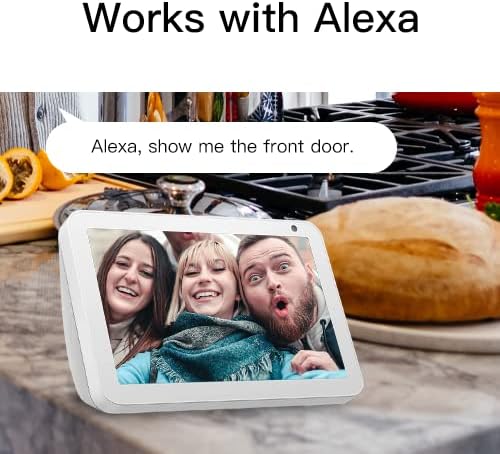
Figure 4.3: The camera's compatibility with Amazon Alexa, demonstrating a user viewing the camera feed on an Alexa-enabled smart display.
4.3 Video Information
No official product videos with verified seller creator type were available for embedding in this manual.
5. Manteniment
- Neteja: Netegeu periòdicament la lent i la carcassa de la càmera amb un drap suau iamp tela. No utilitzeu productes químics aggressivs ni netejadors abrasius.
- Actualitzacions de firmware: Ensure your camera's firmware is up to date through the Arenti App. Firmware updates often include performance improvements and security enhancements.
- Condicions ambientals: While IP65 rated, avoid directing high-pressure water jets directly at the camera. Ensure the power connection is protected from extreme weather.
- Gestió de la targeta SD: If using a Micro SD card, periodically check its status in the app and consider formatting it every few months to maintain optimal recording performance.
6. Solució De Problemes
Problemes comuns i solucions
| Problema | Possible causa/solució |
|---|---|
| Càmera fora de línia / No es pot connectar a la Wi-Fi |
|
| Mala qualitat d'imatge |
|
| Motion/Noise detection not working |
|
| Problemes d'àudio bidireccional |
|
| La targeta SD no grava |
|
If issues persist, please refer to the support section or contact LAXIHUB customer service.
7. Especificacions
| Característica | Detall |
|---|---|
| Número de model | LXB-006 |
| Resolució de captura de vídeo | 1080p Full HD |
| Velocitat de fotogrames | 25 FPS |
| Viewangle ing | 110 graus |
| Tecnologia de connectivitat | Wi-Fi (només 2.4 GHz) |
| Font d'alimentació | Elèctric amb cable (12 volts de corrent continu, 4.5 watts) |
| Classificació de protecció internacional | IP65 (Water Resistance) |
| Gamma de visió nocturna | 15 peus |
| Emmagatzematge | Cloud Storage, Micro SD Card (up to 256GB, FAT32) |
| Tipus de controlador | Amazon Alexa, Google Assistant |
| Tipus de muntatge | Muntatge de paret |
| Dimensions del producte | 7 x 3 x 3.5 polzades |
| Pes de l'article | 14.4 unces |
| Temperatura de funcionament | -4 °F a 122 °F (-20 °C a 50 °C) |
8. Garantia i Suport
8.1 Emmagatzematge al núvol
The LAXIHUB LXB-006 camera includes a 3-month free trial of cloud storage, which saves video clips of 60-180 seconds. Videos are retained in the cloud for 72 hours if the service is enabled.
8.2 Atenció al client
For technical support, troubleshooting assistance beyond this manual, or warranty inquiries, please contact LAXIHUB customer service through the Arenti App or visit the official LAXIHUB website. Please have your product model number (LXB-006) and purchase information ready when contacting support.


