Macally Wireless Bluetooth Mouse User Manual
Model: BTTOPBAT
Introducció
This manual provides comprehensive instructions for the setup, operation, maintenance, and troubleshooting of your Macally Wireless Bluetooth Mouse. Designed for comfort and efficiency, this rechargeable mouse offers a strong Bluetooth connection, quiet clicks, and broad compatibility with various devices.
Si us plau, llegiu aquest manual detingudament abans d'utilitzar el producte per garantir un rendiment i una longevitat òptims.
Contingut del paquet
- Macally Wireless Bluetooth Mouse (White)
- Cable de càrrega USB
- Manual d'usuari
Configuració
1. Càrrega del ratolí
Before first use, fully charge the mouse. Connect the provided USB charging cable to the charging port on the front of the mouse and to a USB power source (e.g., computer USB port, USB wall adapter).

The mouse charging via its front port, indicating battery replenishment.
The LED indicator on the mouse will show charging status. A full charge typically provides up to two months of average use (8 hours per day).
2. Emparellament amb el dispositiu
The Macally Wireless Bluetooth Mouse connects wirelessly via Bluetooth, eliminating the need for a USB receiver.
- Ensure the mouse is charged and powered on using the On/Off switch located on the bottom of the mouse.
- Activate Bluetooth on your computer, tablet, or smartphone.
- On your device, search for new Bluetooth devices. The mouse should appear as "Macally Mouse" or similar.
- Select the mouse to initiate pairing.
- For macOS Ventura users: If prompted for a code to pair the mouse, leave the field blank and press Enter.

The mouse is compatible with Mac, PC, iOS, and Android devices, offering versatile connectivity.
Once paired, the mouse will automatically connect to your device when powered on and within range (up to 30 feet).
Funcionament del ratolí
Funcions bàsiques
- Clic esquerre: Botó principal per seleccionar elements, obrir files, etc.
- Clic dret: Botó secundari per a menús contextuals i opcions addicionals.
- Roda de desplaçament: Roll up or down to navigate through documents and web pàgines. La roda de desplaçament també funciona com a botó central.
Ajust de la sensibilitat dels DPI
The mouse features a DPI (Dots Per Inch) switch to adjust cursor sensitivity, allowing you to fine-tune tracking speed to your preference. The available DPI settings are 800, 1200, and 1600.

The DPI switch is located near the scroll wheel, allowing for quick adjustments to cursor speed.
To change the DPI setting, press the small button located behind the scroll wheel. Each press will cycle through the available DPI modes.
Quiet Click Feature
The Macally Wireless Bluetooth Mouse is equipped with silent silicone membrane buttons that significantly reduce click noise by up to 90% compared to traditional mice. This feature provides a quieter working environment, ideal for shared spaces or late-night use.
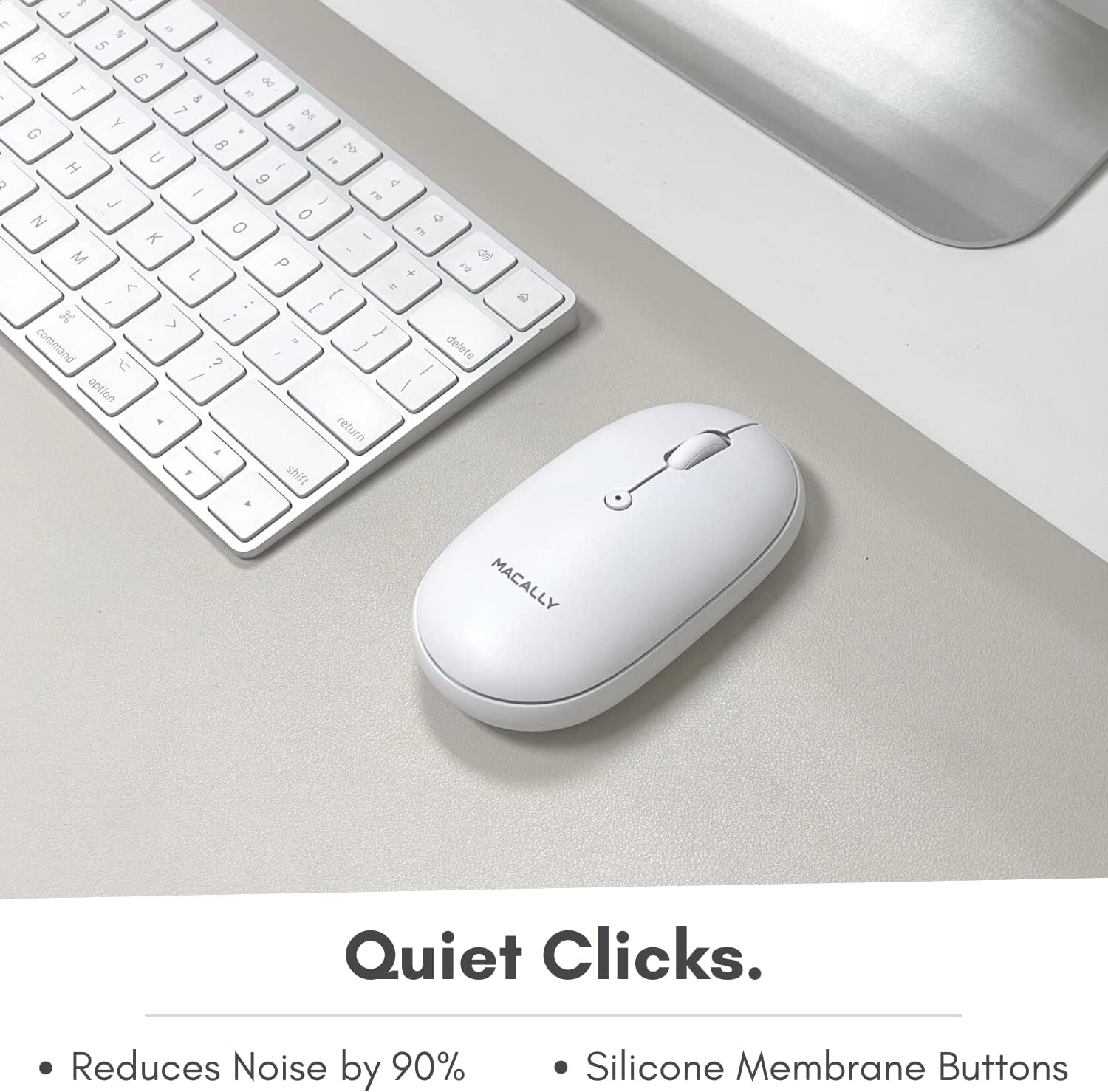
The mouse features quiet clicking buttons, minimizing disturbance during use.
Manteniment
Neteja
To maintain the mouse's performance and appearance, clean it regularly with a soft, dry cloth. For stubborn dirt, slightly dampNetegeu el drap amb aigua o un netejador suau i no abrasiu. Eviteu utilitzar productes químics agressius o materials abrasius.
Gestió de la bateria
To maximize battery life, remember to switch off the mouse using the On/Off switch on the bottom when not in use for extended periods, such as overnight or when traveling. Recharge the mouse when the LED indicator signals low battery.
Resolució de problemes
Problemes de connexió
- El ratolí no es connecta: Ensure Bluetooth is enabled on your device and the mouse is powered on. Try turning both off and on again.
- Connexió intermitent: Ensure the mouse is within the 30-foot operating range and there are no significant obstructions or sources of interference (e.g., Wi-Fi routers, other Bluetooth devices).
- Mouse not appearing in Bluetooth list: Try unpairing and re-pairing the mouse from your device's Bluetooth settings.
Cursor Not Moving Smoothly
- Check the surface: Ensure you are using the mouse on a clean, non-reflective surface. Optical mice perform best on opaque, uniform surfaces.
- Ajusta els DPI: Experiment with the DPI settings (800/1200/1600) to find the sensitivity that works best for your usage.
- Clean the optical sensor: Gently clean the optical sensor on the bottom of the mouse with a soft, dry cloth to remove any dust or debris.
La bateria s'esgota ràpidament
- Ensure full charge: Make sure the mouse is fully charged before use.
- Power off when not in use: Always use the On/Off switch to power down the mouse when not actively using it to conserve battery.
- Check charging cable: Ensure the charging cable is not damaged and is properly connected during charging.
Especificacions
| Marca | Macally |
| Número de model | BTTOPBAT |
| Tecnologia de connectivitat | Bluetooth |
| Tecnologia de detecció de moviment | Òptic |
| Configuració de DPI | 800 / 1200 / 1600 |
| Bateria | 300 mAh Lithium Ion (Rechargeable) |
| Dimensions | 4.3 x 2.4 x 1.45 polzades (aprox.) |
| Pes de l'article | 4.5 unces |
| Color | Blanc |
Garantia i Suport
Macally values your satisfaction. This product comes with a 2 any de garantia des de la data de compra. Aquesta garantia cobreix els defectes de materials i de mà d'obra en ús normal.
For technical support, warranty claims, or any questions regarding your Macally Wireless Bluetooth Mouse, please refer to the contact information provided on the Macally official website or the product packaging. Our support team is ready to assist you.


