1. Introducció
The Apple 2020 iPad Pro 12.9-inch Wi-Fi 128GB is a powerful and versatile tablet designed for a wide range of tasks, from creative work and gaming to productivity and entertainment. Featuring an immersive edge-to-edge Liquid Retina display, an A12Z Bionic chip, and advanced camera systems, this device offers a premium user experience.
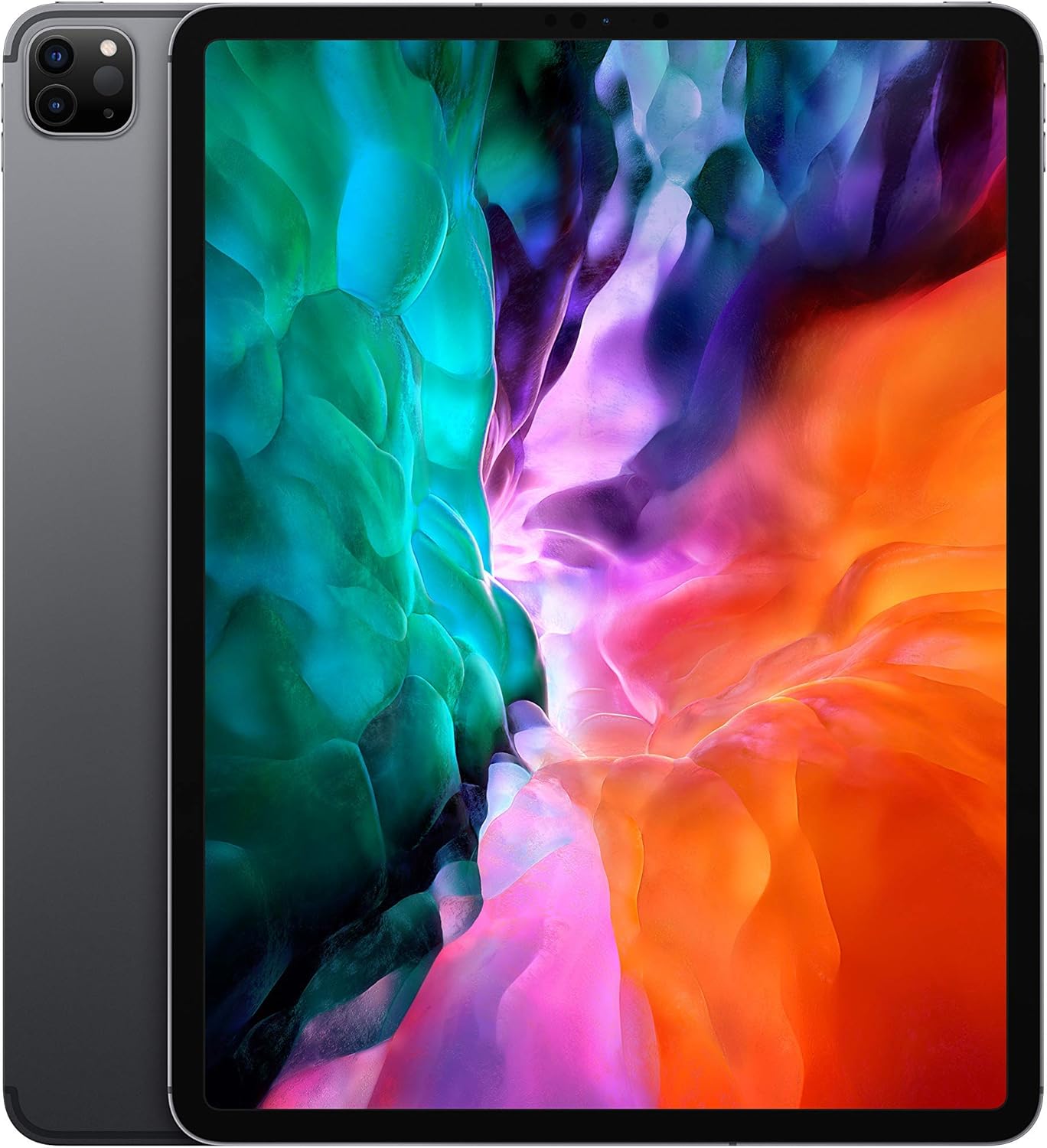
Imatge: Frontal view of the Apple 2020 iPad Pro 12.9-inch in Space Gray, showcasing la seva pantalla Liquid Retina de punta a punta.
2. Configuració
2.1 Engegada i activació inicials
- Carregar l'iPad: Connect the provided USB charging cable to the iPad and a power adapter. Plug the adapter into a wall outlet. Allow the device to charge for at least 30 minutes before initial setup.
- Encès: Premeu i manteniu premut el botó superior fins que aparegui el logotip d'Apple.
- Seguiu les instruccions a la pantalla: The iPad will guide you through the initial setup process, including language selection, region, and connecting to a Wi-Fi network.
- Configura el Face ID: Follow the prompts to configure Face ID for secure authentication.
- Restaurar o configurar com a nou: You can choose to restore from an iCloud or computer backup, or set up the iPad as a new device.
2.2 Connexió a Wi-Fi
- Vés a Configuració > Wi-Fi.
- Seleccioneu la xarxa Wi-Fi que vulgueu de la llista.
- Enter the network password if prompted and tap Uneix-te.
3. Com fer servir l'iPad Pro
3.1 Navegació per l'iPadOS
The iPad Pro runs on iPadOS, offering a user-friendly interface with intuitive gestures. Swipe up from the bottom to go to the Home screen, swipe down from the top-right for Control Center, and swipe down from the top-center for Notifications.
3.2 Característiques de visualització
Your iPad Pro features a 12.9-inch edge-to-edge Liquid Retina display with ProMotion technology for adaptive refresh rates up to 120Hz, True Tone for ambient light color adjustment, and P3 wide color for vibrant visuals.

Image: A visual summary of key iPad Pro features, including the A12Z Bionic chip, Face ID, 10-hour battery life, 4-speaker audio, and Apple Pencil compatibility.
3.3 Performance and Security
Powered by the A12Z Bionic chip with Neural Engine, the iPad Pro delivers fast and efficient performance for demanding applications and multitasking. Face ID provides secure and convenient authentication for unlocking your device and making purchases.

Imatge: Detallada view of the advanced dual camera system and LiDAR scanner located on the rear of the iPad Pro.
Sistema de 3.4 càmeres
The device includes a 12MP Wide camera, a 10MP Ultra Wide camera, and a LiDAR Scanner for advanced photography and augmented reality (AR) experiences. The 7MP TrueDepth front camera supports Face ID and high-quality video calls.
3.5 Accessoris
The iPad Pro is compatible with the Apple Pencil (2nd generation) for drawing, note-taking, and marking up documents, and the Magic Keyboard with a trackpad for a laptop-like typing experience.

Image: The Apple iPad Pro connected to a Magic Keyboard, with an Apple Pencil positioned in front, illustrating its versatility as a productivity tool.
4. Manteniment
4.1 Neteja del teu iPad Pro
- Feu servir un drap suau i sense borrissol per netejar la pantalla i l'exterior.
- Avoid using abrasive materials, aerosols, or harsh cleaning solutions.
- Per a taques persistents, lleugerament dampen el drap amb aigua.
4.2 Actualitzacions de programari
Comproveu i instal·leu regularment si hi ha actualitzacions de l'iPadOS per garantir un rendiment òptim, seguretat i accés a noves funcions. Aneu a Configuració > General > Actualització de programari.
4.3 Cura de la bateria
Per maximitzar la durada de la bateria, evita exposar l'iPad a temperatures extremes. Per a l'emmagatzematge a llarg termini, carrega la bateria al 50% aproximadament i apaga el dispositiu.
5. Solució De Problemes
5.1 El dispositiu no respon
If your iPad Pro is unresponsive, try a force restart:
- Premeu i deixeu anar ràpidament el botó de pujar el volum.
- Premeu i deixeu anar ràpidament el botó per baixar el volum.
- Premeu i manteniu premut el botó superior fins que aparegui el logotip d'Apple.
5.2 Problemes de connectivitat Wi-Fi
- Assegureu-vos que el Wi-Fi estigui activat a Configuració.
- Reinicieu el vostre encaminador Wi-Fi.
- Oblida't de la xarxa (Configuració > Wi-Fi > tap the "i" next to the network > Oblida't d'aquesta xarxa) i tornar a connectar.
5.3 Bloqueig o bloqueig de l'aplicació
- Tanca i torna a obrir l'aplicació.
- Comprova si hi ha actualitzacions de l'aplicació a l'App Store.
- Reinicieu el vostre iPad.
6. Especificacions
| Característica | Detall |
|---|---|
| Marca | Apple |
| Nom del model | 12.9-inch iPad Pro Wi-Fi 128GB - Space Gray |
| Mida de la pantalla de peu | 12.9 polzades |
| Resolució de pantalla | 2732 x 2048 |
| Resolució de pantalla màxima | 2736 x 2048 píxels |
| Processador | 2.49 GHz (A12Z Bionic chip) |
| RAM | 6 GB |
| Mida del disc dur / memòria flash | 128 GB |
| Sistema operatiu | iPadOS |
| posterior WebResolució de la càmera | 12 MP (Wide), 10 MP (Ultra Wide) |
| Càmera frontal | TrueDepth de 7 MP |
| Tipus sense fil | 2.4 GHz Radio Frequency, 5 GHz Radio Frequency, 802.11a/b/g/n/ac, 802.11ax, Bluetooth |
| Durada mitjana de la bateria | 10 hores |
| Pes de l'article | 10.4 unces |
| Dimensions del producte | 12 x 10 x 10 polzades |
| Color | Gris espacial |
7. Garantia i Suport
This Apple 2020 iPad Pro is offered as an Amazon Renewed product. It comes with a 90-day return policy from the buybox winner, Tech Exchangee. For specific warranty details beyond this period, please refer to Apple's official warranty information or contact Apple Support directly.
Què hi ha a la caixa:
- Apple iPad Pro
- Cable de càrrega USB


