
Wicked Audio WITW2151
Wicked Audio Driftr True Wireless Earbuds
Model: WITW2151
Introducció
The Wicked Audio Driftr True Wireless Earbuds offer a seamless audio experience with easy pairing and comfortable wear. Designed for convenience, these earbuds provide clear sound and intuitive controls, making them ideal for everyday use.
Què hi ha a la caixa
- Wicked Audio Driftr True Wireless Earbuds (Left and Right)
- Estoig de càrrega
- Cable de càrrega USB
- Manual d'usuari (Aquest document)
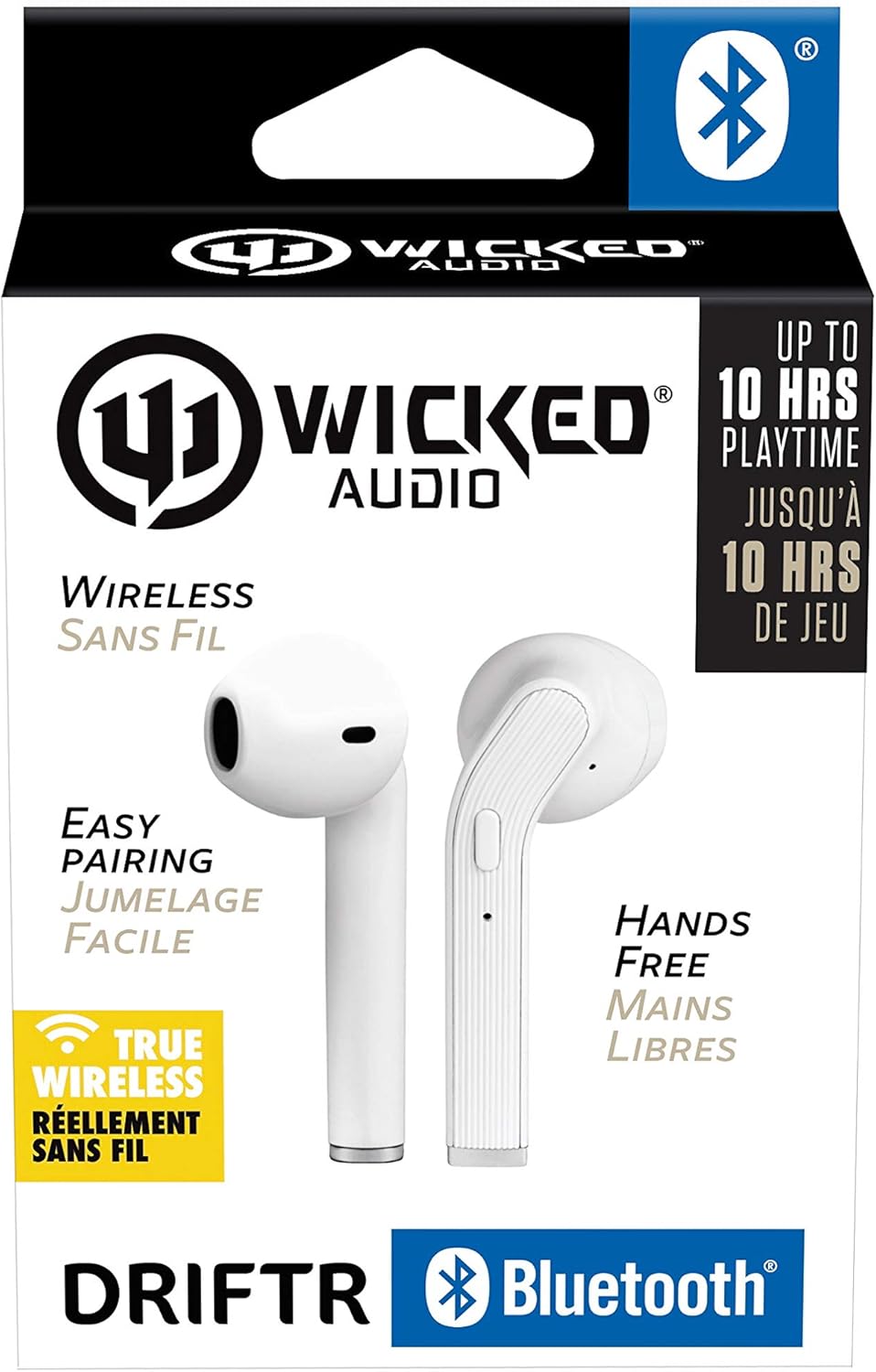
Image: Product packaging showing the earbuds and charging case.
Producte acabatview
The Driftr earbuds feature an angled housing design for a comfortable fit. Each earbud includes touch controls for managing audio playback and calls, along with a built-in microphone for hands-free communication. The compact charging case provides additional battery life on the go.

Image: White Wicked Audio Driftr True Wireless Earbuds resting inside their open charging case.

Imatge: Primer pla view of the left and right Wicked Audio Driftr True Wireless Earbuds, showing their angled design and control surfaces.

Image: A person wearing a white Wicked Audio Driftr True Wireless Earbud in their ear, demonstrating the fit.
Configuració
1. Càrrega dels auriculars i l'estoig
Before first use, fully charge the earbuds and the charging case. Connect the provided USB charging cable to the charging port on the case and plug the other end into a USB power source (e.g., computer, wall adapter). The charging indicator light on the case will show charging status. A full charge takes approximately 1 hour for both the earbuds and the case.
2. Fàcil emparellament
- Assegureu-vos que els auriculars estiguin carregats.
- Obre l'estoig de càrrega. Els auriculars s'encendran automàticament i entraran en mode d'emparellament.
- Al dispositiu (telèfon intel·ligent, tauleta, ordinador portàtil), aneu a la configuració de Bluetooth.
- Select "Wicked Audio Driftr" from the list of available devices.
- Un cop connectat, sentiràs un missatge d'àudio i l'indicador lluminós dels auriculars canviarà.
The earbuds are designed for straightforward, no-nonsense pairing in one easy step. After the initial pairing, they will automatically connect to your last paired device when removed from the case.
Instruccions de funcionament
Controls tàctils
The Driftr earbuds feature intuitive touch controls for various functions:
- Reproduir/pausa: Un sol toc a qualsevol dels auriculars.
- Pista següent: Toqueu dues vegades l'auricular dret.
- Pista anterior: Toqueu dues vegades l'auricular esquerre.
- Respondre/Finalitzar la trucada: Toqueu un sol cop a qualsevol dels auriculars durant una trucada entrant.
- Rebutja la trucada: Prem i mantén premut qualsevol dels auriculars durant una trucada entrant.
- Activa l'Assistent de veu: Toqueu tres vegades en qualsevol dels auriculars (per exemple, Siri, Google Assistant).
Portant els auriculars
Insert the earbuds into your ears with the angled housing pointing slightly forward for a secure and comfortable fit. Adjust as needed to ensure optimal sound quality and passive noise cancellation.
Manteniment
To ensure the longevity and optimal performance of your Wicked Audio Driftr earbuds, follow these maintenance guidelines:
- Neteja: Netegeu regularment els auriculars i l'estoig de càrrega amb un drap suau, sec i sense borrissol. No utilitzeu productes químics agressius ni materials abrasius.
- Emmagatzematge: Quan no els utilitzeu, guardeu sempre els auriculars a la seva funda de càrrega per protegir-los i mantenir-los carregats.
- Eviteu la humitat: The earbuds are not water resistant. Avoid exposure to water, sweat, and high humidity.
- Temperatura: Do not expose the earbuds or case to extreme temperatures (hot or cold).
Resolució de problemes
If you encounter issues with your Driftr earbuds, try the following solutions:
- Auriculars que no s'emparellan:
- Assegureu-vos que els dos auriculars estiguin carregats.
- Torneu a col·locar els dos auriculars a l'estoig de càrrega, tanqueu la tapa, espereu uns segons i torneu a obrir la tapa.
- On your device, forget "Wicked Audio Driftr" from your Bluetooth settings and attempt to pair again.
- No se sent cap so d'un auricular:
- Ensure both earbuds are charged and properly seated in the case.
- Try resetting the earbuds by placing them in the case and then removing them.
- Auriculars que no es carreguen:
- Comproveu el cable de càrrega i la font d'alimentació.
- Assegura't que els contactes de càrrega dels auriculars i de l'interior de la funda estiguin nets i lliures de residus.
- Mala qualitat del so:
- Assegureu-vos que els auriculars estiguin correctament col·locats a les orelles.
- Check the audio source and volume levels on your device.
- Apropa't al dispositiu emparellat per evitar interferències.
Especificacions
| Característica | Detall |
|---|---|
| Nom del model | Wicked Audio Driftr (WITW2151) |
| Tecnologia de connectivitat | Sense fil (Bluetooth 5.0) |
| Interval Bluetooth | Fins a 32 peus |
| Durada de la bateria | Fins a 10 hores (auriculars) |
| Temps de càrrega | Approx. 1 Hour (earbuds and case) |
| Mida del controlador d'àudio | 13 mil·límetres |
| Resposta de freqüència | 20 Hz - 20,000 Hz |
| Sensibilitat | 15 dB |
| Impedància | 32 ohms |
| Control de soroll | Cancel·lació passiva de soroll |
| Mètode de control | Toca |
| Nivell de resistència a l'aigua | No resistent a l'aigua |
| Pes de l'article | 2.11 unces |
| Dimensions del producte | 1.5 x 3 x 5.5 polzades |
| UPC | 712949012265 |
Garantia i Suport
Wicked Audio products are designed for durability and performance. For specific warranty information and support inquiries, please refer to the official Wicked Audio weblloc web o contacteu directament amb el servei d'atenció al client. Conserveu el comprovant de compra per a reclamacions de garantia.
Per obtenir més ajuda, visiteu el Wicked Audio Store on Amazon.
Ask a question about this manual
Ask about setup, troubleshooting, compatibility, parts, safety, or missing instructions. Manuals+ will review the question and use this page’s manual context to help answer it.