Introducció
This manual provides detailed instructions for the installation, operation, and maintenance of your WOLFBOX G840H 12-inch Mirror Dash Cam. This device is designed to enhance driving safety and provide reliable recording capabilities for your vehicle. Please read this manual thoroughly before use to ensure proper functionality and to maximize the benefits of your dash cam.
Contingut del paquet
Verifiqueu que tots els elements que s'enumeren a continuació s'inclouen al vostre paquet:
- 1440P Mirror Dash Cam
- 1080P Backup Camera with Screws and Adhesive Mount
- Carregador de cotxe
- 20 ft Cable for Rear Camera
- Antena GPS externa
- Targeta MicroSD de 32 GB
- Clips de cable (x5)
- Straps (x4)
- Adhesiu
- Manual d'usuari

Image: Contents of the WOLFBOX G840H package, including the mirror dash cam, rear camera, GPS module, 32GB card, and other accessories.

Image: Diagram illustrating the various components included in the WOLFBOX G840H package, such as the mirror dash cam, GPS receiver, cable clips, power cable, rear cam cable, rear camera, memory card, straps, adhesive, and user manual.
Configuració i instal·lació
Proper installation is crucial for the optimal performance of your dash cam. Follow these steps carefully:
1. Install the Mirror Dash Cam
- Attach the WOLFBOX G840H mirror dash cam over your vehicle's existing rearview mirror using the provided straps. Ensure it is securely fastened and does not obstruct your view.
- Adjust the angle of the front camera lens to capture the road ahead clearly.

Image: The WOLFBOX G840H mirror dash cam installed over a vehicle's rearview mirror, showing the front camera view.
2. Instal·leu la càmera posterior
- Mount the 1080P backup camera at the rear of your vehicle, typically above the license plate or on the rear window. Use the provided screws or adhesive mount.
- Route the 20 ft rear camera cable from the rear camera to the main mirror dash cam. Conceal the cable along the vehicle's headliner and A-pillars for a neat installation.
- Connect the rear camera cable to the designated port on the mirror dash cam.
- For reverse assistance, connect the red wire from the rear camera cable to your vehicle's reverse light power wire. This enables the parking guide lines when reversing.

Image: Diagram showing the routing of the rear camera cable from the back of the vehicle to the front dash cam, illustrating a typical installation path.
3. Install the GPS Antenna
- Attach the external GPS antenna to the windshield or dashboard in a location with a clear view del cel.
- Connect the GPS antenna cable to the GPS port on the mirror dash cam.
4. Connexió d'alimentació
- Insert the car charger into your vehicle's 12V power outlet (cigarette lighter socket).
- Connect the other end of the car charger cable to the power input port on the mirror dash cam.
- For 24-hour parking monitoring functionality, a separate hardwire kit is required (ASIN: B09X9F8GMT). This kit allows the dash cam to draw power directly from the car battery when the vehicle is off.
Instruccions de funcionament
Funcionament bàsic
- La càmera del salpicader s'encendrà automàticament i començarà a gravar quan s'activi el contacte del vehicle.
- The 11.8-inch touchscreen allows for easy navigation and control of settings.
- Swipe up or down on the right side of the screen to adjust screen brightness.
Funcions de gravació
- Enregistrament en bucle: La càmera del salpicader grava vídeo contínuament per segments. Quan la targeta de memòria està plena, es registra el menjar desbloquejat més antic.tage will be overwritten automatically.
- Sensor G: In the event of a sudden impact or collision, the built-in G-sensor will automatically detect the event and lock the current video segment to prevent it from being overwritten.
- Càmera frontal: Records in 2.5K resolution with Wide Dynamic Range (WDR) for improved image quality in varying light conditions.
- Càmera posterior: Records in 1080P resolution with High Dynamic Range (HDR) for clear rear views.

Image: Illustration of loop recording and G-sensor functionality, showing how video segments are recorded and locked upon impact.
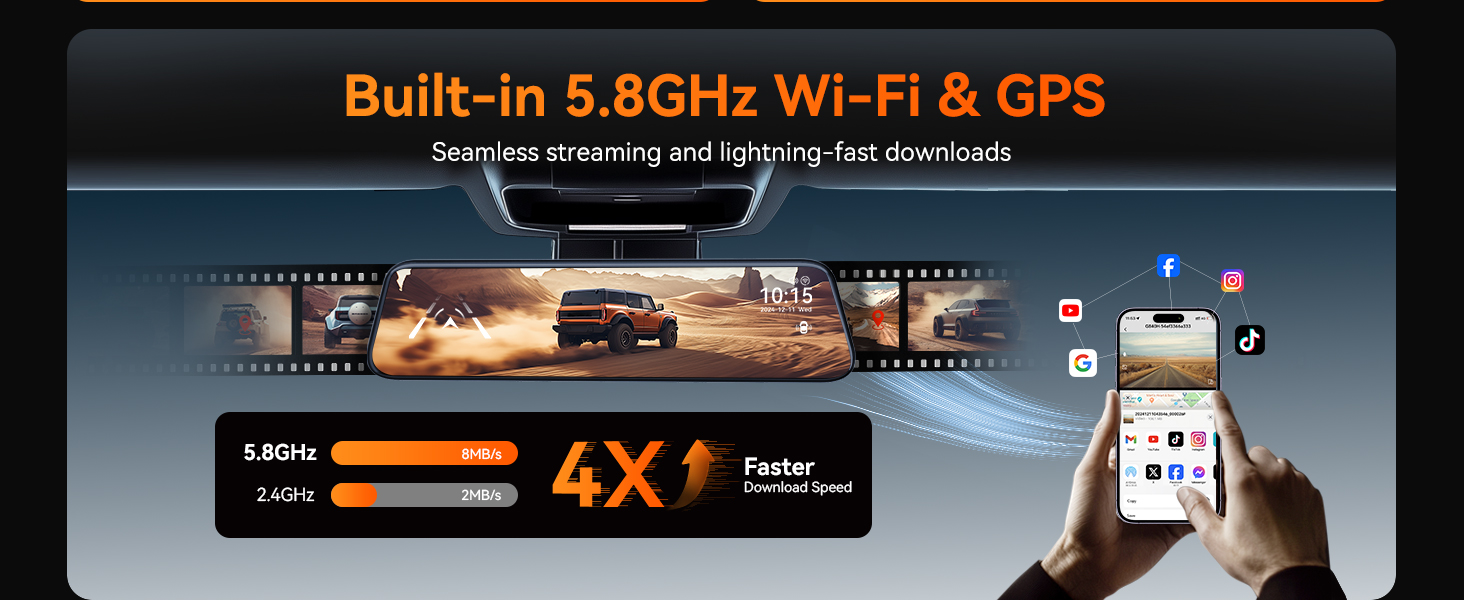
Image: Visual representation of the 2.5K front camera and 1080P rear camera recording capabilities of the WOLFBOX G840H.
Advanced Driver-Assistance Systems (ADAS)
The ADAS feature provides alerts for potential road hazards:
- Avís de sortida de carril: T'avisa si el vehicle surt del seu carril sense posar l'intermitent.
- Avís de col·lisió frontal: Notifies you of an impending collision with a vehicle ahead.
- Avís de col·lisió amb vianants: Detects pedestrians in the vehicle's path and issues an alert.
- Atura't i segueix: Informs you when traffic ahead starts moving.
- Forward Distance Warning: Monitors the distance to the vehicle in front and warns if it becomes unsafe.

Image: Visual explanation of the Advanced Driver-Assistance Systems (ADAS) including Forward Collision Warning, Pedestrian Collision Warning, and Lane Departure Warning.
Detecció de punt cec (BSD)
The BSD system monitors blind spots to enhance safety during lane changes and reversing:
- Assistència al canvi de carril: Provides visual or audible alerts if a vehicle is detected in your blind spot when attempting a lane change.
- Avís de col·lisió posterior: Alerts you to potential rear-end collisions.

Image: Illustration of the Blind Spot Detection (BSD) system, showing alerts for vehicles in blind spots during lane changes and potential rear collisions.
Control de veu intel·ligent
Control your dash cam hands-free using voice commands. Available commands include:
- "Bloqueja el vídeo"
- "Activa el Wi-Fi"
- "Fes una foto"
- "Engega la pantalla"
- "Activa l'àudio"
- (And other commands as specified in the full product documentation)
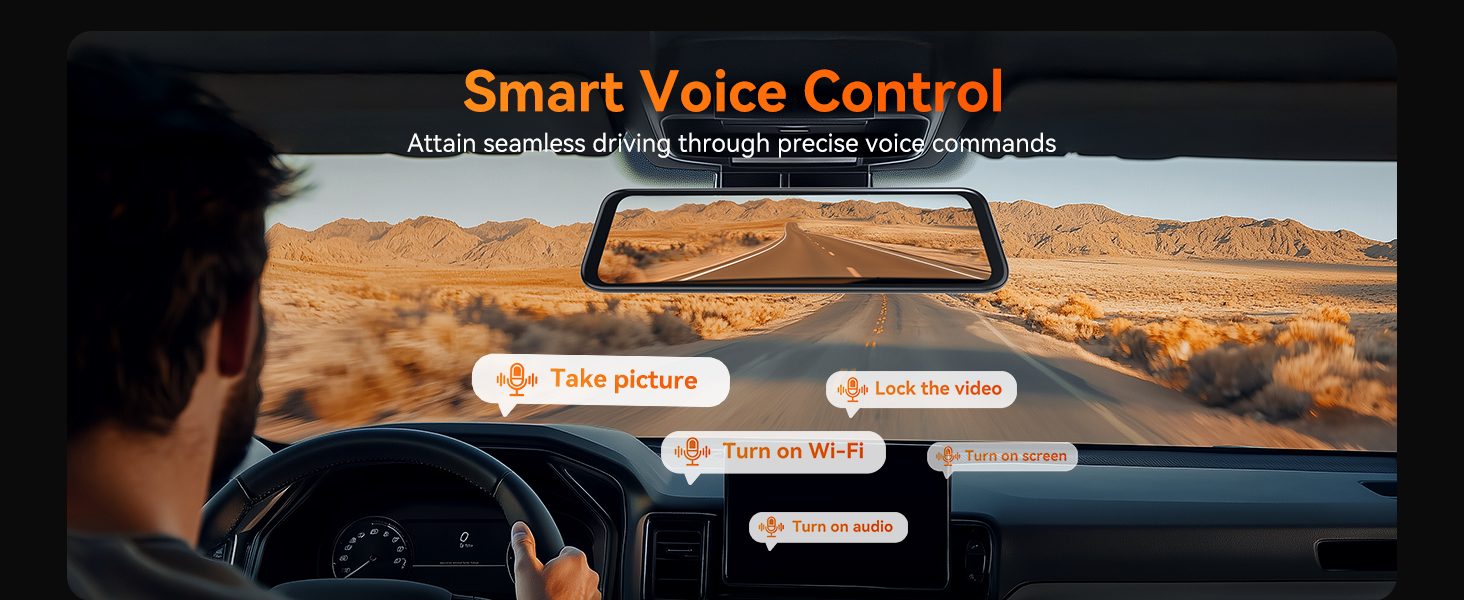
Image: A driver using voice commands to control the WOLFBOX G840H dash cam, with examples of commands like "Take picture" and "Turn on WiFi" displayed.
Enhanced 5.8GHz WiFi Connectivity
Connect your smartphone to the G840H dash cam via the WOLFBOX app using the upgraded 5.8GHz WiFi for faster data transfer and seamless footage sharing. The 5.8GHz connection offers significantly faster download speeds compared to 2.4GHz.

Image: Depiction of the WOLFBOX G840H's built-in 5.8GHz Wi-Fi and GPS, showing a smartphone connected to the dash cam for data transfer and map viewing.
Parking Monitor (Requires Hardwire Kit)
Amb el kit de cablejat opcional (ASIN: B09X9F8GMT), the parking monitor provides 24/7 surveillance for your vehicle:
- Detecció de col·lisions: If an impact is detected while parked, the dash cam will automatically record and lock the footage.
- Registre de lapse de temps: Records continuously at a low frame rate to save storage space, capturing events over extended periods.

Image: Illustration of the 24-hour parking monitor feature, showing collision detection and time-lapse recording capabilities, with a note about the required hardwire kit.
Funcionalitat GPS
The external GPS antenna enables the dash cam to record your driving route, speed, and location data, which can be viewed via the WOLFBOX app or dedicated playback software.
Visió nocturna
The G840H features enhanced night vision capabilities, utilizing a 6-layer lens, WDR, and G-Sensor technology to provide clear recordings even in low-light conditions.

Image: A visual representation of the WOLFBOX G840H's Super Night Vision, highlighting its ability to provide clear visibility in dark conditions.
Assistència al pàrquing
When the vehicle is in reverse, the dash cam displays the rear camera view with adjustable parking guide lines on the screen, assisting with safe parking maneuvers.

Image: Illustration of the parking assistance feature, showing the rear camera view with dynamic parking guide lines on the dash cam screen.
Manteniment
- Neteja de les lents: Use a soft, lint-free cloth to gently clean the front and rear camera lenses. Avoid abrasive materials or harsh chemicals.
- Cura de la pantalla: Clean the touchscreen with a microfiber cloth. Do not press too hard or use sharp objects.
- Targeta de memòria: Periodically format the MicroSD card (at least once a month) within the dash cam's settings to ensure optimal performance and prevent data corruption. Use a high-quality Class 10 or U3 MicroSD card.
- Temperatura: Eviteu exposar el dispositiu a temperatures extremes durant períodes prolongats.
Resolució de problemes
| Problema | Causa possible | Solució |
|---|---|---|
| La càmera del salpicader no s'encén. | Sense font d'alimentació; carregador de cotxe defectuós; connexió fluixa. | Check car charger connection and vehicle's 12V outlet. Ensure the car charger is functioning. |
| L'enregistrament s'atura inesperadament. | Memory card full; faulty memory card; G-sensor sensitivity too high. | Format the memory card. Replace with a new, high-quality MicroSD card. Adjust G-sensor sensitivity in settings. |
| La càmera posterior no es mostra. | Loose cable connection; faulty rear camera. | Comproveu la connexió del cable de la càmera posterior a la unitat principal. Assegureu-vos que el cable no estigui malmès. |
| El GPS no rep senyal. | GPS antenna obstructed; loose connection. | Assegureu-vos que l'antena GPS tingui una visió clara view of the sky. Check the GPS antenna connection. |
| Problemes de connexió Wi-Fi. | Incorrect password; interference; app issues. | Verify WiFi password. Ensure no strong interference sources. Restart the dash cam and the WOLFBOX app. |
Especificacions
| Característica | Detall |
|---|---|
| Nom del model | G840H |
| Dimensions del producte | 11.8 x 2.83 x 0.71 polzades |
| Pes de l'article | 13.8 unces |
| Resolució de vídeo frontal | 2.5 K (1440P) |
| Resolució de vídeo posterior | 1080P |
| Mostra | Pantalla tàctil de 11.8 polzades |
| Connectivitat | 5.8GHz WiFi, USB |
| Característiques especials | ADAS, BSD, Voice Control, Parking Monitor, G-Sensor, Loop Recording, Night Vision, Reverse Assist, Built-In GPS, Built-In Supercapacitor |
| Font d'alimentació | Car Charger (12V), Optional Hardwire Kit for Parking Monitor |
| Bateria | 1 Lithium Polymer battery required (internal) |
| Emmagatzematge | Supports MicroSD card (32GB included) |
Garantia i Suport
WOLFBOX provides comprehensive support for your G840H Mirror Dash Cam:
- Garantia: 12 months guarantee from the date of purchase.
- Política de devolució: 7 days return policy.
- Actualitzacions de programari: Access to software updates to ensure optimal performance and new features.
- Atenció al client: 24/7 customer service available to assist with product, installation, or usage inquiries.
For assistance, please contact WOLFBOX support:
- Correu electrònic: service@wolfbox.com
- Telèfon: +1 888 296 8399


