Producte acabatview

The Moman M5 is a high-quality 5.5-inch touch screen camera field monitor designed for DSLR and mirrorless cameras. It features a 1920x1080 Full HD display with a 1000:1 contrast ratio, ensuring sharp and detailed images. The monitor integrates advanced functions such as 3D LUT support for color calibration, HDR (HLG and PQ modes) for enhanced visual effects, and various exposure and focusing assists like Waveform, Histogram, Peaking Filter, Check Field, and Safe Frame. Its durable, scratch-resistant touch screen allows for intuitive control without physical buttons, except for the power button. The M5 offers flexible power options, including dual-use battery plates for E6 and NP-F series batteries, and can also be powered via a D-Tap cable. Additionally, it provides an 8V DC output to power your camera, making it a versatile tool for professional videography.
Contingut del paquet
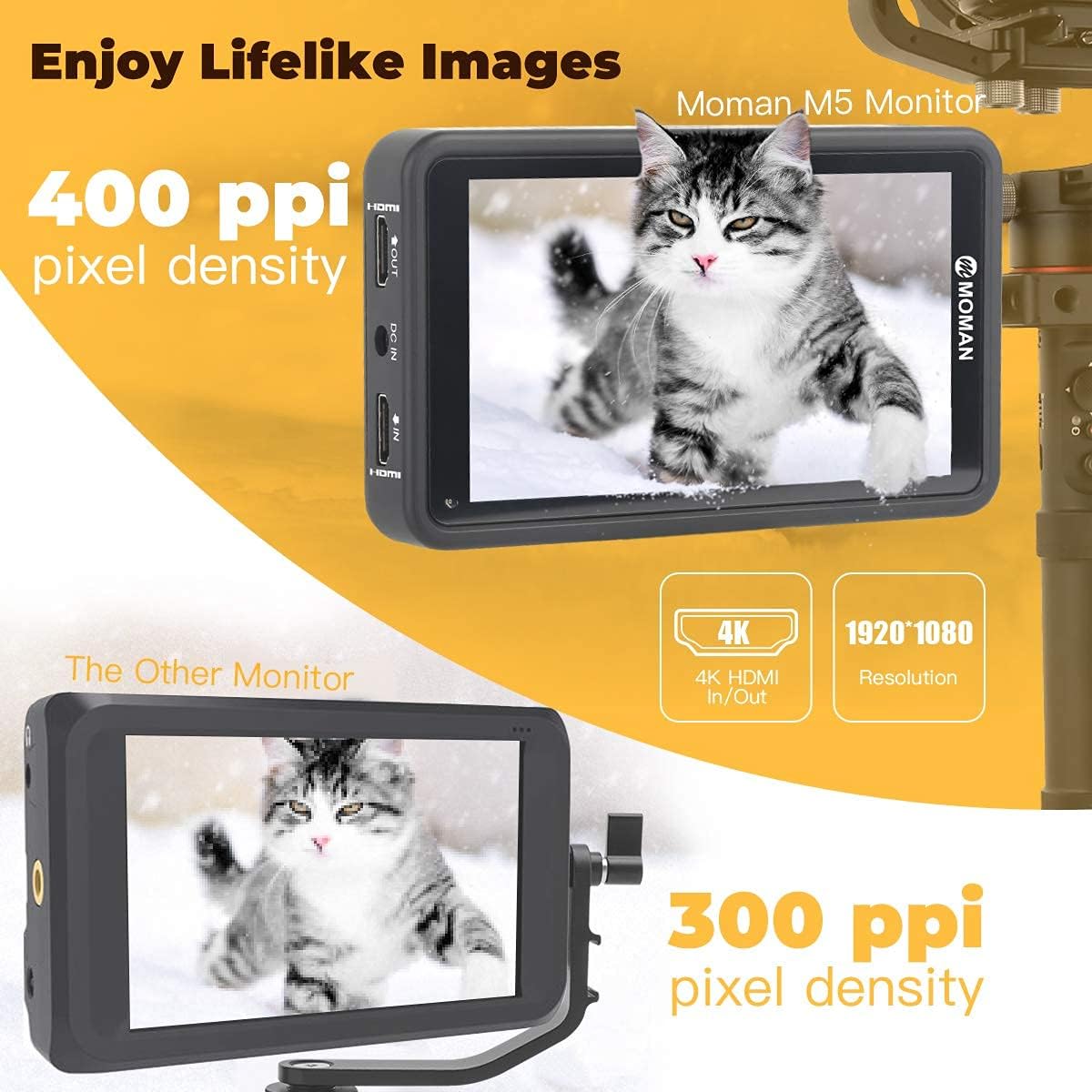
Upon unboxing your Moman M5 Field Monitor, please verify that all the following items are included:
- Moman M5 Monitor (x1)
- Snail Hot Shoe Mount (x1)
- HDMI Cable Micro (x1)
- HDMI Cable Mini (x1)
- D-Tap Cable (x1)
- Sunshade (x1)
- Installation Tool (x1)
- SD Card (x1) - 128MB, pre-loaded with Log files for LUTs.
- Manual d'instruccions (x1)
- Microfiber Cloth (x1)
Note: The included SD card is primarily for loading 3D LUT profiles.
Configuració
Alimentació del monitor
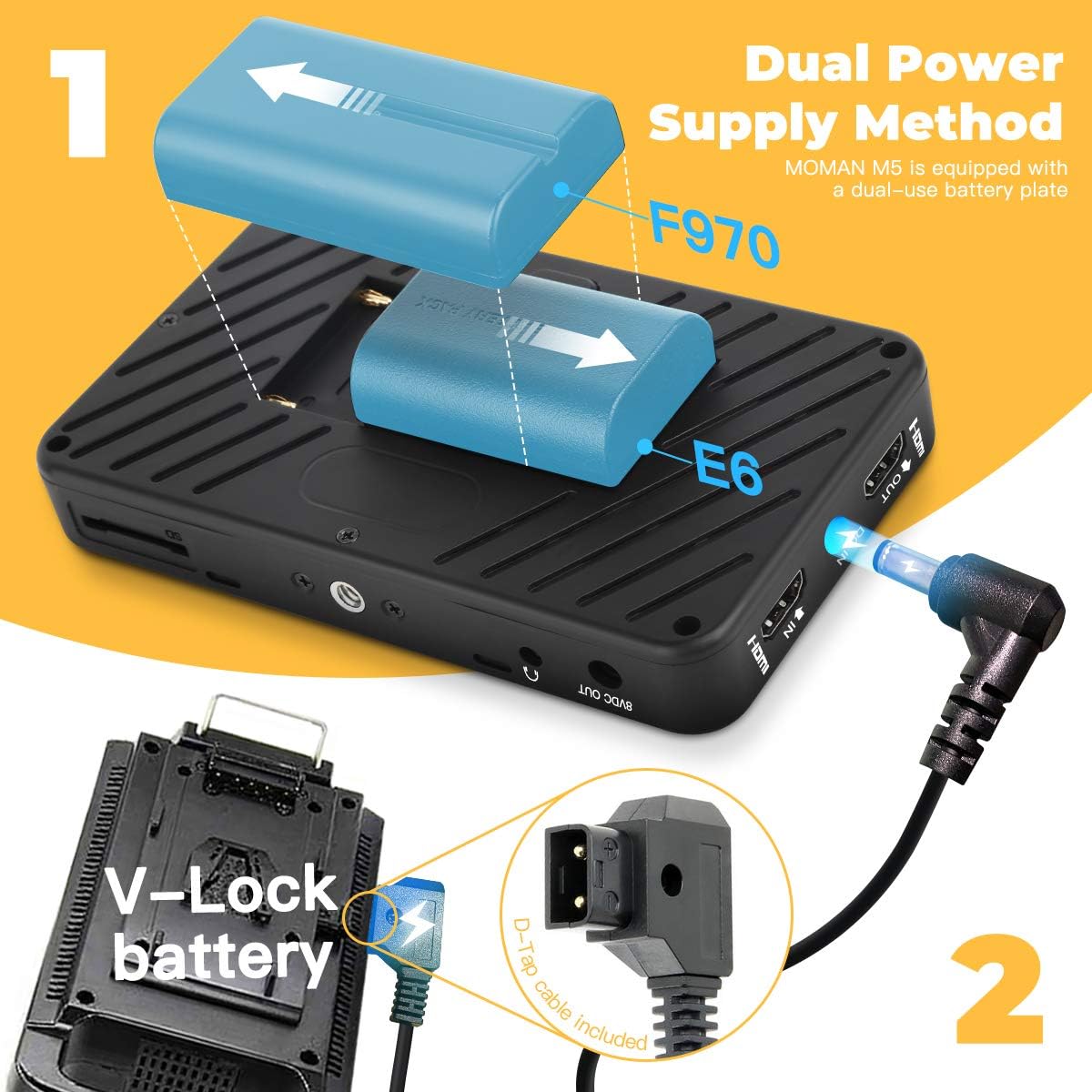
The Moman M5 monitor offers flexible power solutions:
- Potència de la bateria: The monitor is equipped with a dual-use battery plate compatible with NP-F series batteries (NP-F550, NP-F750, NP-F970) and E6 batteries. Simply slide the battery into the designated slot until it clicks into place.
- D-Tap Power: For extended use or with V-Lock battery systems, connect the supplied D-Tap cable to the monitor's DC IN port and your V-Lock battery.
- DC 8V Output: The monitor features a DC 8V output port, allowing you to power your DSLR or mirrorless camera directly from the monitor, reducing the need for separate camera batteries during operation.
Video: Demonstrates the physical features and power options of the Moman M5 monitor, including battery installation and port overview.
Connexió a la càmera

Connect your camera to the Moman M5 monitor using the appropriate HDMI cable (Mini HDMI or Micro HDMI, depending on your camera's port). The monitor supports 4K HDMI synchronous transmission.
- Entrada HDMI: Connect your camera's HDMI output to the monitor's HDMI IN port.
- SORTIDA HDMI: Use the HDMI OUT port to loop through the video signal to another monitor, recorder, or computer.
Instruccions de funcionament
Funcionament de la pantalla tàctil
The Moman M5 features an intuitive touch screen interface for easy navigation and control:
- Accedeix al menú principal: Double-tap the screen continuously to bring up the main menu.
- Hide Menu: Single-tap the screen to hide the menu.
- Ajust de brillantor: Swipe up or down on the screen to adjust brightness.
- Apropar/reduir: Use a pinch gesture (two fingers moving apart or together) to zoom in or out on the image.
- Lock/Unlock Touch: Briefly press the power button once to lock or unlock the touch screen functionality.
Video: Illustrates the touch screen gestures for menu access, navigation, and various display adjustments.
Navegació del menú i funcions

The main menu provides access to a comprehensive suite of monitoring tools and settings:
- Exposure Assist:
- False Color: Helps evaluate exposure levels.
- Zebra: Highlights overexposed areas.
- Histogram: Displays the tonal distribution of the image.
- Waveform: Shows luminance and chrominance levels.
- Vectorscope: Analyzes color saturation and hue.
- All Wave: Combines multiple waveform displays.
- HDR: Activates High Dynamic Range viewing (HLG/PQ modes).
- Focus & Composition:
- Peaking: Highlights in-focus edges (adjustable color/intensity).
- Center Mark: Displays a crosshair in the center of the screen.
- Safe Area: Overlays guides for safe framing.
- Mark Ratio: Displays various aspect ratio markers.
- Grid Lines: Overlays a grid for composition.
- Audio Meters: Visual display of audio input levels.
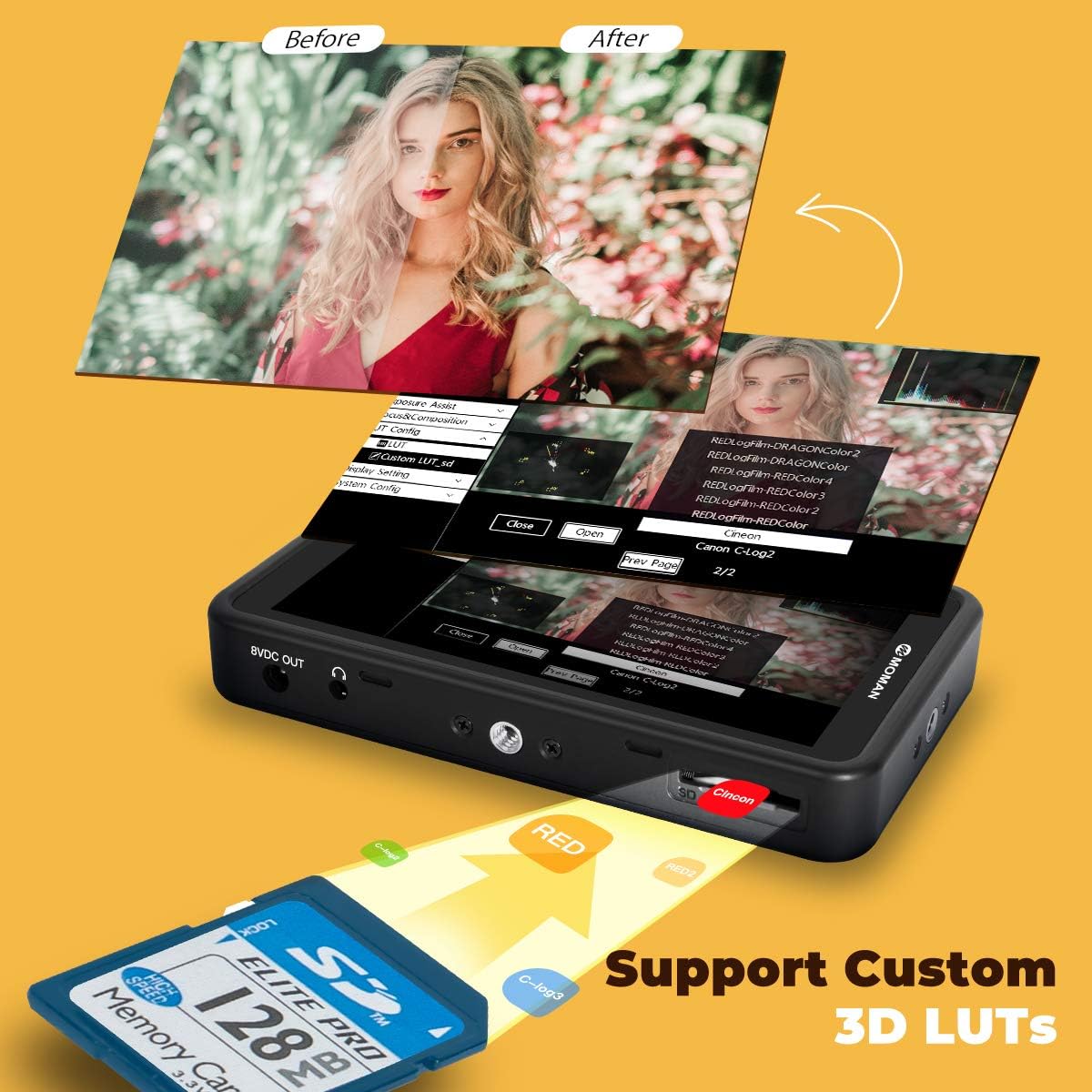
- LUT Config: Supports custom 3D LUTs for real-time color grading. Load up to 40 groups of LUT files via the included SD card.
- Configuració de la pantalla: Adjust display parameters such as aspect ratio, display flip (horizontal/vertical), zoom, pixel-to-pixel, HV delay, freeze, and anamorphic de-squeeze.
- Configuració del sistema: Access general system settings including language, color temperature, sound, battery notification, and firmware updates.
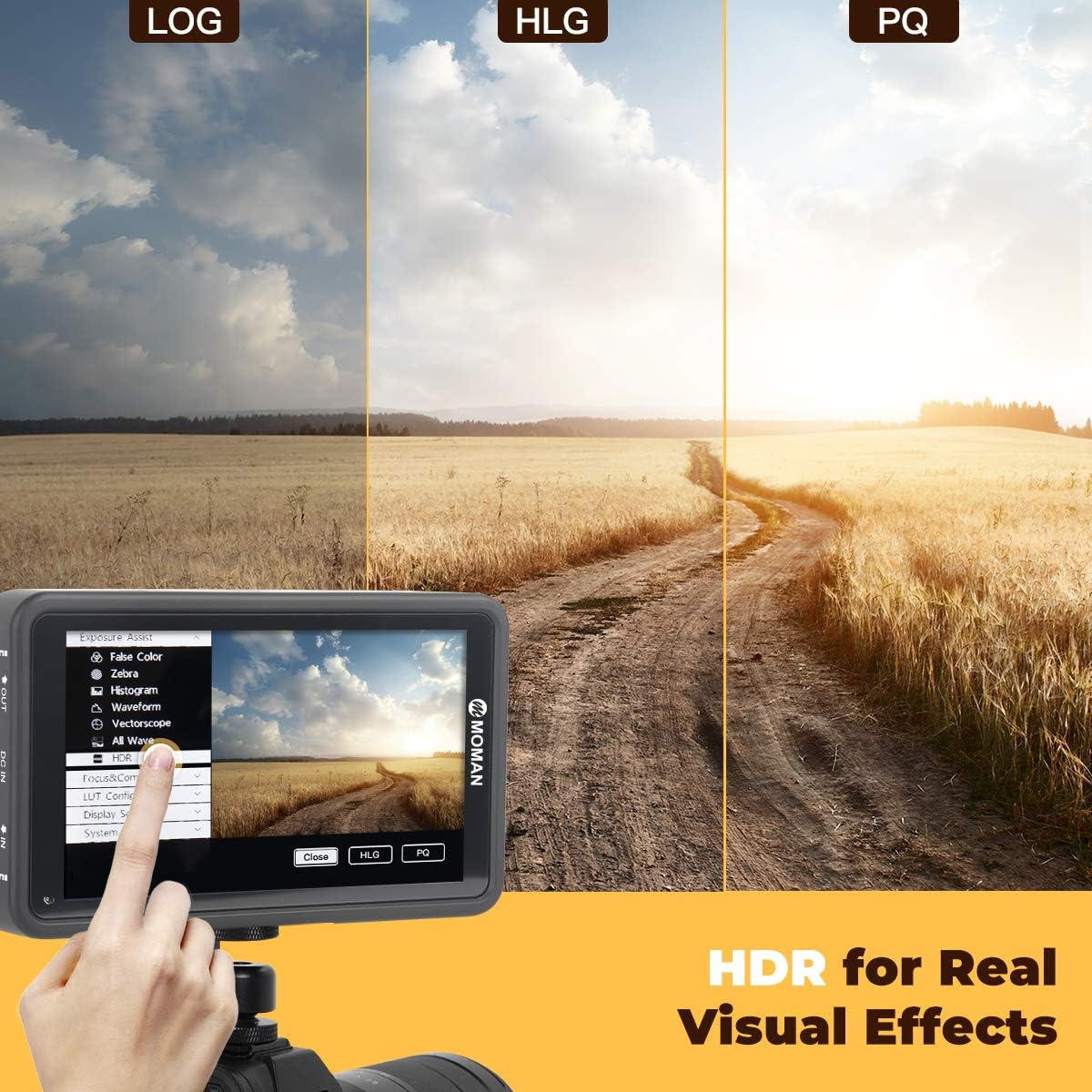
Image: Demonstrates the application of 3D LUTs for color calibration, showing a 'before' and 'after' effect on an image.

Image: Illustrates the HDR function, comparing LOG, HLG, and PQ modes for wider color gamut and brightness range.
Manteniment
Proper maintenance ensures the longevity and optimal performance of your Moman M5 monitor:
- Neteja: Use the provided microfiber cloth to gently clean the screen and body of the monitor. Avoid using harsh chemicals or abrasive materials that could damage the screen or finish.
- Emmagatzematge: When not in use, store the monitor in its protective carrying case in a cool, dry place away from direct sunlight and extreme temperatures.
- Actualitzacions de programari: Periodically check the Moman official website for firmware updates. Updates can be easily installed via the included SD card to improve performance and add new features. Refer to the "System Config" menu for update options.
Resolució de problemes
This section addresses common issues you might encounter with your Moman M5 monitor:
| Problema | Causa possible | Solució |
|---|---|---|
| El monitor no s'encén. | Low or depleted battery; incorrect power connection. | Ensure batteries are fully charged and correctly inserted. Check D-Tap cable connection if using external power. |
| Sense senyal de vídeo. | Incorrect HDMI connection; camera output settings; incompatible resolution. | Verify HDMI cable is securely connected to both monitor (HDMI IN) and camera. Check camera's video output settings. Ensure camera's output resolution is supported by the monitor (up to 4K input). |
| La pantalla tàctil no respon. | Touch function is locked; temporary software glitch. | Briefly press the power button once to unlock the touch screen. If unresponsive, power cycle the monitor. |
| Menu language is incorrect (e.g., German). | Configuració d'idioma per defecte. | Navigate to "System Config" > "Menu Config" > "Language" and select "EN" for English. |
| Monitor freezes or crashes. | Software issue; unstable power supply. | Remove and reinsert the battery to force a restart. Ensure a stable power source. Consider updating firmware if available. |
Especificacions tècniques
| Característica | Detall |
|---|---|
| Model | M5 |
| Mida de la pantalla | 5.5 polzades |
| Resolució | 1920 x 1080 |
| Relació de contrast | 1000:1 |
| Brillantor | 500 nits |
| Entrada de vídeo | HDMI (supports up to 4K) |
| Sortida de vídeo | HDMI |
| Entrada de potència | DC 7-24V |
| Potència de sortida | DC 8V |
| Consum d'energia | 8W |
| Compatibilitat de la bateria | NP-F series (NP-F550, NP-F750, NP-F970), E6 battery |
| Dimensions | 7.32 x 4.76 x 3.46 polzades |
| Pes de l'article | 1.41 lliures |
| UPC | 751823684792 |
Garantia i Suport
Moman products are designed for reliability and performance. For specific warranty details and terms, please refer to the warranty card included in your product packaging or visit the official Moman website. If you encounter any issues or require technical assistance, please contact Moman customer support through their official channels. Ensure you have your product model and purchase information ready for faster service.


