1. Introducció
The Yahboom Microbit V2 Start Robotic Car Kit is an educational programmable robot designed to make learning and coding accessible and engaging. This manual provides detailed instructions for assembly, operation, and programming to help users maximize their experience with the kit.
2. What's in the Box (Packing List)
The Yahboom Microbit V2 Start Robotic Car Kit includes the following components:
- Robot Car (Tiny:bit)
- Rodes
- Cable USB
- Control remot
- Bateria de liti
- Manual
- Reblons de plàstic
- Track Map
- Micro:bit (optional, depending on version purchased)

This image illustrates the various components included in the kit, such as the car chassis, tires, remote controller, lithium battery, manual, and micro USB cable. The Micro:bit board is shown as an optional component.
3. Muntatge i muntatge
Follow these steps to assemble your Yahboom Microbit V2 Start Robotic Car Kit:
- Battery Box Installation: Securely attach the battery box to the designated area on the robot chassis. Ensure the battery connector is properly aligned and connected.
- Ultrasonic Module Installation: Mount the ultrasonic module to the front of the robot car.
- Micro:bit Board Insertion: Carefully insert the Micro:bit V2 board into the expansion slot on the robot.
This video provides a comprehensive guide for the initial setup, covering the installation of essential components and preparing the robot for its first use.
4. Product Features and Hardware Overview
The Yahboom Microbit V2 Start Robotic Car is equipped with various sensors and features to enable diverse functionalities:
- Ultrasonic Module: For obstacle avoidance and distance measurement.
- Receptor d'infrarojos: For remote control operation.
- Micròfon: For sound detection and interactive projects.
- RGB Programmable Lights: For visual feedback and creative lighting effects.
- Tracking Sensor: For line-following capabilities.
- Zumbador: For audio feedback and playing melodies.
- N20 Motor: Provides propulsion for movement.
- 18650 Battery Card Slot: Per a font d'alimentació.

This diagram highlights the placement and identification of key hardware components on the robot, such as the ultrasonic module, infrared receiver, microphone, and Micro:bit board.
5. Instruccions de funcionament
5.1. Programming Methods
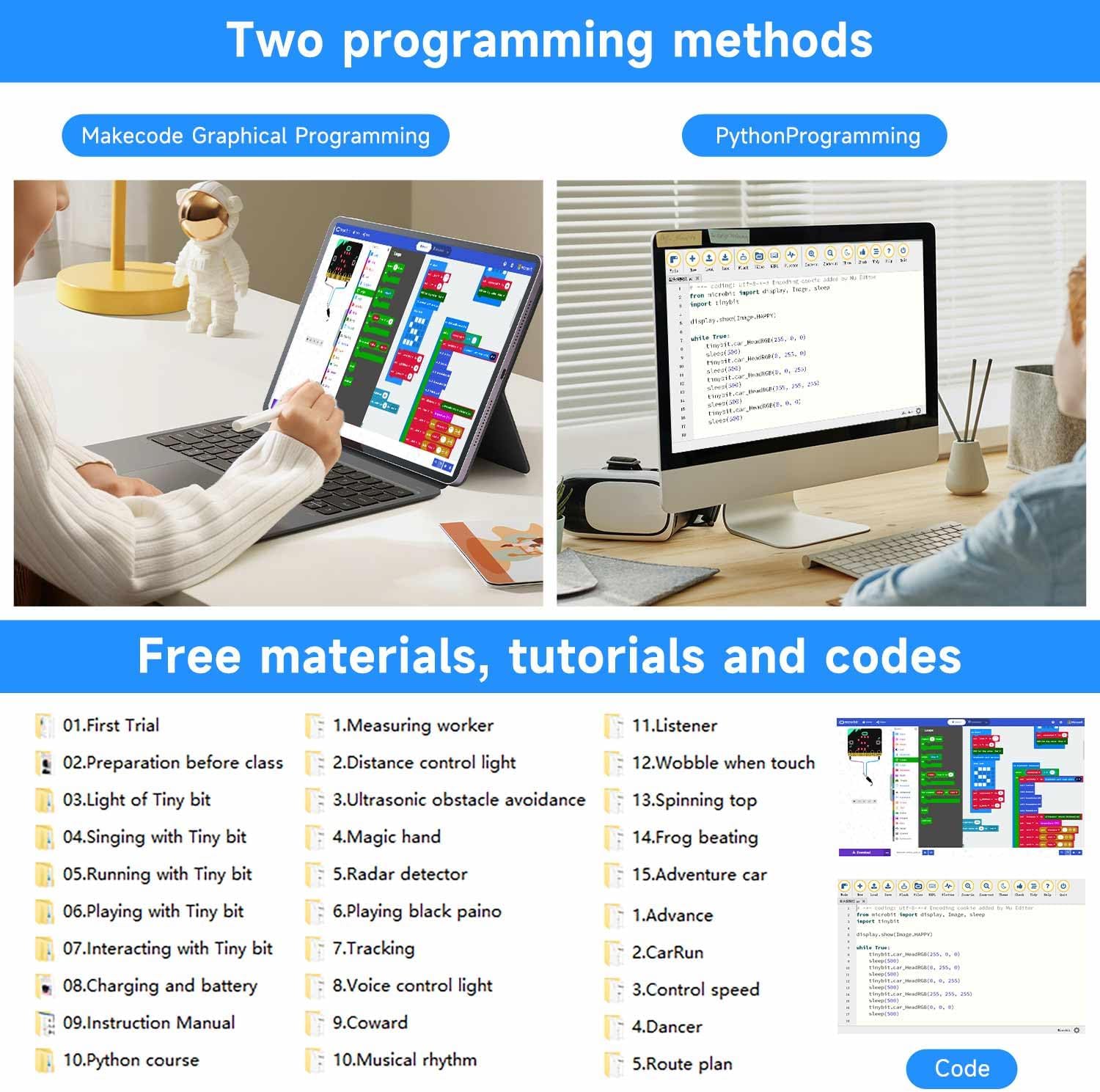
The Yahboom Microbit V2 Start Robotic Car supports two primary programming methods:
- MakeCode Graphical Programming: An online block-based programming editor ideal for beginners to develop logical thinking.
- Python Programming: For more advanced users who prefer text-based coding.
5.2. Mètodes de control
The robot can be controlled using various methods:
- Mobile APP Remote Control: Use the Yahboom App (iOS/Android) for smartphone control.
- Comandament a distància per infrarojos: Utilize the included remote controller.
- Micro:bit Handle Remote Control: Program a separate Micro:bit to act as a remote control handle.

5.3. Funcions bàsiques
The robot car can perform several basic functions:
- Evitació d'obstacles: Uses the ultrasonic module to detect and navigate around obstacles.
- Line-Following: Utilizes tracking sensors to follow a designated line.
- Detecció de so: Responds to sound inputs via the microphone.
- Reproducció de música: Can play melodies through its buzzer.

5.4. Advanced Functions and Expansion
For advanced users, the robot offers:
- Sensor-Compatible Ports: Extend functionality by connecting additional sensors.
- Building Block Compatibility: Integrate with building blocks to create customized shapes and structures.
6. Especificacions
| Atribut | Detall |
|---|---|
| Dimensions del producte | 2 x 1.5 x 2 polzades |
| Pes de l'article | 2.29 lliures |
| Edat recomanada | 13 anys i més |
| Fabricant | Yahboom |

7. Manteniment
To ensure the longevity and optimal performance of your Yahboom Microbit V2 Start Robotic Car Kit, please observe the following maintenance guidelines:
- Neteja: Gently wipe the robot's surface with a dry, soft cloth. Avoid using liquids or abrasive cleaners, as these can damage electronic components.
- Cura de la bateria: When not in use for extended periods, remove the lithium battery to prevent discharge and potential damage. Store the battery in a cool, dry place.
- Emmagatzematge: Store the robot and its components in a dry environment, away from direct sunlight and extreme temperatures. Keep it in its original packaging or a protective container to prevent dust accumulation and physical damage.
- Inspecció de components: Periodically check all connections and components for looseness or damage. Ensure wires are not pinched or frayed.
8. Solució De Problemes
If you encounter issues with your Yahboom Microbit V2 Start Robotic Car Kit, consider the following troubleshooting steps:
- El robot no s'encén:
- Assegureu-vos que la bateria estigui completament carregada i inserida correctament.
- Verify that the power switch on the robot is in the 'ON' position.
- El robot no respon a les ordres:
- Check the battery level of both the robot and the remote controller (if applicable).
- Confirm that the correct program is uploaded to the Micro:bit.
- Ensure the remote control method (APP, IR, Micro:bit handle) is properly configured and connected.
- Movement Issues (e.g., erratic movement, not moving straight):
- Inspect the wheels for any obstructions or damage.
- Recalibrate the robot's movement parameters in your code if necessary.
- Sensor Malfunctions (e.g., obstacle avoidance not working):
- Ensure the sensor modules are securely connected and free from physical obstructions.
- Verify the sensor readings and logic in your programming code.
9. Garantia i Suport
For warranty information and technical support, please refer to the official Yahboom weblloc web o contacteu directament amb el seu servei d'atenció al client. Conserveu el rebut de compra com a comprovant de compra.
Avís legal: Choose Micro:bit according to your needs.


