1. Introducció
This manual provides instructions for the installation, operation, and maintenance of the Hombli Smart Indoor Camera (Model HBCI-0309). This device is designed to enhance home security with features such as 1080P Full HD video, motion detection, night vision, and two-way audio. It integrates with smart home ecosystems like Amazon Alexa and Google Assistant for convenient control.

The Hombli Smart Indoor Camera, model HBCI-0309, shown alongside its retail packaging. The packaging highlights features such as 'Easy install & User friendly' and compatibility with Google Assistant and Alexa.
2. Producte acabatview
2.1 Característiques clau
- Vídeo Full HD de 1080p: Provides clear video quality with a 130-degree wide-angle view.
- Motion and Audio Detection: Sends notifications to your smartphone upon detecting activity.
- Visió nocturna: Ensures visibility in low-light conditions up to 7 meters.
- Àudio bidireccional: Built-in microphone and speaker for direct communication.
- Emmagatzematge local: Supports Micro SD card for video recording.
- Hombli App Control: Live video streaming and remote management via the Hombli app (Android and iOS).
- Control de veu: Compatible amb Amazon Alexa i Google Assistant.
- Fàcil instal·lació: Designed for user-friendly setup.
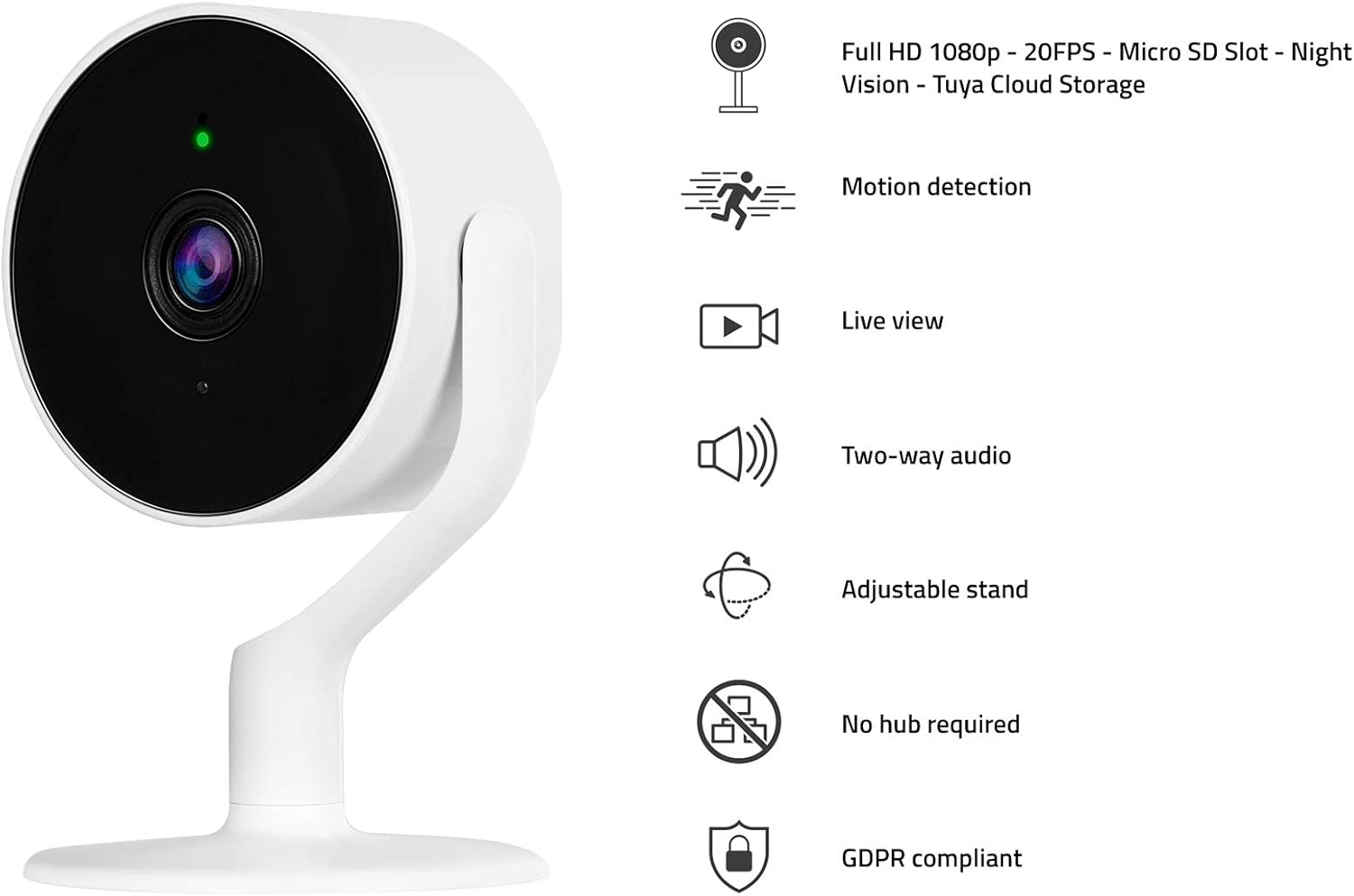
The Hombli Smart Indoor Camera with a visual representation of its key features: Full HD 1080p video, motion detection, live view, two-way audio, adjustable stand, no hub required, and GDPR compliance.
2.2 Contingut del paquet
- Hombli Smart Indoor Camera (HBCI-0309)
- Adaptador d'alimentació
- Mounting Accessories (e.g., self-adhesive base)
- Manual d'usuari (aquest document)
3. Guia de configuració
3.1 Instal·lació física
- Trieu una ubicació: Trieu un lloc interior amb llum clara view of the area you wish to monitor and within range of your Wi-Fi network. The camera can be placed on a flat surface or mounted to a wall.
- Prepare for Mounting (Optional): If mounting, ensure the surface is clean and dry. Peel the protective film from the self-adhesive base.
- Muntar la càmera: Secure the camera to the desired surface. The adjustable stand allows for flexible positioning.
- Connectar l'alimentació: Plug the included power adapter into the camera's power port and then into a standard electrical outlet. The camera will power on and indicate its status with an LED light.

A close-up of hands peeling the protective film from the self-adhesive base, preparing the camera for installation.
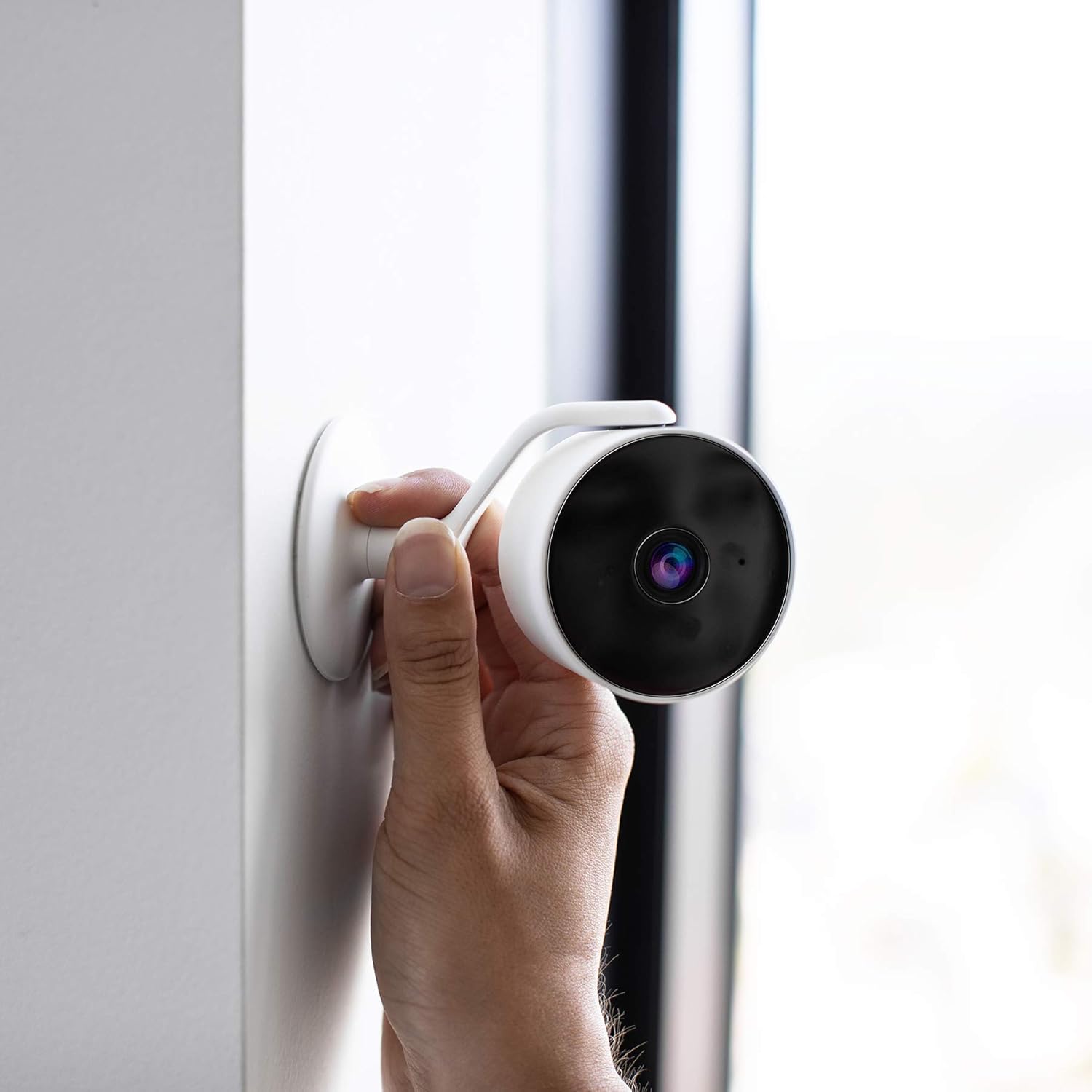
A hand positioning the Hombli Smart Indoor Camera against a wall, illustrating its flexible mounting options.
3.2 Instal·lació i emparellament de l'aplicació
- Download the Hombli App: Cerca "Hombli" in the Apple App Store (for iOS) or Google Play Store (for Android) and download the application.
- Crea un compte: Open the Hombli app and follow the on-screen instructions to create a new user account or log in if you already have one.
- Afegeix un dispositiu: In the Hombli app, tap the "+" icon to add a new device. Select "Smart Indoor Camera" from the list of available devices.
- Segueix les instruccions de l'aplicació: The app will guide you through the pairing process, which typically involves connecting the camera to your 2.4 GHz Wi-Fi network. Ensure your smartphone is connected to the same Wi-Fi network during setup.
- Anomena la teva càmera: Once successfully paired, you can assign a name to your camera (e.g., "Living Room Camera") for easy identification.
4. Instruccions de funcionament
4.1 Viu View
Open the Hombli app and select your camera from the device list to view the live video feed. You can monitor your space in real-time from anywhere with an internet connection.

The Hombli Smart Indoor Camera positioned next to a smartphone, which shows the live feed and motion detection alerts within the Hombli application.

Un usuari viewing the Hombli app on their smartphone, observing the live video feed from the Smart Indoor Camera.
4.2 Detecció de moviment i àudio
The camera is equipped with sensors to detect motion and sound. When an event is detected, the camera will send a notification to your smartphone via the Hombli app. You can customize detection sensitivity and notification settings within the app.
4.3 Àudio bidireccional
Utilize the two-way audio feature to communicate through the camera. Tap the microphone icon in the live view interface of the Hombli app to speak, and listen through the camera's built-in speaker.
4.4 Visió nocturna
The camera automatically switches to night vision mode in low-light conditions, providing clear black and white video up to 7 meters. This feature ensures continuous monitoring around the clock.
4.5 SD Card Storage
Insert a Micro SD card (not included) into the designated slot on the camera for local video storage. The camera supports continuous recording or event-based recording, configurable through the Hombli app. Ensure the SD card is formatted correctly via the app.

A detailed diagram illustrating the physical dimensions of the Hombli Smart Indoor Camera (6.1 x 6.1 x 10.2 cm) and indicating the location of the Micro SD card slot for local storage.
4.6 Integració del control per veu
The Hombli Smart Indoor Camera can be integrated with Amazon Alexa and Google Assistant. Follow the instructions in the respective smart assistant apps to link your Hombli account. Once linked, you can use voice commands to view transmissions en directe en pantalles intel·ligents compatibles.

The Hombli Smart Indoor Camera highlighting its compatibility with Google Assistant and Amazon Alexa for voice control.
5. Manteniment
- Neteja: Feu servir un drap suau i sec per netejar la lent i el cos de la càmera. Eviteu utilitzar productes químics agressius o materials abrasius.
- Actualitzacions de firmware: Regularly check the Hombli app for available firmware updates to ensure optimal performance and security.
- Estabilitat de la xarxa: Ensure your Wi-Fi network is stable and provides sufficient signal strength to the camera for uninterrupted operation.
6. Solució De Problemes
- Càmera fora de línia:
- Comproveu si la càmera està engegada i si l'adaptador de corrent està connectat correctament.
- Verifiqueu que la vostra xarxa Wi-Fi estigui activa i que la càmera estigui dins del seu abast.
- Restart the camera by unplugging and replugging the power adapter.
- If issues persist, try re-pairing the camera with the Hombli app.
- Poca qualitat de vídeo:
- Assegureu-vos que la lent de la càmera estigui neta i sense pols ni taques.
- Check your Wi-Fi signal strength; a weak signal can affect video streaming quality.
- Motion/Audio Detection Not Working:
- Verify that motion and audio detection are enabled in the Hombli app settings for the camera.
- Adjust the sensitivity settings in the app.
- Ensure app notifications are enabled on your smartphone.
- La targeta SD no grava:
- Assegureu-vos que la targeta SD estigui inserida correctament.
- Format the SD card through the Hombli app.
- Check if the SD card has sufficient free space or if it's corrupted.
7. Especificacions
| Número de model | HBCI-0309 |
| Resolució de captura de vídeo | 1080p Full HD |
| Viewangle ing | 130 graus |
| Gamma de visió nocturna | 7 metres |
| Tecnologia sense fils | Wi-Fi (2.4 GHz) |
| Àudio | Àudio bidireccional |
| Emmagatzematge | Targeta Micro SD (fins a 128 GB, no inclosa) |
| Font d'alimentació | Adaptador de 5 V |
| Dimensions (L x A x A) | 6.1 x 6.1 x 10.2 cm |
| Pes | 200 g |
| Material | Plàstic |
| Color | Blanc |
| Ús interior/exterior | Interior |
| Dispositius compatibles | Smartphone (Android/iOS), Amazon Alexa, Google Assistant |
8. Garantia i Suport
For warranty information and technical support, please refer to the official Hombli website or contact Hombli customer service directly. Details are typically provided on the product packaging or within the Hombli app's support section.