1. Introducció
This manual provides detailed instructions for the operation and maintenance of your Douk Audio P2 Mini Bluetooth 5.0 Vacuum Tube Preamp. Please read this manual thoroughly before using the device to ensure proper functionality and to maximize your audio experience. This device combines a vacuum tube preamplifier, a HiFi USB player, and a stereo audio headphone amplifier, offering versatile connectivity options including Bluetooth 5.0, RCA, USB, and TF card inputs.
2. Informació de seguretat
- Font d'alimentació: Use only the provided power adapter. Using an incompatible power supply may damage the device and void the warranty.
- Ventilació: Assegureu-vos que hi hagi una ventilació adequada al voltant de la unitat. No bloquegeu les obertures de ventilació.
- Humitat: Mantingueu el dispositiu allunyat de l'aigua, la humitat i els ambients amb molta humitat.
- Calor: Eviteu col·locar la unitat a prop de fonts de calor o sota la llum solar directa.
- Handling Tubes: Vacuum tubes can become hot during operation. Exercise caution when handling or replacing them.
- Neteja: Desconnecteu l'alimentació abans de netejar. Feu servir un drap suau i sec. No utilitzeu netejadors líquids ni aerosols.
- Manteniment: No intenteu fer el manteniment de la unitat vosaltres mateixos. Encarregueu totes les tasques de manteniment a personal qualificat.
3. Contingut del paquet
Verifiqueu que tots els elements siguin presents al paquet:
- 1x Douk Audio P2 Preamp Unitat
- 1x Power Supply Adapter (DC 12V)
- 1x Bluetooth Antenna
- 2x 6K4 Vacuum Tubes
- 1x comandament a distància
- 1 x manual d'instruccions

4. Producte acabatview
The Douk Audio P2 is a compact and versatile audio device designed to enhance your listening experience. It features multiple input options and a vacuum tube stage for a warm, rich sound.
4.1 Controls i connexions del tauler frontal
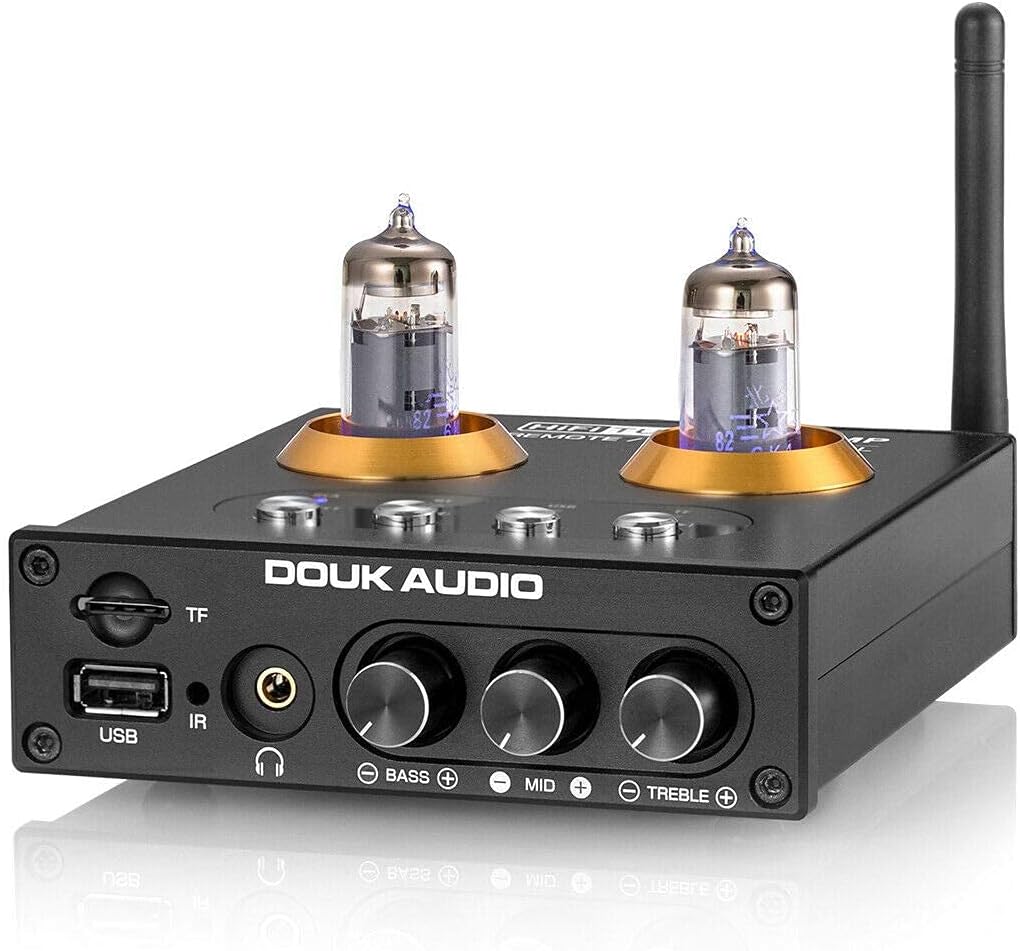
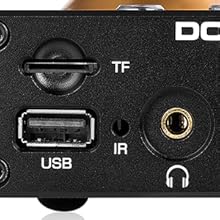
- Entrada de targeta TF: Slot for TransFlash (MicroSD) cards for media playback.
- Entrada USB: USB-A port for connecting USB flash drives for media playback.
- Receptor IR: Receptor d'infrarojos per al comandament a distància.
- Sortida d'auriculars: Jack de 3.5 mm per connectar auriculars.
- Pom de baix: Ajusta els nivells d'àudio de baixa freqüència.
- Pom central: Ajusta els nivells d'àudio de freqüència mitjana.
- Pom treble: Ajusta els nivells d'àudio d'alta freqüència.
- Input Selection Buttons: Buttons for selecting input sources (RCA, BT, USB, TF).
- Botó d'encesa/selecció: Powers the unit on/off and cycles through inputs.
4.2 Connexions del panell posterior

- Connector d'antena Bluetooth: Per connectar l'antena Bluetooth inclosa.
- Entrada RCA (E/D): Stereo analog audio input for connecting external audio sources.
- Sortida RCA (E/D): Stereo analog audio output for connecting to an amplifier o altaveus actius.
- Entrada d'alimentació DC 12V: Per connectar l'adaptador de corrent.
5. Configuració
Seguiu aquests passos per a la configuració inicial:
- Instal·leu els tubs de buit: Carefully insert the two 6K4 vacuum tubes into their sockets on the top of the unit. Ensure they are seated firmly.
- Connecteu l'antena Bluetooth: Cargoleu l'antena Bluetooth subministrada al connector del panell posterior.
- Connecta la sortida d'àudio: Connect the RCA output jacks (L/R) on the rear panel to your ampamplificador o altaveus actius mitjançant cables RCA.
- Connect Audio Input (Optional): If using an external analog source (e.g., CD player), connect its RCA output to the RCA input jacks (L/R) on the rear panel.
- Connectar l'alimentació: Connect the DC 12V power adapter to the power input on the rear panel, then plug the adapter into a wall outlet.
- Encès: Press the Power/Select button on the front panel or the power button on the remote control to turn on the unit.

6. Instruccions de funcionament
6.1 Selecció d'entrada
Use the input selection buttons on the front panel or the remote control to switch between available audio sources:
- RCA: For external analog audio sources connected via RCA cables.
- BT (Bluetooth): For wireless audio streaming from Bluetooth-enabled devices.
- USB: For audio playback from a USB flash drive.
- TF: For audio playback from a TF (MicroSD) card.
6.2 Funcionament Bluetooth
- Select the "BT" input using the front panel button or remote. The Bluetooth indicator LED will flash.
- Al dispositiu mòbil o a l'ordinador, activeu el Bluetooth i cerqueu els dispositius disponibles.
- Select "Douk Audio P2" from the list to pair. Once paired, the Bluetooth indicator LED will remain solid.
- You can now stream audio wirelessly to the P2.
Reproducció de targetes USB/TF de 6.3
- Inseriu una unitat flaix USB al port USB o una targeta TF a la ranura per a targetes TF.
- Select the "USB" or "TF" input using the front panel button or remote.
- The unit will automatically begin playing supported audio files (MP3, APE, FLAC, WAV, WMA).
- Use the remote control for playback functions (play/pause, next/previous track).

6.4 Auriculars AmpFunció lifier
Connect your headphones to the 3.5mm headphone jack on the front panel. The P2 will amplify the selected audio source for private listening. The RCA output remains active, allowing simultaneous output to speakers and headphones.

6.5 PreampFunció lifier
The P2 acts as a preamplifier, processing the audio signal through its vacuum tube stage before sending it to your main amplifier or active speakers via the RCA output. This tube stage is designed to add warmth and richness to the audio.

Control de 6.6 tons
Adjust the Bass, Mid, and Treble rotary knobs on the front panel to fine-tune the audio output to your preference. These controls allow for independent adjustment of different frequency ranges.

6.7 Control remot
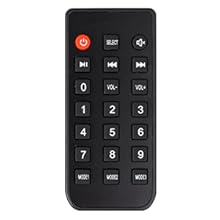
The included remote control provides convenient access to power, input selection, volume adjustment, and media playback controls.
7. Manteniment
7.1 Neteja
To clean the unit, first disconnect it from the power outlet. Use a soft, dry, lint-free cloth to wipe the exterior surfaces. Do not use abrasive cleaners, solvents, or chemical sprays, as these can damage the finish or internal components.
7.2 Substitució del tub
The 6K4 vacuum tubes are designed to be user-replaceable. If you wish to experiment with different compatible tubes (e.g., 6J1, 6J4, GE5654, 6AK5, 6*1n) or if a tube needs replacement:
- Ensure the unit is powered off and unplugged from the wall outlet. Allow the tubes to cool completely before handling.
- Gently grasp the top of the tube and pull it straight up from its socket. Avoid twisting or bending the pins.
- Align the pins of the new tube with the holes in the socket. Carefully push the new tube straight down until it is firmly seated.
- Torneu a connectar l'alimentació i proveu la unitat.

8. Solució De Problemes
| Problema | Causa possible | Solució |
|---|---|---|
| Sense poder | Power adapter not connected; power outlet not active. | Assegureu-vos que l'adaptador de corrent estigui connectat correctament a la unitat i a una presa de corrent que funcioni. |
| Sense sortida de so | Entrada incorrecta seleccionada; cables solts; amplifier/speakers off; volume too low. | Verify correct input source. Check all audio cable connections. Ensure connected amplifier/speakers are powered on and volume is adequate. |
| Bluetooth no emparellat | La unitat no està en mode d'emparellament; el dispositiu és massa lluny; interferències. | Ensure "BT" input is selected and LED is flashing. Move device closer to the P2. Restart Bluetooth on your device. |
| La targeta USB/TF no es reprodueix | Entrada incorrecta seleccionada; no compatible file format; suports d'emmagatzematge corruptes. | Seleccioneu l'entrada "USB" o "TF". Assegureu-vos files are supported (MP3, APE, FLAC, WAV, WMA). Try a different USB drive/TF card. Note: USB drives larger than 32GB may not be fully supported. |
| Static or humming noise | Ground loop; faulty cables; tube issue. | Check cable connections. Try a different power outlet. Allow tubes to warm up. If persistent, consider replacing tubes. |
9. Especificacions
- Marca: Douk Audio
- Model: P2
- Tecnologia de connectivitat: Bluetooth 5.0, RCA, USB, TF Card
- Dispositius compatibles: Personal Computer, Television, Speaker, Mobile Phones, CD/MP3 Players
- Tipus de connector: 3.5mm Jack (Headphone Out), RCA (Input/Output)
- Codificació d'àudio: estèreo
- Mode de sortida d'àudio: estèreo
- Nombre de canals: 2
- Tubs de buit: 2x 6K4 (replaceable with 6J1, 6J4, GE5654, 6AK5, 6*1n)
- Entrada d'alimentació: DC 12V
- Dimensions (L x A x A): Approximately 128mm x 115mm x 33mm (5.04 x 4.53 x 1.30 inches)
- Pes de l'article: Aproximadament 420 g (0.93 lliures)
- Supported USB/TF Card Capacity: Up to 32GB (for optimal performance)
- Supported Audio Formats (USB/TF): MP3, APE, FLAC, WAV, WMA
10. Garantia i Suport
Douk Audio products are designed for reliability and performance. For warranty information and technical support, please refer to the official Douk Audio weblloc web o poseu-vos en contacte amb el vostre distribuïdor. Conserveu el rebut de compra com a comprovant de compra per a reclamacions de garantia.
Oficial Weblloc: www.doukaudio.com


