Producte acabatview
The ANCEL FX9000 is an advanced all-system diagnostic scanner designed for comprehensive vehicle analysis. It offers a wide range of functions including full OBD2 modes, 26 special reset services, and supports automatic VIN scanning for quick vehicle identification. With its user-friendly interface and one-click WiFi updates, it provides efficient and convenient diagnostic solutions for both professional mechanics and DIY enthusiasts.

Image: The ANCEL FX9000 diagnostic scanner, showcasing its display and control buttons.

Image: Diagram illustrating the extensive automotive coverage of the ANCEL FX9000, including American, Asian, and European vehicles.
Contingut i configuració del paquet
Before using your ANCEL FX9000, please ensure all components are present and follow the setup instructions below.

Image: The ANCEL FX9000 device, carrying case, user manual, OBD2 cable, and power adapter included in the package.
1. Unboxing
Carefully remove all items from the packaging. Verify that you have the ANCEL FX9000 main unit, OBD2 diagnostic cable, power adapter, and user manual.
2. Engegada i càrrega inicials
The device comes with a built-in Lithium-ion battery. For first-time use, it is recommended to fully charge the device using the provided power adapter. Connect the power adapter to the device's charging port and plug it into a standard electrical outlet. The charging indicator will illuminate.
3. Connexió al vehicle
- Locate the vehicle's 16-pin OBD2 diagnostic port. This port is typically found under the dashboard on the driver's side.
- Assegureu-vos que el contacte del vehicle estigui en la posició "OFF".
- Connect the OBD2 diagnostic cable to the vehicle's OBD2 port.
- Connect the other end of the diagnostic cable to the ANCEL FX9000 unit.
- Turn the vehicle's ignition to the "ON" position (engine can be off). The FX9000 will automatically power on and establish communication with the vehicle.
Instruccions de funcionament
The ANCEL FX9000 features an intuitive touch screen interface and physical buttons for navigation. Below are key operational procedures.
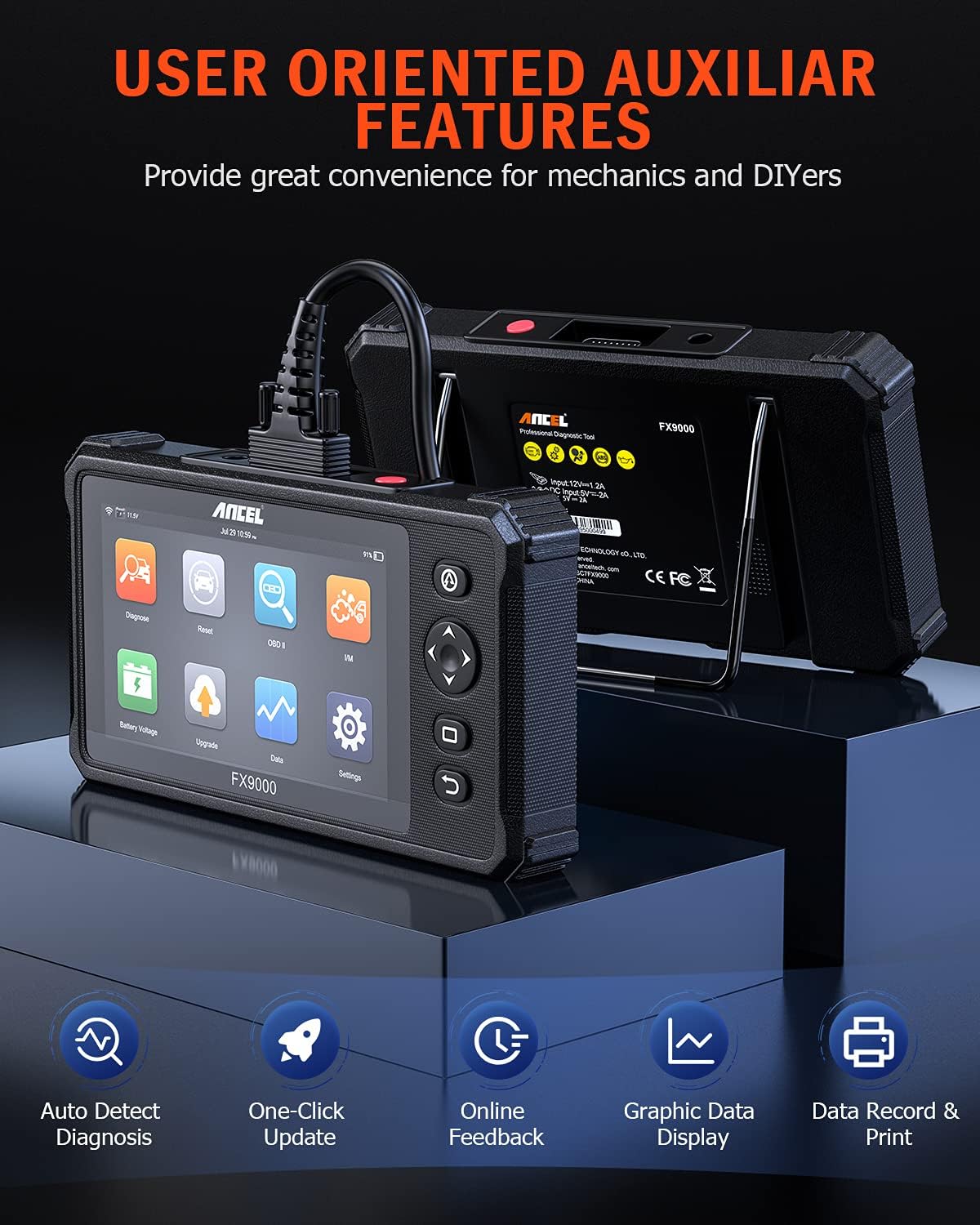
Image: The ANCEL FX9000 display showing main menu icons for diagnosis, updates, data, and settings, highlighting user-oriented features.
1. Navegació del menú principal
The main screen displays various icons for different functions:
- Diagnosticar: Initiates full system diagnostics.
- Restablir: Accesses special reset functions.
- OBD II: Standard OBD2 functions (read/clear codes, live data).
- Jo/M: I/M Readiness status.
- Actualització: For software updates.
- Dades: Review saved diagnostic data.
- Configuració: Configure device preferences.
2. Performing a Full System Diagnostic
- From the main menu, tap on the "Diagnose" icon.
- The device will automatically perform a VIN scan to identify the vehicle. Confirm the vehicle information displayed.
- Select "Full System Scan" to initiate a comprehensive diagnostic check across all available vehicle systems (Engine, ABS, Transmission, SRS, etc.).
- Review the diagnostic results, which will highlight any detected fault codes (DTCs).
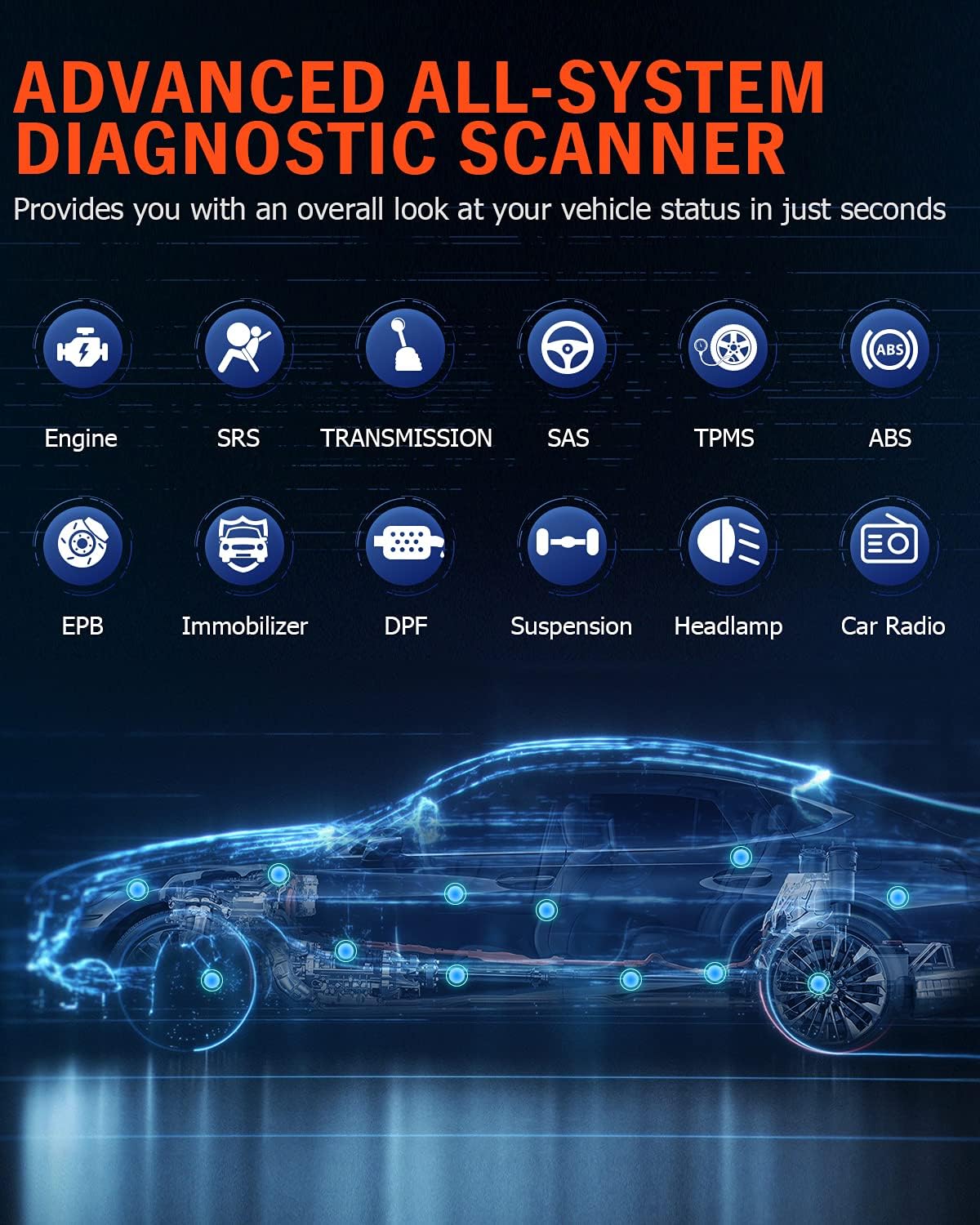
Image: Icons representing various vehicle systems diagnosable by the ANCEL FX9000, including Engine, SRS, Transmission, SAS, TPMS, ABS, EPB, Immobilizer, DPF, Suspension, Headlamp, and Car Radio.
3. Using Special Reset Functions
The FX9000 supports 26 common maintenance and reset services.
- From the main menu, tap on the "Reset" icon.
- Select the desired reset function from the list (e.g., "Oil Light Reset", "ABS Bleeding", "DPF Regeneration", "IMMO Service", "SAS Calibration", "EPB Reset", "TPMS Reset").
- Follow the on-screen prompts to complete the procedure. Specific steps may vary by vehicle make and model.

Image: Visual representation of various reset functions available on the ANCEL FX9000, such as TPMS Reset, Oil Light Reset, Injector Coding, SAS Calibration, DPF Regeneration, ABS Bleeding, EPB Reset, Gearbox Matching, Battery Reset, IMMO Keys, Sunroof Reset, Suspension Reset, AFS Reset, Gear Learning, and TPS Reset.
4. Modes de prova OBD2
Access standard OBD2 functions by tapping the "OBD II" icon.
- Llegir codis: Mostra els codis de diagnòstic d'errors (DTC) actuals, pendents i permanents.
- Codis clars: Erases DTCs from the vehicle's computer. Ensure the underlying issue is resolved before clearing codes.
- Dades en directe: Displays real-time data streams from various sensors in text or graph format.
- View Congela les dades del fotograma: Shows a snapshot of vehicle conditions when a fault code was set.
- Preparació I/M: Comprova l'estat dels monitors relacionats amb les emissions.
- Prova del sensor d'O2: Recupera els resultats de la prova del monitor del sensor d'O2.
- Prova del monitor integrat: Recupera resultats per a components i sistemes de transmissió relacionats amb les emissions.
- Prova del sistema EVAP: Inicia una prova del sistema de control d'emissions evaporatives.
- Informació del vehicle: Displays VIN, Cal ID, and CVN.

Image: A circular diagram illustrating the full OBDII test modes available on the ANCEL FX9000, including Read Codes, Clear Codes, Data Stream, EVAP Test, I/M Readiness Test, O2 Sensor Test, On-Board Monitor Test, Vehicle Info, and View Congela les dades del fotograma.
Manteniment
1. Neteja del dispositiu
Wipe the device screen and body with a soft, damp drap. Eviteu utilitzar productes de neteja abrasius o dissolvents que puguin danyar la pantalla o la casing.
2. Actualitzacions de programari
The ANCEL FX9000 supports one-click software updates via WiFi. Regular updates ensure optimal performance, expanded vehicle compatibility, and new features.
- Connect the device to a stable Wi-Fi network via "Settings" > "Wi-Fi".
- Al menú principal, toqueu la icona "Actualitzar".
- The system will check for available updates. Follow the on-screen instructions to download and install them.
3. Cura de la bateria
To prolong battery life, avoid exposing the device to extreme temperatures. If the device will not be used for an extended period, store it with a partial charge (around 50%) and recharge it every few months.
Resolució de problemes
| Problema | Causa possible | Solució |
|---|---|---|
| El dispositiu no s'encén. | Low battery; Loose connection; Device malfunction. | Charge the device fully. Ensure the OBD2 cable is securely connected. If issues persist, contact support. |
| Sense comunicació amb el vehicle. | Ignition not ON; Faulty OBD2 port; Incorrect vehicle protocol; Device software issue. | Ensure ignition is ON. Check vehicle's OBD2 port for damage. Verify vehicle compatibility. Perform a software update. |
| Diagnostic report not generating. | Insufficient memory; Software glitch. | Ensure sufficient storage space. Restart the device. Perform a software update. |
If you encounter issues not listed here or require further assistance, utilize the "Feedback" function on the device to send a report to ANCEL technical support for professional help.
Especificacions

Image: Visual representation of the ANCEL FX9000's technical specifications, including Android 7.0 OS, 7" HD Touch Screen, 6000mAh Battery, WiFi, 16GB ROM, 2GB RAM, and 1024*600 Screen Pixels.
- Model: FX9000
- Sistema operatiu: Android 7.1
- Pantalla: 7-inch HD Touch Screen (1024*600 pixels)
- Bateria: 1 Lithium-ion (6000mAh)
- Memòria: 2 GB de RAM, 16 GB de ROM
- Connectivitat: Wi-Fi
- Dimensions (L x A x A): 29.5 x 7.5 x 23 cm (aprox. 11.6 x 3.0 x 9.1 polzades)
- Pes de l'article: 1.61 quilograms (aprox. 3.55 lliures)
- Protocols admesos: J1850 VPM, J1850PWM, ISO9141, KWP 2000, CAN
- Compatibilitat de vehicles: Most 1996 and newer 12V OBD II compliant cars and light trucks.
- Idiomes admesos: English, French, Spanish, Russian, Japanese, German, Italian, Portuguese, Korean.
Garantia i Suport
ANCEL products are designed for reliability and performance. For any technical assistance or warranty inquiries, please contact ANCEL customer support.
- Suport tècnic: Use the "Feedback" function within the device's software to directly send diagnostic reports and inquiries to ANCEL's technical team.
- Devolucions de productes: If you are not satisfied with your product and choose to return it, please mark it as unsellable to prevent a used device from being resold to other customers.
- Comprovació de compatibilitat: Before purchase, it is recommended to verify compatibility with your specific vehicle model. Special functions may have specific vehicle requirements.


