Introducció
Welcome to your new Merece 6-in-1 Sound Machine and Wake-Up Light. This versatile device combines a sound machine, night light, alarm clock, FM radio, time display, and USB player to enhance your sleep and waking experience. Designed for both babies and adults, it offers customizable sounds, light, and alarm settings to create an optimal environment.

Contingut del paquet
Marqueu la casella per als elements següents:
- Merece 6-in-1 Sound Machine & Wake-Up Light
- Control remot
- USB Cable (Power adapter not included)
- Manual d'usuari (Aquest document)
Producte acabatview
Familiarize yourself with the main components and controls of your device.


Controls i pantalla
- Botó d'encesa: Encén/apaga el dispositiu.
- Time/Alarm Setting Buttons: Used to set current time and alarm times.
- Botons de pujar / baixar de volum: Ajusta el volum del so.
- Sound Selection Button: Cycles through the 30 soothing sounds.
- Botó de llum: Turns the light on/off, cycles through colors, and adjusts brightness.
- Botó Posposa: Activates snooze during an alarm (located on top of the light).
- FM Radio Controls: For tuning and selecting FM stations.
- Port USB: For power connection and USB media playback.
Configuració
Connexió d'alimentació
Connect the provided USB cable to the device's USB port and plug the other end into a compatible USB power adapter (not included) or a powered USB port. The device requires a stable power supply to function correctly.
Configuració de l'hora inicial
Upon first power-on, the digital display may flash. Use the time setting buttons (refer to the 'Product Overview' section for button identification) to set the current time. Follow the on-screen prompts or refer to the quick start guide for specific button sequences.
Instruccions de funcionament
Sound Machine Function
Your device features 30 soothing sounds designed to aid relaxation and sleep.

Use the 'Sound' button to cycle through the available sounds. Adjust the volume using the '+' and '-' buttons. The device offers 20 levels of volume adjustment for precise control.
Night Light and Color Settings
The integrated night light offers 7 vibrant colors and 20 levels of brightness to create a calming ambiance.
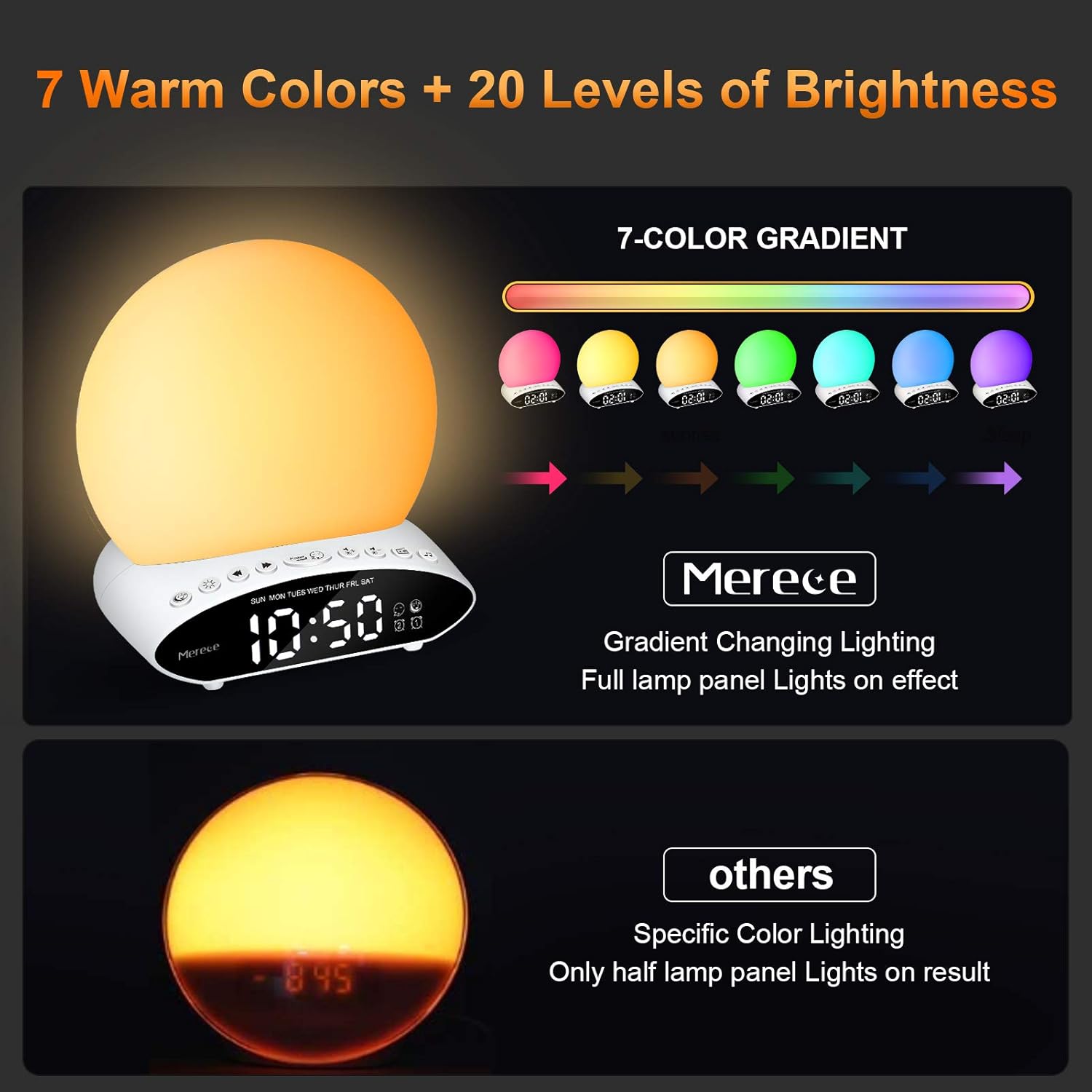
Press the 'Light' button to turn on/off the light and cycle through the available colors. To adjust the brightness, press and hold the 'Light' button until the desired level is reached.
Alarm Clock and Wake-Up Light
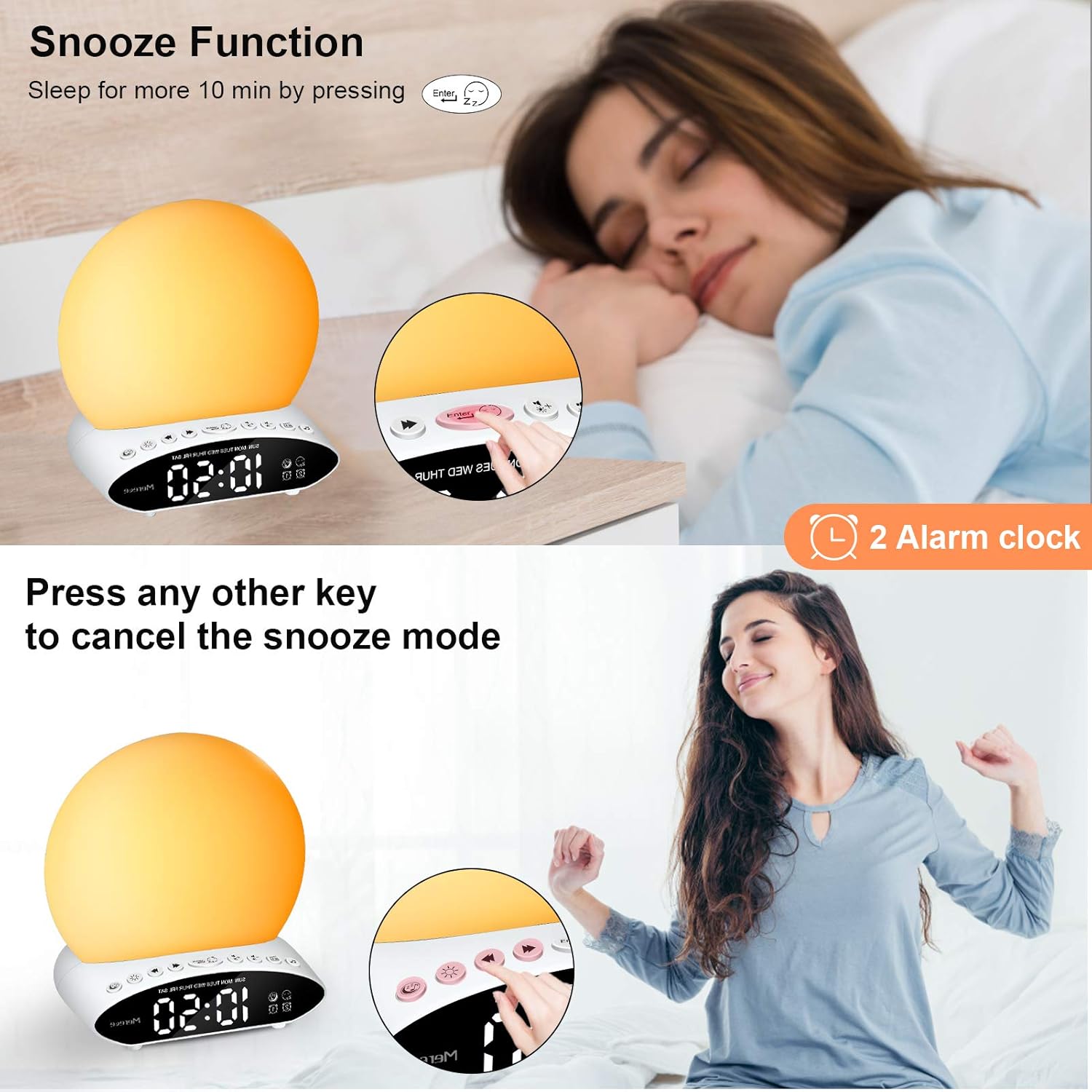
Set up to two independent alarms to customize your wake-up routine.
Configuració d'una alarma:
- Press the 'Alarm 1' or 'Alarm 2' button to select which alarm you wish to set.
- Use the time setting buttons to set the desired alarm time.
- Select your preferred wake-up sound (from the 30 soothing sounds or FM radio) and light intensity.
- Confirma la configuració per activar l'alarma.
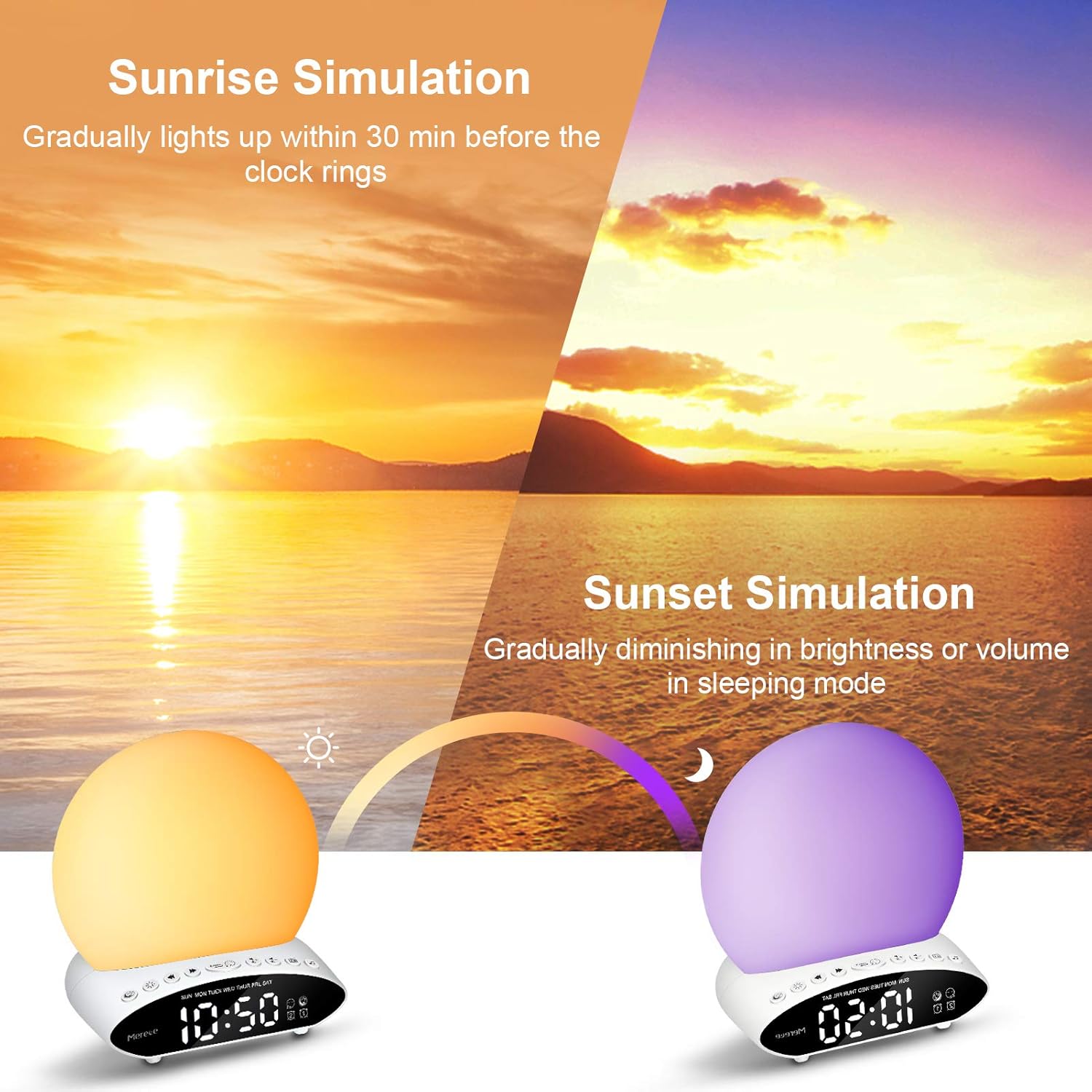
Simulació de la sortida del sol: The light will gradually brighten for 30 minutes before your set alarm time, simulating a natural sunrise to gently wake you up.
Funció de posposar: When the alarm sounds, press the top of the light to activate snooze for 10 minutes. Press any other button on the device to cancel the snooze mode.
Sunset Simulation (Sleep Aid)
Activate the sunset simulation to gradually dim the light and decrease volume over a set period, aiding in relaxation and preparing you for sleep.
Ràdio FM
To use the FM radio, ensure the antenna (if applicable) is extended for optimal reception. Press the 'FM' button to turn the radio on or off. Use the tuning buttons to scan and select your preferred FM stations.
Reproductor USB
The device functions as a USB player. Insert a USB drive containing your audio files into the designated USB port. Use the sound control buttons to play, pause, and skip tracks.
Manteniment
Proper care will ensure the longevity of your Merece Sound Machine.
- Netegeu el dispositiu amb un drap suau i sec.
- No utilitzeu netejadors abrasius ni dissolvents ni submergiu el dispositiu en aigua.
- Keep the device away from direct sunlight, high temperatures, and high humidity.
- Assegureu-vos que el port USB estigui lliure de pols i brutícia.
Resolució de problemes
If you encounter any issues, please refer to the following common problems and solutions:
| Problema | Solució |
|---|---|
| El dispositiu no s'encén. | Ensure the USB cable is securely connected to both the device and a working USB power adapter or powered USB port. Try a different power source. |
| Alarm sound is not loud enough. | Adjust the volume using the '+' button. Ensure the volume level is set appropriately for your needs during alarm setup. |
| Digital display is dim or incomplete. | Check the brightness settings for the display. If segments are missing or the display is faulty, contact customer support. |
| Cannot set time/alarm. | Refer to the 'Controls and Display' section to ensure you are using the correct buttons. Follow the step-by-step instructions for setting time and alarms carefully. |
| Light does not change colors or adjust brightness. | Ensure you are pressing and holding the 'Light' button correctly for brightness adjustment, and tapping it to cycle through colors. |
Especificacions
Detailed technical specifications for your Merece Sound Machine:
| Característica | Detall |
|---|---|
| Marca | Mereix |
| Número de model | WNL-CR002-A3US |
| Material | Plàstic, acrilonitril butadiè estirè |
| Tipus de font de llum | LED |
| Number of Light Colors | 7 |
| Nivells de brillantor | 20 |
| Opcions de so | 30 sons calmants |
| Nivells de volum | 20 |
| Mètode de control | Tàctil, control remot |
| Font d'alimentació | Elèctric amb cable (USB) |
| Pes de l'article | 0.95 lliures (aproximadament 15.2 unces) |
| Dimensions | 7.36 x 7.09 x 3.94 polzades |
| Característiques especials | Snooze, Alarm, Auto Dimmable, Sunrise/Sunset Simulation |
Garantia i Suport
For warranty information and customer support, please refer to the contact details provided with your purchase or visit the official Merece weblloc.


