1. Introducció
Thank you for choosing the Rampage KB-R95 X-TITAN Gaming Mechanical Keyboard. This manual provides essential information for setting up, operating, maintaining, and troubleshooting your new keyboard. Please read this manual thoroughly before use to ensure optimal performance and longevity of your device.
2. Contingut del paquet
- Rampage KB-R95 X-TITAN Gaming Mechanical Keyboard
- Manual d'usuari
3. Producte acabatview
El Rampage KB-R95 X-TITAN is a full-size mechanical gaming keyboard designed for performance and durability. It features responsive Red mechanical switches and customizable Full RGB LED backlighting, providing a dynamic gaming experience.
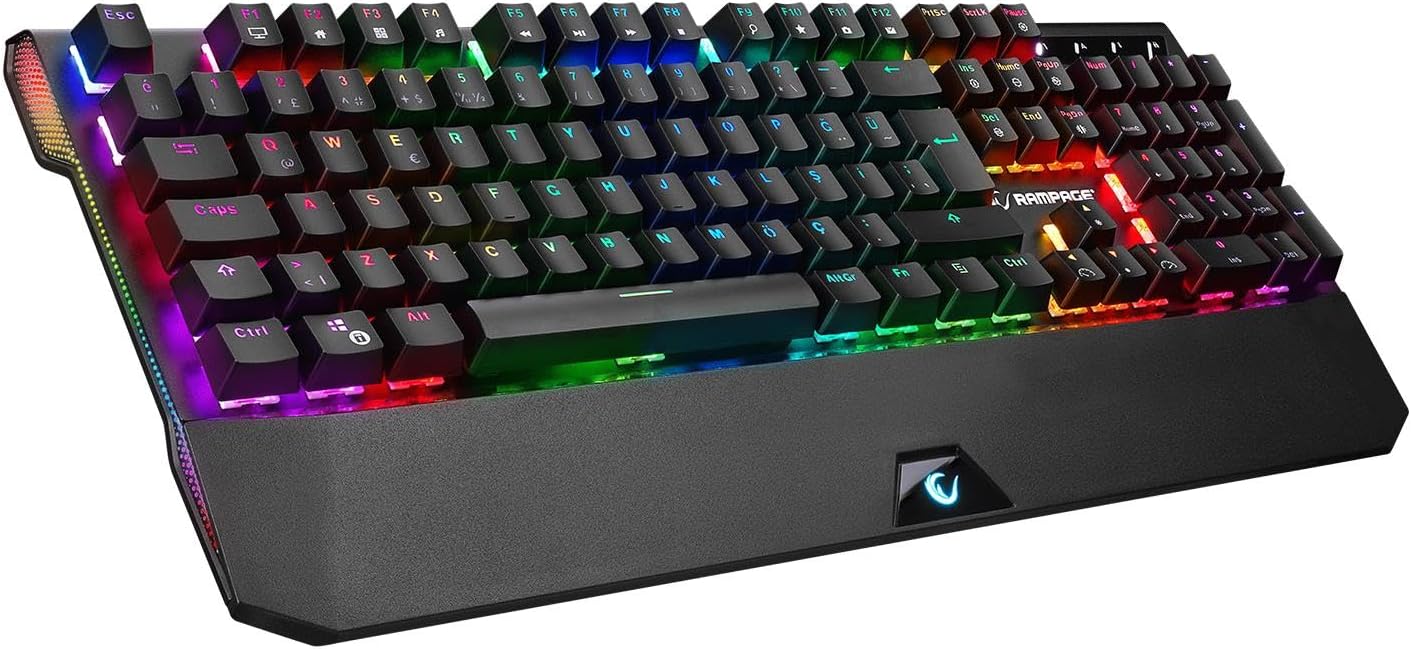
Figure 3.1: The Rampage KB-R95 X-TITAN Gaming Mechanical Keyboard showcasing its full RGB backlighting.
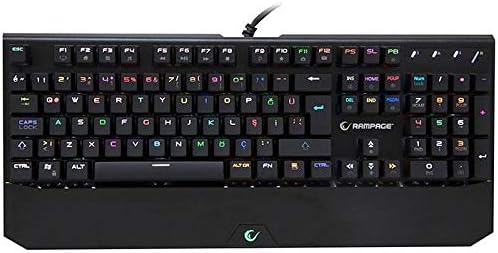
Figura 3.2: De dalt a baix view illustrating the standard QWERTY layout of the KB-R95 X-TITAN keyboard.
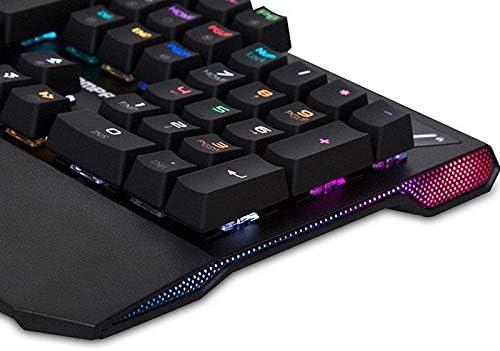
Figure 3.3: Detail of the integrated RGB lighting strip along the side of the keyboard, enhancing its aesthetic appeal.
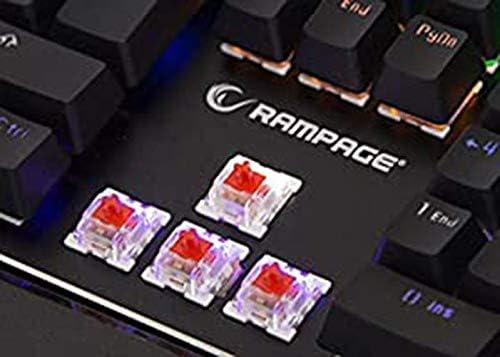
Figura 3.4: Primer pla view of the Red mechanical switches, known for their linear feel and quick response.
4. Configuració
- Descomprimir el teclat: Traieu amb cura el teclat del seu embalatge.
- Connexió a l'ordinador: Plug the USB connector of the keyboard into an available USB port on your computer (desktop or laptop).
- Instal·lació del controlador: Your operating system (Windows, macOS, Linux) should automatically detect and install the necessary drivers. No additional software installation is typically required for basic functionality.
- A punt per al seu ús: Un cop instal·lats els controladors, el teclat ja està llest per al seu ús.
5. Instruccions de funcionament
5.1 Funcions bàsiques del teclat
The KB-R95 X-TITAN functions as a standard QWERTY keyboard for typing and general computer use.
5.2 Control d'il·luminació RGB
The keyboard features various RGB lighting modes and customization options. Use the Function (Fn) key in combination with specific keys to adjust the lighting:
- Fn + PrtSc (Print Screen): Canvia entre els diferents efectes d'il·luminació RGB.
- Fn + Bloq Desplaçament: Adjust the brightness of the backlighting (typically 5 levels).
- Fn + Pause Break: Change the speed of dynamic lighting effects.
- Fn + Fletxa amunt/avall: Adjust backlight brightness (alternative).
- Fn + Fletxa esquerra/dreta: Adjust lighting effect direction or color.
5.3 Tecles multimèdia i de funció
Utilize the Function (Fn) key in conjunction with the F-keys for multimedia control and other shortcuts:
- Fn+F1: El meu ordinador
- Fn+F2: Cerca
- Fn+F3: Calculadora
- Fn+F4: Reproductor multimèdia
- Fn+F5: Pista anterior
- Fn+F6: Pista següent
- Fn+F7: Reproduir/Pausa
- Fn+F8: Atureu-vos
- Fn+F9: Silenciar
- Fn+F10: Baixa el volum
- Fn+F11: Puja el volum
- Fn+F12: Bloquejar el teclat
- Fn + Win Key: Lock/Unlock Windows Key (prevents accidental presses during gaming).
6. Manteniment
Un manteniment adequat garanteix la longevitat i el rendiment del teclat.
- Neteja: Use a soft, dry cloth to wipe the surface of the keyboard. For dust and debris between keycaps, use compressed air. Avoid using harsh chemicals or abrasive materials.
- Vessaments: In case of a liquid spill, immediately unplug the keyboard from your computer. Turn it upside down to drain as much liquid as possible. Allow it to dry completely for at least 24-48 hours before plugging it back in. Do not use a hairdryer as excessive heat can damage components.
- Emmagatzematge: Guardeu el teclat en un lloc fresc i sec, allunyat de la llum solar directa i de temperatures extremes.
7. Solució De Problemes
If you encounter issues with your Rampage KB-R95 X-TITAN keyboard, refer to the following common solutions:
- El teclat no respon:
- Assegureu-vos que el cable USB estigui ben connectat tant al teclat com a l'ordinador.
- Prova de connectar el teclat a un port USB diferent.
- Reinicieu l'ordinador.
- Prova el teclat en un altre ordinador per determinar si el problema és del teclat o de l'ordinador.
- La il·luminació RGB no funciona o està enganxada:
- Assegureu-vos que el teclat estigui connectat correctament.
- Prova de canviar els modes d'il·luminació alternant amb Fn + PrtSc.
- Ajusta la brillantor amb Fn + Bloqueig de desplaçament or Fn + Fletxa amunt/avall.
- Unplug and replug the keyboard to reset its lighting controller.
- Claus que no es registren:
- Netegeu la zona afectada de la clau amb aire comprimit per eliminar qualsevol residu.
- Si una clau específica falla constantment, podria indicar un problema de maquinari.
8. Especificacions
| Característica | Especificació |
|---|---|
| Marca | Rampedat |
| Model | KB-R95 X-TITAN |
| Connectivitat | USB |
| Tipus de canvi | Interruptors mecànics vermells |
| Il·luminació | Full RGB LED |
| Dispositius compatibles | Portàtil, PC |
| Disposició del teclat | Gaming (QWERTY) |
9. Garantia i Suport
For warranty information and technical support, please refer to the warranty card included with your product or visit the official Rampedat weblloc web. Conserveu el rebut de compra com a comprovant de compra per a reclamacions de garantia.


