1. Introducció
This manual provides essential information for the safe and efficient operation, maintenance, and troubleshooting of your Ultenic T10 Robot Vacuum and Mop Combo. Please read this manual thoroughly before using the product and retain it for future reference.

Image 1.1: Ultenic T10 Robot Vacuum and Mop Combo with its self-empty base and included accessories.
2. Contingut del paquet
Verifiqueu que tots els elements siguin presents al paquet:
- 1x Ultenic T10 Robot Vacuum
- 1x Self-Emptying Base
- 1x Mop Cloth Set
- 1x Extra Mop Cloth
- 1x User Manual & Quick Start Guide & APP Guideline
- 2x Extra Dust Bag
- 1x Extra HEPA Filter
- 1x comandament a distància
3. Producte acabatview
The Ultenic T10 is a versatile robot vacuum and mop designed for automated floor cleaning. Key features include:
- Autobuidament: The robot automatically empties its dustbin into the 4.5Qt disposable dust bag in the self-empty base, providing up to 60 days of hands-free operation.
- Vacuum and Mop Combo: Equipped with a 2-in-1 dustbin and water tank, allowing simultaneous vacuuming and mopping.
- Advanced LiDAR Navigation: Utilizes intelligent laser navigation for 360-degree omnidirectional scanning, accurate home mapping, and efficient cleaning path planning.
- Succió potent: Features a maximum suction power of 3000Pa, effective on hard floors, carpets, and area rugs for various debris.
- Múltiples mètodes de control: Can be controlled via the Ultenic APP (2.4Ghz WiFi required), voice commands with Alexa and Google Assistant, or the included remote control.

Image 3.1: The Ultenic T10 Robot Vacuum positioned next to its self-empty base.

Image 3.2: The robot vacuum automatically emptying collected debris into the self-empty base.

Image 3.3: Visual representation of the 4.3L dust bag capacity within the self-empty base.

Image 3.4: The robot vacuum employing LiDAR navigation technology to accurately map its surroundings.
4. Configuració
4.1 Col·locació i càrrega inicials
- Place the self-empty base against a wall in an open area, ensuring there are no obstacles within 1 meter (3 feet) to either side and 1.5 meters (5 feet) in front.
- Connect the power cord to the self-empty base and plug it into a power outlet.
- Place the robot vacuum onto the charging contacts of the base. Ensure the robot is properly aligned and charging. The indicator lights on the robot will show its charging status.
4.2 Connexió a l'aplicació
To unlock full features and control, download the Ultenic APP from your smartphone's app store.
- Ensure your smartphone is connected to a 2.4Ghz Wi-Fi network. The T10 only supports 2.4Ghz Wi-Fi.
- Open the Ultenic APP and follow the on-screen instructions to add your T10 device.
- If the robot has a Japanese voice reminder, connect to the APP to change the voice language to English or other available languages.
Image 4.1: The Ultenic app interface on a smartphone, showing controls and mapping features for the robot vacuum.
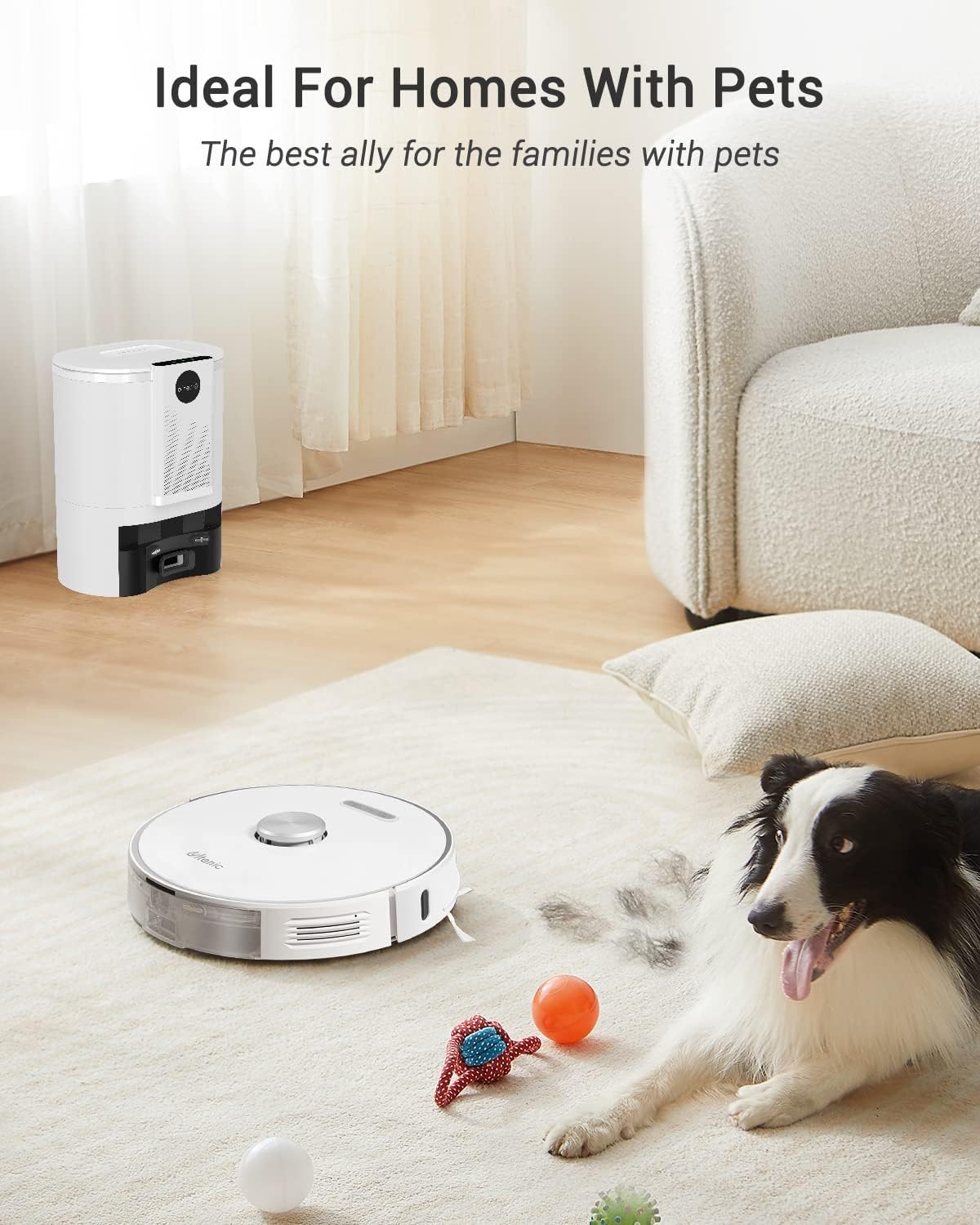
Image 4.2: A diagram demonstrating the robot vacuum's ability to map and store layouts for multiple floors.
5. Instruccions de funcionament
5.1 Inici d'un cicle de neteja
You can start a cleaning cycle using one of the following methods:
- Comandament a distància: Press the 'Start' button on the included remote control.
- Robot Button: Press the physical start button located on the top of the robot vacuum.
- Ultenic APP: Use the 'Start' function within the Ultenic APP.
- Comandament de veu: Use voice commands via Alexa or Google Assistant (e.g., "Alexa, start T10").
Video 5.1: Demonstration of starting the robot vacuum cleaner using various methods, including remote control, physical button, and mobile app.
5.2 modes de neteja
The Ultenic T10 supports multiple cleaning modes to suit your needs:
- Aspirar: Efficiently picks up dust, pet hair, and debris.
- Fregar: Uses the water tank and mop cloth to clean hard floors.
- Aspiració i fregada simultànies: Cleans floors in a single pass.

Image 5.2: The robot vacuum actively cleaning a hard floor surface.

Image 5.3: The robot vacuum performing its mopping function on a floor.

Image 5.4: The robot vacuum effectively collecting pet hair from a carpeted area.
6. Manteniment
6.1 Mop Cloth Disassembly and Installation
Regular cleaning of the mop cloths is essential for optimal mopping performance.
- Turn the robot vacuum over to access the bottom.
- Locate the mop cloth holder and detach it from the robot.
- Remove the used mop cloth from the holder.
- Clean the mop cloth with water and mild detergent, then allow it to air dry completely.
- Attach a clean, dry mop cloth to the holder.
- Reattach the mop cloth holder to the robot, ensuring it clicks securely into place.
Video 6.1: Detailed instructions on how to disassemble and install the mop cloths on the robot vacuum.
Video 6.2: A guide demonstrating the ease of replacing the mop and the dust bag on the robot vacuum.
6.2 Dust Bag and HEPA Filter Replacement
The self-empty base's dust bag should be replaced approximately every 60 days, or when full. The HEPA filter in the robot's dustbin should be cleaned regularly and replaced as needed.
- Open the lid of the self-empty base to access the disposable dust bag.
- Traieu amb cura la bossa de pols plena i llenceu-la.
- Insert a new dust bag into the compartment, ensuring it is properly seated.
- For the robot's internal dustbin, open the dustbin cover, remove the filter and clean it with the provided cleaning brush. Replace the HEPA filter if it is visibly worn or damaged.
7. Especificacions
| Característica | Detall |
|---|---|
| Marca | Ultènic |
| Nom del model | T10 |
| Característica especial | LiDAR Navigation, Self-Emptying |
| Color | Blanc |
| Dimensions del producte | 13.78 cm de llargada x 13.78 cm d'amplada x 3.86 cm d'alçada |
| Tipus de filtre | HEPA |
| Durada de la bateria | 2 anys |
| Voltage | 220 Volts |
| Capacitat (bossa de pols) | 4.3 litres |
| Font d'alimentació | Funciona amb bateria |
| S'inclouen les piles | Yes (1 AAA batteries for remote) |
| Mètode de control | App, Remote, Voice (Alexa, Google Home) |
| Pes de l'article | 16.5 lliures |
| Fabricant | Ultènic |
| Número de model de l'article | 8801290332 |
| Recomanació de superfície | Hard Floor, Wooden Floor, Carpet, Rug |
8. Garantia i Suport
Ultenic offers an 18-month warranty, extendable by 6 months upon product registration. For any support needs, please contact the Ultenic Support Team via the App Live Chat or 24/7 E-mail Assistant.
Note: Some robot mainboards may have Japanese voice reminders. This can be changed to English or other available languages once connected to the Ultenic APP. Refer to the attached instruction or contact support for assistance.


