1. Introducció
The Hisense HS205 2.0ch Sound Bar is designed to enhance your television's audio experience. This manual provides detailed instructions for setting up, operating, and maintaining your sound bar to ensure optimal performance.
Les característiques clau inclouen:
- Roku TV Ready: Seamless integration with Roku TVs via HDMI (ARC) for simplified control.
- Múltiples opcions de connectivitat: HDMI (ARC), Optical, AUX, USB, and Bluetooth for versatile audio sources.
- Preset EQ Modes: Optimize audio for movies, music, or news with dedicated sound modes.
- Disseny compacte: Fits easily into various living spaces without requiring a large subwoofer.
2. Què hi ha a la caixa
Please check that all items are included:
- Barra de so Hisense HS205
- Control remot
- Cable HDMI
- Cable òptic
- Kit de muntatge a la paret (cargols i ancoratges)
- Cable d'alimentació
- Piles AAA (per al comandament a distància)
- Manual d'usuari i guia d'inici ràpid
3. Producte acabatview
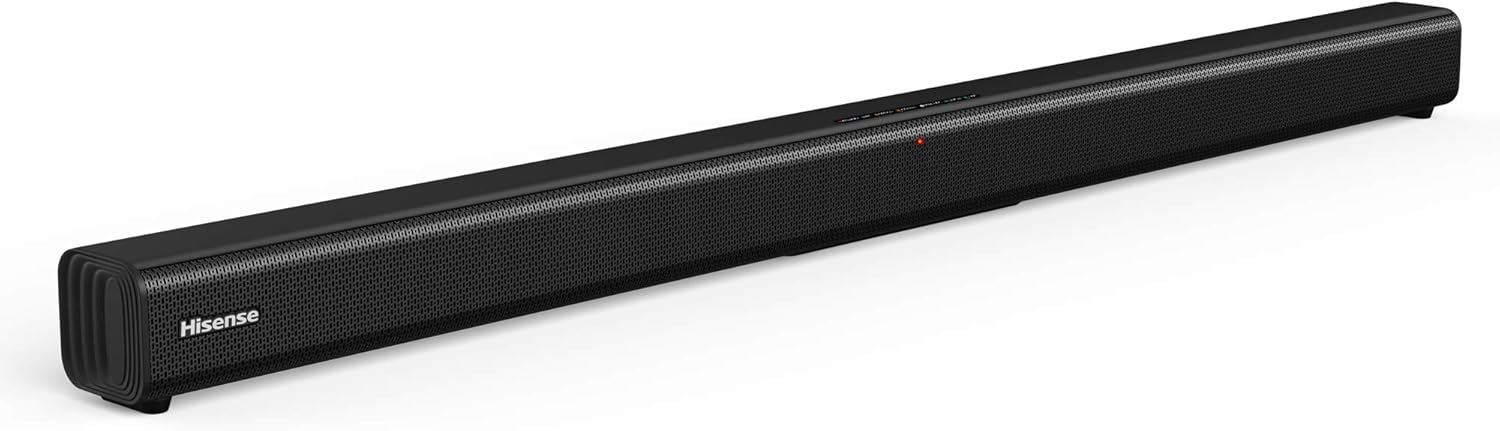
Figura 3.1: Davant view of the Hisense HS205 Sound Bar, showcasing el seu elegant disseny negre.

Figura 3.2: Visual representation of the sound bar's connectivity options: HDMI ARC, Bluetooth, USB Media, and Line In.

Figura 3.3: Dimensions of the Hisense HS205 Sound Bar: 37.4 inches in width, 2.4 inches in depth, and 2.4 inches in height.

Figura 3.4: posterior view of the sound bar, highlighting the power input, USB, HDMI ARC, Coaxial, and Optical ports.

Figura 3.5: The remote control for the Hisense HS205 Sound Bar, showing buttons for power, mute, volume, playback, EQ modes, and input selection.
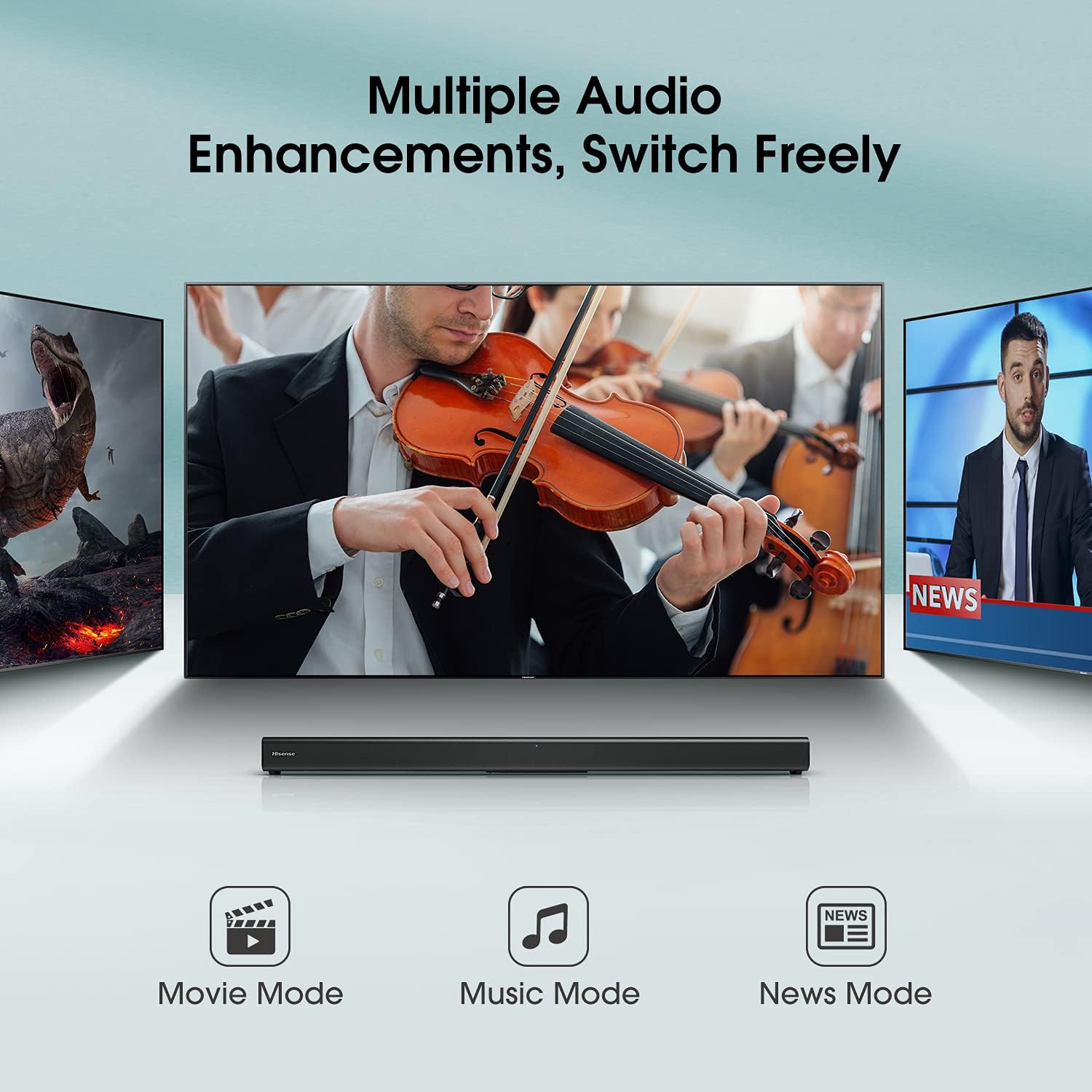
Figura 3.6: Close-up of the sound bar's top panel, displaying the indicator lights for Standby, Bluetooth, Optical, Coaxial, HDMI ARC, Line In, and USB inputs.
4. Instruccions de configuració
4.1 Connexió d'alimentació
- Connect the power cable to the AC IN port on the back of the sound bar.
- Connecteu l'altre extrem del cable d'alimentació a una presa de corrent.
4.2 Connexió al televisor
Trieu un dels mètodes de connexió següents:
4.2.1 HDMI ARC (recomanat)
- Connect one end of the HDMI cable (included) to the HDMI ARC port on your sound bar.
- Connecteu l'altre extrem del cable HDMI al port HDMI ARC del televisor.
- Ensure your TV's HDMI-CEC feature (often called Anynet+, Bravia Sync, SimpLink, etc.) is enabled in your TV settings.
- Select the HDMI ARC input on your sound bar using the remote control.
4.2.2 Connexió òptica
- Connect one end of the Optical cable (included) to the OPTICAL port on your sound bar.
- Connect the other end of the Optical cable to the Optical Digital Audio Out port on your TV.
- Select the OPTICAL input on your sound bar using the remote control.
4.2.3 Connexió AUX
- Connect a 3.5mm audio cable (not included) from the LINE IN port on your sound bar to the Audio Out (headphone) jack on your TV or other audio device.
- Select the LINE IN input on your sound bar using the remote control.
4.3 Vinculació Bluetooth
- Press the Bluetooth button on the remote control or the sound bar's top panel to enter Bluetooth pairing mode. The Bluetooth indicator light will flash.
- Al dispositiu intel·ligent (telèfon intel·ligent, tauleta, ordinador portàtil), activeu el Bluetooth i cerqueu els dispositius disponibles.
- Select "Hisense HS205" from the list of devices.
- Once connected, the Bluetooth indicator light on the sound bar will turn solid.
Vídeo 4.1: Demonstration of connecting the Hisense HS205 Sound Bar via Bluetooth and testing its audio output.
Reproducció USB 4.4
- Inseriu una unitat USB que contingui àudio files into the USB port on the back of the sound bar.
- Press the USB button on the remote control to switch to USB input.
- Use the playback controls on the remote (Play/Pause, Next/Previous) to manage your music.
4.5 Muntatge a la paret
The sound bar can be mounted on a wall using the included wall mounting kit. Refer to the Quick Start Guide for a detailed template and instructions for drilling and securing the sound bar.
5. Instruccions de funcionament
5.1 Funcions de control remot
The remote control allows you to manage all functions of your sound bar:
- Botó d'encesa: Turns the sound bar On/Off.
- Botó de silenci: Silencia o activa el so.
- Volum +/-: Ajusta el nivell de volum principal.
- Reproduir/pausa: Controls playback for Bluetooth and USB sources.
- Següent/Anterior: Skips tracks for Bluetooth and USB sources.
- Input Selection Buttons (HDMI ARC, OPT/COAX, Bluetooth, LINE IN, USB): Selecciona la font d'àudio.
- EQ Mode Buttons (MOVIE, MUSIC, NEWS): Switches between preset sound modes.
5.2 modes d'equalització
Optimize your audio experience with three preset equalizer modes:
- Mode pel·lícula: Enhances dialogue clarity and dynamic range for films.
- Mode de música: Proporciona àudio equilibrat per a la reproducció de música.
- Mode de notícies: Optimizes vocal frequencies for clear speech.

Figura 5.1: The sound bar displaying different audio enhancement modes for Movie, Music, and News content.
6. Manteniment
To ensure the longevity and optimal performance of your Hisense HS205 Sound Bar, follow these simple maintenance guidelines:
- Neteja: Feu servir un drap suau i sec per netejar la superfície de la barra de so. No utilitzeu netejadors líquids ni materials abrasius.
- Ventilació: Assegureu-vos que la barra de so tingui una ventilació adequada. No bloquegeu cap obertura de ventilació.
- Col·locació: Avoid placing the sound bar in direct sunlight, near heat sources, or in areas with high humidity or dust.
- Apagar: If the sound bar will not be used for an extended period, unplug it from the power outlet.
7. Solució De Problemes
Si teniu problemes amb la barra de so, consulteu les solucions habituals següents:
7.1 Sense so
- Comproveu les connexions: Ensure all cables (HDMI, Optical, AUX) are securely connected to both the sound bar and your TV/audio source.
- Correct Input: Verify that the correct input source is selected on the sound bar (e.g., HDMI ARC, Optical, Bluetooth).
- Configuració d'àudio del televisor: Access your TV's audio settings and ensure the audio output is set to the correct external speaker option (e.g., HDMI ARC, Optical). For some Hisense TVs, the "Digital Output" setting may need to be set to "PCM" instead of "Auto" for sound to be transmitted via optical or HDMI ARC.
- Nivells de volum: Increase the volume on both the sound bar and your TV. Ensure neither device is muted.
7.2 Apagada automàtica
- The sound bar may have an automatic power-off feature to conserve energy if no audio signal is detected for a period.
- If using an external audio source (e.g., computer), ensure the audio output volume from the source is sufficiently high for the sound bar to detect the signal. Even if the sound bar's volume is set low, the source volume should be adequate.
7.3 Problemes de connexió Bluetooth
- Reemparella el dispositiu: Delete "Hisense HS205" from your device's Bluetooth list and attempt to pair again.
- Distància: Ensure your Bluetooth device is within the 10-meter (33 feet) range of the sound bar.
- Interferència: Move the sound bar and Bluetooth device away from other wireless devices that may cause interference.
8. Especificacions
| Característica | Especificació |
|---|---|
| Nom del model | HS205 |
| Tipus d'altaveu | Barra de so |
| Configuració del canal de so envoltant | 2.0 |
| Potència de sortida màxima dels altaveus | 30 watts |
| Tecnologia de connectivitat | Auxiliary, Bluetooth, HDMI, Optical, USB |
| Tecnologia de comunicació sense fils | Bluetooth |
| Interval Bluetooth | 10 metres |
| Mode de sortida d'àudio | Multiple audio enhancements: Movie mode, Music mode, News mode |
| Dimensions del producte | 2.4 "P x 37.4" W x 2.4" H |
| Pes de l'article | 3.3 lliures |
| Color | Negre |
| Tipus de muntatge | Muntatge de paret |
| Mètode de control | Remot |
9. Garantia i Suport
The Hisense HS205 Sound Bar comes with a Garantia limitada. Please refer to the included Warranty Card for detailed terms and conditions, including coverage period and how to obtain service.
For further assistance, technical support, or warranty claims, please contact Hisense customer service through their official weblloc web o la informació de contacte que es proporciona a la documentació de la garantia.


