1. Introducció
Welcome to the user manual for your new Xiaomi Poco X3 NFC. This guide will help you get started with your device, understand its features, and troubleshoot common issues. The Poco X3 NFC is designed to deliver a powerful and smooth user experience with its advanced hardware and intuitive software.
2. Què hi ha a la caixa
- Xiaomi Poco X3 NFC Smartphone
- Cable de càrrega USB
- Bloc de càrrega USB
- Eina d'expulsió de SIM
- Funda protectora
- User Guide & Warranty Card

Figure 2.1: Xiaomi Poco X3 NFC smartphone and its retail packaging contents.
3. Dispositiu acabatview
The Xiaomi Poco X3 NFC features a sleek design with a 6.67-inch DotDisplay. The rear houses a distinctive camera module, and the side-mounted fingerprint sensor is integrated into the power button for convenient access.
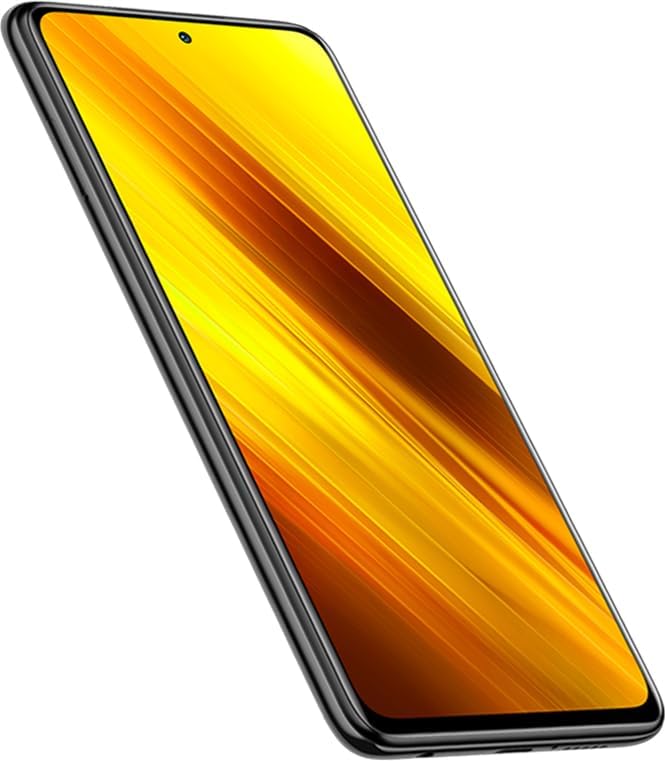
Figura 3.1: lateral view of the Poco X3 NFC, highlighting the power button with integrated fingerprint sensor and volume rocker.
The device includes a 3.5mm headphone jack, a USB-C port for charging and data transfer, and dual stereo speakers for an immersive audio experience.

Figure 3.2: Close-up of the distinctive rear camera module on the Poco X3 NFC.
4. Configuració
To begin using your Poco X3 NFC, follow these steps:
- Encès: Press and hold the power button (located on the right side) until the Xiaomi logo appears.
- Configuració inicial: Segueix les instruccions que apareixen a la pantalla per seleccionar l'idioma i la regió i connectar-te a una xarxa Wi-Fi.
- Configuració d'empremtes dactilars: During setup, you will be prompted to register your fingerprint. Place your finger on the side-mounted sensor and lift it after you feel a vibration. Repeat until registration is complete.
- Desbloqueig facial: You can also set up Face Unlock for convenient access.
- Inserció de la targeta SIM: Use the provided SIM eject tool to open the SIM tray. Insert your Nano-SIM card(s) and/or a microSD card (up to 256GB) into the tray and reinsert it into the phone.
5. Operating System (MIUI 12)
The Poco X3 NFC runs on MIUI 12, Xiaomi's custom Android 10-based operating system. MIUI 12 offers a clean and responsive user experience with various customization options.
- Navegació: Swipe down from the top of the screen to access the notification shade and quick settings panel. Swipe up from the home screen to open the app drawer.
- Personalització: Explore the 'Themes' app to personalize your phone's appearance with various wallpapers, icons, and fonts.
- Gestió d'aplicacions: MIUI 12 allows you to uninstall most pre-installed applications to free up storage space.
6. Característiques de la càmera
The Poco X3 NFC boasts a 64MP AI Quad Camera system, featuring a Sony IMX682 main sensor, a 13MP ultra-wide-angle lens, a 2MP macro camera, and a 2MP depth sensor. The front camera is a 20MP AI selfie camera.
Figure 6.1: The Poco X3 NFC's 64MP AI Quad Camera setup.
Camera modes include Photo, Video, Portrait, Night, 64MP, Panorama, Documents, Vlog, Slow Motion, Time-lapse, Front & Back, Long Exposure, and Clone. Video recording supports up to 4K at 30 frames per second.
Vídeo 6.1: Un overview of the Xiaomi Poco X3 NFC's features, including its camera capabilities.
Description: This video provides a general look at the Xiaomi Poco X3 NFC, showcasing its design, camera module, and key specifications.
7. Àudio i pantalla
The 6.67-inch DotDisplay offers a 120Hz refresh rate and 240Hz touch sampling rate, providing a smooth and responsive visual experience. It supports Full HD+ resolution (2400 x 1080) and is protected by Corning Gorilla Glass 5.

Figure 7.1: Visual demonstration of the 120Hz refresh rate and 240Hz touch sampling rate for smooth scrolling and gaming.
For audio, the device features dual stereo speakers, providing a loud and immersive sound experience. It also retains a 3.5mm headphone jack for traditional audio connections.
8. Rendiment i jocs
Powered by the Qualcomm Snapdragon 732G processor and 6GB of RAM, the Poco X3 NFC delivers strong performance for daily tasks and gaming. The Adreno 618 GPU ensures smooth graphics rendering.

Figure 8.1: Details of the Qualcomm Snapdragon 732G processor, highlighting its capabilities for performance and gaming.
The 120Hz display and 240Hz touch sampling rate contribute to a highly responsive gaming experience, making it suitable for demanding mobile games.
9. Bateria i càrrega
The Poco X3 NFC is equipped with a large 5160mAh (typ) battery, providing extended usage times. It supports 33W fast charging, allowing for quick recharges.

Figure 9.1: Visual representation of the 5160mAh battery and 33W fast charging capability.
A 33W fast charger is included in the box, enabling the device to reach 62% charge in 30 minutes and 100% charge in 65 minutes.
10. Connectivitat
The device supports 4G LTE, Wi-Fi 2x2 MIMO, Bluetooth 5.1, and NFC (Near Field Communication) for Google Pay. It features a hybrid SIM slot, allowing for either dual Nano-SIMs or one Nano-SIM and a microSD card.
11. Sensors
The Poco X3 NFC includes a comprehensive set of sensors for enhanced functionality:
- Sensor de proximitat
- Sensor de llum ambiental
- Acceleròmetre
- Giroscopi
- Brúixola electrònica
- Motor lineal
- Blaster IR
12. Resistència a l'aigua i la pols
The device supports IP53 splash-proof protection, offering resistance against light splashes and dust.
13. Especificacions
| Característica | Especificació |
|---|---|
| Nom del model | Poco X3 NFC |
| Número de model | M2007J20CG |
| Mostra | 6.67-inch DotDisplay, 120Hz, 2400 x 1080 FHD+ |
| Processador | Qualcomm Snapdragon 732G |
| RAM | 6 GB |
| Emmagatzematge | 128 GB (ampliable fins a 256 GB) |
| Càmera posterior | 64MP Main + 13MP Ultra-wide + 2MP Macro + 2MP Depth |
| Càmera frontal | Selfie de 20MP |
| Bateria | 5160 mAh (tipus) |
| Carregant | Càrrega ràpida de 33 W |
| Sistema operatiu | Android 10.0 (MIUI 12) |
| Connectivitat | 4G LTE, Wi-Fi, Bluetooth 5.1, NFC |
| Dimensions | 0.37 x 3.02 x 6.51 polzades |
| Pes | 1.25 lliures |
14. Solució De Problemes
If you encounter any issues with your Poco X3 NFC, try the following basic troubleshooting steps:
- Reinicieu el dispositiu: Un simple reinici sovint pot resoldre petits problemes de programari.
- Comproveu les connexions: Ensure Wi-Fi, Bluetooth, or mobile data connections are stable.
- Actualització de programari: Check for available system updates in Settings > About phone > MIUI version.
- Esborra la memòria cau: If an app is misbehaving, try clearing its cache in Settings > Apps > Manage apps > [App Name] > Clear data > Clear cache.
- Restabliment de fàbrica: As a last resort, you can perform a factory reset (Settings > About phone > Factory reset). Avís: Això esborrarà totes les dades del dispositiu. Fes una còpia de seguretat de les dades importants abans de continuar.
15. Garantia i Suport
Your Xiaomi Poco X3 NFC comes with a standard manufacturer's warranty. Please refer to the Warranty Card included in your product box for detailed terms and conditions. For further support, visit the official Xiaomi weblloc o poseu-vos en contacte amb el seu servei d'atenció al client.


