1. Introducció
Gràcies per la compraasing the Crenova Home Video Projector. This projector is designed to deliver a superior visual experience with its native 1080P Full HD resolution, high contrast ratio, and bright LED lamp. It supports a large image display of up to 200 inches, making it ideal for home theater setups and outdoor movie nights. This manual provides detailed instructions for setup, operation, maintenance, and troubleshooting to ensure optimal performance and longevity of your device.
2. Informació de seguretat
- No mireu directament a la lent del projector quan estigui encès.amp està encès, ja que la llum brillant pot causar lesions oculars.
- Assegureu-vos que hi hagi una ventilació adequada al voltant del projector. No bloquegeu les obertures de ventilació.
- Feu servir només l'adaptador de corrent que s'inclou amb el projector.
- Avoid placing the projector in areas with high humidity, dust, or extreme temperatures.
- No intenteu desmuntar ni reparar el projector vosaltres mateixos. Encarregueu totes les tasques de manteniment a personal qualificat.
- Mantingueu el projector allunyat de l'aigua o altres líquids.
3. Contingut del paquet
Si us plau, comproveu el contingut del paquet en desembalar-lo. Si falta algun article o hi ha algun malmès, poseu-vos en contacte amb el servei d'atenció al client.
- Crenova Home Video Projector (Model A6500)
- Cable d'alimentació
- Control remot
- Cable HDMI
- Manual d'usuari
4. Producte acabatview
4.1 Components del projector
Familiarize yourself with the main components of your Crenova projector.
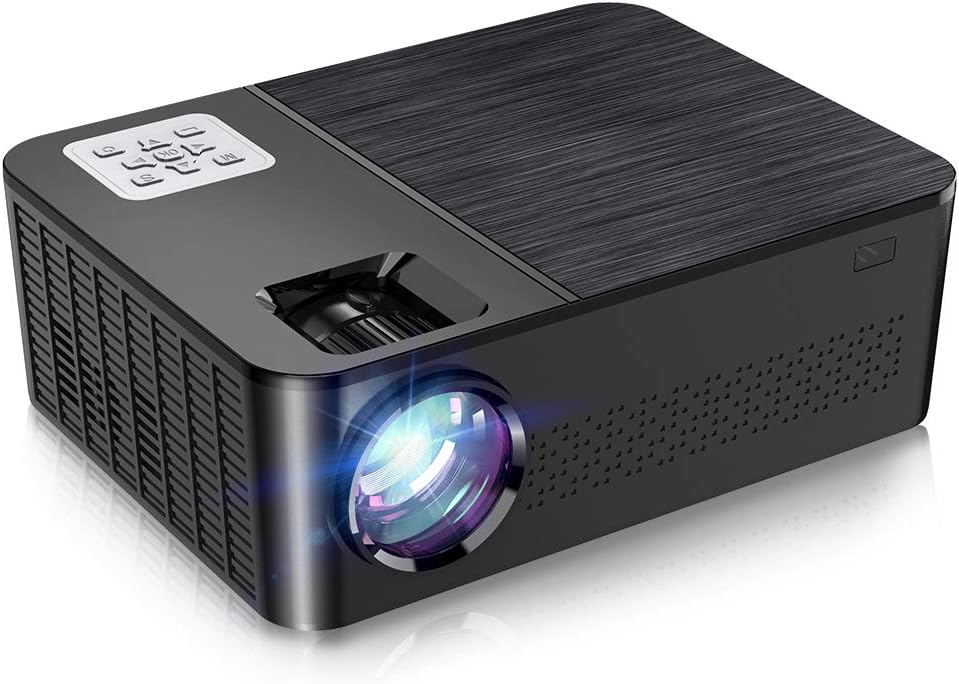
Figura 4.1: Frontal i superior view of the Crenova A6500 Projector, showing the lens and control panel.

Figura 4.2: De dalt a baix view of the Crenova A6500 Projector surrounded by compatible multimedia devices, highlighting its various input ports.
4.2 Control Panel and Adjustments
The projector features an intuitive control panel on top and adjustment dials for focus and keystone correction.

Figura 4.3: Primer pla view of the Crenova A6500 Projector, illustrating the focus ring and keystone correction dial for image clarity and shape adjustment.
5. Configuració
5.1 Col·locació
Choose a flat, stable surface for the projector. The projection distance will determine the screen size. For optimal viewing, a screen size of 100"-120" is recommended with a projection distance of 10-13 feet (approximately 3-4 meters). The projector supports a wide range of screen sizes from 30" to 200" with projection distances from 1.5m to 6.5m.
5.2 Connexió d'alimentació
- Connecteu el cable d'alimentació al port d'entrada d'alimentació del projector.
- Connecteu l'altre extrem del cable d'alimentació a una presa de corrent.
- La llum indicadora d'alimentació s'il·luminarà.
5.3 Encès inicial
Press the power button on the projector or the remote control to turn on the device. The fan will start, and the projector lamp s'il·luminarà.
6. Instruccions de funcionament
6.1 Selecció de la font
After powering on, use the 'Source' button on the remote control or the projector's control panel to select your desired input source (e.g., HDMI1, HDMI2, USB, AV).
6.2 Navegació de menús
Use the arrow keys on the remote control or control panel to navigate through the on-screen menu options. Press 'OK' or 'Enter' to confirm selections and 'Return' or 'Exit' to go back.
7. Connectivitat
The Crenova A6500 projector offers multiple connectivity options for various multimedia devices.
- HDMI: Connect your TV Stick, Chromecast, PC, laptop, PS4, Xbox, or other HDMI-enabled devices using an HDMI cable.
- USB: Inseriu una unitat USB per reproduir contingut multimèdia files directament.
- Wired Mirroring: The projector supports wired mirroring from multi-media devices. For iPhone, an extra Lightning to HDMI adapter is required (not included). For Android phones, a Micro USB/Type C to HDMI adapter is needed (not included), and the phone must support MHL function.Note: Copyrighted content from services like Hulu and Netflix cannot be mirrored or screencast due to protection protocols.
- Targeta TF: Insert a TF (MicroSD) card to access media files.

Figure 7.1: Illustration of wired mirroring in use, showing a family enjoying content projected onto a large screen.
8. Image and Sound Adjustment
8.1 Correcció de focus i trapezoide
Focus: Rotate the focus ring near the lens until the projected image is clear and sharp.
Correcció Keystone: Use the keystone correction dial (±15°) to adjust the image shape if it appears trapezoidal. This corrects for projection angles where the projector is not perfectly perpendicular to the screen.
8.2 Funció de zoom
The projector allows you to adjust the screen size from 75% to 100% using the remote control. This is useful for fine-tuning the image size without moving the projector, especially when ceiling mounted or in small rooms.
8.3 Image Quality and Sound
Experience remarkable image quality with native 1080P resolution and a 7000:1 high dynamic contrast ratio. The projector also supports Dolby sound and features a built-in HiFi speaker for an immersive audio experience.

Figure 8.1: Visual comparison demonstrating the superior clarity and detail of 1080P image quality with a higher contrast ratio.
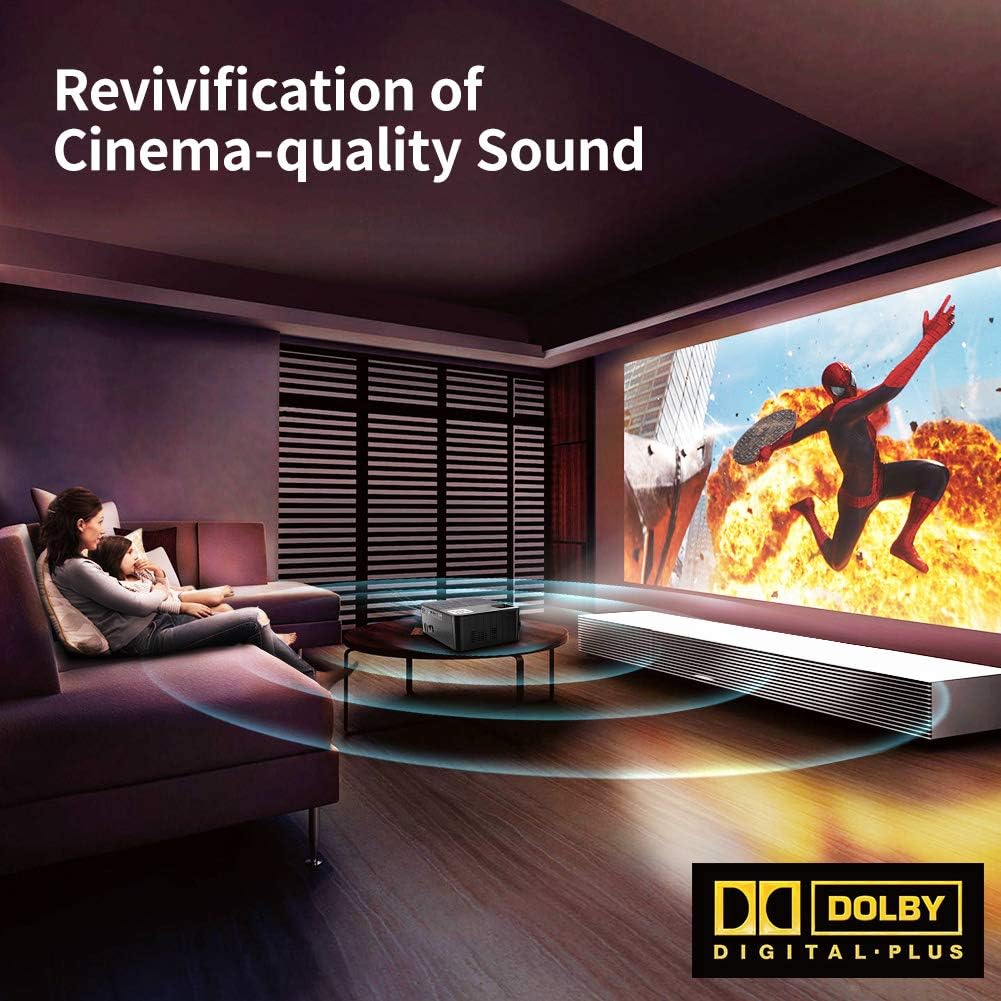
Figure 8.2: Depiction of the projector providing cinema-quality sound with Dolby Digital Plus support in a home environment.

Figure 8.3: An outdoor setting showcasing the projector's capability to display a massive large screen, perfect for outdoor entertainment.
9. Manteniment
- Neteja de lents: Feu servir un drap suau i sense borrissol dissenyat específicament per a lents òptiques per netejar suaument la lent del projector. Eviteu materials abrasius o productes químics agressius.
- Neteja del filtre de pols: Regularly check and clean the dust filter to ensure proper airflow and prevent overheating. Refer to the diagram for filter location.
- Ventilació: Ensure the projector's ventilation ports are clear of obstructions.
- Lamp Vida: El LED lamp has a life expectancy of 60,000 hours. No regular lamp normalment cal substituir-lo en condicions d'ús normal.
10. Solució De Problemes
| Problema | Causa possible | Solució |
|---|---|---|
| Cap imatge | Font d'entrada incorrecta seleccionada; connexió del cable fluixa; dispositiu no encès. | Select the correct input source. Check all cable connections. Ensure connected device is powered on. |
| Sense so | Volume too low or muted; Audio cable not connected; Source device audio settings. | Increase volume or unmute. Ensure audio cables are securely connected. Check audio output settings on the source device. |
| La imatge és borrosa | Enfocament no ajustat; Projector massa a prop/lluny de la pantalla. | Adjust the focus ring. Adjust projection distance. |
| La imatge és trapezoïdal | Clave trapezoidal no ajustada. | Ajusteu el dial de correcció de la distorsió trapezoidal. |
| El projector s'sobreescalfa o s'apaga | Ventilació bloquejada; Ús prolongat en ambients calorosos. | Ensure ventilation ports are clear. Allow projector to cool down. Use in a well-ventilated area. |
11. Especificacions
- Model: A6500
- Resolució nativa: 1920 x 1080 (Full HD)
- Relació de contrast: 7000:1
- Brillantor: 7000 lumens
- Lamp Vida: 60,000 hores
- Mida de projecció: 30" - 200"
- Distància de projecció: 1.5 m - 6.5 m
- Correcció Keystone: ±15° Manual
- Funció de zoom: 75% - 100% (via remote control)
- Tipus d'altaveu: Built-In, Stereo (Dolby Supported)
- Tecnologia de connectivitat: HDMI, USB, TF Card
- Pes de l'article: 7.61 lliures (aprox. 3.45 kg)
- Dimensions del producte: 14.37 x 6.1 x 13.78 polzades (aprox. 36.5 x 15.5 x 35 cm)
12. Garantia i Suport
For detailed warranty information and customer support, please refer to the warranty card included in your package or visit the official Crenova weblloc web. També podeu contactar directament amb el venedor per obtenir ajuda.


