Introducció
The Garmin GPSMAP 65s is a rugged, button-operated handheld GPS device designed for reliable navigation in diverse outdoor environments. It features advanced multi-band technology and expanded Global Navigation Satellite System (GNSS) support, ensuring optimal accuracy even in challenging locations such as dense forests, urban canyons, and steep terrain. The device is equipped with a clear 2.6-inch color display, preloaded routable TopoActive mapping, and essential ABC (altimeter, barometer, and compass) sensors for comprehensive situational awareness.
Wireless connectivity via BLUETOOTH® and ANT+® technologies allows for seamless integration with the Garmin Explore™ website and app (compatible smartphone required). This functionality enables users to efficiently manage tracks, routes, and waypoints, as well as review activity statistics from the field.

Figure 1: Garmin GPSMAP 65s displaying current speed, distance to next waypoint, estimated time of arrival, and a digital compass.
Què hi ha a la caixa
Verifiqueu que tots els elements siguin presents a l'embalatge del producte:
- GPSMAP 65s Handheld Device
- Cable USB
- Clip de mosquetó
- Documentació (Manual d'inici ràpid, Informació de seguretat)
Configuració
Instal·lació de la bateria
The GPSMAP 65s operates on 2 AA batteries (included). For optimal performance, especially in cold weather, lithium batteries are recommended. Ensure correct polarity when inserting batteries.
Encès/Apagat
- Per engegar: premeu i manteniu premut el botó Poder botó situat al lateral del dispositiu.
- Per apagar: premeu i manteniu premut el botó Poder button until the power-off prompt appears, then select Apagueu.
Configuració inicial del dispositiu
Upon first power-on, the device will guide you through initial setup steps, including language selection and basic settings. Follow the on-screen prompts.
Carabiner Clip Attachment
Attach the included carabiner clip to the spine adapter on the back of the device for secure carrying on backpacks or belts.
Instruccions de funcionament
Navegació bàsica
Use the directional pad and ENTRAR button to navigate menus and select options. The PÀGINA button cycles through main pages like the map, compass, and trip computer.

Figure 2: TopoActive U.S. and Canada maps on the GPSMAP 65s, showing terrain contours and geographical points.
Waypoint Management
To mark your current location as a waypoint, press the MARC button. Waypoints can be managed, edited, and navigated to from the Waypoint Manager.
Routable TopoActive Mapping
The device comes preloaded with routable TopoActive mapping, including federal public land maps (U.S. only). This allows for detailed route planning and navigation on trails and roads.
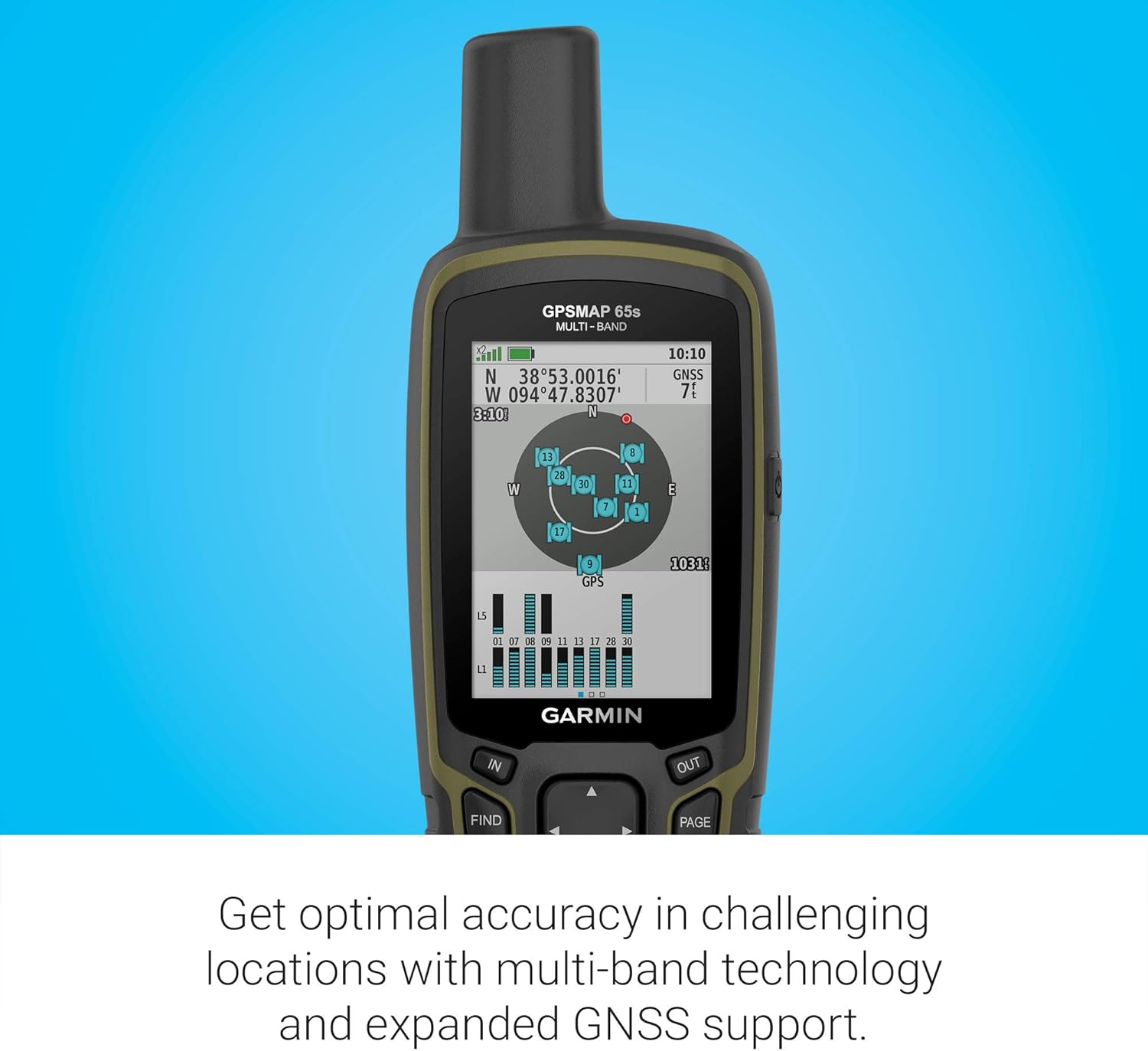
Figure 3: Federal public land boundaries displayed on the GPSMAP 65s map, aiding in navigation within designated areas.
ABC Sensors
The integrated altimeter, barometer, and 3-axis electronic compass provide crucial environmental data and directional guidance, even when stationary.
Connectivitat sense fil
Pair your GPSMAP 65s with a compatible smartphone via BLUETOOTH® or ANT+® to access features like smart notifications, weather updates, and data synchronization with the Garmin Explore™ app.

Figure 4: The GPSMAP 65s receiving a text message notification from a connected smartphone.
Característiques clau
- Multi-Band GNSS Support: Expanded support for multiple global navigation satellite systems (GPS, GLONASS, Galileo, QZSS) and multi-band technology for superior accuracy in challenging environments.
- Pantalla a color de 2.6 polzades: Large, sunlight-readable color display for easy viewing of maps and data.
- Preloaded TopoActive Mapping: Includes routable TopoActive mapping for the U.S. and Canada, with federal public land boundaries.
- Sensors ABC: Built-in altimeter, barometer, and 3-axis electronic compass for comprehensive navigation data.
- Garmin Explore™ Compatibility: Connects wirelessly to the Garmin Explore app and website for managing tracks, routes, waypoints, and reviewing statistics.
Durada de la bateria
The GPSMAP 65s is designed for extended use in the field. It requires 2 AA batteries (included). Battery life can vary based on usage, settings, and battery type.
- Up to 16 hours in standard GPS mode.
- Using lithium batteries in cold weather is recommended for optimal performance.
Connectivitat
Aplicació Garmin Explore
The Garmin Explore app allows you to plan trips, manage waypoints, routes, and tracks, and sync data with your GPSMAP 65s. Download the app on your compatible smartphone.
Connexió USB
Connect the device to a computer using the provided USB cable for data transfer and charging. The device supports a "Garmin Spanner" USB Mode, allowing it to function as a GPS receiver for mapping programs or to be powered by an external power bank.
Safety and SOS
The GPSMAP 65s is designed with safety in mind. While the provided JSON does not specify an SOS button for this model, Garmin handhelds often include features for emergency situations. Always ensure you have alternative navigation and communication methods when venturing into remote areas.
For models with InReach capabilities (not explicitly stated for this exact 65s variant but common in the series), an SOS button allows you to trigger an interactive SOS message to a 24/7 monitoring center. This feature typically requires an active satellite subscription.
Especificacions
| Característica | Especificació |
|---|---|
| Dimensions del producte | 7.04 x 5.44 x 2.29 polzades |
| Pes de l'article | 7.7 unces |
| Número de model de l'article | 010-02451-10 |
| Bateries | Necessites 2 piles AA (incloses) |
| Mida de la pantalla | 2.6 polzades |
| Resolució de visualització | 160 x 240 píxels |
| Tecnologia de connectivitat | Bluetooth, ANT+ |
| Tipus de mapa | North America (TopoActive) |
| Classificació impermeable | IPX7 (resistent a l'aigua) |
Manteniment
Neteja del dispositiu
Netegeu el dispositiu regularment amb un drap suau i sec.amp cloth. Avoid harsh chemicals or abrasive materials that could damage the screen or casing.
Cura de la bateria
Remove batteries if the device will not be used for an extended period to prevent leakage. Store batteries in a cool, dry place.
Actualitzacions de programari
Periodically connect your device to a computer with Garmin Express to check for and install software updates. Updates can improve performance, add features, and fix bugs.
Resolució de problemes
El dispositiu no s'encén
- Ensure batteries are correctly inserted with proper polarity.
- Substituïu-les per piles noves.
- Comproveu si els contactes de la bateria estan corrosius.
GPS Signal Loss
- Assegureu-vos de tenir clar view del cel.
- Move away from tall buildings, dense tree cover, or deep canyons.
- Allow the device sufficient time to acquire satellites.
Map Display Issues
- Ensure maps are properly loaded and enabled in the device settings.
- If using a microSD card for maps, ensure it is securely inserted and not corrupted.
Garantia i Suport
For warranty information, technical support, or additional resources, please refer to the official Garmin weblloc web o poseu-vos en contacte amb el servei d'atenció al client de Garmin. Conserveu el comprovant de compra per a reclamacions de garantia.
Online resources often include FAQs, detailed user manuals, and software downloads.
Vídeos oficials de productes
Garmin GPSMAP 65 and 65s Overview
Vídeo: Un funcionari ha acabatview of the Garmin GPSMAP 65 and 65s handheld devices, highlighting key features and functionalities.


