Producte acabatview
The LaView Home Security Camera system provides comprehensive indoor surveillance with 1080P HD video, motion detection, two-way audio, and night vision capabilities. Designed for ease of use, these cameras connect via Wi-Fi and can be monitored through the LaView mobile application or web browser, offering continuous live streams and smart alerts.

Image: Four LaView Home Security Cameras, black in color, designed for indoor use.
Característiques principals:
- 24/7 Live Streaming: Access live feeds via the LaView aplicació o web browser, supporting up to 9 simultaneous views.
- 1080P HD & Night Vision: Clear 2.1MP video with advanced IR night vision up to 33 ft. Compatible with 2.4GHz Wi-Fi.
- Motion Detection & Two-Way Audio: Receive instant smart alerts and communicate through the camera with noise cancellation.
- Flexible Placement & Sharing: Suitable for various indoor locations (living room, kitchen, office). Share access with up to 20 users.
- Cloud & Micro-SD Storage: Includes a 30-day free trial for US cloud storage (AWS server) and supports microSD cards up to 128GB.
Què hi ha a la caixa
- Camera Body (4 units)
- Power Adapter (4 units)
- Guia d'inici ràpid
Guia de configuració
1. Instal·lació i registre de l'aplicació
Download the "LaView" app from your mobile device's app store (iOS or Android). Register for a new account or log in if you already have one.
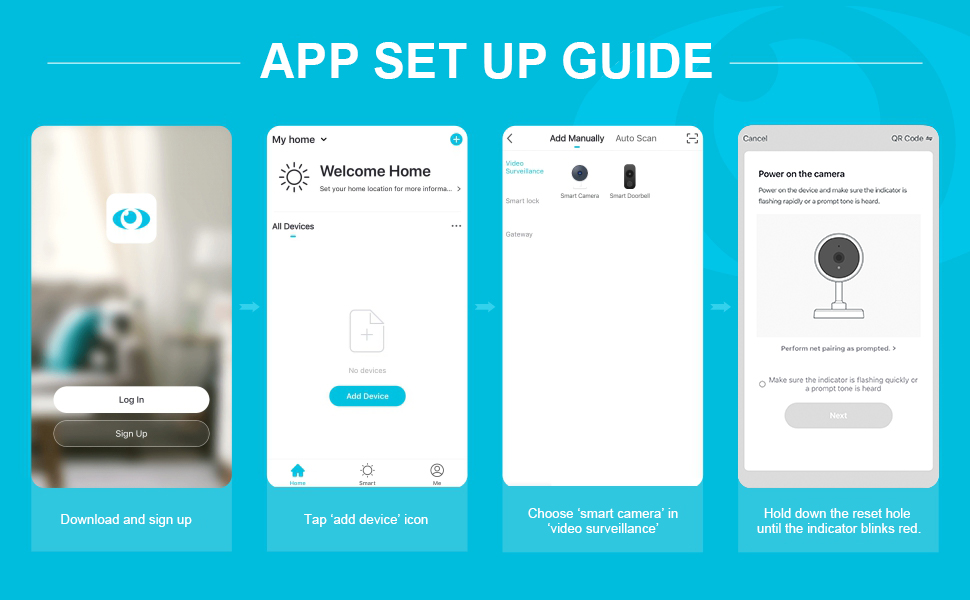
Image: Step-by-step guide for initial app setup, including downloading the app, logging in, tapping 'Add Device', and selecting 'Smart Camera' under 'Video Surveillance'.
- Download the "LaView" App and register an account.
- Plug in the power adapter to the camera.
- Tap the 'Add Device' icon in the app.
- Choose 'Smart Camera' under 'Video Surveillance'.
- Ensure the camera's indicator is flashing rapidly or a prompt tone is heard. If not, hold down the reset hole until the indicator blinks.
2. Connexió a Wi-Fi
The camera supports 2.4GHz Wi-Fi networks. Ensure your mobile device is connected to a 2.4GHz network during setup.
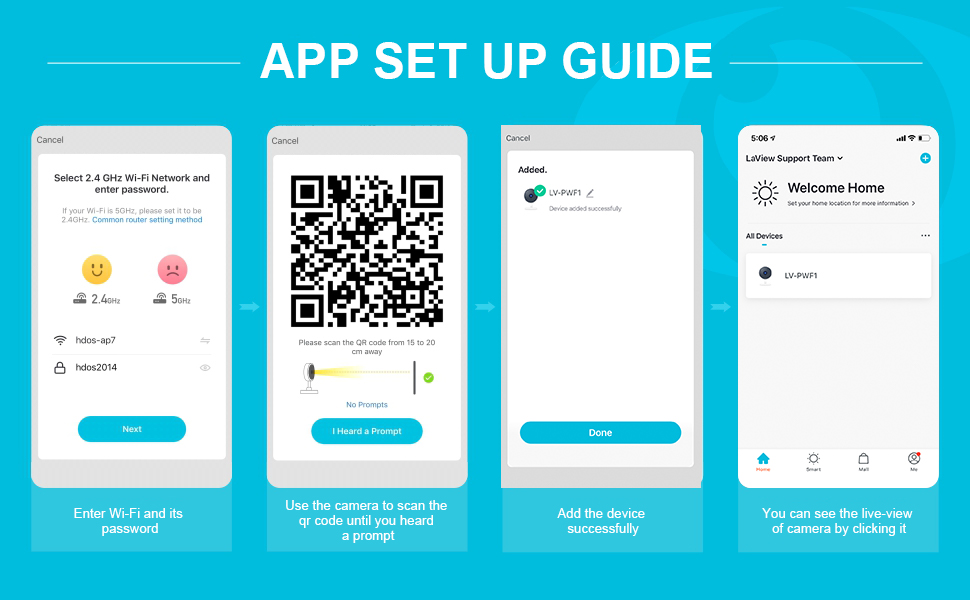
Image: Continuation of app setup, showing steps for entering Wi-Fi credentials, scanning a QR code with the camera, and successful device addition.
- Introduïu el nom i la contrasenya de la vostra xarxa Wi-Fi de 2.4 GHz a l'aplicació.
- Use the camera to scan the QR code displayed on your phone screen. Hold the phone 15-20 cm away from the camera lens until you hear a prompt.
- Once the device is added successfully, you can view la transmissió en directe.
For advanced Wi-Fi settings, refer to your router's common router setting method if you encounter issues with 5GHz networks.
3. Web Guia d'accés
You can also access your camera's live feed and settings through a web navegador.

Image: Instructions for accessing camera feeds via a web browser, including logging into the website, scanning a QR code with the app, and viewing multiple cameras.
- Obre el teu web browser and navigate to the LaView web portal.
- Scan the QR code displayed on the web page using the scanner icon in the top right corner of the LaView aplicació mòbil.
- Login will complete, and you can view les seves càmeres.
Instruccions de funcionament
Viu View i monitorització multicàmera
The LaView aplicació i web interface allow you to view live streams from your cameras. You can connect and view up to 9 cameras simultaneously.

Image: A laptop screen showing a grid of nine live video feeds from various LaView home security cameras, demonstrating multi-camera viewcapacitat d'ing.
Detecció de moviment i alertes
The cameras are equipped with advanced motion detection. When motion is detected, you will receive real-time alert notifications on your smartphone.
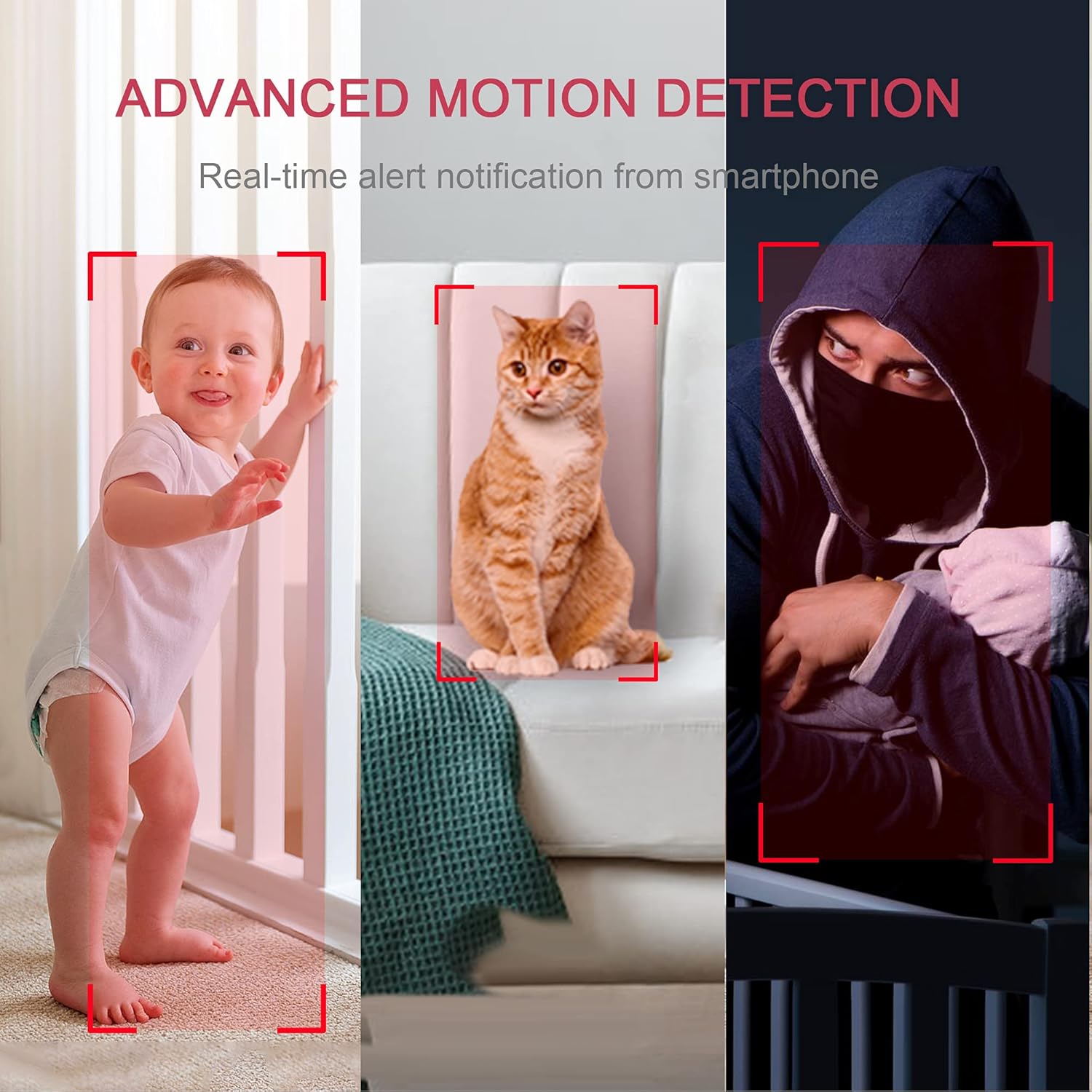
Image: A composite image illustrating the camera's advanced motion detection feature, showing a baby, a cat, and a person in a hoodie, with red boxes indicating detected motion.
Àudio bidireccional
Utilize the built-in microphone and speaker for clear two-way communication. This feature allows you to speak to individuals near the camera and hear their responses.

Image: A young girl wearing headphones, looking at a tablet, with a LaView camera on the table. Speech bubbles indicate two-way audio communication: "Mom, I'm looking at the course." and "Lisa, what are you doing?".
Visió nocturna
The cameras are equipped with advanced infrared (IR) night vision, providing clear visibility up to 33 feet even in complete darkness.
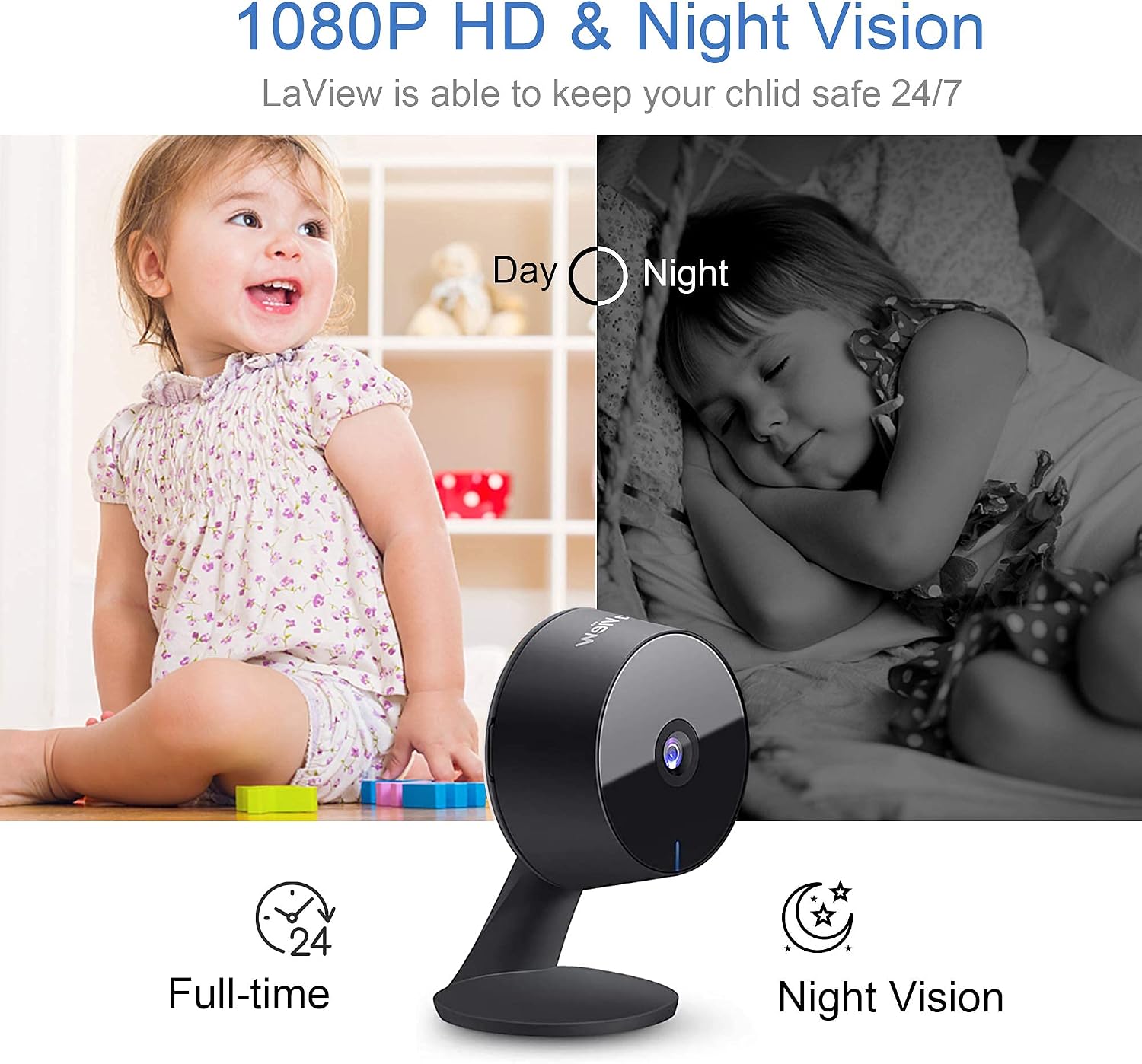
Image: A split image demonstrating the camera's 1080P HD and night vision capabilities. The left side shows a child playing in daylight, and the right side shows a child sleeping in a grayscale night vision view.
Opcions d'emmagatzematge
Recordings can be stored locally on a microSD card (up to 128GB, not included) or via the optional cloud storage service. The cloud storage utilizes AWS servers in the US for data encryption and security.

Image: Two LaView cameras on a wooden table with cloud and microSD card icons floating above, set against a backdrop of the US flag. Text highlights "Privacy protection" and "USA Cloud Server," stating that "All data is being stored in the top safety US database system."
Integration with Alexa
The cameras are compatible with Amazon Alexa, allowing for voice control and integration into your smart home system.

Image: A woman working at a desk with a laptop and tablet. A speech bubble indicates "Alexa show me the baby room," demonstrating compatibility with Amazon Alexa for viewretransmissions de càmeres.
Manteniment
- Neteja: Feu servir un drap suau i sec per netejar la lent i el cos de la càmera. Eviteu productes de neteja o dissolvents abrasius.
- Actualitzacions de firmware: Regularly check the LaView aplicació per a les actualitzacions de firmware disponibles per garantir un rendiment i una seguretat òptims.
- Font d'alimentació: Ensure the camera is connected to a stable power source. Use only the provided power adapter.
- Gestió de targetes MicroSD: If using a microSD card, periodically review and back up important recordings. Format the card within the app if performance issues arise.
Resolució de problemes
| Problema | Causa possible | Solució |
|---|---|---|
| Càmera desconnectada/No es pot connectar |
|
|
| Poca qualitat de vídeo |
|
|
| No s'han rebut alertes de moviment |
|
|
| Problemes d'àudio bidireccional |
|
|
Especificacions
| Característica | Detall |
|---|---|
| Nom del model | LV-PWF1B-4PKG |
| Ús interior/exterior | Interior |
| Resolució de captura de vídeo | 1080p |
| Protocol de connectivitat | Wi-Fi (només 2.4 GHz) |
| Font d'alimentació | Elèctric amb cable (5 volts, 2.5 watts) |
| Tipus de controlador | Android, iOS, Amazon Alexa |
| Tipus de muntatge | Wall Mount (flexible base) |
| Gamma de visió nocturna | 33 peus |
| Característica especial | 2-Way Audio, Motion Detection |
| Pes de l'article | 1.81 pounds (for the 4-pack) |
| UPC | 192728011731 |
Garantia i Suport
For warranty information and technical support, please visit the official LaView website or contact their customer service. Details are typically provided in the Quick Start Guide included with your product.
També podeu visitar el LaView Botiga a Amazon per obtenir més informació sobre el producte i recursos d'assistència.


