Introducció
The Oraolo M100 Portable Bluetooth Speaker is designed to deliver high-quality audio with powerful bass and clear highs. Featuring Bluetooth 5.0 for stable connectivity, an IPX5 waterproof rating for outdoor use, and a large 10000mAh battery that doubles as a power bank, this speaker is suitable for various environments including home, outdoor gatherings, and travel. It also includes dynamic LED lighting modes to enhance your listening experience.

Imatge: Frontal view of the Oraolo M100 Portable Bluetooth Speaker, showcasing el seu disseny robust i la nansa integrada.
Informació de seguretat
- No exposeu l'altaveu a temperatures extremes ni a la llum solar directa durant períodes prolongats.
- Keep the speaker away from water sources beyond its IPX5 rating (e.g., submersion).
- Feu servir només el cable de càrrega proporcionat o un equivalent certificat.
- No intenteu desmuntar, reparar o modificar l'altaveu. Això anul·larà la garantia.
- Clean the speaker with a soft, dry cloth. Avoid using harsh chemicals or abrasive materials.
- Ensure proper ventilation when charging or operating the speaker.
Contingut del paquet
Si us plau, reviseu el paquet amb cura per assegurar-vos que hi hagi tots els elements:
- 1 x Oraolo M100 Bluetooth Speaker
- 1 x cable de càrrega micro USB
- 1 x Manual d'usuari
- 1 cable d'entrada auxiliar de 3.5 mm
Producte acabatview
Familiarize yourself with the various parts and controls of your Oraolo M100 speaker.
Tauler de control (superior) View)

Imatge: Superior view of the Oraolo M100 speaker showing the control buttons and an illustration of Bluetooth 5.0 connectivity features like hands-free calls and music playback.
- Botó d'encesa: Manteniu premut per activar/desactivar.
- Baixar el volum (-): Premeu per baixar el volum. Mantingueu premut per anar a la pista anterior.
- Botó Reproduir/Pausa: Press to play or pause music. Press to answer/end calls. Hold to reject calls.
- Puja el volum (+): Premeu per augmentar el volum. Mantingueu premut per anar a la pista següent.
- Botó de mode: Press to switch between Bluetooth, AUX, and other modes.
- Botó del mode de llum: Press to cycle through LED lighting effects.
- Botó TWS: Premeu per iniciar l'emparellament estèreo sense fil veritable.
Ports (Rear View)
- Port de càrrega micro USB: Per carregar l'altaveu.
- Port de sortida USB-A: Per carregar dispositius externs (funció de bateria externa).
- Port d'entrada AUX de 3.5 mm: Per a connexió d'àudio amb cable.
Configuració
1. Carregant l’altaveu
Before first use, fully charge the speaker. Connect the Micro USB charging cable to the speaker's charging port and the other end to a USB power adapter (not included) or a computer's USB port. The LED indicator will show charging status and turn off when fully charged.
2. Encès / apagat
Press and hold the Power button for approximately 3 seconds to turn the speaker on or off.
Instruccions de funcionament
Connexió Bluetooth
- Turn on the Oraolo M100 speaker. It will automatically enter Bluetooth pairing mode, indicated by a flashing LED light.
- Activa el Bluetooth al teu dispositiu (telèfon intel·ligent, tauleta, ordinador, etc.).
- Cerca "Oraolo M100" in your device's Bluetooth list and select it to connect.
- Once connected, the LED indicator will stop flashing and remain solid. You can now play audio through the speaker.
- The speaker will automatically reconnect to the last paired device when turned on, if the device is within range and Bluetooth is enabled.
The Oraolo M100 features Bluetooth 5.0 for a more stable and quicker pairing experience, supporting hands-free calls and seamless music playback.
Vinculació True Wireless Stereo (TWS).
You can pair two Oraolo M100 speakers together for an enhanced 80W stereo surround sound experience.
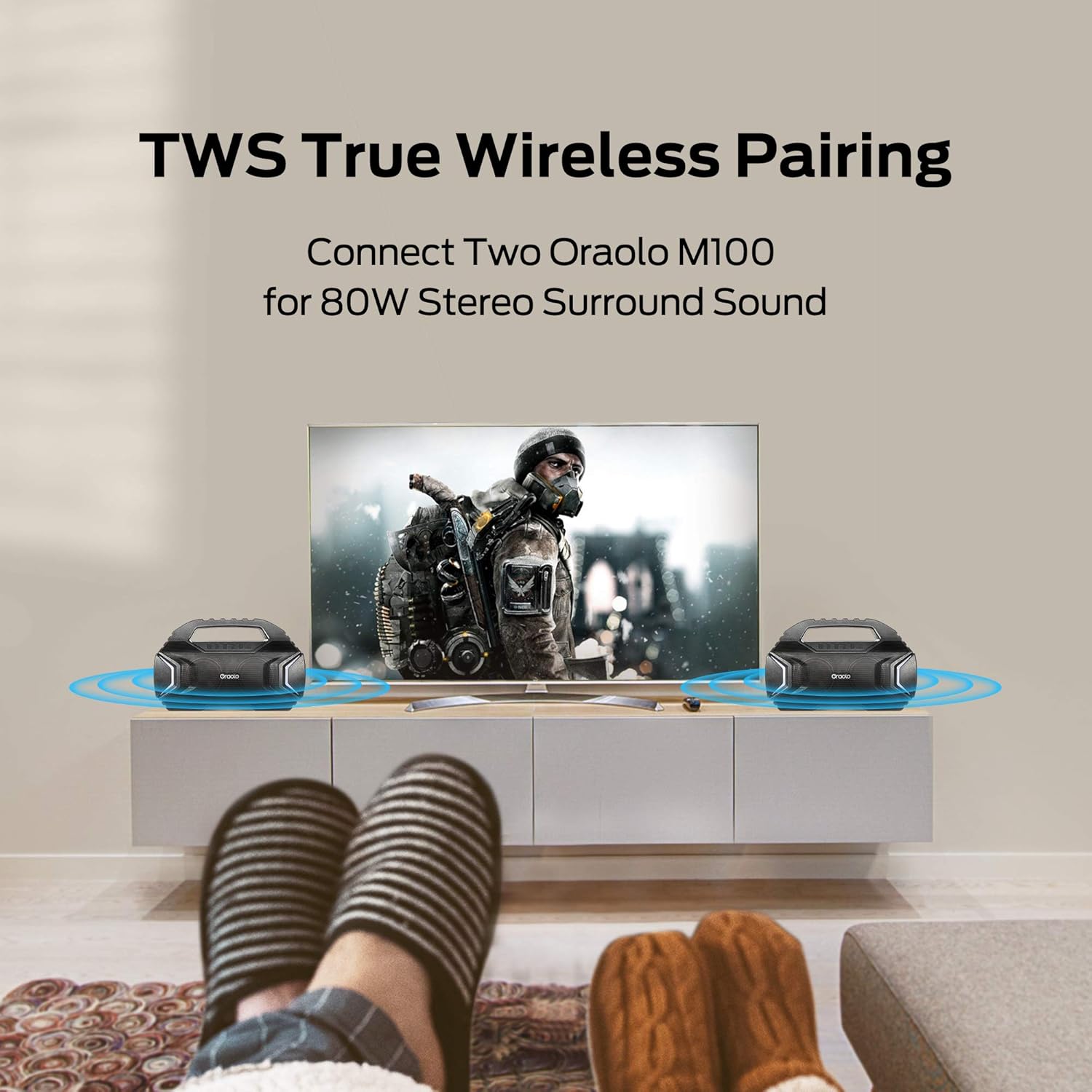
Image: Two Oraolo M100 speakers positioned on either side of a television, illustrating the True Wireless Stereo (TWS) pairing for an immersive audio experience.
- Ensure both Oraolo M100 speakers are turned on and not connected to any Bluetooth device.
- On one of the speakers (this will be the primary speaker), press the TWS button. The speaker will enter TWS pairing mode.
- The two speakers will automatically connect to each other. You will hear an audible confirmation.
- Once paired, the primary speaker's LED will flash, indicating it's ready to connect to your device.
- Enable Bluetooth on your device and connect to "Oraolo M100". Only one "Oraolo M100" will appear in your device's Bluetooth list.
- To disconnect TWS, press the TWS button on either speaker again.
Mode AUX-in
For devices without Bluetooth, use the included 3.5mm AUX-in cable.
- Connect one end of the 3.5mm AUX-in cable to the speaker's AUX-in port.
- Connecteu l'altre extrem a la presa de sortida d'àudio del vostre dispositiu.
- The speaker will automatically switch to AUX-in mode. If not, press the Mode button to select AUX mode.
Modes d'il·luminació LED
The Oraolo M100 features two stylish LED lights on the front with 7 different lighting effects that can synchronize with the music.

Image: Multiple Oraolo M100 speakers displayed, each showcasing a different LED lighting color, illustrating the 7 available lighting modes.
Press the Light Mode button to cycle through the available lighting effects. Press again to turn off the lights.
Funció Power Bank
The built-in 10000mAh battery can also be used to charge your mobile devices.

Image: The Oraolo M100 speaker on a wooden surface, with a smartphone connected to its USB-A output port via a charging cable, demonstrating its power bank capability.
Connect your device's USB charging cable to the USB-A output port on the Oraolo M100 speaker. The speaker will automatically begin charging your device.
Manteniment
- Neteja: Netegeu l'altaveu amb un suau, damp drap. No utilitzeu productes de neteja abrasius, alcohol ni dissolvents químics.
- Emmagatzematge: Guardeu l'altaveu en un lloc fresc i sec, allunyat de la llum solar directa i de temperatures extremes.
- Cura de la bateria: To prolong battery life, fully charge the speaker at least once every three months if not in regular use. Avoid completely draining the battery frequently.
- Resistència a l'aigua: While IPX5 rated, avoid prolonged exposure to water or submersion. Ensure the port cover is securely closed when near water.
Resolució de problemes
| Problema | Causa possible | Solució |
|---|---|---|
| L'altaveu no s'encén. | Bateria baixa. | Carregueu l'altaveu completament. |
| No es pot emparellar amb un dispositiu Bluetooth. | L'altaveu no està en mode d'emparellament; el Bluetooth del dispositiu està desactivat; massa lluny de l'altaveu. | Ensure speaker is in pairing mode (flashing LED). Turn device Bluetooth off/on. Move device closer to speaker (within 10 meters). Forget "Oraolo M100" on your device and try pairing again. |
| No hi ha so de l'altaveu. | Volum massa baix; mode d'entrada incorrecte; dispositiu no reprodueix. | Increase speaker and device volume. Ensure correct mode (Bluetooth/AUX). Check if audio is playing on your device. |
| L'emparellament TWS falla. | Speakers already connected to other devices; TWS button not pressed correctly. | Ensure both speakers are disconnected from all devices. Press the TWS button on one speaker only. Try restarting both speakers. |
| La funció del banc d'energia no funciona. | Speaker battery too low; incorrect cable; device not compatible. | Ensure speaker has sufficient charge. Use a working USB cable. Some devices may not be compatible. |
Especificacions
- Model: M100
- Versió Bluetooth: 5.0
- Potència de sortida: 40 W (2 x 20 W)
- Capacitat de la bateria: 10000 mAh
- Temps de joc: Fins a 30 hores (amb un 50% de volum)
- Classificació impermeable: IPX5
- Interval sense fil: Fins a 10 metres (33 peus)
- Dimensions: 38.99 x 13.34 x 24.21 cm (15.35 x 5.25 x 9.53 polzades)
- Pes: 3.55 kg
- Connectivitat: Bluetooth, 3.5mm AUX-in, USB (for power bank)
- Material: Plàstic
- Característiques especials: TWS Pairing, LED Lighting Modes, Power Bank Function
Garantia i Suport
Oraolo products come with a standard manufacturer's warranty. Please refer to the warranty card included in your package for specific terms and conditions. For technical support, troubleshooting assistance, or warranty claims, please contact Oraolo customer service through the contact information provided on the official Oraolo weblloc web o la vostra plataforma de compra.
Assistència en línia: Visit the official Oraolo weblloc web per a preguntes freqüents i recursos de suport.


