Introducció
The Corsair HS75 XB Wireless Gaming Headset is designed to provide an immersive audio experience for Xbox Series X, Xbox Series S, Xbox One, and PC. It features Dolby Atmos for three-dimensional sound, custom-tuned 50mm neodymium audio drivers for detailed audio, and a fully detachable, noise-cancelling microphone for clear communication. The headset offers up to 20 hours of battery life and a wireless range of up to 30 feet, connecting directly to your Xbox console without an adapter.
Què hi ha a la caixa
- Corsair HS75 XB Wireless Gaming Headset
- USB Charging Cable (1.8m)
- Guia d'inici ràpid
- Targeta de garantia
- Fullet de seguretat
Producte acabatview
Familiarize yourself with the components and controls of your HS75 XB headset.

Figura 1: Frontal view of the Corsair HS75 XB Wireless Gaming Headset with detachable microphone attached.
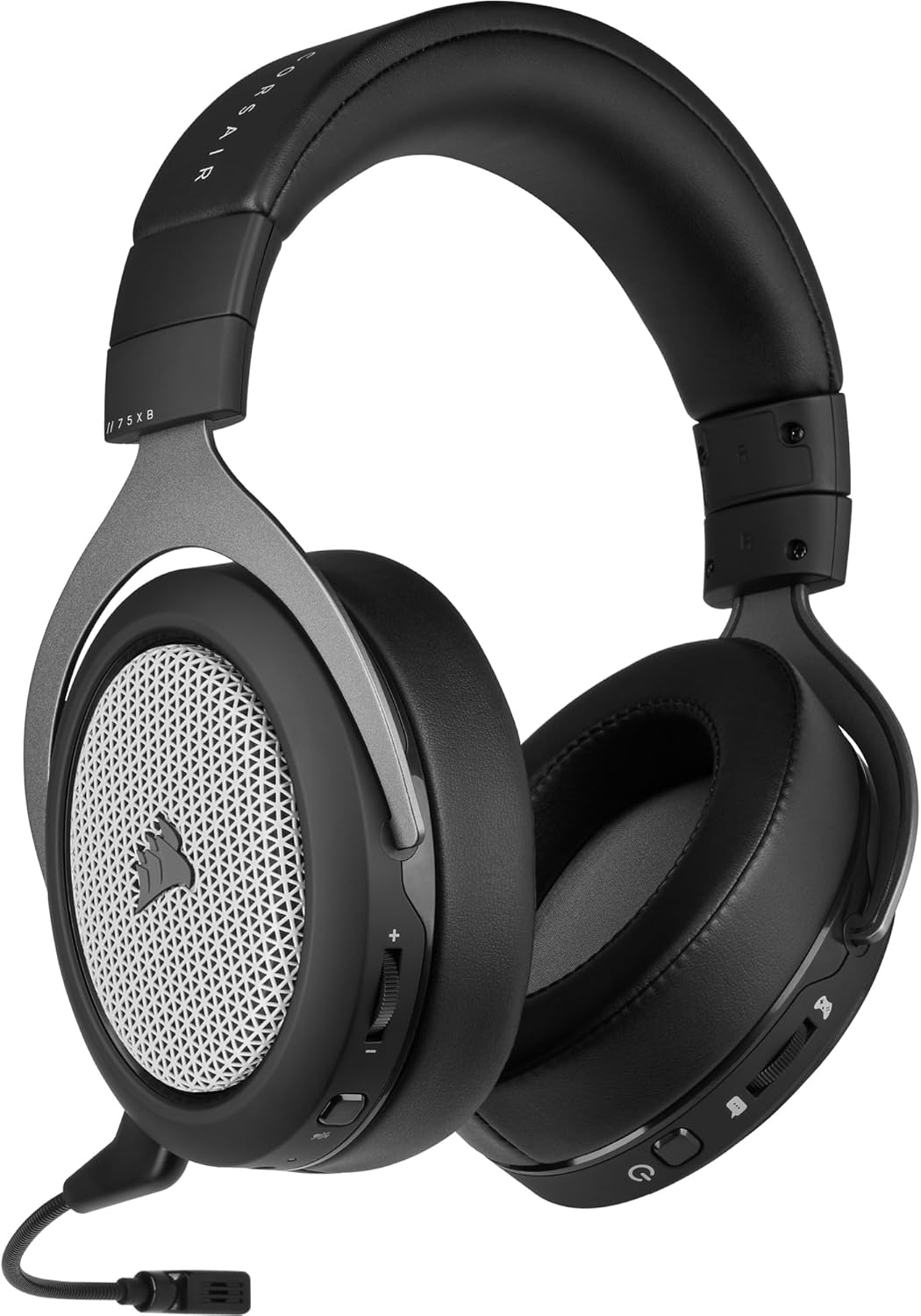
Figura 2: lateral view of the headset highlighting the on-ear controls for volume, power, and microphone mute.
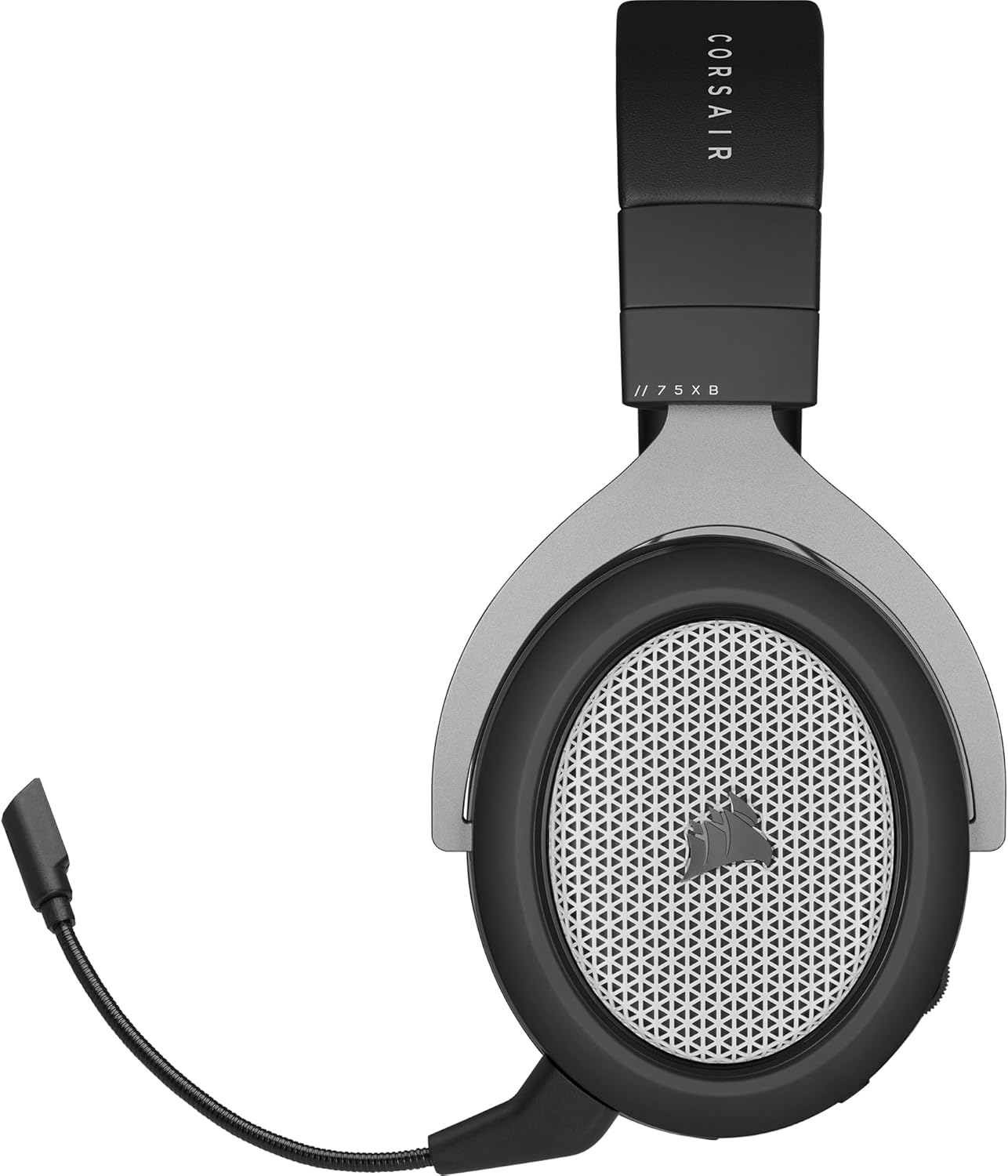
Figure 3: Close-up of the detachable, noise-cancelling microphone and its connection port on the headset.
Configuració
Càrrega dels auriculars
Before first use, fully charge your headset using the provided USB-C charging cable. Connect the USB-C end to the headset and the USB-A end to a compatible USB port on your console, PC, or a USB wall adapter. A full charge provides up to 20 hours of battery life.
Connecting to Xbox Consoles (Xbox Series X|S, Xbox One)
- Assegura't que la consola Xbox estigui engegada.
- Press and hold the Power button on your HS75 XB headset until the LED indicator lights up.
- On your Xbox console, press the Pair button (usually located on the front or side of the console). The Xbox logo on the console will flash.
- Within 20 seconds, press and hold the Pair button on your HS75 XB headset (located near the power button) until the LED indicator on the headset flashes rapidly.
- Once successfully paired, the LED indicators on both the headset and the console will become solid.
The headset connects directly to your Xbox console without the need for a wireless adapter, ensuring low-latency and high-quality gameplay.
Connexió al PC
The Corsair HS75 XB is compatible with Windows 10 PCs. For PC connectivity, you may need to ensure your PC has a compatible Xbox Wireless Adapter (sold separately) or connect via USB. Follow the pairing instructions for the Xbox Wireless Adapter if applicable, or connect the headset directly via the USB-C cable for wired audio and charging.
Instruccions de funcionament
Encès/Apagat
- Per engegar: premeu i manteniu premut el botó d'engegada fins que l'indicador LED s'encengui.
- Per apagar: premeu i manteniu premut el botó d'engegada fins que l'indicador LED s'apagui.
Control de volum
Adjust the master volume using the volume dial located on the headset's earcup. Rotate up to increase volume and down to decrease.
Ús del micròfon
- Col·locació del micròfon: Insert the detachable microphone into the port on the left earcup.
- Silencia/Activa el silenci: The microphone is noise-cancelling and unidirectional. To mute the microphone, press the dedicated mute button on the headset. Some models may also mute when the microphone is flipped up.
- Posicionament: Position the microphone close to your mouth for optimal voice clarity.
Game Audio and Chat Mix
Utilize the on-ear controls to balance your game audio and chat mix. This allows you to easily adjust the focus between in-game action sounds and your teammates' voices.
Dolby Atmos
The headset supports immersive Dolby Atmos, placing sounds with three-dimensional precision. Ensure Dolby Atmos is enabled in your Xbox or PC audio settings for the full experience.
Manteniment
Neteja
- Netegeu els auriculars amb un drap suau i sec.
- For earcups, gently clean with a slightly damp cloth and mild soap if necessary. Avoid excessive moisture.
- No utilitzeu productes químics o materials abrasius.
Emmagatzematge
Guardeu els auriculars en un lloc fresc i sec, allunyat de la llum solar directa i de temperatures extremes. Eviteu col·locar objectes pesats a sobre dels auriculars.
Resolució de problemes
Sense àudio / Mala qualitat d'àudio
- Assegureu-vos que els auriculars estiguin encesos i correctament emparellats amb el dispositiu.
- Comproveu els nivells de volum tant als auriculars com al dispositiu.
- Verify that the headset is selected as the default audio output device in your system settings.
- If connected to PC, ensure all drivers are up to date.
El micròfon no funciona
- Ensure the microphone is securely attached and not muted.
- Check that the headset microphone is selected as the default input device in your system settings.
- Test the microphone in a different application or device.
Problemes de connectivitat
- Ensure the headset is within the 30-foot wireless range of your console or PC.
- Prova de tornar a emparellar els auriculars amb el dispositiu.
- Minimitzar les interferències d'altres dispositius sense fil.
Battery Life Concerns
The headset is designed for up to 20 hours of battery life. If you experience significantly reduced battery performance, ensure the headset is fully charged using the provided USB-C cable. Battery degradation can occur over extended periods of heavy use.
Especificacions
| Característica | Detall |
|---|---|
| Nom del model | HS75 XB WIRELESS Headset for Xbox One |
| Número de model de l'article | CA-9011222-NA |
| UPC | 840006618829 |
| Tecnologia de connectivitat | Wireless (Xbox Wireless), USB |
| abast sense fils | Fins a 30 peus (9 metres) |
| Durada de la bateria | Fins a 20 hores |
| Mida del controlador d'àudio | 50 mil·límetres |
| Resposta de freqüència | 20Hz - 20 kHz |
| Micròfon | Detachable, Noise-Cancelling, Unidirectional |
| Col·locació de l'orella | A l'orella |
| Material | Aluminum (yokes), Leatherette (ear pads), Viscoelastic Memory Foam |
| Dispositius compatibles | Xbox Series S, Xbox One, Xbox Series X, PC |
| Pes de l'article | 0.012 unces (aproximadament 0.33 grams) |
| Dimensions del producte | 9.4 x 8.3 x 4.3 polzades |
Garantia i Suport
Your Corsair HS75 XB Wireless Gaming Headset comes with a Warranty Card. Please refer to this card for detailed warranty information specific to your region.
For technical support, troubleshooting assistance, or to access the full user manual, please visit the official Corsair support weblloc: www.corsair.com/support.
Vídeo oficial del producte
Official Corsair video showcasing the HS75 Wireless Headset for Xbox, highlighting its features and design.


