1. Introducció
The KEF LS50 Wireless II are high-performance powered bookshelf speakers designed to deliver exceptional sound quality with versatile connectivity options. This manual provides detailed instructions to help you get the most out of your new audio system.
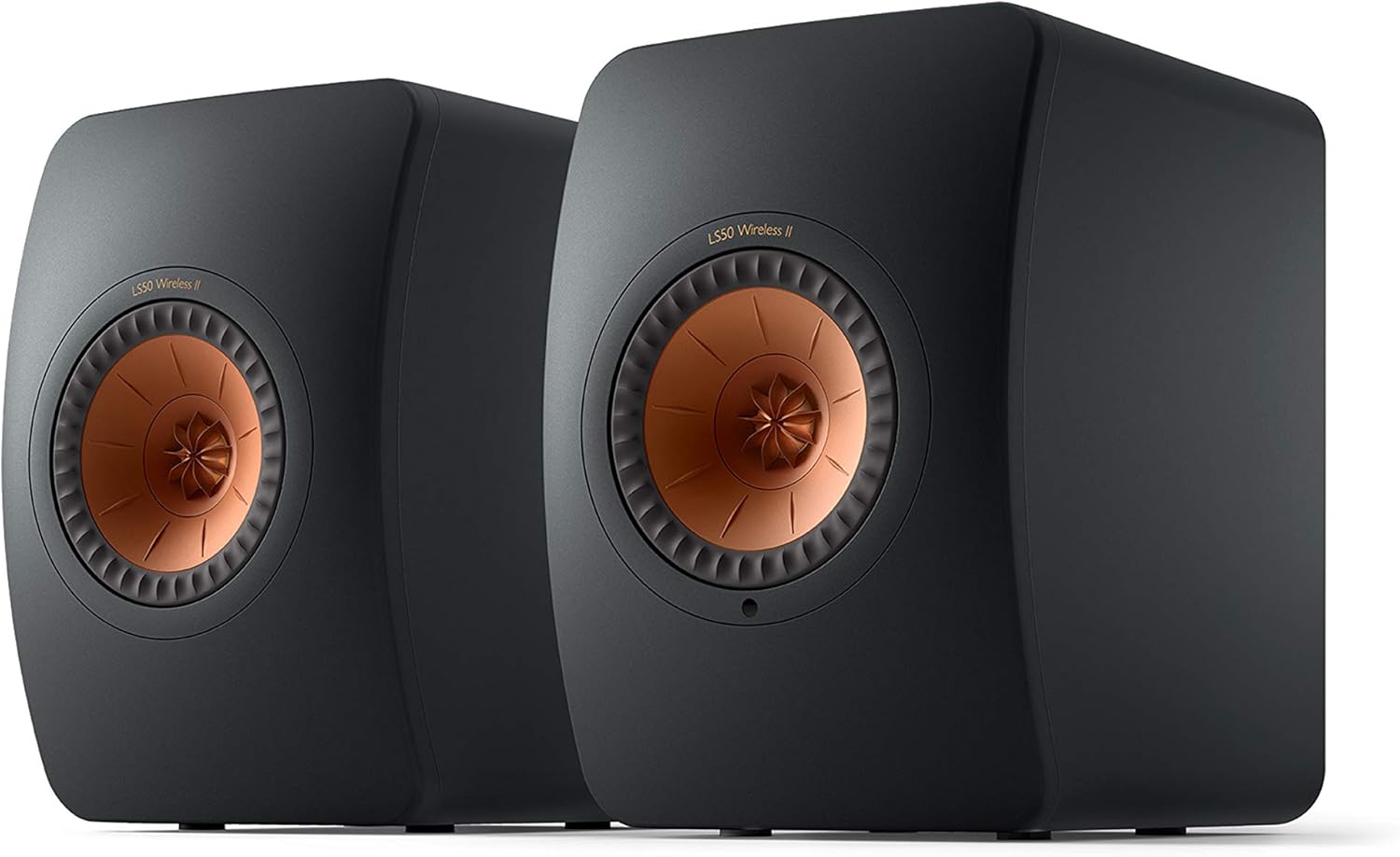
Figure 1: KEF LS50 Wireless II Powered Bookshelf Speakers in Carbon Black.
2. Què hi ha a la caixa
- 1 Pair LS50 Wireless II Speakers
- Control remot
- 1 Speaker Interconnect Cable
- 2 cables d'alimentació
3. Configuració
3.1 Col·locació física
Proper placement of your LS50 Wireless II speakers is crucial for optimal sound performance. Consider the acoustics of your room and the distance from walls. For best results, place speakers on sturdy stands or a desk, ensuring they are equidistant from your primary listening position.

Figure 2: Optimal placement of KEF LS50 Wireless II speakers on dedicated stands.

Figure 3: KEF LS50 Wireless II speakers can also be placed on a desk for near-field listening.
3.2 Connexions
The LS50 Wireless II speakers offer a wide array of connectivity options. Connect each speaker to a power outlet using the provided power cables. For wired inter-speaker connection, use the RJ45 cable. For optimal performance, a wired connection between the primary and secondary speaker is recommended.

Figure 4: Rear panel connections of the primary speaker.
- EARC HDMI: For connecting to TVs and other compatible devices.
- TOSLINK Òptic: Entrada d'àudio digital.
- Coaxial digital: Entrada d'àudio digital.
- Analog 3.5mm Auxiliary: Per a fonts d'àudio analògiques.
- RJ45 (Network): Per a la connexió de xarxa amb cable.
- RJ45 (Inter-speaker): For connecting primary and secondary speakers.
- USB Type A (Service): For service use.
- Sub-Out: Per connectar un subwoofer extern.
The speakers also support wireless streaming via Apple AirPlay 2, Google Chromecast, ROON Ready, UPnP Compatible, and Bluetooth 4.2.
3.3 KEF Connect App Setup
Download the KEF Connect app from your device's app store. The app guides you through connecting your speakers to your Wi-Fi network and offers extensive customization options for sound settings based on your room and preferences.

Figure 5: KEF Connect App for easy setup and control.
4. Funcionament
4.1 Controls bàsics
The primary speaker features a touch-controlled strip on its top panel for basic functions:

Figure 6: Touch controls on the top of the primary speaker.
- Botó d'encesa: Turns the speakers on/off.
- Selecció d'entrada: Cycles through available audio inputs.
- Botó de silenci: Mutes/unmutes the audio.
- Controls de volum: Ajusta el volum de reproducció.
A dedicated remote control is also included for convenient operation from your listening position.
4.2 Serveis de streaming
The LS50 Wireless II supports a wide range of streaming services, allowing you to enjoy your favorite music with ease. Available services include Spotify Connect, Tidal, Amazon Music, Qobuz, Deezer, QQ Music, Internet Radio, and Podcasts.

Figure 7: Supported streaming services and connectivity options.
4.3 Personalització del so
Utilize the KEF Connect app to fine-tune the sound to your preference and room acoustics. The app allows you to adjust EQ settings, speaker placement compensation (e.g., on a stand, on a desk, distance from wall), and integrate external subwoofers for enhanced bass performance.
Video 1: KEF LS50 Meta Material Technology. This video demonstrates the Metamaterial Absorption Technology (MAT) which helps reduce distortion for purer sound.
5. Manteniment
To ensure the longevity and optimal performance of your KEF LS50 Wireless II speakers, follow these simple maintenance guidelines:
- Neteja: Gently wipe the speaker surfaces with a soft, dry, lint-free cloth. Avoid using abrasive cleaners, solvents, or sprays directly on the speakers.
- Pols: Regularly dust the speaker grilles and drivers using a soft brush or a microfiber cloth.
- Col·locació: Avoid placing speakers in direct sunlight or near heat sources, as this can affect their performance and lifespan. Ensure adequate ventilation around the rear heat sinks.
- Manipulació: Handle speakers with care. Avoid touching the Uni-Q driver cones directly.
6. Solució De Problemes
If you encounter any issues with your KEF LS50 Wireless II speakers, refer to the following common troubleshooting steps:
- Sense so:
- Ensure both speakers are powered on and connected correctly.
- Verify the correct input source is selected on the primary speaker or via the KEF Connect app.
- Check volume levels on both the speakers and your audio source.
- If using a wireless connection, ensure both speakers are paired and connected to the same Wi-Fi network.
- Intermittent Audio/Connectivity Issues:
- Ensure the inter-speaker cable (RJ45) is securely connected if using wired mode.
- Check your Wi-Fi signal strength and router placement if using wireless mode.
- Restart the speakers and your router.
- Consider using the wired inter-speaker connection for a more robust signal.
- Subwoofer Not Activating:
- Ensure the subwoofer is properly connected to the Sub-Out port on the primary speaker.
- Check the subwoofer's power and standby settings. Some subwoofers require a certain audio input level to activate from standby.
- Adjust subwoofer settings within the KEF Connect app.
- So distorsionat:
- Reduce the volume level of your audio source and the speakers.
- Reviseu els cables d'àudio per si hi ha danys o connexions soltes.
- Assegureu-vos l'àudio files are of good quality.
7. Especificacions
| Característica | Valor |
|---|---|
| Nom del model | LS50WII |
| Tipus d'altaveu | prestatgeria |
| Color | Negre de carbó |
| Dimensions del producte | 12.2 "P x 7.9" W x 12" H |
| Pes de l'article | 44.3 Pounds (Pair) |
| Potència de sortida màxima dels altaveus | 380 watts (cada un) |
| Tecnologia de connectivitat | Bluetooth, Auxiliary, Wi-Fi, Optical, HDMI |
| Tecnologia de comunicació sense fils | Bluetooth, Airplay, Wi-Fi |
| Mode de sortida d'àudio | estèreo |
| Tipus de controlador | Control remot, control d'aplicacions |
| Diàmetre del woofer | 130 Millimeters (5.25 Inches) |
Figure 8: KEF LS50 Wireless II Key Specifications.
8. Garantia i Suport
The KEF LS50 Wireless II speakers come with a Garantia limitada. For detailed warranty information, please refer to the warranty card included in your product packaging or visit the official KEF weblloc.
Per a assistència tècnica, assistència per a la resolució de problemes o qualsevol altra consulta, visiteu la Official KEF Store on Amazon or contact KEF Customer Support directly.
També podeu considerar la compraasinPlans de protecció ampliada de g per a una cobertura addicional:
- Pla de protecció de 2 anys
- Pla de protecció de 3 anys
- Protecció completa (pla mensual)


