1. Introducció
Gràcies per la compraasing the MEDION MD11475 Microwave Oven. This manual provides important information regarding the installation, operation, and maintenance of your new appliance. Please read these instructions carefully before use and keep them for future reference.
2. Instruccions de seguretat
Per reduir el risc d'incendi, descàrrega elèctrica, lesions a persones o exposició a un excés d'energia de microones quan feu servir l'aparell, seguiu les precaucions bàsiques, com ara les següents:
- Llegiu totes les instruccions abans d'utilitzar l'aparell.
- No intenteu fer funcionar aquest forn amb la porta oberta, ja que això pot provocar una exposició nociva a l'energia de les microones.
- No col·loqueu cap objecte entre la cara frontal del forn i la porta ni deixeu que s'acumuli terra o residus de neteja a les superfícies de segellat.
- No feu funcionar el forn si està malmès. És particularment important que la porta del forn es tanqui correctament i que no hi hagi danys a: (1) la porta (doblegada), (2) les frontisses i els panys (trencats o afluixats), (3) els segells de les portes i les superfícies de segellat.
- El forn no ha de ser ajustat ni reparat per ningú excepte per personal de servei degudament qualificat.
- Always ensure the turntable and roller ring are correctly positioned before operating.
- No escalfeu líquids ni altres aliments en recipients tancats, ja que poden explotar.
- Utilitzeu només estris adequats per al microones.
- Quan escalfeu aliments en recipients de plàstic o paper, vigileu el forn a causa de la possibilitat d'encesa.
- Si s'observa fum, apagueu o desconnecteu l'aparell i manteniu la porta tancada per sufocar les flames.
- Aquest aparell està dissenyat només per a ús domèstic.
3. Producte acabatview
The MEDION MD11475 microwave oven features a compact design with intuitive controls for everyday use.
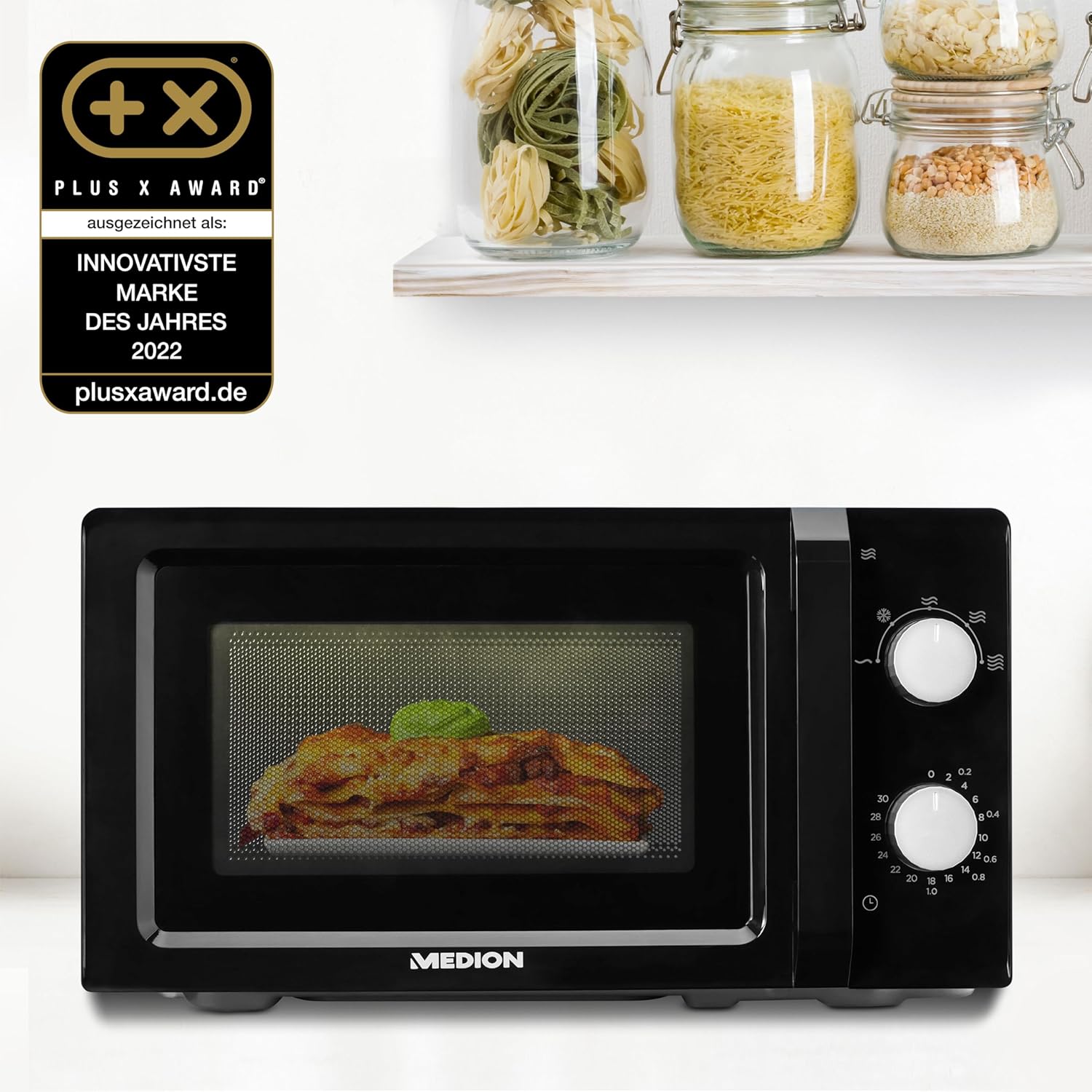
Davant view of the MEDION MD11475 Microwave Oven, showing the door, control knobs, and interior light.
Components:
- Cavitat del forn: 20-liter capacity for various food items.
- Placa giratòria de vidre: Ensures even heating.
- Anell de rodets: Suporta el tocadiscos.
- Porta: With safety interlock system.
- Tauler de control: Two rotary knobs for power level and timer settings.
- Llum interior: Il·lumina la cavitat del forn durant el funcionament.

Close-up of the control panel with two rotary knobs for power and time settings.
4. Configuració
- Desembalatge: Carefully remove the microwave oven and all packing materials. Check the oven for any damage, such as dents or a misaligned door. Do not operate the oven if it is damaged.
- Col·locació: Place the microwave oven on a flat, stable surface that can support its weight and the heaviest food item likely to be cooked in the oven. Ensure there is adequate ventilation space: at least 20 cm (8 inches) of space above the oven, 10 cm (4 inches) at the rear, and 5 cm (2 inches) on each side.
- Connexió d'alimentació: Connecteu el cable d'alimentació a una presa de corrent amb connexió a terra. Assegureu-vos que el volumtage matches the rating label on the back of the oven.
- Muntatge del plat giratori:
- Col·loqueu l'anell del corró a la depressió de la base del forn.
- Place the glass turntable on top of the roller ring, ensuring it sits securely in the center drive.

Image showing the interior dimensions of the microwave oven, highlighting the 20-liter capacity and space for the turntable.
5. Instruccions de funcionament
The MEDION MD11475 microwave oven features two simple rotary knobs for operation.
Configuració del nivell de potència:
The upper knob controls the microwave power level. There are 5 power settings available:
- Baix: Per estovar la mantega, descongelar-la.
- Mig-Baix (Descongelació): Per descongelar aliments.
- Mitjà: Per coure a foc lent, enfornar.
- Mig-Alt: For reheating, cooking.
- Alt: For fast cooking, boiling.

Visual representation of the 5 power levels for different cooking needs.
Configuració del temporitzador:
The lower knob controls the cooking time, up to a maximum of 30 minutes. To set the cooking time:
- Col·loqueu el menjar en un recipient apte per a microones al plat giratori de vidre.
- Tanqueu la porta del forn amb seguretat.
- Turn the upper knob to select the desired power level.
- Turn the lower knob clockwise to set the desired cooking time. The oven will start automatically.
- When the set time expires, the oven will stop and a bell will sound.
Funció de descongelació:
The defrost function allows for gentle thawing of frozen foods. To use the defrost function:
- Col·loqueu els aliments congelats al plat giratori.
- Turn the upper knob to the "Defrost" setting (often indicated by a snowflake symbol).
- Turn the lower knob to set the desired defrosting time or weight, if applicable (refer to specific food packaging for guidance).
- The oven will begin defrosting. Turn the food over halfway through the defrosting time for more even results.

Image showing frozen vegetables, illustrating the defrosting capability of the microwave.
6. Manteniment i Neteja
Una neteja i un manteniment regulars garantiran la longevitat i el funcionament eficient del vostre forn microones.
- Desconnecteu abans de netejar: Desconnecteu sempre l’aparell de la presa de corrent abans de netejar-lo.
- Interior del forn: Netegeu l'interior del forn amb anunciamp cloth after each use. For stubborn stains, use a mild detergent or a microwave-safe cleaner. Avoid abrasive cleaners or scouring pads.
- Exterior del forn: Netegeu la superfície exterior amb un drap suau iamp drap. No utilitzeu detergents ni dissolvents forts.
- Porta i segells: Netegeu regularment la porta, les juntes de la porta i les peces adjacents amb un detergent publicitari.amp cloth to remove any spills or splatters. This helps maintain a proper seal.
- Plat giratori de vidre i anell de rodets: El plat giratori de vidre i l'anell de rodets es poden treure i rentar amb aigua tèbia i sabó o al rentaplats. Assegureu-vos que estiguin completament secs abans de tornar-los a posar al forn.

A hand cleaning the interior of the microwave with a sponge, demonstrating ease of cleaning.
7. Solució De Problemes
If you encounter problems with your microwave oven, refer to the following table for possible solutions.
| Problema | Causa possible | Solució |
|---|---|---|
| El forn no arrenca |
|
|
| El menjar no s'escalfa |
|
|
| El plat giratori no gira |
|
|
Si el problema persisteix després de provar aquestes solucions, poseu-vos en contacte amb l'atenció al client.
8. Especificacions
| Característica | Detall |
|---|---|
| Marca | MEDIÓ |
| Número de model | MD 11475 |
| Capacitat | 20 litres |
| Wattage | 700 watts |
| Nivells de potència | 5 |
| Dimensions del producte (P x A x A) | 33 x 43 x 24 cm |
| Pes | 6 kg |
| Característiques especials | Funció de descongelació |
| Tipus d'instal·lació | Taulell |
| Material | Metall pintat |
| Components inclosos | Glass turntable, Microwave MD 11475 |
9. Garantia i Suport
MEDION products are designed for reliability and performance. This product comes with a standard manufacturer's warranty. Please refer to the warranty card included in your product packaging for specific terms and conditions, including the warranty period and coverage details.
For technical support, service, or warranty claims, please contact MEDION customer service. Contact information can typically be found on the MEDION weblloc web o a la documentació del producte.
Recursos en línia: For additional information, FAQs, and support, visit the official MEDION weblloc: www.medion.com


