1. Introducció
Welcome to the user manual for your Razer Blade 15 Base Gaming Laptop 2020. This document provides essential information for setting up, operating, maintaining, and troubleshooting your device. Please read this manual thoroughly to ensure optimal performance and longevity of your laptop.
2. Què hi ha a la caixa
Your Razer Blade 15 Base package includes the following items:
- Razer Blade 15 Base Gaming Laptop
- Power Adapter and Cable (Charger)
3. Producte acabatview
The Razer Blade 15 Base is designed for high-performance computing and gaming. Below are some of its key features and components.
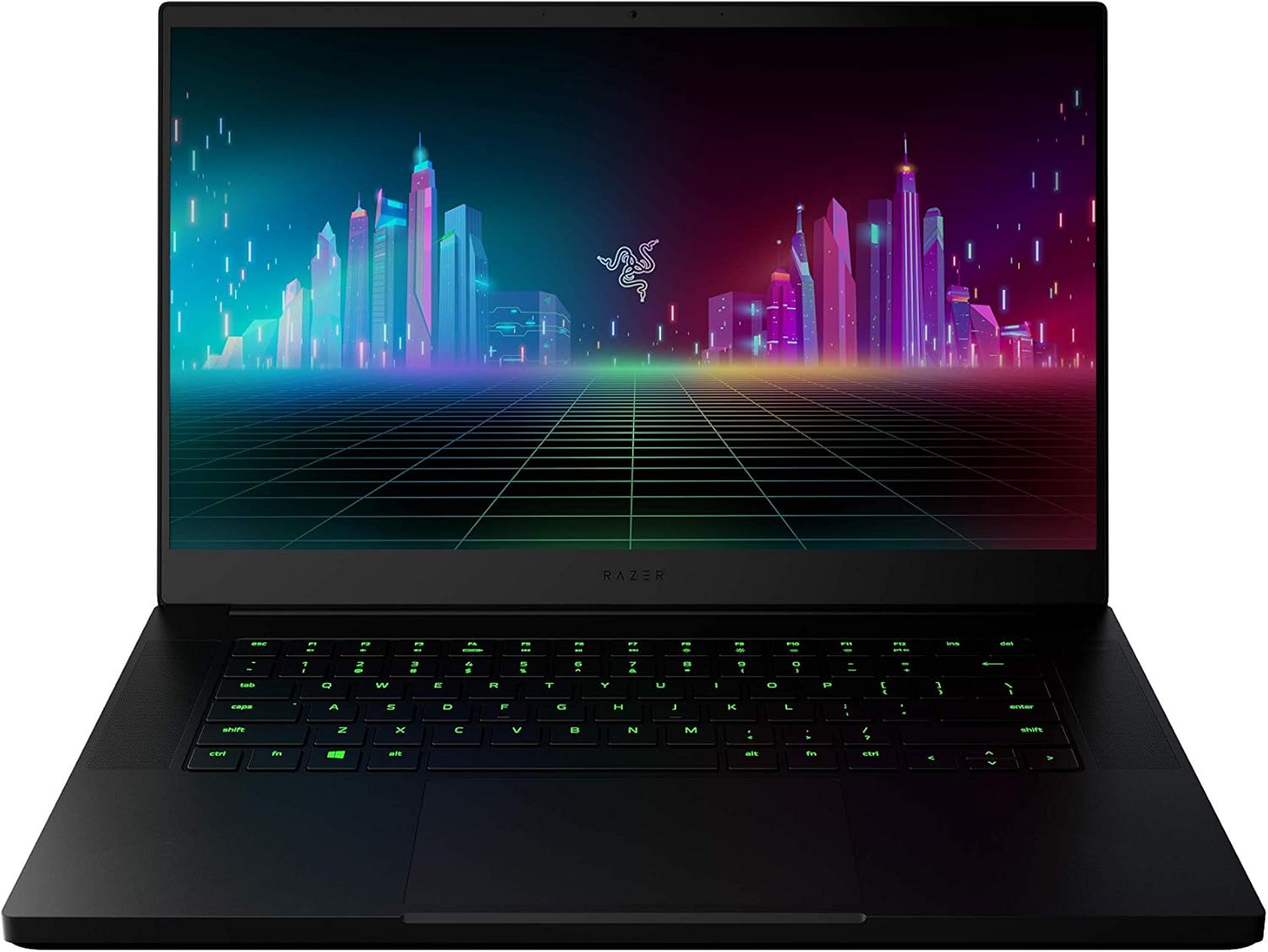
Figura 3.1: Davant view of the Razer Blade 15 Base Gaming Laptop, showcasinel seu disseny elegant i la seva pantalla vibrant.
3.1 High-Performance Processor
Equipped with the 10th Gen Intel Core i7-10750H processor, this laptop delivers exceptional performance with up to 5.0GHz Max Turbo frequency and 6 cores, suitable for demanding applications and gaming.

Figura 3.2: The laptop highlighting its powerful 10th Gen Intel Core i7 processor.
3.2 Dedicated Graphics Card
Experience superior graphics performance with the NVIDIA GeForce GTX 1660 Ti. This dedicated GPU provides a significant boost for modern games and creative tasks.

Figura 3.3: A user engaging in gaming on the Razer Blade 15 Base, emphasizing the NVIDIA GeForce GTX 1660 Ti graphics.
3.3 High Refresh Rate Display
The 15.6-inch Full HD (1080p) display features a 120Hz refresh rate and thin bezels, providing a smooth and immersive visual experience for fast-paced gaming.

Figura 3.4: La pantalla del portàtil mostraasing a high-frame-rate game, highlighting the 120Hz Full HD screen.
3.4 Durable and Compact Design
Constructed with a CNC aluminum unibody frame, the laptop offers remarkable durability in a compact form factor, measuring just 0.78 inches thin.

Figura 3.5: Side profile of the Razer Blade 15 Base, illustrating its thin and compact aluminum chassis.
3.5 Comprehensive Connectivity
The laptop provides extensive connectivity options, including a webcam, wireless-AC, Bluetooth 5, multiple USB Type-A and Type-C ports, and more for versatile peripheral connections.

Figura 3.6: Primer pla view of the laptop's side ports, demonstrating its array of connectivity options.
3.6 Customizable RGB Lighting and Precision Touchpad
Personalize your experience with Razer Chroma RGB lighting for the keyboard, allowing for custom backlight colors. The laptop also features a precise glass touchpad for accurate navigation.

Figura 3.7: The laptop's keyboard illuminated with customizable Razer Chroma RGB lighting, alongside the precision glass touchpad.
4. Configuració
4.1 Encès inicial
- Connecteu l'adaptador de corrent: Connecteu l'adaptador de corrent al port de càrrega del portàtil i després a una presa de corrent.
- Open the Laptop: Obriu amb cura la tapa del portàtil.
- Encès: Premeu el botó d'engegada, que normalment es troba a la part superior dreta del teclat.
- Seguiu les instruccions a la pantalla: El Windows 10 Home us guiarà durant el procés de configuració inicial, inclosa la selecció d'idioma, la connexió de xarxa i la creació d'un compte d'usuari.
4.2 Connexió de perifèrics
Utilize the available ports to connect external devices such as mice, keyboards, external displays, and storage devices. The laptop features USB Type-A, USB Type-C, and an HDMI port.
5. Instruccions de funcionament
5.1 Teclat i touchpad
- Retroil·luminació del teclat: Customize RGB lighting effects and brightness using the Razer Synapse software.
- Tecles de funció: Utilitza el Fn key in combination with the F1-F12 keys for quick access to functions like volume control, screen brightness, and media playback.
- Precision Glass Touchpad: Supports multi-touch gestures for navigation. Refer to Windows settings for touchpad gesture customization.
5.2 Razer Synapse Software
Razer Synapse is a unified configuration software that allows you to customize your Razer Blade 15. Use it to:
- Adjust keyboard backlighting and effects.
- Configure macros and key assignments.
- Manage power profiles and fan speeds.
- Update firmware and drivers.
Ensure Razer Synapse is installed and updated for full control over your laptop's features. It can typically be downloaded from the official Razer support weblloc.
6. Manteniment
6.1 Neteja del portàtil
- Pantalla: Utilitzeu un drap suau i sense pelusa dampNetegeu amb aigua o un netejador de pantalles. Eviteu productes químics agressius.
- Teclat i xassís: Feu servir un drap suau. Per a la brutícia persistent, feu servir un drap lleugerament suau.amp cloth with mild soap can be used, ensuring no liquid enters openings. Compressed air can remove dust from between keys.
- Reixetes: Feu servir aire comprimit periòdicament per eliminar la pols de les reixetes de refrigeració per mantenir un flux d'aire òptim.
6.2 Actualitzacions de programari
Regularly update your operating system, drivers, and Razer Synapse software to ensure system stability, security, and performance. Windows Update can be accessed via Settings > Update & Security.
6.3 Cura de la bateria
To prolong battery life, avoid extreme temperatures and fully discharging the battery frequently. For long-term storage, charge the battery to around 50-70% and store in a cool, dry place.
7. Solució De Problemes
7.1 Problemes comuns i solucions
- El portàtil no s'encén: Assegureu-vos que l'adaptador de corrent estigui connectat correctament tant al portàtil com a una presa de corrent que funcioni. Proveu una altra presa de corrent.
- Sobreescalfament: Ensure cooling vents are not obstructed. Adjust fan speeds via Razer Synapse. Consider using a laptop cooling pad for extended heavy use.
- Durada de la bateria curta: Adjust power settings in Windows to optimize for battery life. Reduce screen brightness and close unnecessary background applications.
- Sense sortida de pantalla: If connecting to an external monitor, ensure the correct input source is selected on the monitor. Try pressing Fn + F4 to cycle display modes.
- Peripheral Connectivity Issues: Ensure drivers are updated for the peripheral. Try connecting to a different USB port. For Bluetooth devices, ensure they are in pairing mode and within range.
For further assistance, refer to the Razer support weblloc o contacteu amb el servei d'atenció al client.
8. Especificacions
Below are the detailed technical specifications for the Razer Blade 15 Base Gaming Laptop (Model: RZ09-03519E11-R3U1).
| Característica | Especificació |
|---|---|
| Nom del model | Base Razer Blade 15 |
| Número de model de l'article | RZ09-03519E11-R3U1 |
| Processador | Intel Core i7-10750H (6 nuclis, fins a 5.0 GHz) |
| Coprocessador gràfic | NVIDIA GeForce GTX 1660 Ti (6 GB GDDR6) |
| RAM | 16 GB DDR4 |
| Emmagatzematge | SSD de 256 GB |
| Mida de la pantalla | 15.6 polzades |
| Resolució de pantalla | 1920 x 1080 píxels (Full HD) |
| Freqüència d'actualització | 120 Hz |
| Sistema operatiu | Windows 10 Home |
| Tipus sense fil | 802.11a/b/g/n/ac, Bluetooth 5 |
| Ports USB | 2x USB Type-A, 2x USB Type-C |
| Dimensions (LxWxH) | 9.25 x 13.98 x 0.81 polzades |
| Pes de l'article | 4.5 lliures |
| Durada mitjana de la bateria | Up to 8 Hours (usage dependent) |
9. Garantia i Suport
Per obtenir informació sobre la garantia, assistència tècnica i recursos addicionals, visiteu el lloc web d'assistència oficial de Razer. weblloc web. També hi podeu trobar preguntes freqüents i descàrregues de controladors.
Suport de Razer Weblloc: www.razer.com/support
For information about the Razer brand, visit the Botiga Razer a Amazon.
10. Informació de seguretat
- No exposeu el portàtil a temperatures extremes, humitat ni llum solar directa.
- Eviteu col·locar objectes pesats sobre l'ordinador portàtil.
- Use only the provided power adapter or a Razer-approved replacement.
- No intenteu desmuntar ni reparar el portàtil vosaltres mateixos. Poseu-vos en contacte amb personal de servei qualificat.
- Mantingueu els líquids allunyats del portàtil per evitar danys.


