1. Introducció
Thank you for choosing the Intoval A3 3-in-1 Wireless Charging Station. This device is designed to efficiently charge your compatible iPhone, Apple Watch, and AirPods simultaneously, reducing cable clutter and optimizing your charging experience. Please read this manual thoroughly before use to ensure proper operation and to maximize the product's lifespan.

Image 1.1: The Intoval A3 3-in-1 Wireless Charging Station, showcasinla seva capacitat de carregar un iPhone, un Apple Watch i uns AirPods simultàniament.
2. Contingut del paquet
Verifiqueu que tots els elements que s'enumeren a continuació siguin presents al vostre paquet:
- Intoval A3 3-in-1 Wireless Charging Station
- Adaptador de paret
- Cable de càrrega USB-C
- Manual d'usuari (aquest document)
3. Especificacions
| Característica | Detall |
|---|---|
| Número de model | A3 |
| Dimensions | 5.47 x 4.92 x 3.11 polzades |
| Pes de l'article | 11.4 unces |
| Entrada Voltage | 9 Volts |
| Ampedat | 2 Amps |
| Tipus de connector | Sense fil |
| Característiques especials | Charging Indicator, Auto-off Light |
| Color | Negre |
4. Instruccions de configuració
- Desempaquetar el dispositiu: Traieu amb cura l'estació de càrrega i tots els accessoris de l'embalatge.
- Connectar l'alimentació: Insert the USB-C end of the provided cable into the charging port on the back of the Intoval A3 station. Connect the other end of the cable to the included wall adapter, then plug the wall adapter into a power outlet.
- Col·locació: Place the charging station on a flat, stable surface, such as a nightstand or desk. Ensure there is adequate ventilation around the device.
The Intoval A3 is designed for immediate use right out of the box, providing a complete charging solution without additional purchases.
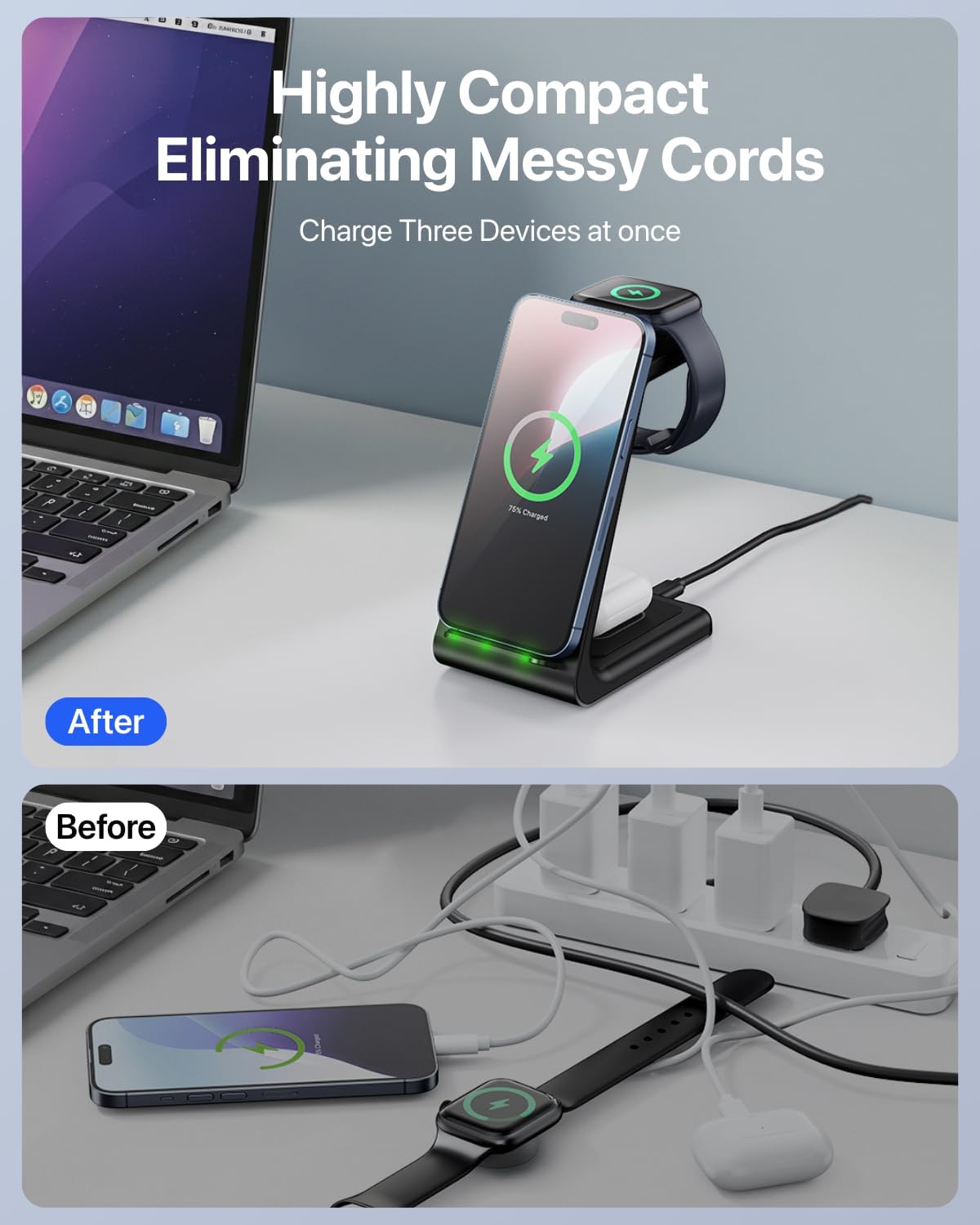
Image 4.1: Illustration of how the Intoval A3 charging station helps eliminate messy cords, showing a 'before' state with multiple cables and an 'after' state with a single, organized charging station.
5. Instruccions de funcionament
5.1 Càrrega del teu iPhone
- Place your compatible iPhone vertically or horizontally on the phone charging pad.
- Ensure the phone is centered on the charging area for optimal connection.
- The charging indicator light on the station will illuminate briefly to confirm charging has started.
5.2 Càrrega del teu Apple Watch
- Drape your compatible Apple Watch over the dedicated watch charging stand.
- The magnetic charging module will secure the watch in place.
- Confirm that the watch display shows the charging icon.
5.3 Càrrega dels AirPods
- Place your compatible AirPods case (with wireless charging capability) on the designated AirPods charging pad at the base of the station.
- Ensure the case is properly aligned.
- The indicator light on the AirPods case will show its charging status.
Indicador de càrrega: The station features an LED light bar that briefly illuminates to confirm device detection and charging. This light automatically turns off after approximately 20 seconds to prevent disturbance, especially during nighttime use.
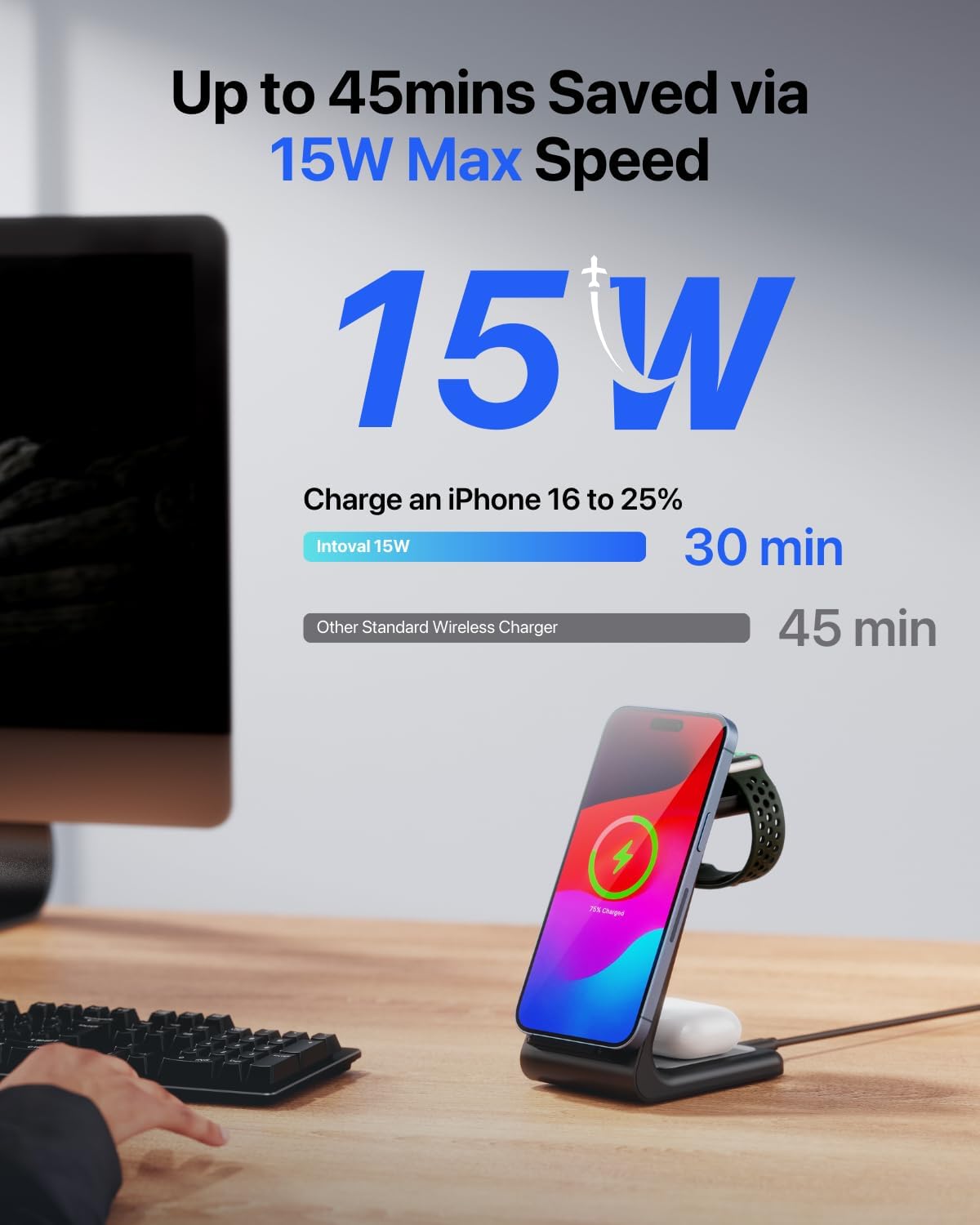
Image 5.1: The Intoval A3 charging an iPhone, highlighting its 15W maximum charging speed for compatible devices.

Image 5.2: The Intoval A3 on a nightstand, illustrating the 20-second auto-off light feature for undisturbed sleep.
6. Compatibilitat
The Intoval A3 Wireless Charging Station is compatible with a wide range of devices:
- iPhones: iPhone 17/17 Air/17 Pro/17 Pro Max, iPhone 16/15/14/16 Pro/15 Pro/14 Pro/16 Pro Max/15 Pro Max/14 Pro Max/16 Plus/15 Plus/14 Plus, iPhone 13/12/11/13 Pro/12 Pro/11 Pro/13 Pro Max/12 Pro Max/11 Pro Max, iPhone SE, iPhone XR, iPhone X, iPhone XS, iPhone XS Max, iPhone 8 Plus, iPhone 8.
- Apple Watch: Apple Watch Series 11/10/9/8/7/6/5/4/3/2, Apple Watch SE 3/SE 2/SE, Apple Watch Ultra 3/2/Ultra.
- AirPods: AirPods Pro 3/Pro 2/Pro, AirPods 4/3/2 (with wireless charging case).
- Altres dispositius: Any other wireless charging enabled phones and earpods.
6.1 Compatibilitat de casos
The charging station is designed to charge through most phone cases up to 5mm thick. However, certain materials and accessories can interfere with wireless charging:
- Incompatible: Metal cases, cases with magnets, grips, stands, or credit cards attached to the back of the phone.
- Compatible: Most plastic, silicone, and leather phone cases under 5mm thickness.
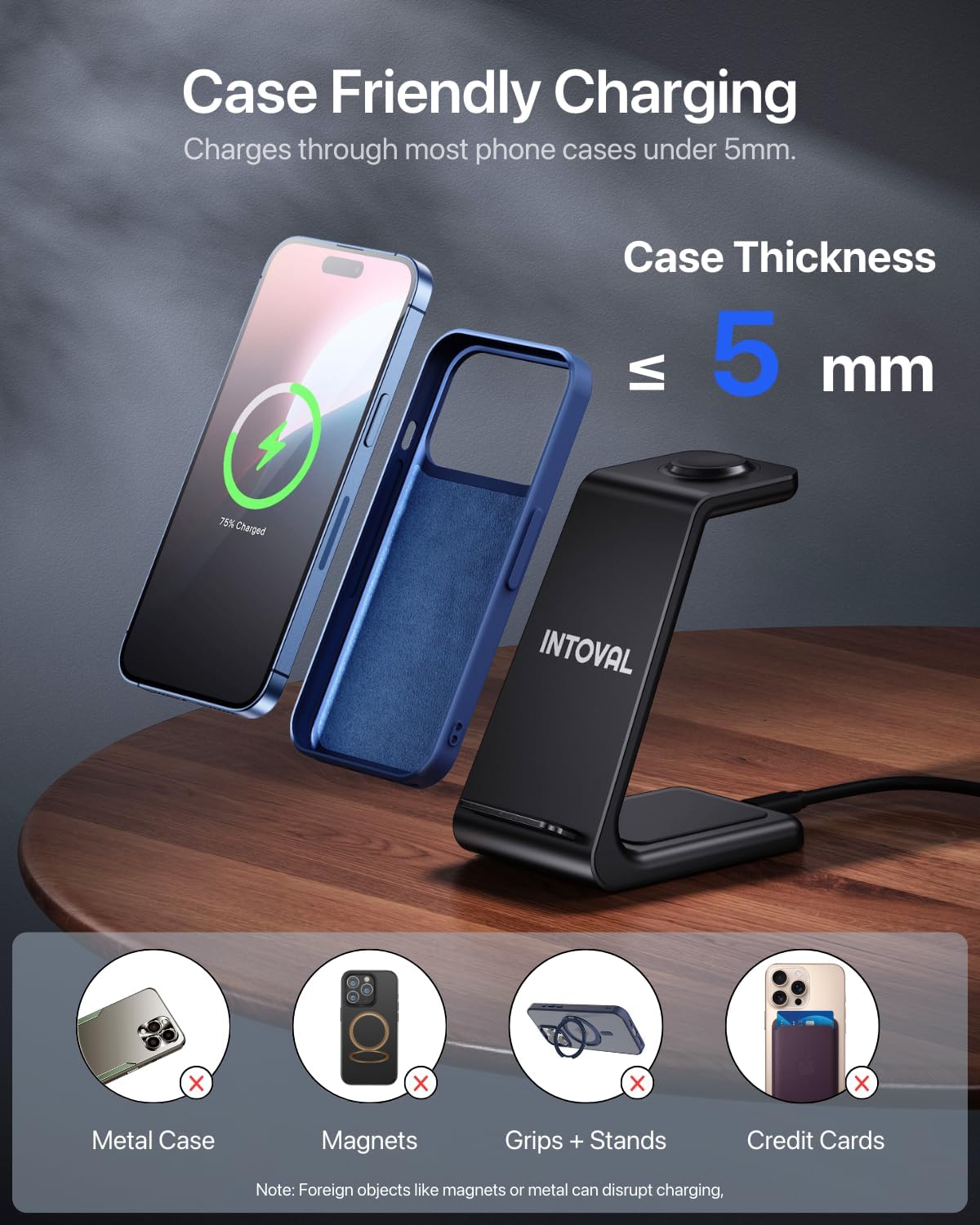
Image 6.1: Visual guide to case compatibility, indicating that cases up to 5mm are supported, while metal, magnetic, or accessory-laden cases are not.
7. Informació de seguretat
To ensure safe operation and prevent damage to your devices or the charging station, please observe the following safety guidelines:
- Use only the provided wall adapter and USB-C cable.
- Avoid placing foreign objects (e.g., metal, coins, credit cards) on the charging pads, as this can disrupt charging and potentially damage the device. The station includes Foreign Object Detection for safety.
- No exposeu el dispositiu a l'aigua, la humitat ni a temperatures extremes.
- Do not disassemble, modify, or attempt to repair the charging station.
- Mantingueu el dispositiu allunyat de la llum solar directa o de fonts de calor.
- The station incorporates features for Phone Battery Safety, Radiation Shielding, and Temperature Control to protect your devices.

Image 7.1: The Intoval A3 internal chip, representing the advanced technology for safe and efficient charging.
8. Manteniment
To maintain the performance and appearance of your Intoval A3 Wireless Charging Station:
- Neteja: Disconnect the power before cleaning. Use a soft, dry, lint-free cloth to wipe the surface of the charging station. Do not use abrasive cleaners, solvents, or chemical sprays.
- Emmagatzematge: Quan no l'utilitzeu durant períodes prolongats, guardeu el dispositiu en un lloc fresc i sec, allunyat de la llum solar directa.
9. Solució De Problemes
| Problema | Causa possible | Solució |
|---|---|---|
| El dispositiu no es carrega |
|
|
| Càrrega lenta |
|
|
| L'indicador lluminós de càrrega no funciona |
|
|
10. Garantia i Suport
The Intoval A3 3-in-1 Wireless Charging Station comes with a 24 mesos de garantia des de la data de compra. Aquesta garantia cobreix els defectes de fabricació i garanteix que el producte funcioni tal com està previst en condicions d'ús normal.
For any technical assistance, questions, or warranty claims, please contact Intoval customer support. We offer Suport tècnic de per vida per garantir la vostra satisfacció.
You can find contact information on the official Intoval weblloc web o a través de la vostra plataforma de compra.
11. Vídeos oficials de productes
No official product videos from the seller were found for this product at this time.


