Introducció
The iTouch Air 3 Smartwatch is designed to help you track your health and fitness, stay connected, and manage your daily activities. This manual provides essential information for setting up, operating, and maintaining your device.

Image: iTouch Air 3 Smartwatch with rose gold case and mesh band, displaying time and fitness metrics.

Image: Promotional image introducing the iTouch Air 3 Smartwatch.
Què hi ha a la caixa
- 1 iTOUCH Air 3 Smartwatch
- 1 USB-Powered Charging Cable
- Garantia/Guia d'inici ràpid
Configuració
1. Càrrega del rellotge intel·ligent
Before first use, fully charge your iTouch Air 3 Smartwatch. Connect the magnetic charging cable to the charging pins on the back of the watch and plug the USB end into a power source.

Image: The iTouch Air 3 Smartwatch connected to its magnetic charging cable.
2. Downloading the iTouch Wearables App
The iTouch Air 3 Smartwatch requires the iTouch Wearables app for full functionality. Download the app from the App Store (for iOS devices) or Google Play Store (for Android devices).

Image: A smartphone showing the iTouch Wearables app interface alongside the smartwatch.
3. Emparellament amb el telèfon
Open the iTouch Wearables app on your smartphone. Follow the on-screen instructions to pair your smartwatch via Bluetooth. Ensure Bluetooth is enabled on your phone. The app requires iOS 13 or higher for iPhones and Android 9 or higher for Android devices.
Vídeo: Un overview of the iTouch Air 3 Smartwatch features, including connectivity and app integration.
Funcionament del rellotge intel·ligent
Navegació bàsica
The iTouch Air 3 features a vibrant LCD display. Swipe left, right, up, or down to navigate through menus and access different features. Tap to select options.
Personalització de les esferes del rellotge
Personalize your smartwatch by choosing from a variety of built-in watch faces or accessing a larger library through the iTouch Wearables app. You can also create your own custom watch faces.

Image: A collage showing various digital watch faces available for the iTouch Air 3 Smartwatch.
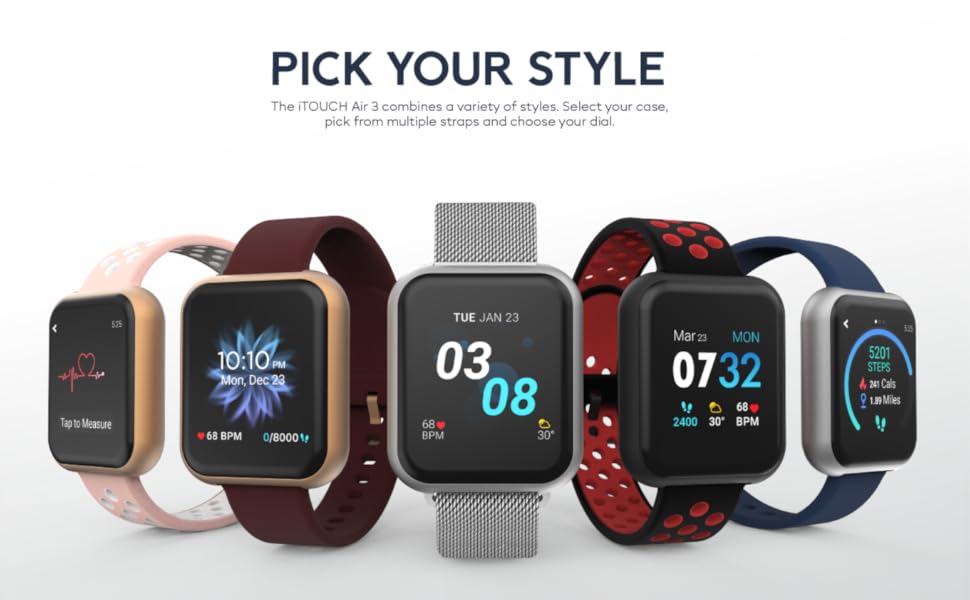
Imatge: Una il·lustració que mostraasing different styles and customizable options for the iTouch Air 3 Smartwatch.
Notificacions
Receive notifications for calls, text messages, and social media alerts directly on your wrist. Configure notification settings within the iTouch Wearables app.

Image: Two iTouch Air 3 smartwatches showing incoming notifications from social media and messages.

Image: An illustration highlighting notifications and extended battery life features of the iTouch Air 3 Smartwatch.
Hygiene Reminders
Set reminders to wash your hands or move around if you've been sedentary for too long, promoting better health habits.
GPS connectat
Utilize the connected GPS feature to track your routes and distance during outdoor activities by syncing with your phone's GPS.
Sports and Workout Modes
The iTouch Air 3 offers various sports and workout modes to accurately track your activity. Select the appropriate mode for your exercise to monitor calories burned, heart rate, and duration.
- Modes esportius: Basketball, Baseball, Football, Soccer
- Modes d'entrenament: Running, Elliptical, Cycling, Hiking
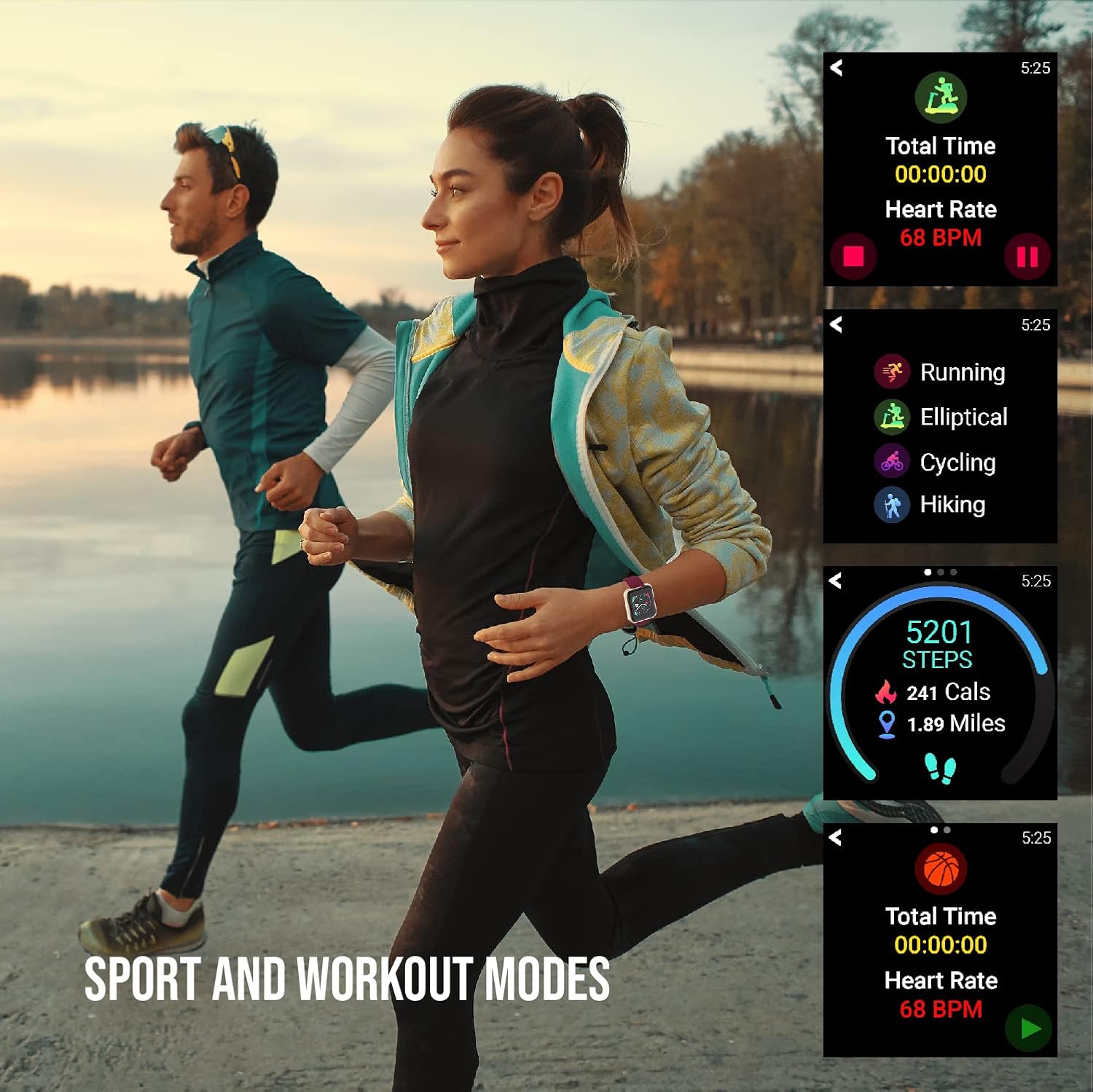
Image: Individuals engaged in physical activity, with the smartwatch interface showing various sport and workout tracking options.

Image: An illustration demonstrating the activity tracking features of the iTouch Air 3 Smartwatch, including steps, calories, and workout modes.
Monitorització de la freqüència cardíaca
The iTouch Air 3 features a 24/7 optical heart rate monitor. It automatically tracks your heart rate throughout the day. You can also manually measure your heart rate from the watch interface.

Image: The iTouch Air 3 Smartwatch showing continuous heart rate tracking and historical data.
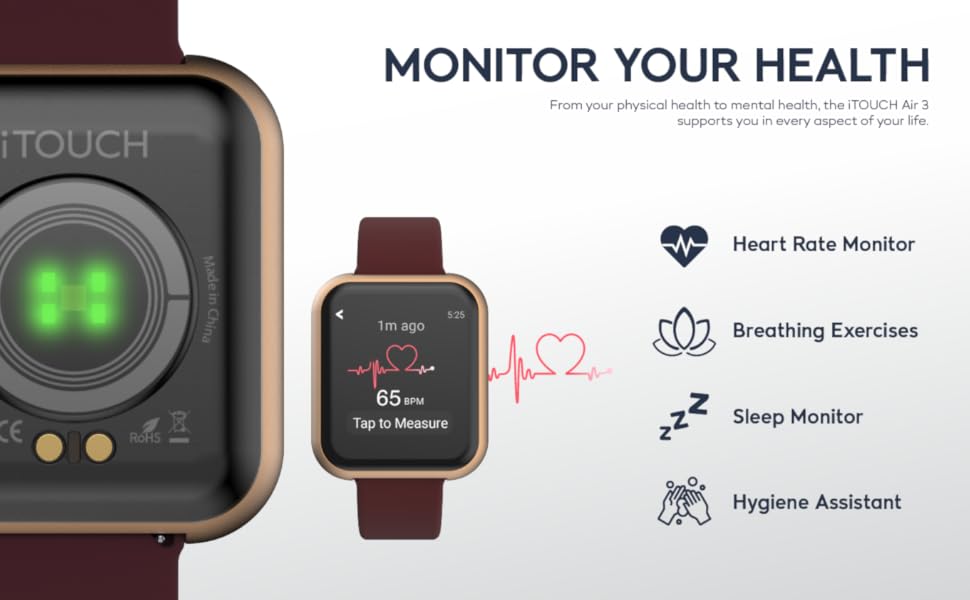
Image: An illustration detailing the health monitoring features of the iTouch Air 3 Smartwatch, including heart rate, breathing exercises, sleep, and hygiene assistance.
Monitorització del son
The smartwatch automatically tracks your sleep patterns, providing insights into your light, deep, and awake sleep stages. View detailed sleep data in the iTouch Wearables app.
Control de música
Control your phone's music playback directly from your smartwatch, allowing you to play, pause, skip tracks, and adjust volume without taking your phone out of your pocket.
Comandament de la càmera
Use your iTouch Air 3 as a remote shutter button for your smartphone camera, making it easier to take photos from a distance.
Manteniment
Resistència a l'aigua
The iTouch Air 3 is IP68-rated water resistant, meaning it can withstand immersion in water up to 1.5 meters for up to 30 minutes. It is suitable for daily use and light water exposure, but not recommended for swimming or diving.
Neteja
Per netejar el teu rellotge intel·ligent, eixuga'l amb un drap suau iamp cloth. Avoid using harsh chemicals or abrasive materials. Ensure the charging pins are clean and dry before charging.
Durada de la bateria
The iTouch Air 3 offers up to 7 days of battery life on a single charge, depending on usage. To maximize battery life, reduce screen brightness and limit frequent notifications.

Image: A close-up of the iTouch Air 3 Smartwatch emphasizing its scratch-resistant glass, water resistance, and long battery life.
Resolució de problemes
If you encounter issues with your iTouch Air 3 Smartwatch, try the following steps:
- El dispositiu no s'encén: Assegureu-vos que el dispositiu estigui completament carregat. Connecteu-lo al cable de càrrega i a una font d'alimentació durant almenys 30 minuts.
- Not Pairing with Phone:
- Assegureu-vos que el Bluetooth estigui habilitat al vostre telèfon.
- Make sure the iTouch Wearables app is open and running.
- Reinicieu tant el telèfon com el rellotge intel·ligent.
- Check if your phone's operating system meets the minimum requirements (iOS 13+ or Android 9+).
- Lectures inexactes (passos, freqüència cardíaca):
- Assegureu-vos de portar el rellotge ben ajustat al canell, aproximadament un dit per sobre de l'os del canell.
- Netegeu el sensor òptic de la part posterior del rellotge.
- Sync the watch with the app regularly to ensure data transfer.
- Notificacions que no apareixen:
- Check notification settings within the iTouch Wearables app.
- Ensure your phone's notification settings allow the iTouch Wearables app to send alerts.
- Verifiqueu que el rellotge estigui connectat al telèfon mitjançant Bluetooth.
Especificacions
| Característica | Detall |
|---|---|
| Dimensions del producte | 4.8 x 2 x 3.23 polzades |
| Pes de l'article | 6.4 unces |
| Número de model de l'article | Aire 3 |
| Bateries | Necessites 1 piles de ions de liti (incloses) |
| Mida de la pantalla de peu | 40 mil·límetres |
| Sistema operatiu | Android (compatible amb iOS 13+ i Android 9+) |
| Característiques especials | Calorie Tracker, GPS, Heart Rate Monitor, Pedometer, Sleep Monitor, Time Display |
| Tecnologia de connectivitat | Bluetooth |
| Forma | Plaçada |
| Fabricant | toco |
| Data de primera disponibilitat | 5 de novembre de 2020 |
Garantia i Suport
For warranty information and customer support, please refer to the documentation included in your product packaging or visit the official iTouch Wearables weblloc web. Conserveu el comprovant de compra per a qualsevol reclamació de garantia.
També podeu visitar el Botiga iTouch a Amazon per a més informació i actualitzacions del producte.


