1. Introducció
Thank you for choosing the MIFA X11 True Wireless Earbuds. This manual provides essential information on how to set up, operate, and maintain your earbuds to ensure optimal performance and longevity. Please read this manual thoroughly before using the product.
2. Què hi ha a la caixa
- MIFA X11 True Wireless Earbuds (Left & Right)
- Estoig de càrrega
- Coixins per a les orelles (diverses mides)
- Cable de càrrega USB
- Manual d'usuari
3. Característiques del producte
- Disseny veritablement sense fil: Bluetooth 5.0 for total freedom, switch between Twin Mode and Mono Mode.
- Expertly Tuned Sound: Powerful bass and clear details with advanced Qualcomm chip, supporting APT-X and ACC.
- IPX7 Impermeable: Protection against sweat, rain, and snow, ideal for sports.
- Bateria potent: Up to 5 hours of playtime on a single charge, with the charging case providing up to 100 additional hours.
- Disseny ergonòmic: Unique ear-fins for a secure, comfortable fit.
- Reducció de soroll CVC 8.0: Built-in microphone with CVC 8.0 for crystal-clear phone calls and voice assistant support.
4. Configuració
4.1 Càrrega inicial
Before first use, fully charge both the earbuds and the charging case. Place the earbuds into the charging case. Connect the USB charging cable to the case and a power source. The indicator lights on the case will show the charging status.
4.2 Parellament
The MIFA X11 earbuds feature one-step pairing for convenience.
- Traieu els dos auriculars de l'estoig de càrrega. S'encendran automàticament i es connectaran entre si.
- On your mobile device, open the Bluetooth settings.
- Select "MIFA X11" from the list of available devices to pair.
- Once connected, you will hear a confirmation prompt.
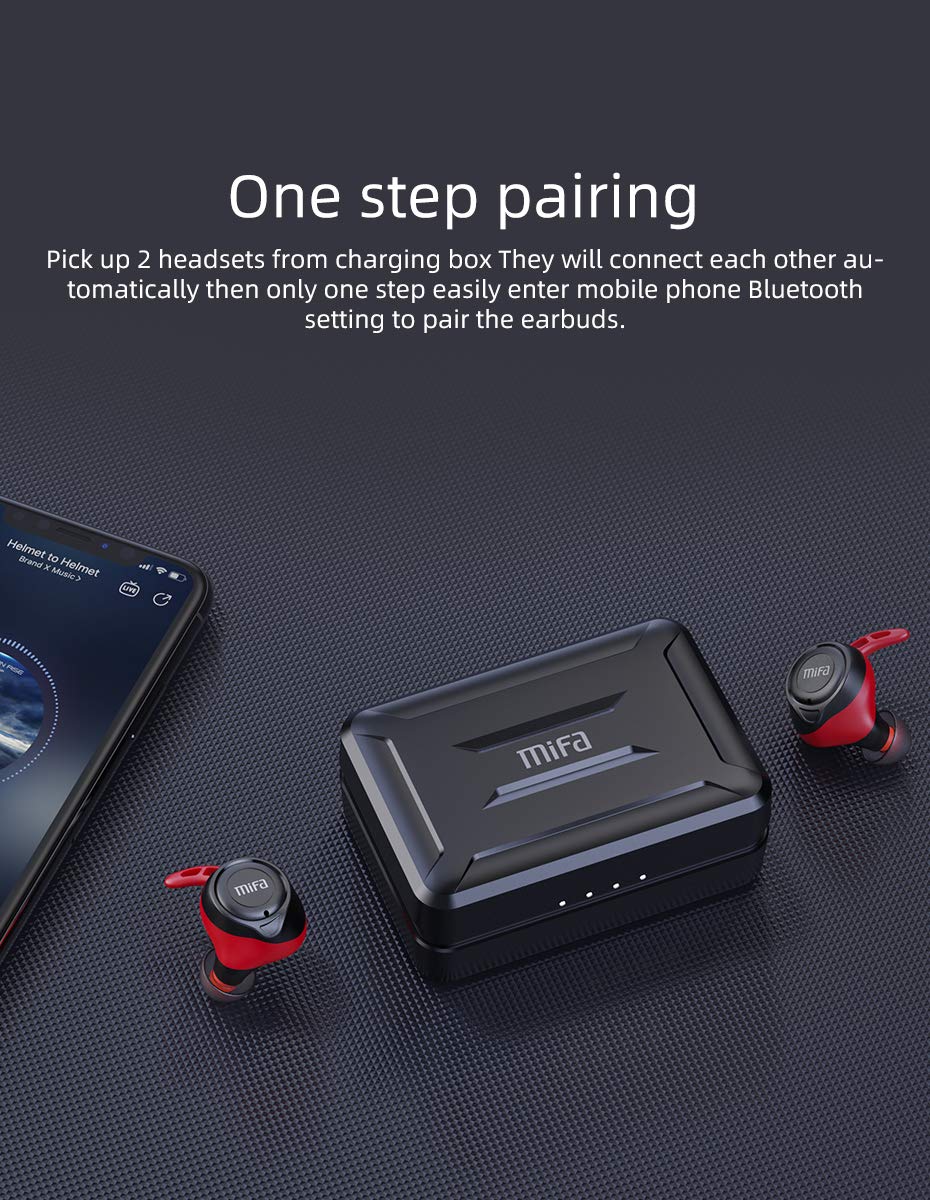
Figure 4.2.1: One-step pairing process with earbuds and charging case.
5. Instruccions de funcionament
5.1 Controls bàsics
The MIFA X11 earbuds feature physical buttons for reliable control. Specific functions may vary slightly based on your device and application.
- Encès/apagat: Earbuds power on automatically when removed from the case and power off when placed back in.
- Reproduir/pausa: Premeu el botó de qualsevol dels auriculars una vegada.
- Pista següent: Double-press the button on the right earbud.
- Pista anterior: Double-press the button on the left earbud.
- Pujar el volum: Triple-press the button on the right earbud.
- Baixar el volum: Triple-press the button on the left earbud.
5.2 Mono Mode and Twin Mode
The earbuds can be used individually (Mono Mode) or together (Twin Mode).
- Mode mono: Simply take one earbud out of the charging case. It will automatically connect to your device, allowing you to use it independently for calls or audio while maintaining awareness of your surroundings.
- Mode Doble: Take both earbuds out of the charging case. They will automatically connect to each other and then to your device, providing an immersive stereo sound experience.
5.3 Trucades telefòniques
The MIFA X11 earbuds support call control functions.
- Respondre/Finalitzar la trucada: Premeu el botó de qualsevol dels auriculars una vegada.
- Rebutja la trucada: Press and hold the button on either earbud for 2 seconds.
5.4 Assistent de veu
Activa l'assistent de veu del teu dispositiu (Siri, Google Assistant, etc.) directament des dels auriculars.
- Activa l'Assistent de veu: Press and hold the button on either earbud for 2 seconds (after rejecting a call, if applicable).

Figure 5.4.1: Activating voice assistant with MIFA X11 earbuds.
6. Manteniment
6.1 Neteja
Una neteja regular ajuda a mantenir la qualitat del so i la higiene.
- Netegeu suaument els auriculars i l'estoig de càrrega amb un drap suau, sec i sense borrissol.
- Per a les puntes de les orelles, traieu-les i netegeu-les amb una solució de sabó suau si cal, després esbandiu-les bé i eixugueu-les completament abans de tornar-les a col·locar.
- No utilitzeu netejadors abrasius ni dissolvents.
6.2 Resistència a l'aigua (IPX7)
The MIFA X11 earbuds are IPX7 waterproof, meaning they can withstand immersion in water up to 1 meter for 30 minutes. This makes them suitable for workouts and use in rainy conditions.
- No submergiu la funda de càrrega intencionadament, ja que no és impermeable.
- Assegureu-vos que els auriculars estiguin secs abans de tornar-los a col·locar a l'estoig de càrrega per evitar que es facin malbé.
- IPX7 rating applies to fresh water; exposure to salt water, chlorinated water, or other liquids may cause damage.

Figure 6.2.1: MIFA X11 earbuds demonstrating IPX7 waterproof capability.
7. Solució De Problemes
If you encounter issues with your MIFA X11 earbuds, try the following solutions:
- Auriculars que no s'aparellen entre si: Place both earbuds back into the charging case, close the lid for a few seconds, then take them out again. They should automatically connect.
- Auriculars que no es connecten al dispositiu: Ensure Bluetooth is enabled on your device. Forget "MIFA X11" in your device's Bluetooth settings and attempt to pair again.
- No se sent cap so d'un auricular: Ensure both earbuds are charged. Try placing them back in the case and taking them out again. If the issue persists, reset the earbuds (refer to manufacturer's weblloc web per obtenir instruccions específiques de restabliment si cal).
- Problemes de càrrega: Ensure the charging cable is securely connected and the power source is working. Clean the charging contacts on both the earbuds and the case with a dry cotton swab.
- Mala qualitat del so: Ensure earbuds are properly seated in your ears. Try different sized ear tips for a better seal. Check if there is any debris in the earbud nozzles.
For further assistance, please contact MIFA customer support.
8. Especificacions
| Nom del model | MIFA X11 |
| Tecnologia de connectivitat | Sense fil (Bluetooth 5.0) |
| Nivell de resistència a l'aigua | IPX7 impermeable |
| Durada de la bateria (auriculars) | Fins a 5 hores |
| Durada de la bateria (amb estoig de càrrega) | Fins a 100 hores |
| Micròfon | Yes (with CVC8.0 Noise Reduction) |
| Tipus de control | Call Control, Remote |
| Dispositius compatibles | Telèfons intel·ligents, tauletes, ordinadors portàtils, dispositius amb Bluetooth |
| Material | Silicona, plàstic |
| Dimensions del producte | 3.1 x 2.5 x 2.6 cm |
| Pes de l'article | 249 g |
9. Garantia i Suport
MIFA products are manufactured to the highest quality standards. For information regarding warranty coverage, technical support, or service inquiries, please visit the official MIFA weblloc web o contacteu directament amb el servei d'atenció al client. Conserveu el comprovant de compra per a reclamacions de garantia.


