1. Introducció
The Douk Audio VU2 is a versatile audio device combining an analog VU meter with a 4-way audio splitter and switcher. It is designed to enhance your audio experience by providing dynamic visual feedback of sound levels and flexible audio routing capabilities. This manual provides detailed instructions for setting up, operating, and maintaining your VU2 unit.

Les característiques clau inclouen:
- Analog VU Meter: Features wired stereo RCA input and wireless microphone inputs, compatible with various audio devices like mobile phones, computers, and speakers.
- 4-Way Audio Splitter Box: Functions in both 4-IN-1-OUT mode for comparing different audio sources and 1-IN-4-OUT mode for comparing audio outputs (e.g., preamps, ampaixecadors).
- Connectivitat flexible: Allows 4 channels to input simultaneously for mixing different audio sources, or output simultaneously for monitoring or recording. Eliminates the need for repeated cable plugging and unplugging.
- Control independent: The VU meter and switcher box operate independently. The USB interface provides power only for the VU meter's drive board, ensuring no interference with audio signals.
- Disseny Premium: Features a sleek black case, colorful indicators, gold-plated pure copper terminals for minimal signal loss, and includes a remote control for convenience.
2. Components i controls del producte
2.1 Disposició del panell frontal

- VU metres: Analog meters displaying audio signal levels.
- 4 Channel Select Buttons (1-4): Used to select active input/output channels.
- Receptor d'infrarojos: Per a senyals de comandament a distància.
- Line Input Indicator (Red): Illuminates when line input is active.
- Mic Input Indicator (Green): Illuminates when microphone input is active.
- ACG Mode Indicator (Red): Illuminates when Automatic Gain Control mode is active for the VU meter.
- DB Mode Indicator (Green): Illuminates when Decibel mode is active for the VU meter.
- Delay Knob: Adjusts the response speed of the VU meter needles.
- Pom de guany: Adjusts the sensitivity or swing range of the VU meter needles.
- Tecla de funció: Used for various settings and mode changes.
2.2 Disseny del panell posterior

- RCA Audio Input (IN): Stereo RCA input for audio sources.
- RCA Audio Outputs (OUT-1 to OUT-4): Four stereo RCA outputs.
- 5V USB IN: Micro USB port for power supply to the VU meter.
3. Configuració i connexions
Before connecting, ensure all audio equipment is powered off.
3.1 Connexió d'alimentació
- Connecteu el cable USB proporcionat a 5V USB IN port on the rear panel of the VU2.
- Connect the other end of the USB cable to a DC 5V power adapter (not included) or a dedicated USB power source.
- Nota important: It is not recommended to power the VU2 from the USB interface of an audio source device, as this may generate noise. Use a separate power adapter.
3.2 Connexions d'àudio (mode 1-IN-4-OUT)
In this mode, one audio source is distributed to up to four output devices.
- Connect your audio source (e.g., CD player, DAC) to the RCA Audio Input (IN) al panell posterior.
- Connect your output devices (e.g., amplifier, active speakers, preamp) to any of the RCA Audio Outputs (OUT-1 to OUT-4).
3.3 Connexions d'àudio (mode 4-IN-1-OUT)
In this mode, up to four audio sources can be selected to output to a single device.
- Connect your audio sources (e.g., mobile phone, tablet, TV, CD player) to the RCA Audio Inputs (IN-1 to IN-4).
- Connect your single output device (e.g., amplifier, recording interface) to the RCA Audio Output (OUT).
- Nota important: When in 4-IN-1-OUT mode, the 4 channels of VU2 are not recommended to work in parallel. There may be some distortion if the output levels of the 4 players are significantly different.

4. Instruccions de funcionament
4.1 Encès/Apagat
Press the power button on the remote control or the corresponding button on the unit to turn the VU2 on or off. Settings are saved after shutdown.
4.2 Selecció de canals
To select an active channel (1-4), press the corresponding channel button on the front panel or use the remote control. All 4 channels can work (input or output) at the same time, but this function can only be set by pressing the four channel buttons on the front panel, not by remote control.
4.3 VU Meter Adjustment

- Ajust de guany: Utilitza el Pom de guany to adjust the input signal gain, which controls the swing range of the VU meter pointer. The 0dB position can be set as needed for recording.
- Ajust de retard: Utilitza el Perilla de retard to adjust the sensitivity of the pointer, controlling the speed at which the pointer beats to adapt to different music styles.
- ACG Mode (Automatic Gain Control): Suitable for general listening, where the meter automatically adjusts its sensitivity. This mode may not accurately reflect the true input level.
- DB Mode (Decibel Mode): Suitable for professional recording or when precise level monitoring is required, as it shows the real music level.
4.4 Entrada de micròfon
The VU2 supports wireless microphone input for the VU meter function. Ensure the Mic Input Indicator is green when using this feature.
4.5 Funcionament del control remot
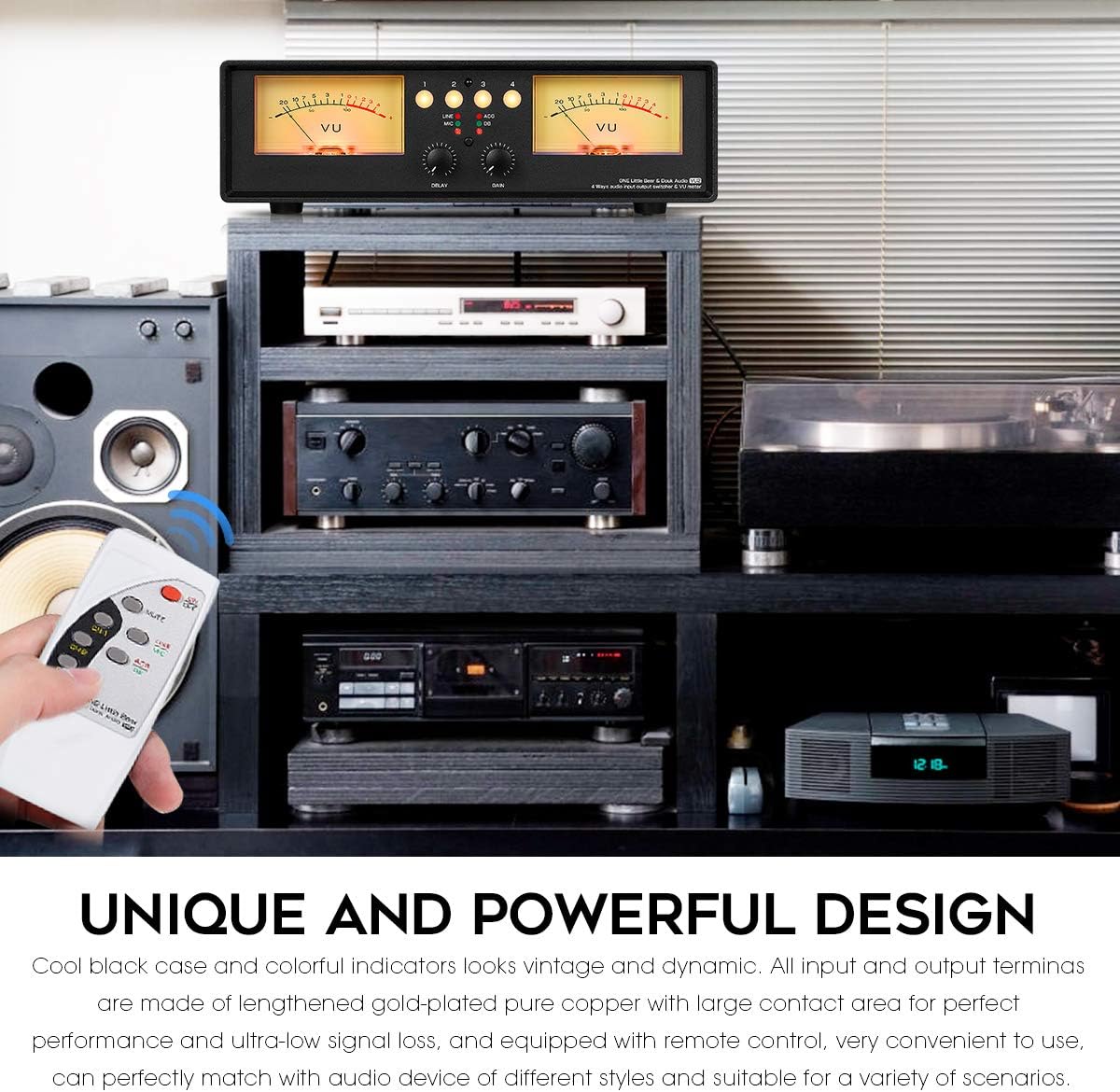
The remote control allows for convenient operation of the VU2, including power on/off, channel selection (for single channel operation), and mute function. Please note that the remote control does not support simultaneous 4-channel operation.
5. Manteniment
To ensure the longevity and optimal performance of your Douk Audio VU2, follow these maintenance guidelines:
- Neteja: Use a soft, dry cloth to clean the exterior of the unit. Avoid using liquid cleaners or abrasive materials, as they may damage the finish or internal components.
- Col·locació: Col·loqueu la unitat sobre una superfície estable i plana, allunyada de la llum solar directa, fonts de calor i humitat excessiva. Assegureu-vos que hi hagi una ventilació adequada al voltant de la unitat.
- Manipulació: Manipuleu la unitat amb cura. Eviteu deixar-la caure ni sotmetre-la a impactes forts.
- Gestió de cables: Assegureu-vos que tots els cables estiguin connectats correctament i que no estiguin sota tensió. Eviteu doblegar els cables bruscament.
6. Solució De Problemes
If you encounter any issues with your Douk Audio VU2, please refer to the following troubleshooting tips:
- Sense energia:
- Ensure the USB power cable is securely connected to both the unit and a working 5V DC power source.
- Proveu un cable USB i un adaptador de corrent diferents.
- No Sound Output / No VU Meter Movement:
- Verify all RCA audio cables are correctly and securely connected to the appropriate input and output ports.
- Check the selected channel on the front panel.
- Ensure the audio source is playing and its volume is adequate.
- Adjust the Gain knob on the front panel to increase VU meter sensitivity.
- Humming or Noise in Audio:
- Ensure the VU2 is not powered from the USB interface of an audio source device. Use a separate, dedicated 5V power adapter.
- Comproveu si hi ha bucles de terra. Intenteu connectar tots els equips d'àudio a la mateixa regleta.
- Assegureu-vos que tots els cables estiguin en bon estat i degudament blindats.
- VU Meter Needles Not Moving Correctly / Inaccurate Readings:
- Ajusteu el Pom de guany to calibrate the meter's sensitivity to your audio signal.
- Ajusteu el Perilla de retard to change the response speed of the needles.
- Ensure you are in the correct mode (ACG or DB) for your monitoring needs. DB mode provides a more accurate representation of the real music level.
- If needles are consistently off-center or misaligned, and adjustments do not correct it, contact customer support.
- El control remot no funciona:
- Assegureu-vos que les piles estiguin correctament inserides i que no estiguin esgotades.
- Point the remote directly at the infrared receiver on the front panel.
- Assegureu-vos que no hi hagi obstacles entre el comandament a distància i la unitat.
If the problem persists after trying these steps, please contact Douk Audio customer support for further assistance.
7. Especificacions
| Paràmetre | Valor |
|---|---|
| Entrada d'àudio | Stereo RCA / Microphone |
| Sortida d'àudio | 4 groups of stereo RCA |
| Switcher Working Mode | 1-IN-4-OUT / 4-IN-1-OUT |
| Ajust de sensibilitat | Admet |
| Ajust de guanys | Supported (DB mode / ACG mode) |
| Voltage | Micro USB DC 5V |
| Corrent de treball | 1.5A |
| Voltage of Backlight Filament | DC / AC 6-12V |
| Current of Backlight Filament | 100 mA |
| Dynamic Acceleration / Deceleration Dampmodes | Admet |
| Funció d'encesa/apagada | Admet |
| Settings Saved After Shutdown | Admet |
| Funció de silenci | Admet |
| Control remot | Admet |
| Dimensions (W*D*H) | 280*122*80mm / 11.02*4.08*3.15in |
| Pes net | 1.10 kg / 2.43 lliures |
| Product Dimensions (from specs) | 4.8 x 11.02 x 3.15 polzades |
| Item Weight (from specs) | 2.23 lliures |
| Color | Llum |
| Tipus de connector | RCA |
| Dispositius compatibles | Amplifier, CD Player, Laptop, Preamplifier, Television |
| Tipus de cable | USB |
8. Llista d'embalatge
Els articles següents s'inclouen al paquet:

- 1 * VU2 Meter & Audio Splitter Box
- 1 * Remote Control (batteries not included)
- 1 * Cable USB
- 1 * Manual d'usuari
9. Garantia i Suport
Douk Audio products are manufactured to high-quality standards. For information regarding warranty coverage, please refer to the warranty card included with your product or visit the official Douk Audio website. If you require technical support, have questions about product operation, or need assistance with troubleshooting beyond what is covered in this manual, please contact Douk Audio customer service. Please have your model number (XX-VU2-L) and purchase details ready when contacting support.


